
1. Uvod
Welcome to the user manual for your new Lenovo IdeaCentre 27IRH9 F0HM000RUS All-in-One PC. This document provides comprehensive instructions to help you set up, operate, maintain, and troubleshoot your device. Please read this manual thoroughly before using your computer to ensure optimal performance and longevity.
The Lenovo IdeaCentre 27IRH9 F0HM000RUS is a powerful and elegantly designed all-in-one desktop computer, featuring a 27-inch Full HD touchscreen display, an Intel Core i7 13th Gen i7-13620H processor, 16GB of RAM, and a 512GB SSD. It comes pre-installed with Windows 11 Home, offering a stable, intuitive, and responsive computing environment for both productivity and creative tasks.
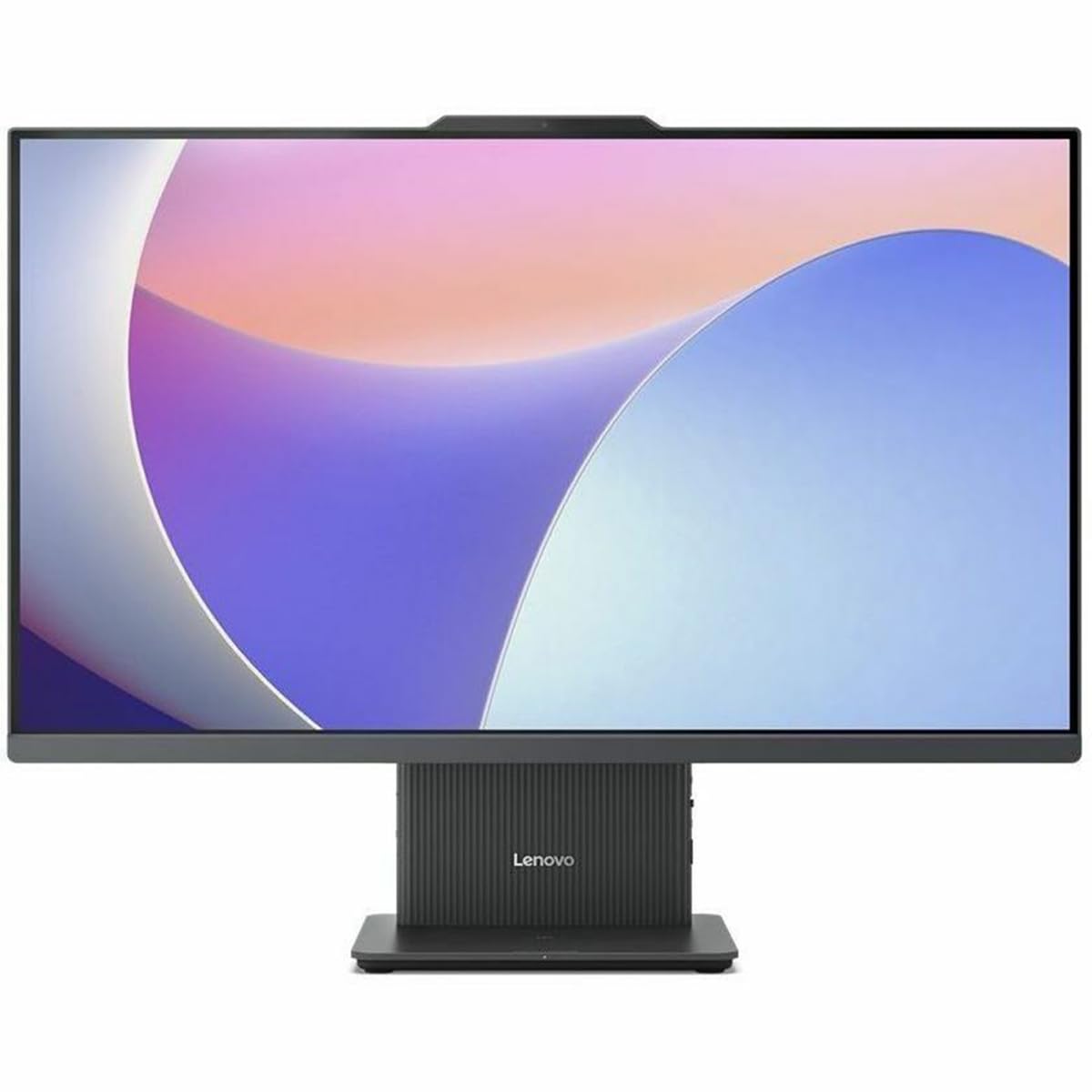
Slika 1: Spredaj view of the Lenovo IdeaCentre 27IRH9 F0HM000RUS All-in-One PC.
2. Navodila za namestitev
2.1 Razpakiranje in namestitev
- Carefully remove all components from the packaging. Ensure all items listed in the packing slip are present.
- Place the IdeaCentre All-in-One PC on a stable, flat surface, such as a desk or table. Ensure there is adequate ventilation around the device.
- Avoid placing the computer in direct sunlight or near heat sources.
2.2 Priključitev zunanjih naprav
Connect the included wireless keyboard and mouse. The USB receiver for these devices is typically found in the mouse or keyboard packaging. Insert the USB receiver into an available USB port on the back of the computer.
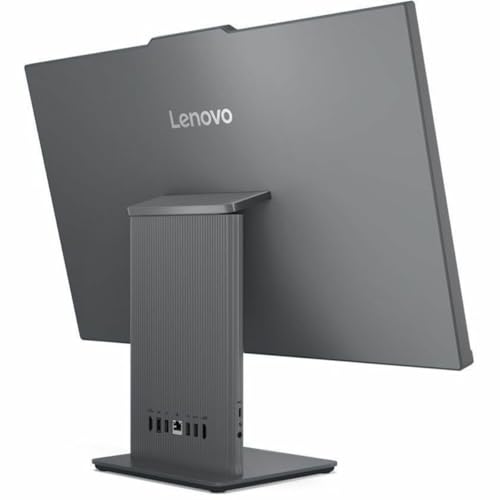
Slika 2: Zadaj view of the IdeaCentre, highlighting available ports for peripheral connections.
2.3 Napajalni priključek
- Connect the power adapter cable to the power input port on the back of the IdeaCentre PC.
- Priključite napajalnik v ozemljeno električno vtičnico.
2.4 Začetni zagon
- Press the power button, usually located on the side or bottom bezel of the display.
- Sledite navodilom na zaslonu, da dokončate postopek namestitve sistema Windows 11 Home, vključno z izbiro jezika, omrežno povezavo in ustvarjanjem uporabniškega računa.
3. Navodila za uporabo
3.1 Osnove sistema Windows 11 Home
Your IdeaCentre PC runs on Windows 11 Home, offering a user-friendly interface. Familiarize yourself with the Start Menu, Taskbar, and File Explorer for efficient navigation and application management.
3.2 Funkcionalnost zaslona na dotik
The 27-inch Full HD display supports multi-touch gestures. Use gestures such as tap, swipe, pinch-to-zoom, and two-finger scroll for intuitive interaction with applications and content.
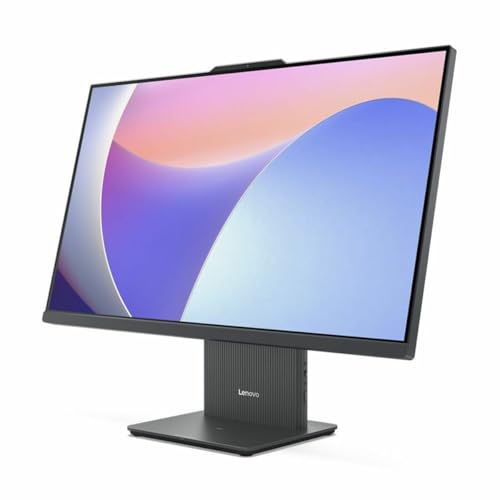
Figure 3: User interacting with the touchscreen display of the IdeaCentre.
3.3 Omrežna povezljivost
- Wi-Fi: To connect to a wireless network, click the Wi-Fi icon in the taskbar, select your network, and enter the password. The device supports 802.11ax for stable and efficient online operations.
- Ethernet: Za žično povezavo priključite ethernetni kabel v vrata RJ-45 na zadnji strani računalnika.
3.4 Naprave Bluetooth
Če želite seznaniti naprave Bluetooth (npr. slušalke, zvočnike), pojdite na Nastavitve > Bluetooth in naprave, turn on Bluetooth, and select your device from the list to pair. Bluetooth ensures stable wireless communication with minimal interference from nearby devices.
3.5 USB Type-C Port Usage
The USB Type-C port supports high-speed data transfer and power delivery, allowing for streamlined connectivity and efficient integration with various peripherals.
4. Vzdrževanje
4.1 Čiščenje naprave
- zaslon: Uporabite mehko krpo, ki ne pušča vlaken, dampz vodo ali čistilom za zaslone. Izogibajte se agresivnim kemikalijam.
- Podvozje: Wipe the exterior with a soft, dry cloth. Do not use abrasive cleaners.
- Pred čiščenjem se prepričajte, da je naprava izklopljena in izklopljena.
4.2 Posodobitve programske opreme
Redno preverjajte in nameščajte posodobitve sistema Windows in posodobitve gonilnikov, da zagotovite stabilnost, varnost in optimalno delovanje sistema. Pojdite na Nastavitve > Posodobitev sistema Windows za upravljanje posodobitev.
4.3 Varnostno kopiranje podatkov
Občasno varnostno kopirajte pomembne files to an external drive or cloud storage to prevent data loss. Windows 11 offers built-in backup solutions.
5. Odpravljanje težav
This section addresses common issues you might encounter with your IdeaCentre PC.
| Težava | Možna rešitev |
|---|---|
| Računalnik se ne vklopi | Ensure the power cable is securely connected to both the computer and the electrical outlet. Test the outlet with another device. |
| Brez prikaza na zaslonu | Check if the computer is powered on. If connected to an external monitor, ensure the correct input source is selected on the monitor. |
| Težave s povezavo Wi-Fi | Restart your router and modem. Ensure Wi-Fi is enabled on your computer. Check network settings in Windows. |
| Tipkovnica ali miška se ne odziva | Check battery levels for wireless devices. Ensure the USB receiver is properly inserted. Try a different USB port. |
| Sistem je počasen ali se ne odziva | Close unnecessary applications. Check for background processes using Task Manager. Ensure sufficient free space on the SSD. Run a system scan for malware. |
Če težave ne prenehajo, se obrnite na podporo Lenovo webspletno mesto ali se za dodatno pomoč obrnite na službo za stranke.
6. Specifikacije
Detailed technical specifications for the Lenovo IdeaCentre 27IRH9 F0HM000RUS:
| Funkcija | Podrobnost |
|---|---|
| Znamka | Lenovo |
| Številka modela | F0HM000RUS |
| Operacijski sistem | Windows 11 Home |
| Model procesorja | Intel Core i7-13620H (13th Gen) |
| Hitrost procesorja | 4.9 GHz |
| Grafični procesor | Intel UHD grafika (vgrajena) |
| RAM pomnilnik | 16 GB DDR5 |
| Shranjevanje | 512 GB SSD |
| Velikost zaslona | 27 palcev |
| Ločljivost zaslona | 1920 x 1080 (Full HD) |
| Vrsta zaslona | IPS, Touchscreen |
| Razmerje stranic | 16:9 |
| Brezžična povezljivost | Wi-Fi (802.11ax), Bluetooth |
| Vrata USB | 4 (including USB-C) |
| Vrata HDMI | 1 |
| Poraba energije | 135 vatov |
| Dimenzije izdelka | 22.1 x 56.1 x 75.9 cm |
| Teža izdelka | 24.25 funta |
| Vključene komponente | AIO Stand, Wireless Keyboard, Wireless Mouse, USB Receiver, Power Adapter |
| UPC | 197531855381 |
7. Garancija in podpora
7.1 Garancija izdelka
Your Lenovo IdeaCentre 27IRH9 F0HM000RUS comes with a standard manufacturer's warranty. Please refer to the warranty card included in your product packaging or visit the official Lenovo webZa podrobne pogoje glede garancijskega kritja, trajanja in servisnih postopkov obiščite spletno mesto.
7.2 Tehnična podpora
For technical assistance, troubleshooting beyond this manual, or service inquiries, please contact Lenovo customer support. You can find contact information, FAQs, and additional resources on the official Lenovo support webspletno mesto: support.lenovo.com. When contacting support, please have your product model number (F0HM000RUS) and serial number ready.