
1. Izdelek je končanview
The Vieta Pro VM-BS1000WH is a portable, battery-powered Bluetooth speaker designed for high-quality audio playback. Its elegant design allows it to integrate seamlessly into various environments, while its robust features make it suitable for both indoor and outdoor use.
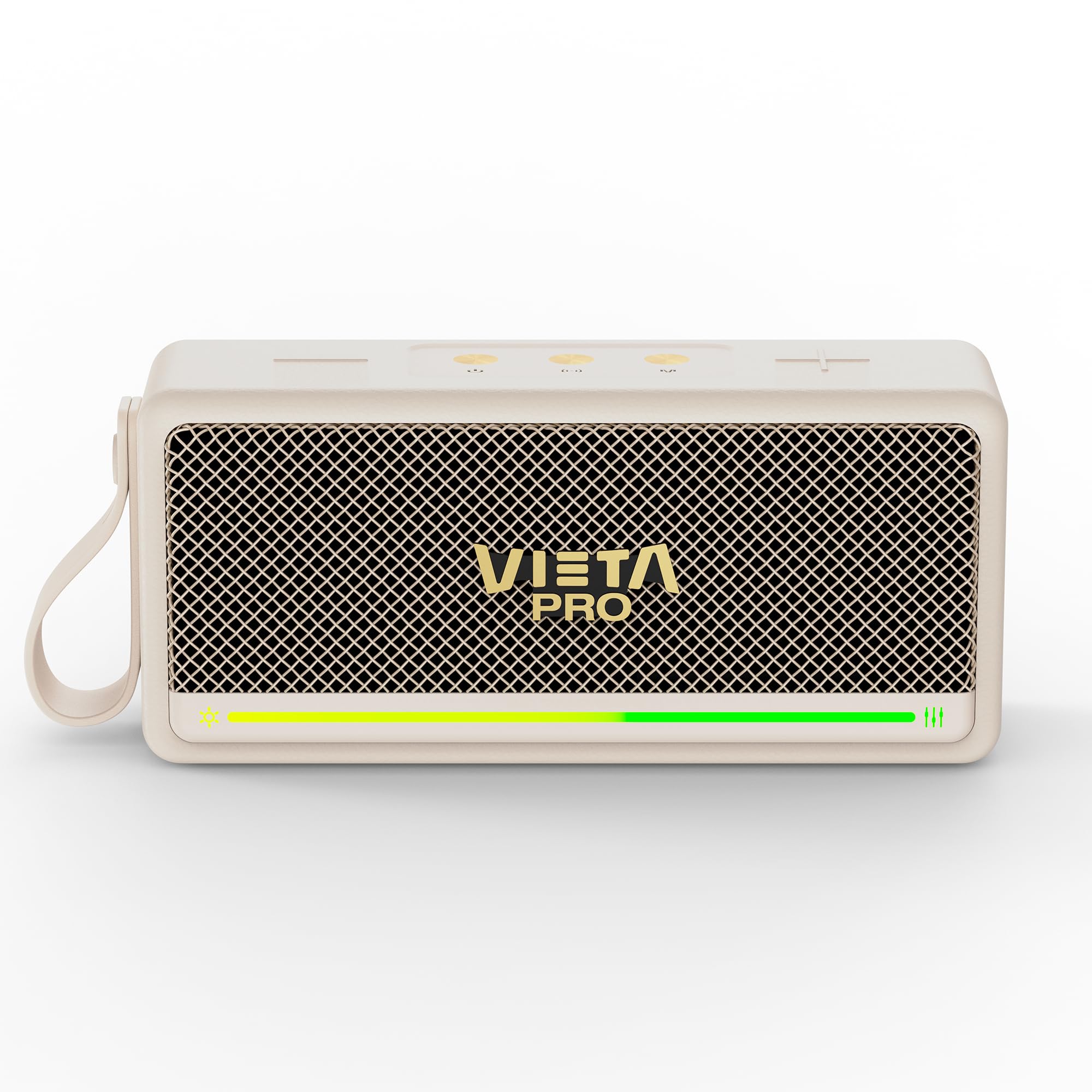
Slika 1: Spredaj view of the Vieta Pro VM-BS1000WH Portable Bluetooth Speaker.
2. Ključne značilnosti
- Bluetooth 5.3: Advanced wireless technology for fast and stable connections.
- Način TWS (True Wireless Stereo): Enables a true wireless stereo sound experience for immersive listening.
- Vodoodpornost IPX7: Certified to withstand splashes and brief immersion in water.
- USB predvajalnik: Allows direct music playback from a USB drive.
- 10-urna življenjska doba baterije: Provides extended use without frequent recharging.
- Shock-resistant design: Izboljšana vzdržljivost za aktiven življenjski slog.
- Nadzor na dotik: Intuitive control method for ease of use.
3. Navodila za namestitev
3.1. Polnjenje zvočnika
Before initial use, fully charge the speaker. Connect the provided USB charging cable to the speaker's charging port and a compatible USB power adapter (not included). The charging indicator light will illuminate during charging and turn off when fully charged. A full charge provides up to 10 hours of playback.
3.2. Vklop/izklop
To power on the speaker, press and hold the power button located on the control panel until you hear an audible prompt and the indicator light turns on. To power off, press and hold the power button again until the indicator light turns off.

Slika 2: stran view of the speaker, highlighting the control panel and ports.
4. Navodila za uporabo
4.1. Bluetooth seznanjanje
- Prepričajte se, da je zvočnik vklopljen in v načinu seznanjanja Bluetooth (kar označuje utripajoča LED lučka).
- V napravi (pametnem telefonu, tablici, prenosniku) omogočite Bluetooth in poiščite razpoložljive naprave.
- Select "Vieta Pro VM-BS1000WH" from the list of devices.
- Once paired, the speaker will emit an audible confirmation, and the LED indicator will become solid.
4.2. Način TWS (pravi brezžični stereo)
To achieve a true wireless stereo experience, you can pair two VM-BS1000WH speakers together:
- Prepričajte se, da sta oba zvočnika vklopljena in nista povezana z nobeno drugo napravo Bluetooth.
- On one speaker, press and hold the TWS button (refer to the control panel diagram) until you hear a pairing tone.
- Zvočnika se bosta samodejno povezala. Ko bosta povezana, bo en zvočnik deloval kot glavni, drugi pa kot podrejeni.
- Now, connect your device to the master speaker via Bluetooth as described in section 4.1. Audio will play in stereo through both speakers.
4.3. USB predvajanje
Vstavite pogon USB z zvokom MP3 files into the USB port on the speaker. The speaker will automatically detect the USB drive and begin playing music. Use the playback controls to navigate tracks.
4.4. Nadzor glasnosti in predvajanja
The speaker features touch controls for volume adjustment and music playback:
- Povečaj glasnost: Dotaknite se gumba »+«.
- Znižaj glasnost: Dotaknite se gumba »-«.
- Predvajanje/pavza: Dotaknite se gumba Predvajaj/Pavza.
- Naslednja skladba: Pritisnite in držite gumb »+«.
- Prejšnja skladba: Pritisnite in držite gumb '-'.
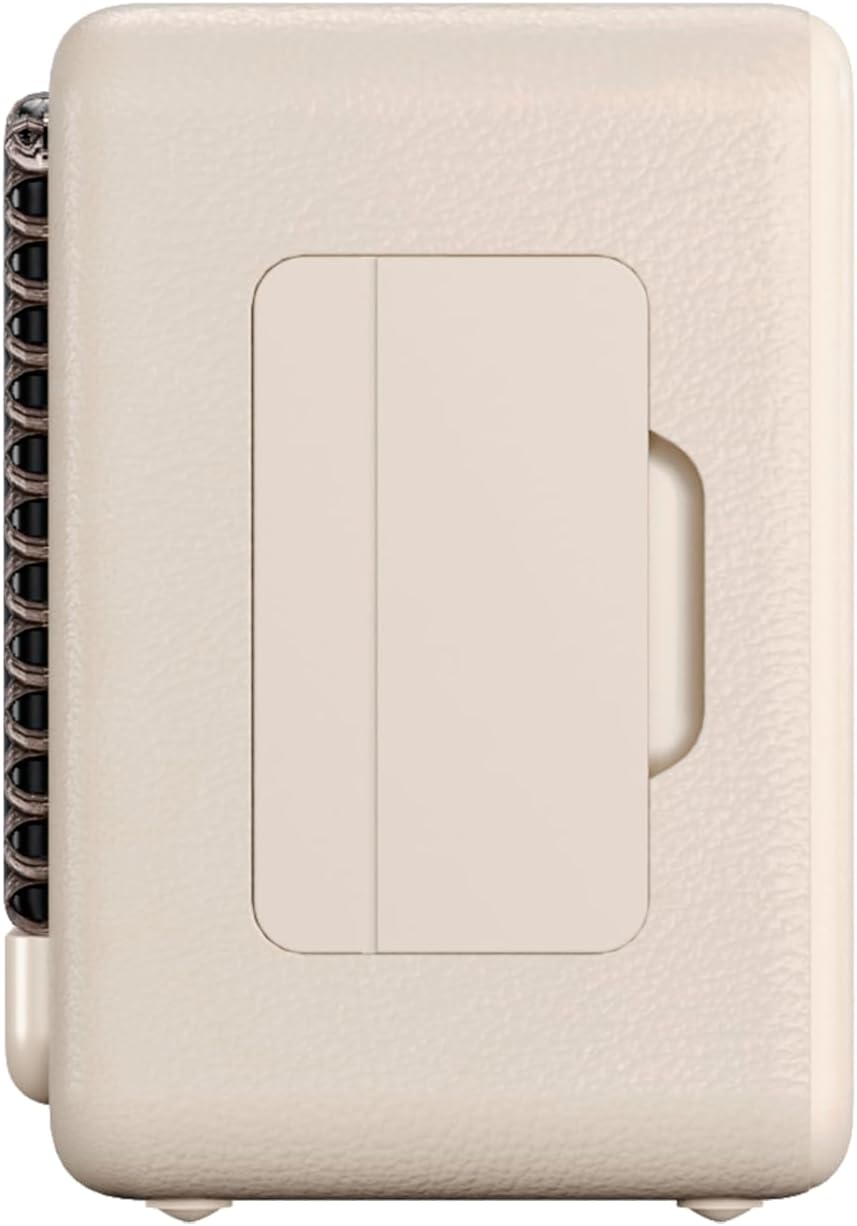
Slika 3: Stranski profesionalecfile of the speaker, illustrating its compact design.
5. Vzdrževanje
5.1. Čiščenje
Wipe the speaker with a soft, dry cloth. Do not use abrasive cleaners, alcohol, or chemical solvents, as these may damage the surface. Ensure all ports are dry before charging or connecting other devices.
5.2. Vodoodpornost (IPX7)
The VM-BS1000WH speaker is IPX7 water-resistant, meaning it can be immersed in water up to 1 meter for up to 30 minutes. However, it is not designed for continuous underwater use. Always ensure the charging port cover is securely closed before exposing the speaker to water. After exposure to water, dry the speaker thoroughly before charging.
6. Odpravljanje težav
- Brez napajanja: Prepričajte se, da je zvočnik napolnjen. Priključite ga na vir napajanja in poskusite znova.
- Seznanitev Bluetootha ni mogoča: Make sure the speaker is in pairing mode and within range of your device. Disconnect from any previously paired devices. Try restarting both the speaker and your device.
- Ni zvoka: Preverite glasnost zvočnika in priključene naprave. Prepričajte se, da je zvočnik pravilno seznanjen.
- Slaba kakovost zvoka: Move the speaker closer to your Bluetooth device to reduce interference. Ensure there are no obstructions between the speaker and the device.
- Predvajanje z USB-ja ne deluje: Prepričajte se, da je pogon USB pravilno formatiran (FAT32) in vsebuje združljive zvočne datoteke. files (MP3). Poskusite z drugim pogonom USB.
7. Tehnične specifikacije
| Funkcija | Specifikacija |
|---|---|
| Blagovna znamka | Vieta Pro |
| Ime modela | VM-BS1000WH |
| Vrsta zvočnika | Prenosni Bluetooth zvočnik |
| Največja izhodna moč zvočnika | 25 vatov |
| Tehnologija povezljivosti | Bluetooth |
| Različica Bluetooth | 5.3 |
| Način avdio izhoda | Stereo |
| Stopnja vodoodpornosti | IPX7 (odporen na vodo) |
| Življenjska doba baterije | Do 10 ur |
| Vir napajanja | Na baterije (1 baterija C priložena) |
| Nadzorna metoda | Dotik |
| Velikost zvočnika | 7.5 cm |
| Mere izdelka (D x Š x V) | 7.7 x 5.6 x 17.1 cm |
| Združljive naprave | Pametni telefon, tablični računalnik, prenosni računalnik, predvajalnik MP3 |
| Posebne lastnosti | Shock-resistant, Wireless speakers, USB port |
8. Garancija in podpora
8.1. Omejena garancija
This Vieta Pro VM-BS1000WH speaker comes with a Limited Warranty. Please refer to the warranty card included in the product packaging for detailed terms and conditions, including coverage period and limitations. Keep your proof of purchase for warranty claims.
8.2. Podpora strankam
For technical assistance, troubleshooting, or warranty inquiries, please contact FRAMASON AUDIO S.A., the manufacturer. Contact information can typically be found on the product packaging or the official Vieta Pro website. Please have your model number (VM-BS1000WH) and proof of purchase ready when contacting support.