
1. Uvod
Thank you for choosing the INQMEGA ST-598-6M-20X-WIFI-2 Solar Security Camera. This manual provides essential information to help you set up, operate, and maintain your device effectively. Please read it thoroughly before use.
2. Vsebina paketa
Preden začnete, preverite, ali so v paketu vsi elementi:
- INQMEGA ST-598-6M-20X-WIFI-2 Solar Security Camera
- Sončna celica (integrirana)
- Montažni nosilec
- Pritrdilni vijaki in stenska sidra
- Polnilni kabel USB-C
- Uporabniški priročnik (ta dokument)
Video: Unboxing the INQMEGA Solar Security Camera. This video demonstrates the contents of the product package, including the camera unit, solar panel, mounting accessories, and charging cable.
3. Navodila za namestitev
3.1 Vklop
To power on the camera, locate the power button, usually covered by a waterproof plug. Press and hold the power button for 3-5 seconds until you hear a voice prompt indicating the camera is ready to begin pairing. The LED indicator will blink red, then blue, signifying it's ready for connection.
3.2 Namestitev in povezava aplikacije
- Download the companion app (e.g., UBOX) from your smartphone's app store.
- Odprite aplikacijo in ustvarite račun ali se prijavite.
- Tap 'Add Device' or the '+' icon to add your camera.
- Follow the on-screen prompts to select your device type and confirm the camera's status.
- Select your 2.4G Wi-Fi network (5G Wi-Fi is not supported) and enter the password.
- A QR code will appear on your phone screen. Aim your phone screen in front of the camera lens (approx. 4-8 inches away) until you hear a confirmation sound from the camera.
- Once connected, the camera will announce 'Connection Successful'.
3.3 Namestitev fotoaparata
Choose a suitable outdoor location that provides optimal sunlight for the solar panel and a strong 2.4G Wi-Fi signal. The camera is IP66 weatherproof, suitable for various weather conditions.
- Secure the mounting bracket to your desired surface (wall or ceiling) using the provided screws and wall anchors.
- Attach the camera unit to the mounted bracket. Ensure it is firmly secured.
- Adjust the solar panel's angle to maximize sun exposure throughout the day for continuous charging.

Image: The INQMEGA camera is designed for outdoor use with IP66 weatherproofing, capable of withstanding rain, snow, and hot days.

Image: The camera supports various installation methods, including ceiling hanging and wall mounting, providing flexibility for optimal placement.
4. Navodila za uporabo
4.1 V živo View & PTZ nadzor
Once connected, open the app to access the live video feed. Use the on-screen controls to pan (355° horizontal) and tilt (90° vertical) the camera to adjust the viewing angle. The 20X optical zoom allows you to clearly zoom in on distant objects.
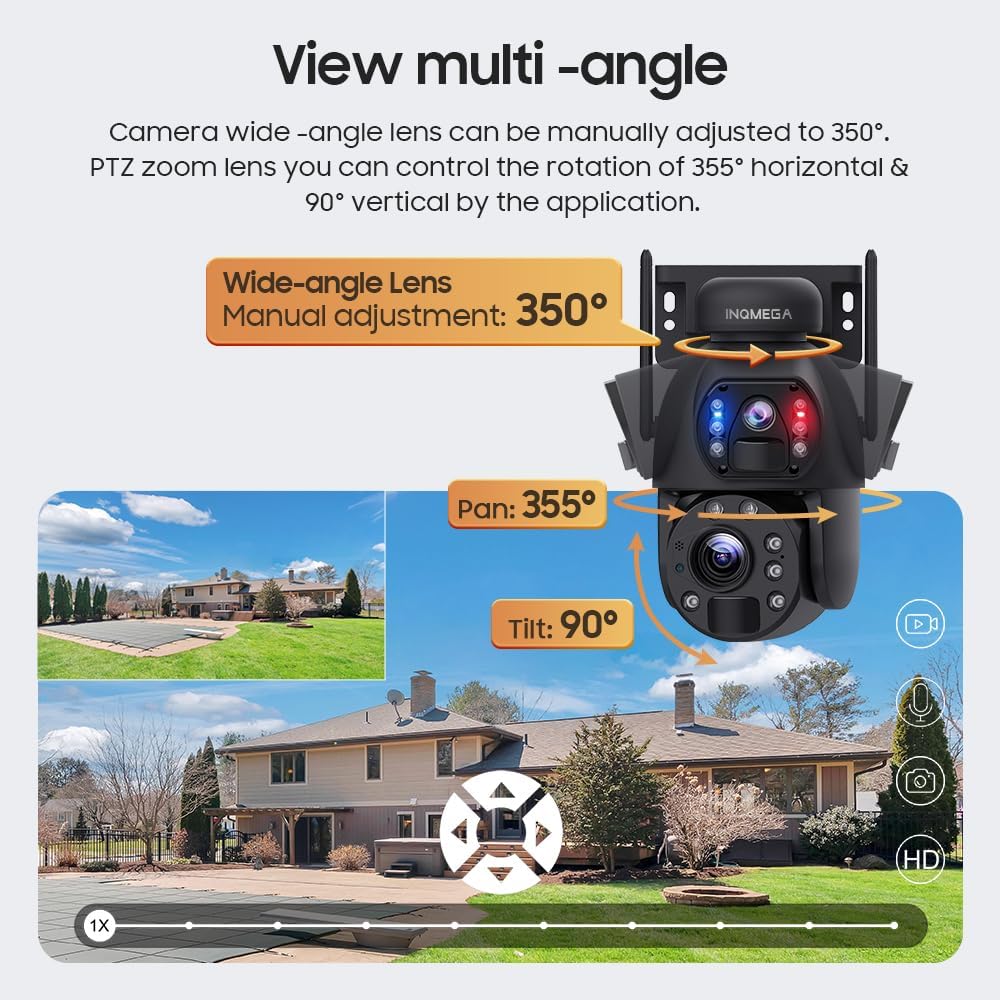
Image: The camera offers extensive pan and tilt capabilities, allowing users to control the viewing area through the mobile application.

Image: Experience clear and detailed views with 20X optical zoom, allowing identification of distant objects like license plates.
4.2 Načini nočnega vida
The camera offers three night vision modes: infrared, full color, and intelligent night vision. The built-in CMOS sensor and IR light automatically adapt to ambient light, providing clear images up to 200 feet.
- Infrardeči način: Standardni črno-beli nočni vid.
- Polno barvni način: Utilizes spotlights to provide color images in low light.
- Inteligentni nočni vid: Automatically switches between infrared and color mode based on detected motion.

Image: The camera supports multiple night vision options, including full-color, infrared, and intelligent modes for optimal visibility in the dark.
4.3 Dvosmerni zvok
Utilize the two-way audio feature to communicate with visitors or deter intruders. Press and hold the microphone icon in the app to speak, and release to listen.

Image: The two-way audio function allows for direct communication through the camera, useful for interacting with visitors or warning unwanted guests.
4.4 Zaznavanje gibanja in opozorila
The camera features advanced PIR detection sensors. When human movement is detected, the camera will:
- Push real-time alarm notifications to your phone.
- Trigger a loud siren, spotlight, or sound alarm (customizable).
- Note: Automatic tracking of moving objects is not supported.

Image: The camera's human tracking and alarm features provide immediate alerts and visual/audible deterrents upon detecting human motion.
4.5 Snemanje in predvajanje
The camera supports local storage via an SD card (not included) for continuous recording or cloud storage (subscription required) for event-based recordings. Access recorded footage through the 'History' or 'Cloud' tabs in the app.
4.6 Družinska skupna raba
Share access to your camera's live feed and recordings with family members through the app's sharing features. Permissions can be customized for each shared user.
Video: Family Sharing and Permissions Explained. This video from VIZIUUY (a seller) demonstrates how to set up and manage family sharing and permissions within the camera's application.
5. Vzdrževanje
5.1 Solarno polnjenje
The integrated 6W solar panel continuously charges the built-in battery. Ensure the solar panel is positioned to receive maximum direct sunlight daily. A full charge can provide up to 2 months of operation without sunlight, but direct sun ensures 365 days of uninterrupted power.
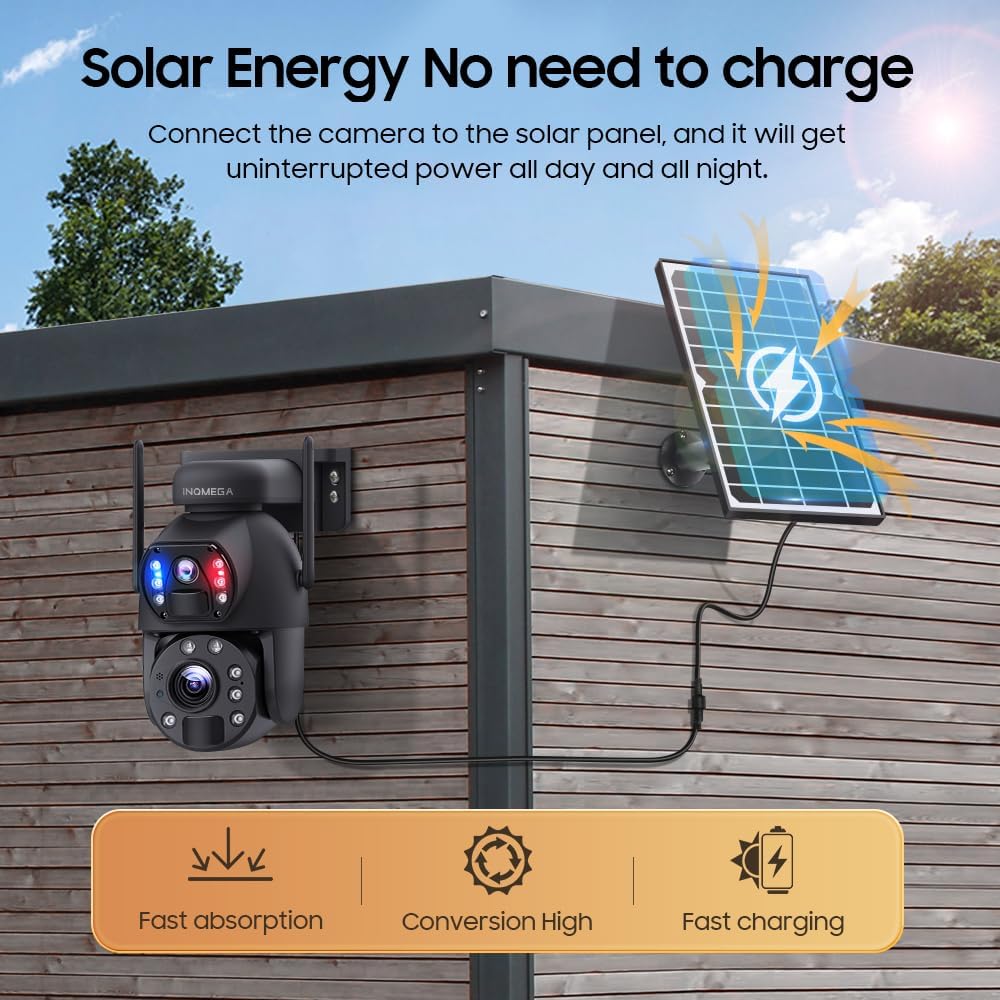
Image: The camera's solar panel provides continuous power, eliminating the need for manual recharging and ensuring year-round operation.
5.2 Odpornost na vremenske vplive
The camera is certified with an IP66 weatherproof rating, making it resistant to dust and water. Regular cleaning of the lens and solar panel is recommended to ensure optimal performance, especially after heavy rain or snow.
6. Odpravljanje težav
- Kamera se ne povezuje z omrežjem Wi-Fi: Ensure you are using a 2.4G Wi-Fi network and that the camera is within 15 meters of your router. Check Wi-Fi password accuracy.
- Baterija se ne polni: Verify the solar panel is receiving direct sunlight for several hours daily. Clean the solar panel surface if dirty.
- Poor night vision focus: Ensure the camera lens is clean and free from obstructions. Adjust night vision mode settings in the app.
- No recording playback: Confirm an SD card is inserted correctly or that your cloud storage subscription is active.
- Excessive notifications: Adjust motion detection sensitivity settings in the app. Enable 'Human Only' detection if available.
7. Specifikacije
| Funkcija | Podrobnost |
|---|---|
| Ime modela | ST-598-6M-20X-WIFI-2 |
| Ločljivost zajema videa | 6 MP |
| Optični zoom | 20x |
| Tehnologija povezljivosti | Brezžično (samo 2.4 G Wi-Fi) |
| Vir napajanja | Solar Powered (6W solar panel) |
| Območje nočnega vida | 200 čevljev |
| Stopnja vodoodpornosti | Vodoodporen IP66 |
| Vrtenje PTZ | 355° vodoravno, 90° navpično |
| Posebne lastnosti | 2-Way Audio, HD Resolution, Motion Sensor, Optical ZOOM |
8. Garancija in podpora
Your INQMEGA ST-598-6M-20X-WIFI-2 Solar Security Camera comes with standard manufacturer's warranty. For detailed warranty information, please refer to the product packaging or contact INQMEGA customer service.
For technical support, troubleshooting assistance, or any product-related inquiries, please visit the INQMEGA official website or contact their customer service team directly. Contact information is typically provided in the product packaging or within the mobile application.


