
AFEXOA ZH083K
AFEXOA ZH083K Digital Sunrise Alarm Clock User Manual
Model: ZH083K
Uvod
Hvala za nakupasing the AFEXOA ZH083K Digital Sunrise Alarm Clock. This device is designed to enhance your waking and sleeping experience with its natural sunrise simulation, customizable alarm sounds, multi-color night light, and sleep aid features. Please read this manual carefully to ensure proper use and optimal performance of your new alarm clock.
Vsebina paketa
- AFEXOA ZH083K Digital Sunrise Alarm Clock
- USB napajalni kabel
- Uporabniški priročnik
Konec izdelkaview
Familiarize yourself with the components and controls of your AFEXOA ZH083K alarm clock.

Slika 1: Spredaj view of the AFEXOA ZH083K Digital Sunrise Alarm Clock, showing the digital time display and control buttons on the top panel. The light dome is visible above the fabric-covered speaker base.
Gumbi za upravljanje:
- DIMMER: Adjusts the brightness of the clock display.
- ČAS: Uporablja se za nastavitev trenutnega časa.
- ALARM: Uporablja se za nastavitev in aktiviranje alarma.
- ALARM VKLOP/IZKLOP: Vklopi/izklopi funkcijo alarma.
- ČASOVNIK SPANJA: Activates and adjusts the sleep timer function.
- , Adjusts values (time, brightness, volume) up or down.
- Ikona žarnice: Controls the night light/mood light.
- Gumb za dremež: Located on the bottom, activated by pressing down the clock.
Nastavitev
1. Napajalni priključek
Connect the provided USB power cable to the alarm clock and plug it into a suitable USB power adapter (not included) or a USB port. The clock display will illuminate.
2. Nastavitev trenutnega časa
- Pritisnite in držite ČAS button until the hour display starts flashing.
- Uporabite +/- gumbi za nastavitev ure.
- Pritisnite ČAS ponovno pritisnite gumb, da potrdite uro in se premaknete na nastavitev minut.
- Uporabite +/- gumbe za nastavitev minut.
- Pritisnite ČAS button once more to save the time setting.
Navodila za uporabo
1. Setting the Alarm and Sunrise Simulation
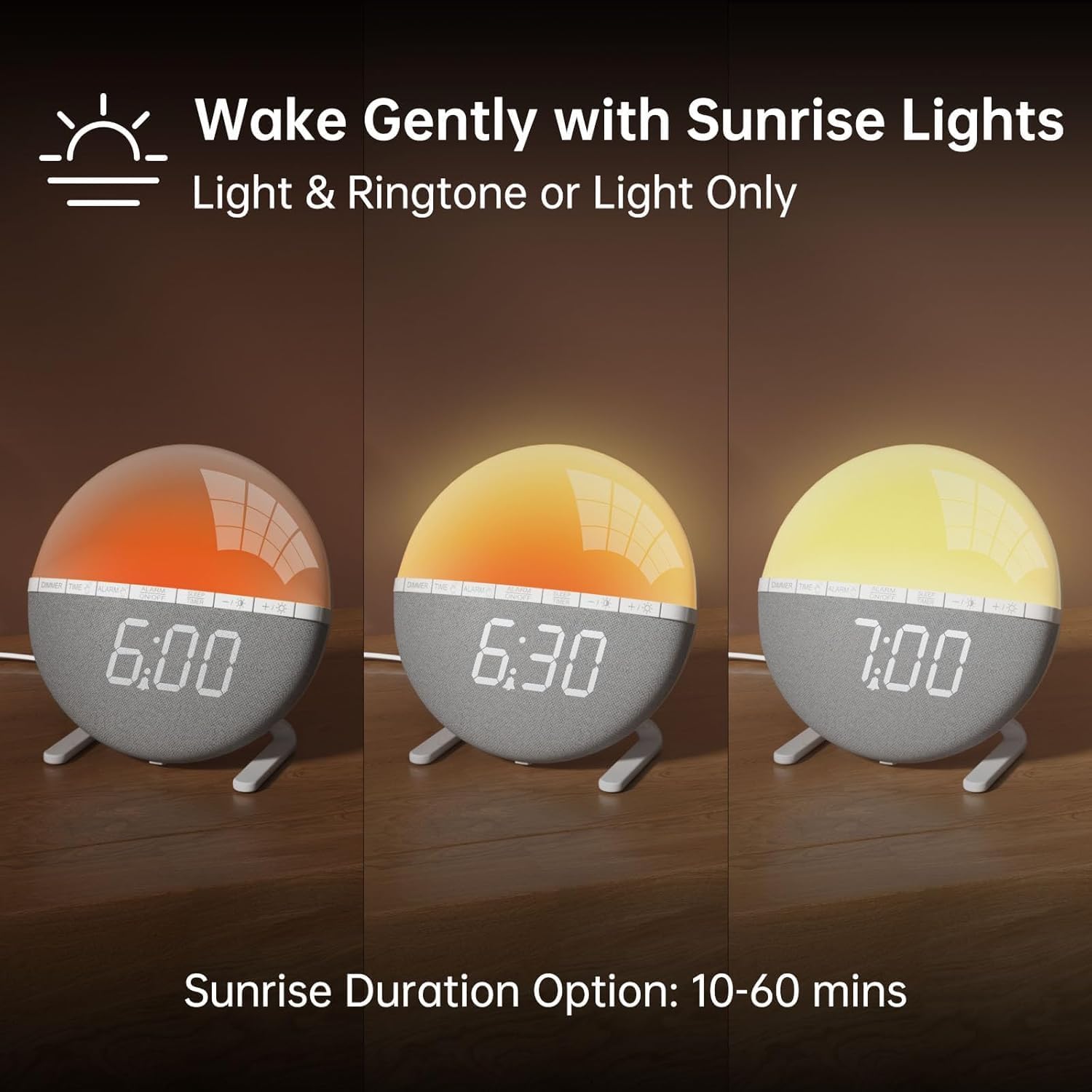
Slika 2: Illustration of the sunrise simulation feature, showing the light gradually changing from dim red to bright yellow over a period, with time indications of 6:00, 6:30, and 7:00.
- Pritisnite in držite ALARM gumb, dokler prikaz časa alarma ne začne utripati.
- Uporabite +/- gumbe za nastavitev želene ure budilke.
- Pritisnite ALARM button to confirm the hour and move to minute adjustment.
- Uporabite +/- gumbe za nastavitev želenih minut alarma.
- Pritisnite ALARM button to confirm the minutes and proceed to sunrise duration setting.
- Uporabite +/- buttons to select the sunrise simulation duration (10-60 minutes). This is the period before your set alarm time when the light will gradually brighten.
- Pritisnite ALARM button to confirm the duration and proceed to alarm sound selection.
- Uporabite +/- buttons to cycle through the 7 available alarm sounds or select "OFF" for light-only alarm.
- Pritisnite ALARM button to confirm the sound and proceed to volume adjustment.
- Uporabite +/- buttons to set the alarm volume (10 levels).
- Pritisnite ALARM button once more to save all alarm settings.
Za vklop ali izklop alarma pritisnite VKLOP / IZKLOP ALARMA gumb. Ko je aktiviran, se na zaslonu prikaže ikona alarma.

Slika 3: A visual representation of the seven built-in wake-up ringtones, including icons for Beep, Bell, Birds, and four types of Soft Music. It also shows a 10-level volume adjustment bar.
2. Funkcija dremeža
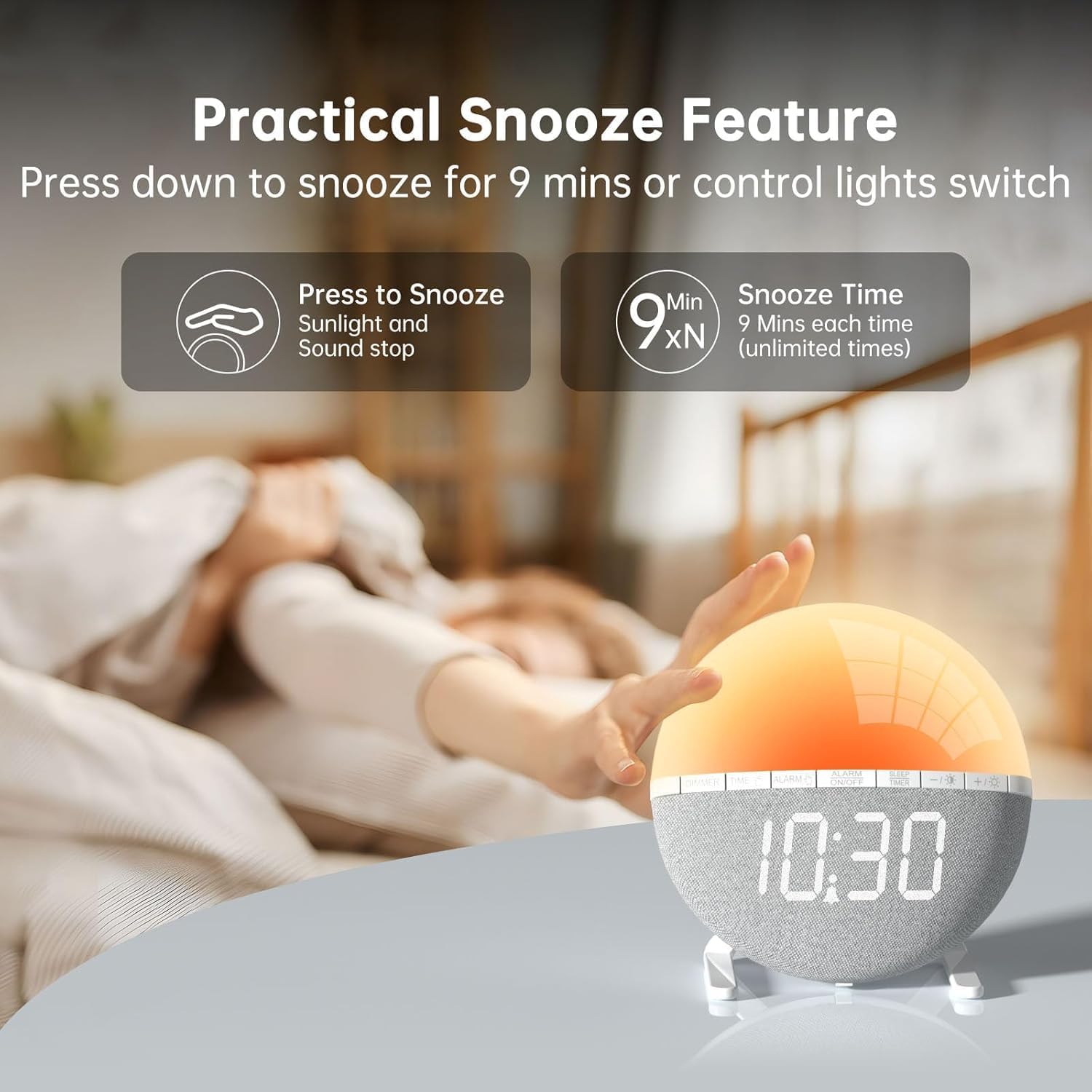
Slika 4: A hand pressing down on the top of the alarm clock to activate the snooze function. Text indicates that pressing down snoozes for 9 minutes and can also control the light switch.
When the alarm sounds, gently press down on the top of the alarm clock to activate the snooze function. The alarm will pause for 9 minutes and then sound again. This can be repeated an unlimited number of times.
3. Night Light / Mood Light

Slika 5: A display of the various solid color and RGB mood light options available on the alarm clock, shown as a spectrum of colors from light blue to purple, with the clock displaying each color.
- Pritisnite Ikona žarnice gumb za vklop nočne lučke.
- Pritisnite Ikona žarnice button repeatedly to cycle through the 7 solid colors and 2 mixed RGB mood light options.
- Uporabite +/- buttons to adjust the brightness of the selected light (10 levels).
- Pritisnite in držite Ikona žarnice button to turn off the night light.
4. Časovnik za spanje

Slika 6: An image illustrating the sleep aid function with an auto-off timer, showing options for 15m, 30m, 60m, 90m, and 120m. The alarm clock is shown emitting a soft, warm light.
The sleep timer allows the light to gradually dim and turn off after a set period, aiding in sleep.
- Pritisnite ČASOVNIK ZA SPANJE gumb.
- Uporabite +/- buttons to select the desired sleep timer duration (15, 30, 60, 90, or 120 minutes). The light will gradually dim and turn off after the selected time.
- Za preklic izklopnega časovnika pritisnite ČASOVNIK ZA SPANJE button repeatedly until the timer is off, or press and hold the button.
5. Prilagoditev svetlosti zaslona

Slika 7: Four images of the alarm clock demonstrating different display brightness levels, from off to full brightness, highlighting the dimmable and eye-caring features.
Pritisnite DIMMER button to cycle through the 4 display brightness levels: 0% (off), 5%, 50%, and 100%. This allows you to adjust the display visibility according to your preference, especially at night.
Vzdrževanje
- Napravo očistite z mehko, suho krpo. Ne uporabljajte abrazivnih čistil ali topil.
- Napravo hranite stran od vode in visoke vlažnosti.
- Izogibajte se padcem naprave in je ne izpostavljajte močnim udarcem.
- Naprave ne poskušajte razstavljati ali popravljati sami. V primeru težav se obrnite na podporo strankam.
Odpravljanje težav
| Težava | Možen vzrok | rešitev |
|---|---|---|
| Prikaz ure je izklopljen ali ne deluje. | No power connection or power adapter issue. Display brightness set to 0%. | Ensure the USB cable is securely connected and the power adapter is working. Press the DIMMER button to increase display brightness. |
| Alarm se ne oglasi. | Alarm not activated. Alarm volume set to 0 or sound option set to "OFF". | Pritisnite VKLOP / IZKLOP ALARMA to activate. Check alarm settings to ensure a sound is selected and volume is not 0. |
| Sunrise simulation does not work. | Sunrise duration not set or set to 0. | Verify the sunrise duration is set to a value between 10-60 minutes in the alarm settings. |
| Night light is not turning on. | Light function not activated. | Pritisnite Ikona žarnice gumb za vklop luči. |
Specifikacije
- Model: ZH083K
- Znamka: AFEXOA
- Dimenzije: 9.5 x 3.81 x 9.5 cm
- Teža: 400 g
- Material: Plastika
- Vrsta zaslona: Digitalno
- vir energije: Električni kabel (USB)
- Posebne lastnosti: Sunrise Simulation, Mood Light, Color-Changing Night Light, Loud Alarm, Snooze, Sleep Timer, Dimmable Display
Garancija in podpora
The AFEXOA ZH083K Digital Sunrise Alarm Clock comes with a standard manufacturer's warranty. For detailed warranty information, please refer to the product packaging or contact your retailer. If you encounter any issues or have questions regarding your product, please contact AFEXOA customer support through the retailer's platform or the official brand webstran za pomoč.
Prosimo, shranite račun kot dokazilo o nakupu za uveljavljanje garancije.
Ask a question about this manual
Ask about setup, troubleshooting, compatibility, parts, safety, or missing instructions. Manuals+ will review the question and use this page’s manual context to help answer it.