
1. Uvod
This manual provides detailed instructions for the installation, operation, and maintenance of your MZZYG Dash Cam Auto DVR Camera. Please read this manual thoroughly before using the product to ensure proper function and safety. Keep this manual for future reference.
2. Izdelek je končanview
2.1 Package Contents (Set A)
- 1 x Driving Recorder (Dash Cam Unit)
- 1 x kabel za polnjenje avtomobila
2.2 Ključne lastnosti
- Smooth operation and stable performance.
- Waterproof, anti-fog, and anti-vibration design.
- Real-time monitoring capabilities.
- Loop recording for continuous operation without missing seconds, ensuring cyclic storage.
- G-Sensor (Collision Sensor) for automatic emergency recording and video saving upon sudden shocks or collisions.
- 3-inch high-definition display.
- 170° HD wide-angle night vision lens.
- Support for dual recording (front and rear camera, depending on set).
- H.264 video compression.
2.3 Komponente izdelka in Views

Slika 2.3.1: Spredaj view of the MZZYG Dash Cam, showing the main camera lens and mounting bracket.

Slika 2.3.2: Illustration of WDR (Wide Dynamic Range) technology, demonstrating how it improves image clarity in varying light conditions, especially at night or in high contrast environments. The dash cam automatically adjusts brightness for optimal recording.
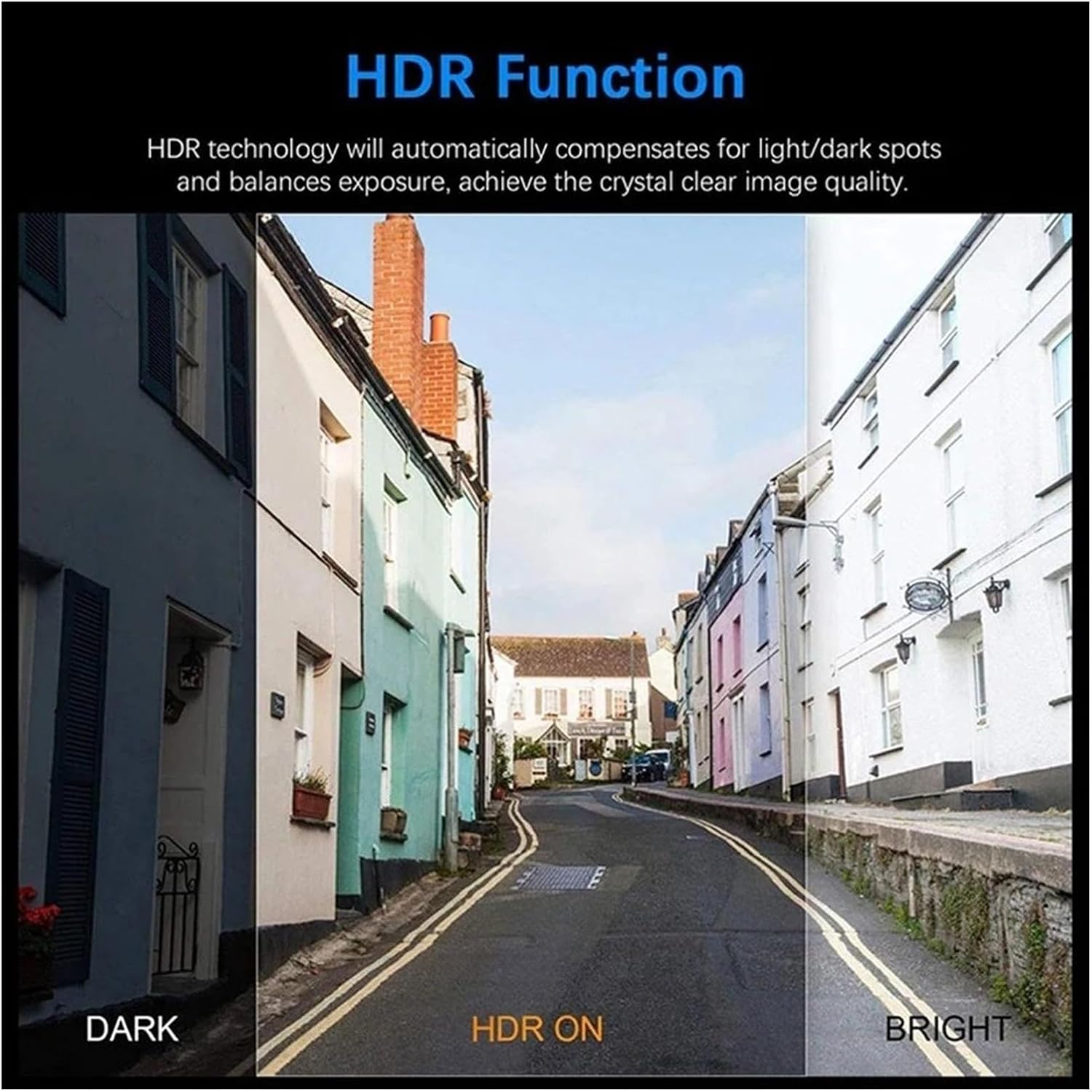
Slika 2.3.3: Explanation of HDR (High Dynamic Range) function. HDR technology compensates for light and dark spots and balances exposure to achieve crystal clear image quality, as shown in the comparison of dark, HDR on, and bright scenes.

Slika 2.3.4: The MZZYG Dash Cam mounted on the windshield of a car, positioned near the rearview mirror. This image shows the compact size and discreet placement of the device within the vehicle's interior.
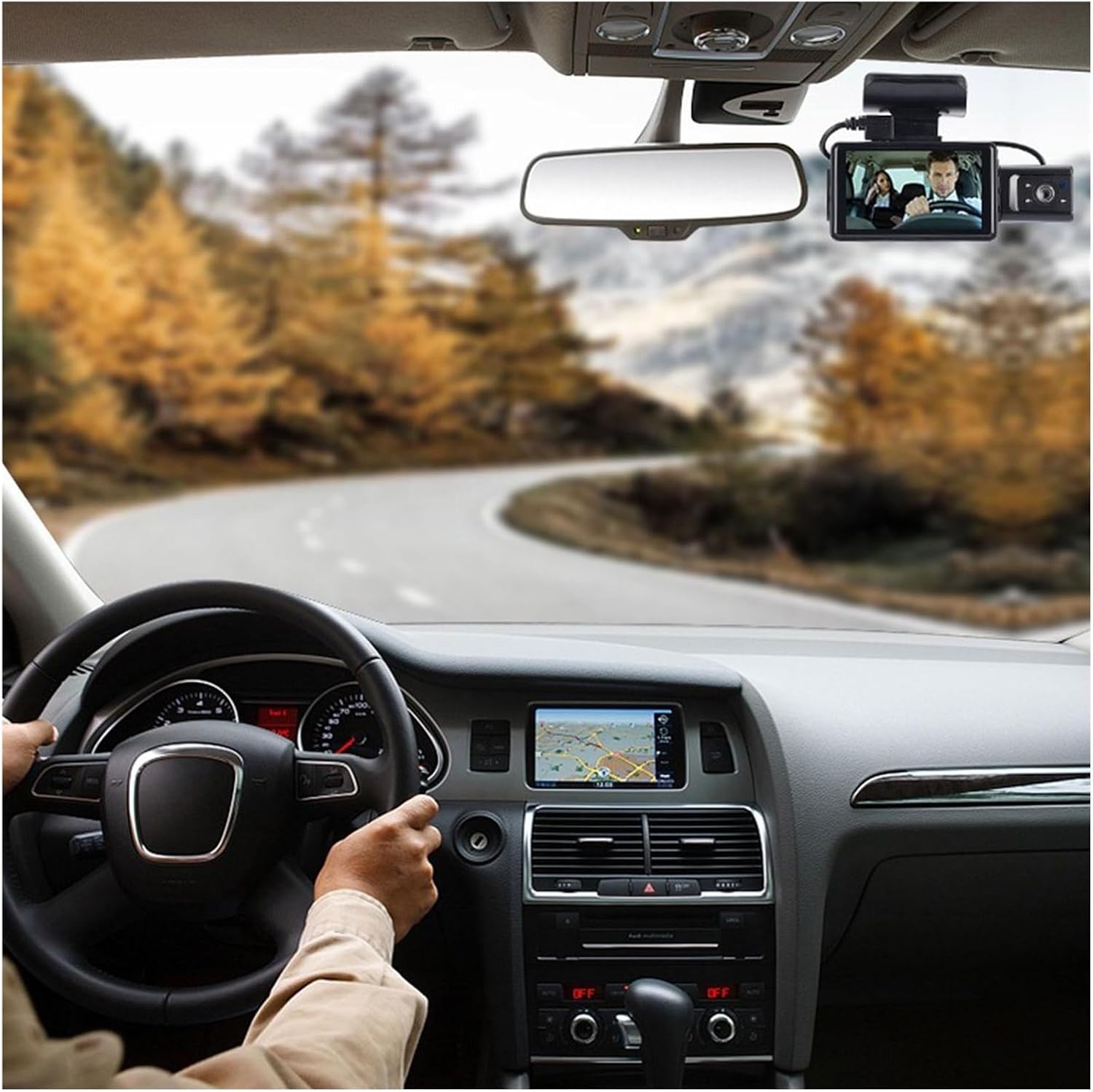
Slika 2.3.5: A driver's perspective inside a car, with the MZZYG Dash Cam visible on the windshield. The dash cam's screen displays the live camera feed, providing real-time monitoring of the road ahead.
3. Specifikacije
| Funkcija | Specifikacija |
|---|---|
| Ime izdelka | 3-inch Screen High-Definition Dual-Recording Driving Recorder |
| Barva izdelka | Črna |
| Material lupine | ABS |
| Objektiv | A+ grade 170° HD Wide-Angle Night Vision Lens |
| Format fotografije | JPEG |
| Največja ločljivost fotografije | 12 milijona (4032 * 3024) |
| Zaslon | 3-inch High-Definition Screen |
| Effective Pixels (Front Lens) | 1080*720 |
| Stiskanje videa | H.264 |
| Avdio stiskanje | AAC |
| Hitrost sličic videa | 1080P/30f/s |
| In-Car Camera (if applicable) | 720P |
| Senzor trčenja | Three-axis Stereo Collision Detection |
| Metoda snemanja | AVI format, Loop Recording |
| Video Interruption | 0 ms |
| Čas zagona | Približno 2 sekund |
| Delovni letniktage | DC 5V 1A |
| Mirujoči tok | 200uA |
| Temperatura shranjevanja | -20 °C do 70 °C (-4 °F do 158 °F) |
| Delovna temperatura | 0 °C do 60 °C (32 °F do 140 °F) |
| Delovna vlažnost | 15%-60% RH |
| Vrsta baterije | Built-in Heat-Resistant Polymer Lithium Battery 180mAH |
| Teža predmeta | 50 gramov |
| Številka modela | 1005005057656993 |
4. Nastavitev
The MZZYG Dash Cam is designed for easy installation. Follow these steps for optimal setup:
- Pripravite mesto namestitve: Izberite mesto na vetrobranskem steklu, ki ne bo oviralo vašega view ceste. Običajno je to za zadnjim delomview mirror. Clean the windshield surface thoroughly to ensure proper adhesion.
- Pritrdite nosilec: Secure the dash cam's mounting bracket to the chosen location on the windshield. Ensure it is firmly attached.
- Insert MicroSD Card (Not Included): Before powering on, insert a compatible MicroSD card (Class 10 or higher, up to 32GB recommended) into the designated slot on the dash cam. Ensure the card is inserted correctly until it clicks into place.
- Priključite napajanje: Connect the provided car charging cable to the dash cam's power input port. Plug the other end of the cable into your vehicle's 12V power outlet (cigarette lighter socket).
- Napeljite kabel: Carefully route the power cable along the edge of your windshield and dashboard to keep it tidy and out of the way of driving controls.
- Prilagodi kot kamere: Once powered on, adjust the camera lens angle to ensure it captures the road ahead clearly, covering the desired field of view. The 3-inch display will show the live feed to assist with adjustment.
- Začetni vklop: The dash cam should automatically power on when your vehicle starts. Follow any on-screen prompts for initial setup, such as setting date and time.
Note: For optimal performance, format the MicroSD card within the dash cam's settings before first use and periodically thereafter.
5. Navodila za uporabo
Your MZZYG Dash Cam is designed for automatic operation, but understanding its key functions will enhance your experience.
5.1 Samodejno snemanje
The dash cam will automatically start recording when it receives power (i.e., when you start your car). Recording will stop automatically when the power is cut off (i.e., when you turn off your car).
5.2 Zančno snemanje
The dash cam records video in continuous loops (e.g., 1, 3, or 5-minute segments). When the memory card is full, the oldest unlocked video files will be overwritten automatically to make space for new recordings. This ensures continuous recording without manual intervention.
5.3 G-senzor (snemanje v sili)
The built-in G-Sensor detects sudden movements, impacts, or rapid deceleration. When triggered, the current video segment is automatically locked and saved to a protected folder on the memory card, preventing it from being overwritten by loop recording. This ensures critical event footage je ohranjen.
5.4 Parking Monitoring (if applicable)
If your dash cam supports parking monitoring (requires continuous power or a dedicated hardwire kit, not included), it can detect impacts or motion while your vehicle is parked and automatically record short video clips. Refer to the on-screen menu for specific settings.
5.5 Navigacija po meniju
Use the physical buttons on the dash cam to navigate through the on-screen menu. Common settings include:
- Resolucija: Adjust video recording quality (e.g., 1080P, 720P).
- Trajanje snemanja v zanki: Nastavite dolžino video segmentov.
- Občutljivost G-senzorja: Adjust the sensitivity of the collision detection.
- Datum/čas: Za točen čas nastavite pravilen datum in uroamps na posnetkih.
- Oblikujte kartico SD: Izbrišite vse podatke na kartici MicroSD.
6. Vzdrževanje
Pravilno vzdrževanje zagotavlja dolgo življenjsko dobo in optimalno delovanje vaše kamere za v avtomobilu.
- Očistite lečo: Regularly clean the camera lens with a soft, lint-free cloth to ensure clear video recordings. Avoid abrasive materials that could scratch the lens.
- Očistite zaslon: Use a soft, dry cloth to clean the 3-inch display.
- Formatiraj kartico MicroSD: It is recommended to format the MicroSD card every 2-4 weeks to prevent data corruption and ensure smooth loop recording. This can be done through the dash cam's menu settings.
- Delovno okolje: Avoid exposing the dash cam to extreme temperatures outside its specified operating range (0°C to 60°C). Prolonged exposure to direct sunlight in a parked car can generate high temperatures; consider removing the dash cam or parking in shade if possible.
- Upravljanje kablov: Ensure all cables are securely routed and not pinched or damaged, which could affect power supply.
7. Odpravljanje težav
Če imate težave z armaturno kamero, si oglejte naslednje pogoste težave in rešitve:
Problem: Dash cam does not power on.
- rešitev: Check if the car charging cable is securely connected to both the dash cam and the car's 12V power outlet. Ensure the car's power outlet is functioning. Try a different power outlet or cable if available.
Problem: Dash cam stops recording or shows "Card Full" error.
- rešitev: Format the MicroSD card through the dash cam's menu. Ensure you are using a high-quality (Class 10 or higher) MicroSD card. If the issue persists, the card may be faulty and require replacement.
Težava: Video footage je zamegljen ali nejasen.
- rešitev: Clean the camera lens with a soft cloth. Ensure the protective film (if any) has been removed from the lens. Check if the windshield area in front of the camera is clean.
Problem: G-Sensor is too sensitive or not sensitive enough.
- rešitev: Adjust the G-Sensor sensitivity setting in the dash cam's menu. Lower sensitivity for fewer false triggers, higher sensitivity for more responsive detection.
Problem: Date and time are incorrect.
- rešitev: Manually set the date and time through the dash cam's menu settings. Ensure the internal battery is charged (by keeping the dash cam powered for some time) to retain settings when disconnected from power.
8. Garancija in podpora
MZZYG is committed to providing high-quality products. For any product-related inquiries, technical support, or warranty claims, please contact your retailer or the MZZYG customer service team through the platform where you purchased the product.
Ko se obrnete na podporo, imejte pripravljeno številko modela (1005005057656993) in podatke o nakupu.