
Uvod
This manual provides essential information for setting up, operating, and maintaining your VIZIO 40-inch Full HD 1080p Smart TV. Please read these instructions carefully before using your television to ensure proper function and safety. This television offers superior Full HD picture quality with lifelike color, enhanced audio, and smart connectivity features for an immersive entertainment experience.
Kaj je v škatli
Preden nadaljujete z namestitvijo, preverite, ali so vse komponente prisotne:
- VIZIO 40-inch Full HD 1080p Smart TV
- Daljinski upravljalnik
- Napajalni kabel
- TV stojalo (2 kosa)

Slika 1: Vključene komponente in dimenzije televizorja.
Nastavitev
1. Pritrditev stojala
- Televizor previdno položite z zaslonom navzdol na mehko, čisto površino, da preprečite poškodbe.
- Poravnajte noge stojala z luknjami za vijake na spodnji strani televizorja.
- Noge stojala pritrdite s priloženimi vijaki.
2. Stenska montaža (neobvezno)
If wall mounting, ensure you use a VESA-compliant mount (200 x 100 mm) and follow the mount manufacturer's instructions. Disconnect the power cable before mounting.
3. Priključitev napajanja
Napajalni kabel priključite v vtičnico za napajanje televizorja in nato v stensko vtičnico.
4. Začetni vklop in prva namestitev
- Pritisnite gumb za vklop na daljinskem upravljalniku ali televizorju.
- Follow the on-screen prompts to select your language, connect to Wi-Fi, and complete the initial setup of the SmartCast OS.
- You may be prompted to install app updates. Allow the TV to complete this process.

Figure 2: VIZIO Account setup for Smart TV functionality and product updates.
Upravljanje televizorja
Daljinski upravljalnik
The included remote control allows you to navigate the SmartCast OS, adjust settings, and control connected devices. Ensure AAA batteries are installed correctly.
SmartCast OS
Your VIZIO Smart TV runs on the SmartCast OS, providing instant access to a wide selection of streaming services and apps. New apps are automatically added and updated.
- Domači zaslon: Access your favorite apps, inputs, and trending content.
- WatchFree+: Stream over 275 free channels and 15,000+ movies and shows on demand.
- App Catalog: Browse and launch pre-installed applications like Disney Plus, Max, Netflix, Prime Video, and YouTube.
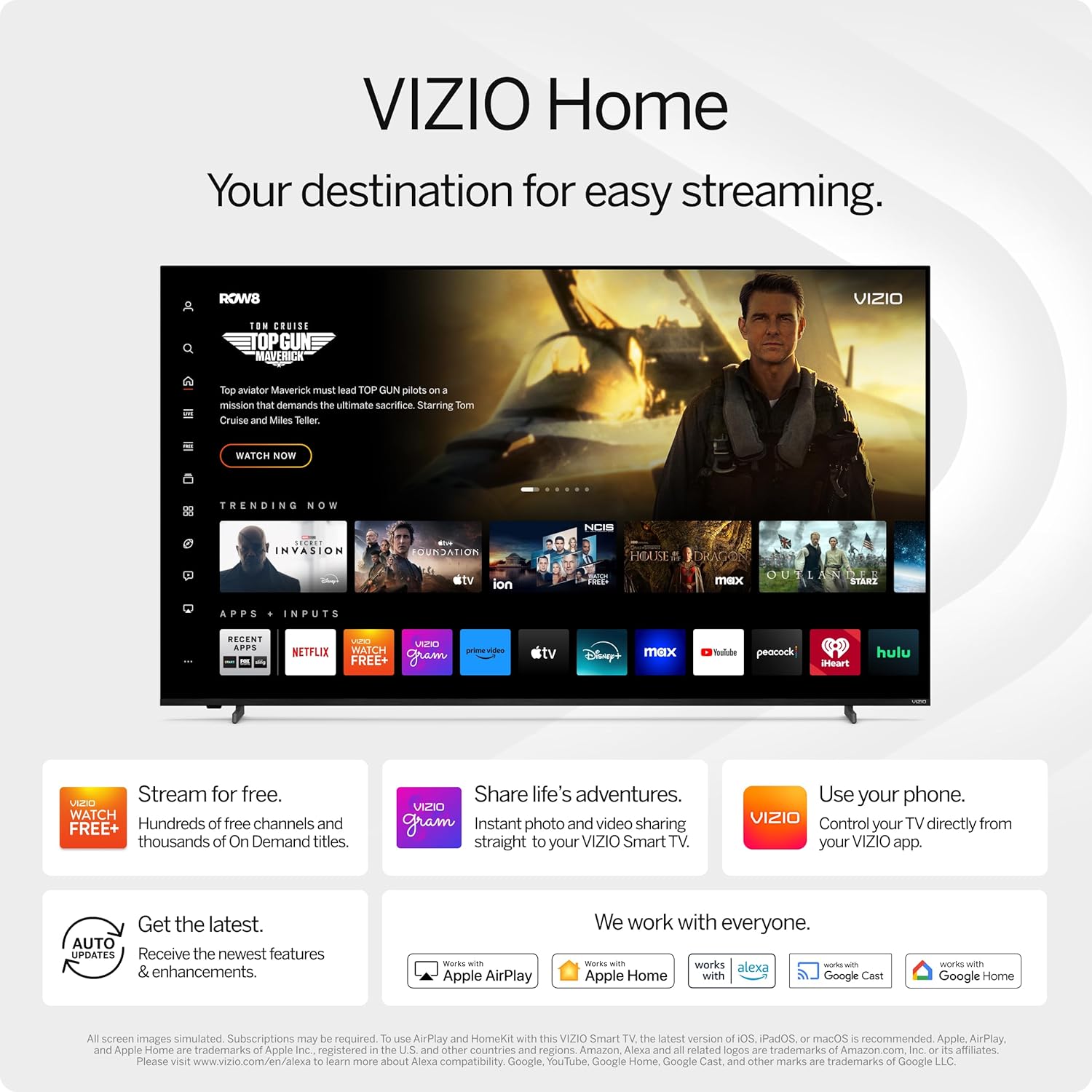
Figure 3: VIZIO Home screen for easy streaming and content access.

Figure 4: Accessing free content via WatchFree+.
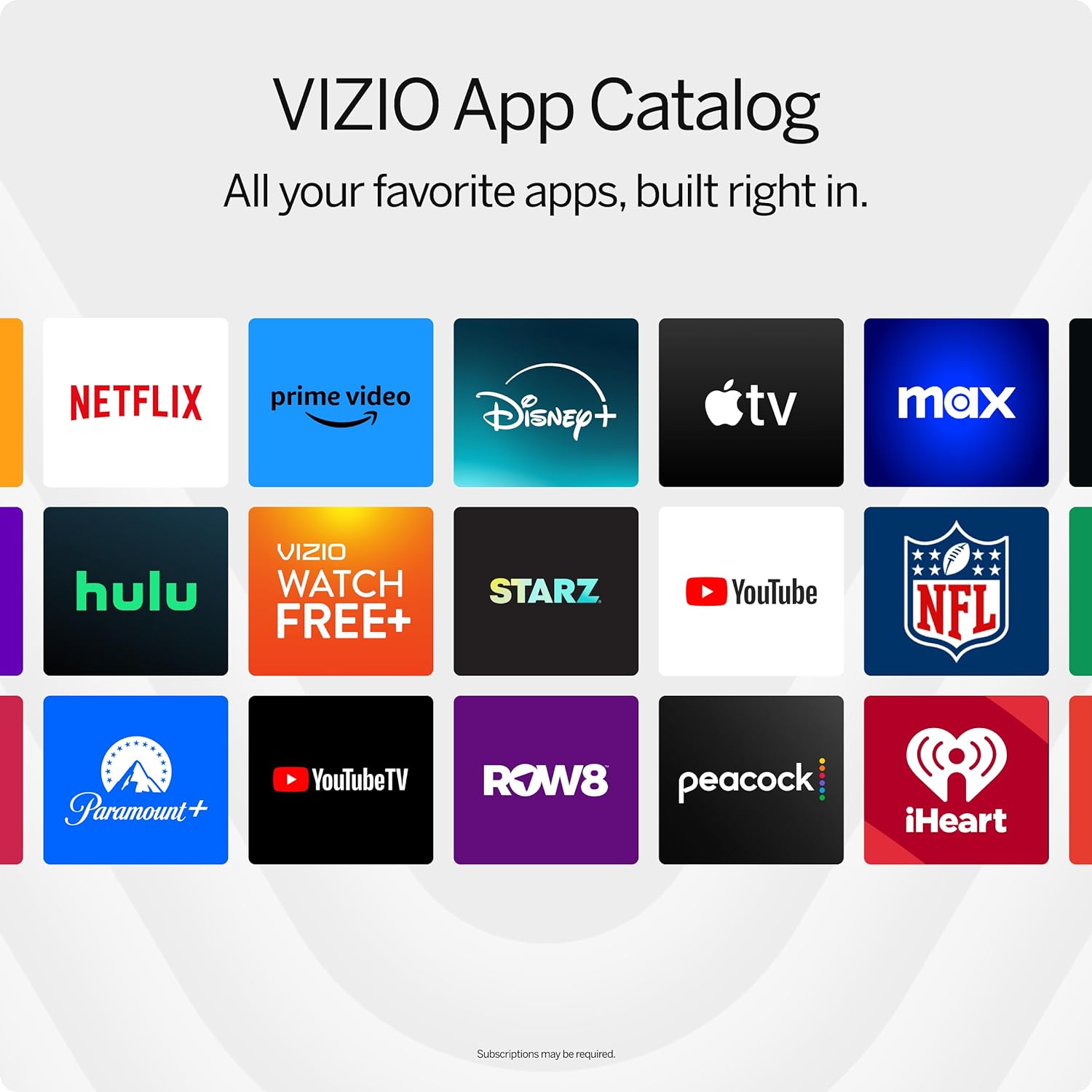
Figure 5: The VIZIO App Catalog with popular streaming services.
Povezljivost
- Wi-Fi: Za dostop do interneta in pretakanje se povežite z domačim omrežjem.
- Bluetooth: Združite Bluetooth slušalke za zasebno poslušanje.
- Chromecast Built-in & Apple AirPlay 2: Stream content directly from your Apple or Android devices to the TV.
- HDMI in USB: Connect external devices such as gaming consoles, Blu-ray players, or USB drives.
- Integracija pametnega doma: Compatible with Alexa-enabled devices, Google Assistant, and Apple Home for voice control and smart home management.
Ključne značilnosti
Kakovost slike
Experience superior Full HD (1080p) picture with lifelike color and clarity. Features like Full Array LED Backlight and Active Pixel Tuning enhance contrast and brightness for a sharp, detailed image.

Slika 6: Konecview of Full HD benefits including picture quality, smart platform, and Bluetooth audio.
Zvočna izkušnja
The TV features integrated DTS Virtual:X for an enhanced, cinema-inspired audio experience, creating the illusion of sound all around you. Bluetooth headphone capability allows for private listening without disturbing others.

Figure 7: DTS Virtual:X for immersive audio.
Funkcije iger
This TV is game-ready with HDR10 support on HDMI, unlocking striking in-game details. When a console or PC is detected, FHD models automatically enable Auto Low Latency Mode and an integrated gaming menu for optimal performance.

Figure 8: HDR10 support enhances gaming visuals.
Specifikacije
| Funkcija | Podrobnost |
|---|---|
| Velikost zaslona | 39.5 palca (razred 40 palcev) |
| Resolucija | 1080p Full HD |
| Tehnologija zaslona | LED (Full Array LED Backlight) |
| Hitrost osveževanja | 60 Hz |
| Podprt format HDR | HDR10/HLG |
| Način avdio izhoda | Surround (DTS Virtual:X compatible) |
| Operacijski sistem | SmartCast OS |
| Tehnologija povezljivosti | Bluetooth 5.0, Wi-Fi |
| Zrcaljenje zaslona | AirPlay 2, Google Cast |
| Skupno število vrat HDMI | 2 |
| Skupno število vrat USB | 2 |
| Mere izdelka (D x Š x V) | 8.81"D x 35.13"Š x 22.26"V |
| Teža predmeta | 12.26 funta |
| Standard VESA za montažo | 200 x 100 mm |
| Poraba energije | 54 vatov |
| Številka modela | VFD40M-0810 |
Odpravljanje težav
Ni napajanja / TV se ne vklopi
- Prepričajte se, da je napajalni kabel varno priključen tako na televizor kot v delujočo električno vtičnico.
- Preizkusite vtičnico z drugo napravo, da se prepričate, da ima napajanje.
- Poskusi pritisniti gumb za vklop neposredno na televizorju, ne samo na daljinskem upravljalniku.
Ni slike / črn zaslon
- Preverite, ali je izbran pravilen vhodni vir (npr. HDMI 1, HDMI 2).
- Preverite vse kabelske povezave med televizorjem in zunanjimi napravami.
- Znova zaženite televizor in vse priključene naprave.
Brez zvoka
- Povečajte glasnost na televizorju in vseh priključenih zvočnih napravah.
- Check the TV's audio settings to ensure the correct audio output is selected.
- Če uporabljate zunanje zvočnike, se prepričajte, da so pravilno priključeni in vklopljeni.
Težave s povezljivostjo Wi-Fi
- Ensure your Wi-Fi router is powered on and functioning.
- Znova zaženite usmerjevalnik in modem.
- Pojdite v omrežne nastavitve televizorja in poskusite znova vzpostaviti povezavo z omrežjem Wi-Fi.
- Če je signal šibek, televizor premaknite bližje usmerjevalniku ali razmislite o ojačevalniku Wi-Fi.
Vzdrževanje
Čiščenje zaslona
- Always turn off the TV and unplug the power cord before cleaning.
- Use a soft, lint-free cloth (microfiber is recommended) to gently wipe the screen.
- Za trdovratne madeže rahlo obrišiteampKrpo obrišite z vodo ali specializiranim čistilom za zaslone. Čistila nikoli ne pršite neposredno na zaslon.
- Avoid using harsh chemicals, abrasive pads, or paper towels, as these can damage the screen.
Čiščenje ohišja televizorja
- Okvir in stojalo televizorja obrišite z mehko, suho krpo.
- Do not use liquid cleaners on the TV body.
Posodobitve programske opreme
Your VIZIO Smart TV automatically receives software updates. Ensure your TV is connected to the internet to receive the latest features and enhancements.
Garancija in podpora
Informacije o garanciji
This VIZIO Smart TV comes with a 90-dnevna omejena garancija. Please refer to the warranty card included with your product for full terms and conditions, or visit the official VIZIO support webstran za več podrobnosti.
Podpora uporabnikom
For technical assistance, troubleshooting, or warranty claims, please contact VIZIO Customer Support. You can find contact information and additional resources on the official VIZIO webmesto.
Online resources are available at www.vizio.com/support.