
VEKOOTO Right
VEKOOTO AHD 10.36-palčni BSD stranski View Uporabniški priročnik za navpični monitor in sistem desne avtomobilske kamere
Model: Right
Uvod
Ta priročnik vsebuje podrobna navodila za VEKOOTO AHD 10.36-palčni BSD Side View Vertical Monitor and Right Car Camera System. This system is designed to enhance vehicle safety by offering a clear, wide-angle view of the right side of your truck or bus, featuring a touch screen display, loop recording capabilities, and a Blind Spot Detection (BSD) voice alarm. Please read this manual thoroughly before installation and operation to ensure proper use and optimal performance.
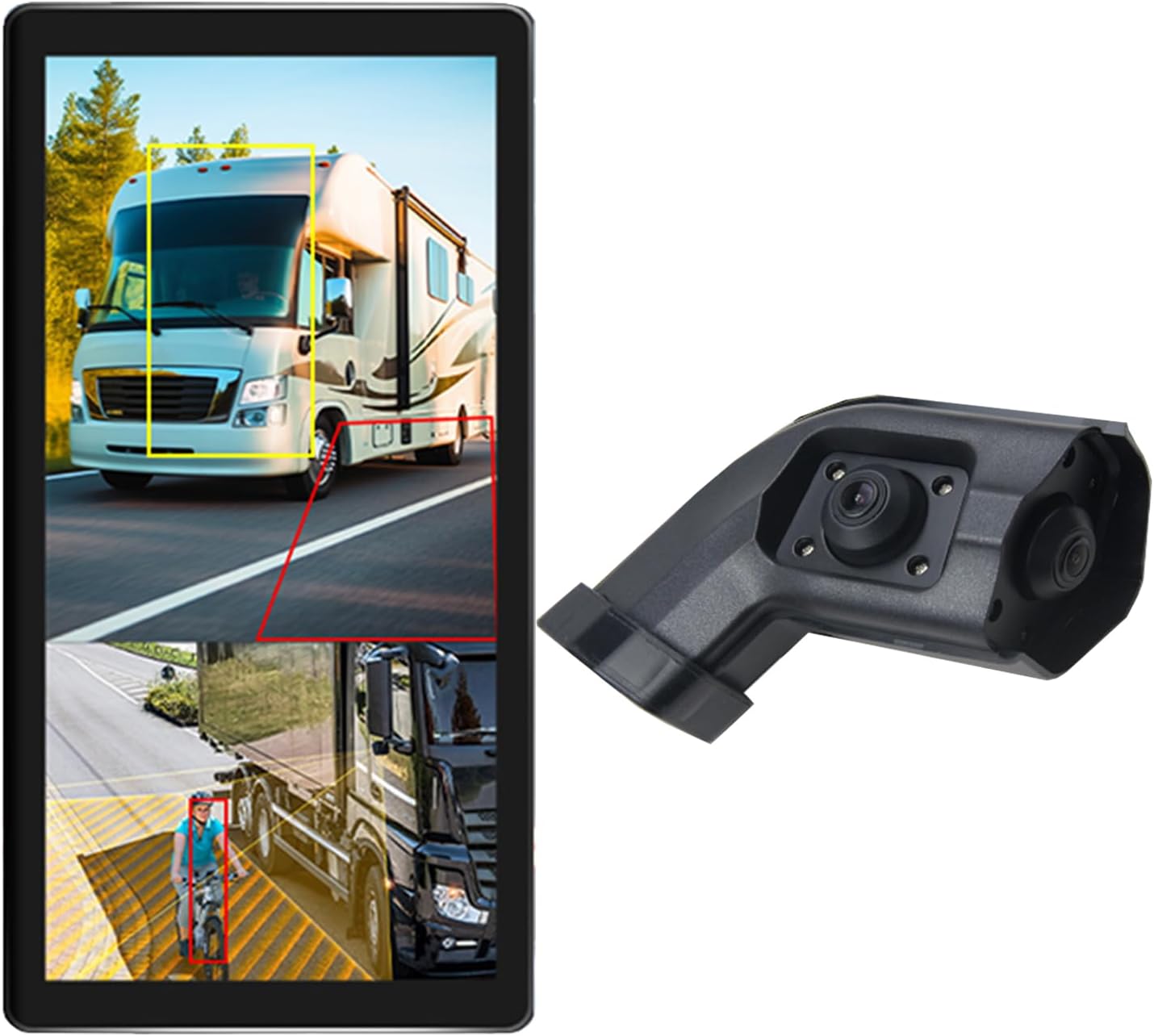
Image: The VEKOOTO 10.36-inch vertical monitor and the right side camera unit, illustrating the primary components of the system.
Kaj je v škatli
Po odprtju embalaže preverite, ali so vse komponente prisotne in v dobrem stanju:
- 10.36-inch Touch Screen Monitor
- Integrated dual camera (for right side view)
- Napajalni kabel
- Kabel kamere
- Nosilec
Ključne značilnosti
- Zaslon: 10.36-inch IPS touch screen with 2-channel split screen display capability.
- Podpora za kamero: Compatible with AHD720P cameras, offering enhanced image clarity, advanced bright color separation, signal filtering, and 3D noise reduction technology.
- Zaznavanje mrtvih kotov (BSD): Features a voice alarm system. The alarm area, volume, and sensitivity are adjustable.
- Nadzor slike: Supports camera image screen mirroring function for flexible viewing.
- Prilagajanje zaslona: Allows adjustment of display time, date, brightness, and screen color.
- Združljivost napajanja: Podpira širok voltagrazpon 9V-36V.
- Večjezična podpora: Available in English, Korean, Japanese, and Chinese.
- Namestitev: Designed for installation on the right side rearview ogledalo vozila.

Image: The monitor interface highlighting features such as image adjustment, BSD voice alarm, and customizable detection areas, shown with various driving scenarios including night, rain, and blind spots.
Nastavitev in namestitev
Proper installation is crucial for the system's performance. It is recommended to have this system installed by a qualified professional.
1. Namestitev komponent
- Mount the 10.36-inch vertical monitor securely inside the vehicle, ensuring it does not obstruct the driver's view.
- Install the integrated dual camera unit on the right side rearview mirror of your vehicle. Ensure the camera has a clear, unobstructed view.

Image: The vertical monitor installed inside a vehicle, providing a clear view of the right side, simulating a truck's perspective.
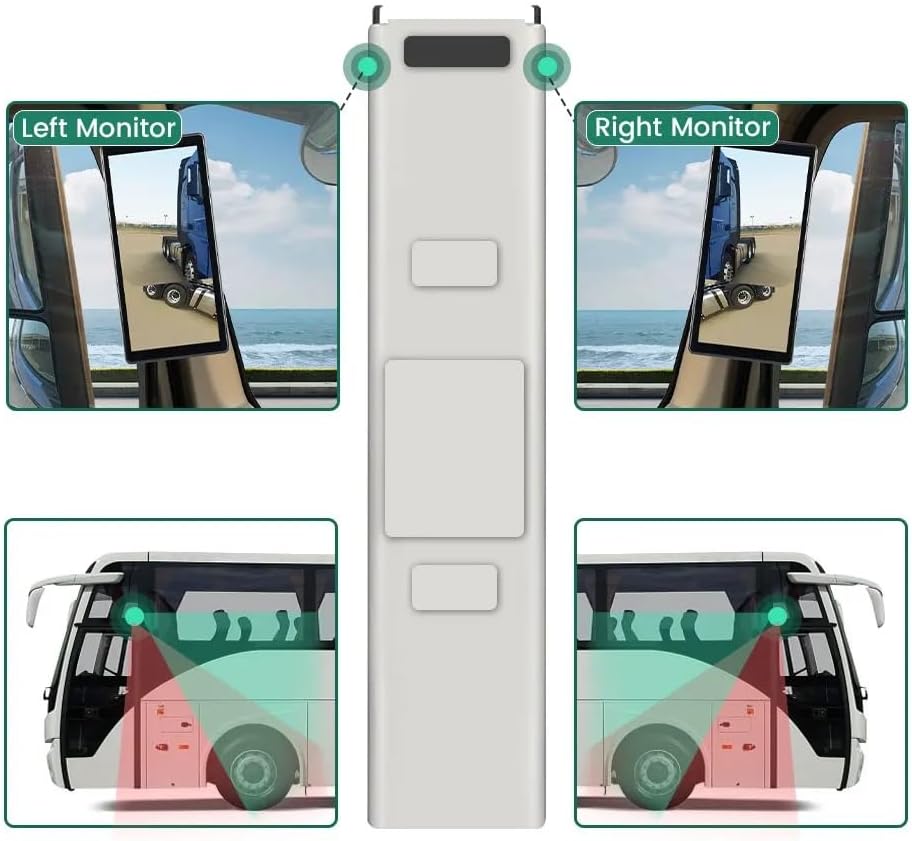
Image: A diagram illustrating the recommended placement of the right monitor and the camera's field of view for comprehensive side coverage on a bus.
2. Povezave ožičenja
Refer to the wiring diagram below for correct connections. The system supports 9V-36V wide voltage vnos.

Image: Detailed wiring diagram showing connections for the monitor, integrated dual camera, ACC power supply (+), Ground (-), and Battery Power (+3A). Channel 1 (CH1) and Channel 2 (CH2) inputs are indicated for the camera cables.
- Povežite ACC Power Supply (+) wire (red) to a switched ignition source.
- Povežite Tla (-) wire (black) to a suitable chassis ground point.
- Povežite Battery Power (+) (3A) wire (yellow) to a constant 12V/24V power source.
- Connect the camera cable(s) to the corresponding CH1 and CH2 inputs on the monitor.
- Prepričajte se, da so vse povezave varne in pravilno izolirane, da preprečite kratke stike.
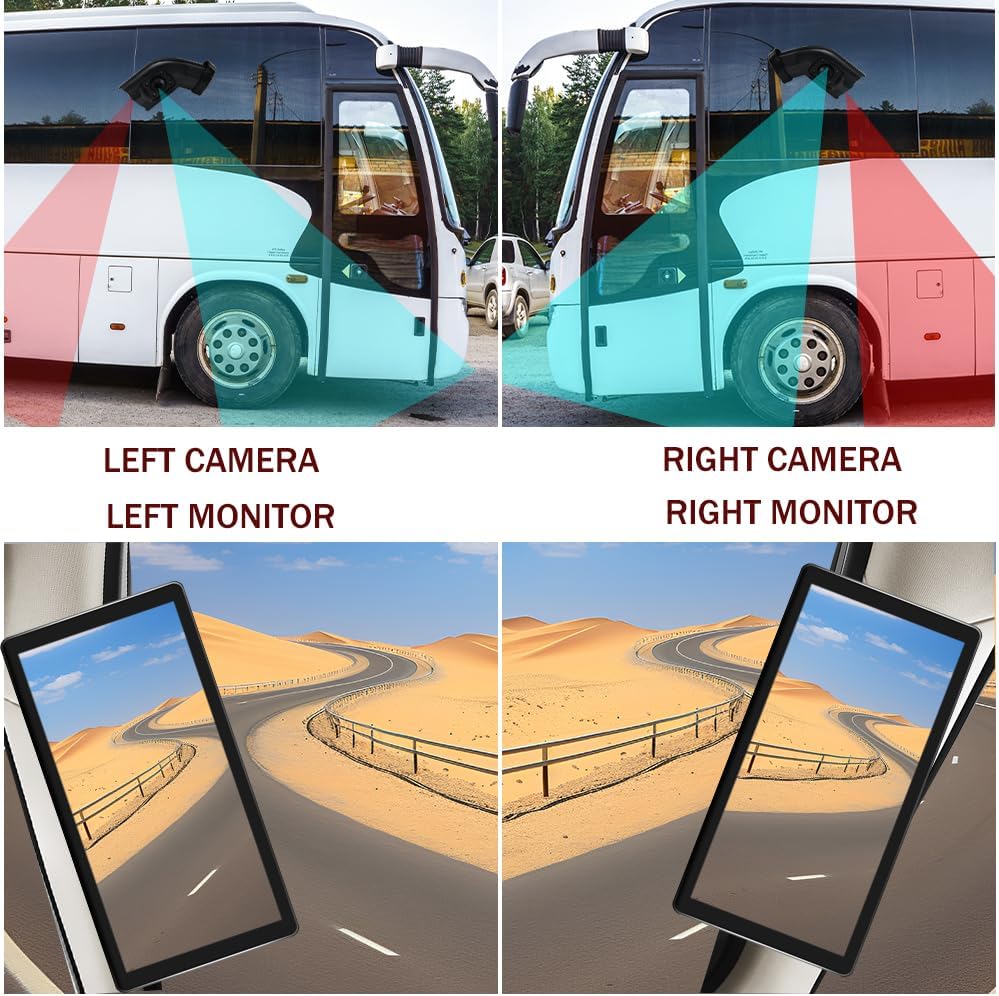
Image: A visual comparison demonstrating the coverage areas for left and right camera installations, along with the corresponding monitor views. This system is for the Right Camera/Monitor.
Navodila za uporabo
1. Vklop/izklop
The monitor will power on automatically when the vehicle's ignition is turned on (if connected to ACC power) and power off when the ignition is turned off.
2. Navigacija na zaslonu na dotik
Navigate through the monitor's menus and settings using the touch screen interface. Tap icons or options to select them.
3. Split Screen Display
The monitor supports a 2-channel split screen display. Access the display settings to configure how the camera feeds are shown on the screen.
4. BSD Voice Alarm
- Access the BSD settings menu on the touch screen.
- Adjust Alarm Area: Define the specific zones where the BSD system will detect objects and trigger an alarm.
- Control Alarm Volume: Set the desired volume level for the voice alerts.
- Nastavitev občutljivosti: Adjust the sensitivity of the detection system to suit your driving conditions and preferences.
5. Image Mirroring
If needed, enable the camera image mirroring function through the display settings to flip the camera view vodoravno.
6. Nastavitve zaslona
Customize the display by adjusting brightness, screen color, and setting the current time and date through the monitor's settings menu.
7. Snemanje v zanki
The system supports loop recording. Ensure a compatible memory card is inserted (if required, check product specifications for card type and capacity). The system will continuously record video, overwriting the oldest files ko je pomnilniška kartica polna.

Image: The monitor screen showing a video playback interface, indicating support for video recording with a timeline illustrating different recording times throughout the day.
Vzdrževanje
- Čiščenje monitorja: Use a soft, dry cloth to clean the monitor screen. For stubborn smudges, lightly dampkrpo obrišite z vodo ali čistilom za zaslone. Izogibajte se agresivnim kemikalijam.
- Čiščenje fotoaparata: Periodically check and clean the camera lens to ensure a clear view. Use a soft cloth and lens cleaner if necessary.
- Preverjanje povezav: Redno pregledujte vse ožičene povezave, da se prepričate, da so varne in brez korozije ali poškodb.
- Posodobitve programske opreme: Preverite pri proizvajalcu website for any available firmware or software updates for your system.
Odpravljanje težav
| Težava | Možen vzrok | rešitev |
|---|---|---|
| Na monitorju ni slike |
|
|
| Distorted or unclear image |
|
|
| BSD alarm not working |
|
|
| Loop recording not functioning |
|
|
Specifikacije
| Funkcija | Podrobnost |
|---|---|
| Dimenzije izdelka | 10.3"L x 2"W x 8"H (Monitor) |
| Teža predmeta | 4.4 funtov |
| Številka modela | prav |
| Tehnologija zaslona | LCD |
| Druge funkcije zaslona | Brezžično |
| Proizvajalec | VEKOOTO |
| Znamka | VEKOOTO |
| Velikost zaslona | 10.36 palcev |
| Združljive naprave | Monitor |
| Vrsta namestitve | Površinska montaža |
| voltage | 9-36 Volts (Wide Voltage Support) |
| Tehnologija optičnega senzorja | CMOS |
| Vrsta objektiva | Širok kot |
| Vrsta priključka | Brezžično |
| Velikost optičnega senzorja | 1/3 palca |

Image: Diagram illustrating the physical dimensions of the 10.36-inch vertical monitor (27cm/10.63inch height, 13cm/5.12inch width) and the camera unit (14.6cm/5.75inch height, 7.8cm/3.07inch width, 6.4cm/2.52inch depth).
Garancija in podpora
For warranty information, please refer to the documentation included with your purchase or contact VEKOOTO customer support directly. Support contact details can typically be found on the manufacturer's official webspletnem mestu ali prek vašega nakupovalnega mesta.
Always ensure you are using genuine VEKOOTO parts and accessories for optimal performance and to maintain warranty validity.
Ask a question about this manual
Ask about setup, troubleshooting, compatibility, parts, safety, or missing instructions. Manuals+ will review the question and use this page’s manual context to help answer it.