
1. Uvod
This manual provides detailed instructions for the installation, operation, maintenance, and troubleshooting of your Stiflix Single Din 10.1-inch CarPlay Touchscreen Car Stereo. Please read this manual thoroughly before using the product to ensure proper function and safety.
2. Vsebina paketa
Preverite, ali so v paketu prisotni vsi elementi:
- Single Din Android Radio Unit
- Žični snop in kabli
- USB kabel
- GPS antena
- Montažni kompleti
- Uporabniški priročnik (ta dokument)
3. Nastavitev in namestitev
The Stiflix 10.1-inch car stereo is designed for single DIN and most double DIN dash openings. Professional installation is recommended.
3.1 Preverjanja pred namestitvijo
- Ensure your vehicle's electrical system is compatible with the stereo's power requirements.
- Pred začetkom namestitve odklopite akumulator vozila.
- Identify the correct wiring for power, ground, speakers, and accessories in your vehicle.
3.2 Shema ožičenja
Refer to the included wiring diagram for specific connections. Match the color-coded wires from the stereo's harness to your vehicle's wiring harness. Secure all connections properly.
3.3 Namestitev enote
- Install the single DIN chassis into your vehicle's dash opening using the provided mounting kits.
- Attach the 10.1-inch display to the chassis. The display is detachable and can be adjusted for optimal viewing.
- Priključite anteno GPS in jo usmerite na lokacijo z neoviranim signalom. view neba.
- Connect any optional accessories such as a backup camera or external amplifier.

Image: The Stiflix 10.1-inch Single Din Car Stereo, showcasing its rotatable and adjustable screen. This image provides an overview of the product's design and key features.

Image: An illustration of the 10.1-inch Single Din Android Car Stereo with icons representing its features like CarPlay, Android Auto, Bluetooth, Mirrorlink, Voice Control, Offline Maps, WiFi Hotspot, Touchscreen, Backup Camera Input, and 2GB RAM + 64GB ROM.
4. Navodila za uporabo
4.1 Vklop/izklop in osnovne kontrole
- Pritisnite gumb za vklop, da vklopite ali izklopite enoto.
- Adjust volume using the dedicated controls or touchscreen interface.
- Navigate through menus and applications using the 10.1-inch capacitive IPS touchscreen.
4.2 Brezžični CarPlay in Android Auto
Connect your smartphone wirelessly via Bluetooth and Wi-Fi to access CarPlay or Android Auto features. This allows for safe access to navigation, calls, messages, music, and voice commands while driving.

Image: The car stereo display showing the Wireless CarPlay and Android Auto interface with various app icons like Maps, Spotify, YouTube Music, and Phone, demonstrating voice command integration.

Image: A woman driving, interacting with the car stereo using Wireless Apple CarPlay and Siri voice commands for navigation and communication.

Image: A woman driving, interacting with the car stereo using Wireless Android Auto and Google Assistant voice commands for navigation and music playback.
4.3 High Definition IPS Display
The unit features a 1280*720 HD capacitive IPS touchscreen with a 178° full-viewing angle. This provides a clear display and responsive touch controls.

Image: A graphic highlighting the features of the 10.1-inch IPS display, including HD 1280x720 resolution, capacitive screen, touchable hot buttons, and 178-degree viewvhodni kot.
4.4 Adjustable and Rotatable Floating Screen
The 10.1-inch display is detachable and can be adjusted in three directions and rotated 360° to achieve comfortable viewing angles, whether horizontal or vertical.

Image: Demonstrates the 360-degree rotation and 30-degree tilt adjustments of the floating screen, allowing for flexible positioning in the vehicle.

Image: A visual representation of the rotatable floating touchscreen, illustrating its 360-degree rotation and 30-degree adjustment capabilities for optimal viewing.
4.5 Povezljivost Bluetooth
Built-in Bluetooth technology enables hands-free calling, phonebook access, and music streaming for safe and convenient driving.

Image: A graphic emphasizing seamless Bluetooth connectivity, featuring a Bluetooth 5.3 chip and icons for calls, music, and Wi-Fi.
4.6 AM/FM radio
Tune into AM/FM radio with 30 station presets for news, music, and weather forecasts.

Image: A visual representation of FM AM Radio functionality, displaying frequency ranges (AM: 530-1710KHz, FM: 87.5-107.9MHz) with sound wave graphics.
4.7 GPS Navigation & Offline Maps
The unit includes built-in GPS engines and an antenna for stable satellite signals, providing real-time navigation. Offline maps can be downloaded for use in areas without internet access.
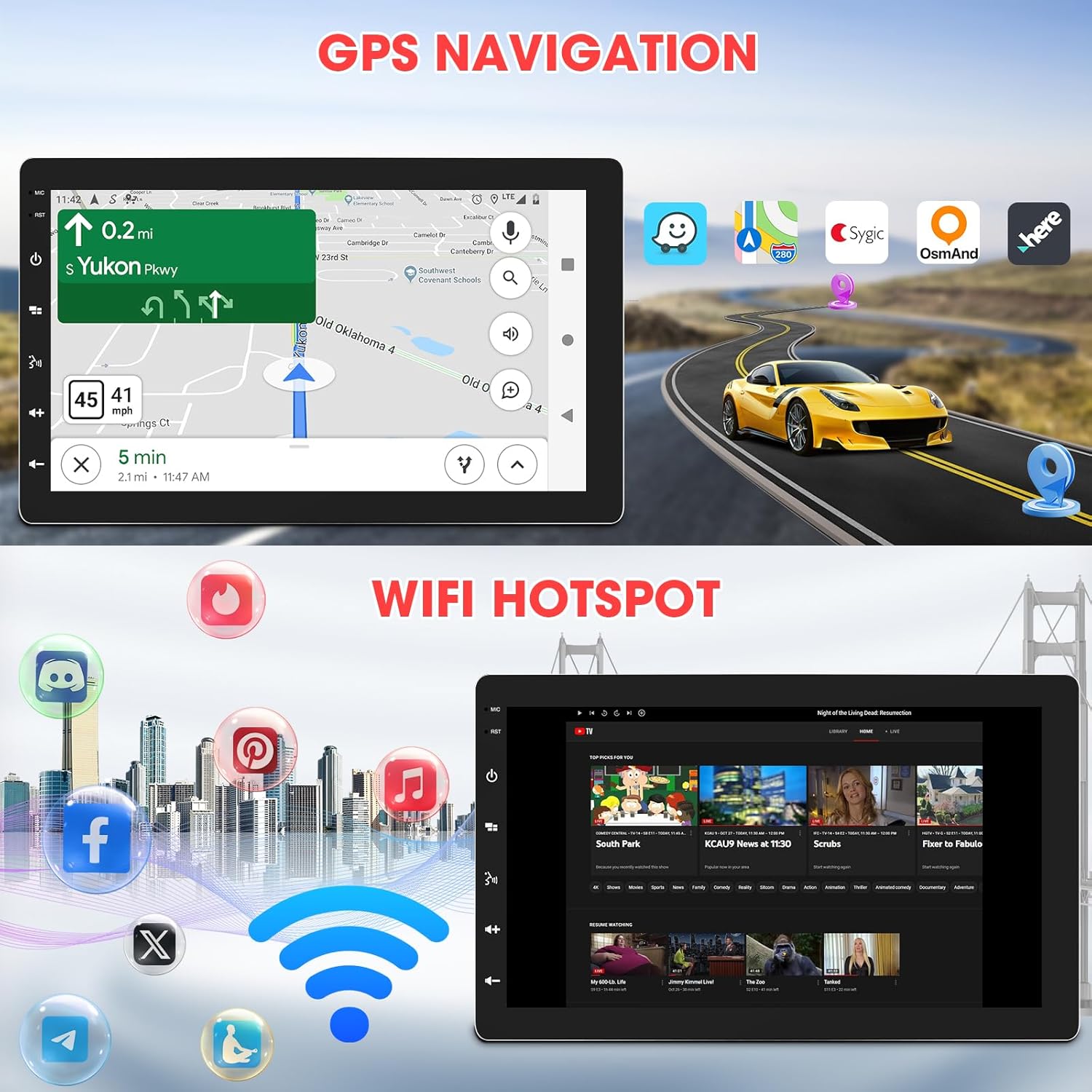
Image: The car stereo displaying GPS navigation, alongside an illustration of WiFi hotspot connectivity with various social media and streaming app icons.

Image: A split image showing the WiFi Hotspot feature on the left, with various app icons, and GPS Navigation on the right, displaying a map with a car icon.
4.8 Dostopna točka WiFi
The stereo supports 2.4 GHz & 5 GHz Wi-Fi for a smooth internet connection, enabling streaming and map downloads.
4.9 Mirrorlink & Fast Charge
Mirrorlink allows casting unsupported apps and content from your phone to the stereo. USB inputs provide 2.1A charging for devices.

Image: Illustrates the Mirrorlink function, showing a smartphone screen mirrored onto the car stereo, and a phone charging via USB, highlighting the fast charge capability.
4.10 Zvočne funkcije
- Nastavitve EQ: Enhance your music with dynamic customized equalizer settings.
- predamp and Subwoofer Output: Features 2-volt 4-channel pre-amp and subwoofer audio output with peak power 50W*4.
- Mechless Audio: Predvajaj zvok fileprek USB-ja.

Image: A graphic detailing the Mechless HIFI Sound Quality, highlighting 2V Preamp Output, Preset EQ, Subwoofer Output, and Built-in DSP for enhanced audio.
4.11 Video izhod
Video output is available to connect to headrest monitors for additional video playback.

Image: Illustrates the car stereo's ability to deliver high-quality sound and output video to rear headrest monitors, enhancing entertainment for passengers.
4.12 zadaj View Vnos kamere
The unit is capable of connecting to a rear view camera for easier reversing and parking.
5. Vzdrževanje
Redno vzdrževanje zagotavlja dolgo življenjsko dobo in optimalno delovanje vašega avtomobilskega stereo sistema.
- Čiščenje zaslona: Zaslon na dotik nežno obrišite z mehko krpo, ki ne pušča vlaken. Ne uporabljajte abrazivnih čistil ali topil.
- Posodobitve programske opreme: Občasno preverite proizvajalčeve website for available software updates to ensure the best performance and access to new features.
- Preverjanje povezave: Prepričajte se, da so vse ožičene povezave varne in brez korozije.
6. Odpravljanje težav
Če naletite na težave, si oglejte naslednje pogoste težave in rešitve:
| Težava | Možen vzrok | rešitev |
|---|---|---|
| Brez moči | Nepravilno ožičenje; Pregorela varovalka; Akumulator vozila odklopljen. | Check power and ground connections; Inspect vehicle fuses; Reconnect battery. |
| Brez zvoka | Žice zvočnikov odklopljene; Glasnost je prenizka; Funkcija utišanja je aktivna. | Verify speaker connections; Increase volume; Deactivate mute. |
| Težave s povezavo Bluetooth | Device not paired; Bluetooth off on phone/stereo; Interference. | Ensure Bluetooth is enabled on both devices; Re-pair the device; Move closer to the stereo; Restart both devices. |
| CarPlay/Android Auto se ne povezuje | Incorrect Wi-Fi/Bluetooth settings; Software glitch; Phone compatibility. | Verify Wi-Fi and Bluetooth are active and connected; Restart phone and stereo; Check for software updates; Ensure phone is compatible. |
| GPS Signal Lost | GPS antenna obstructed or disconnected; Poor satellite coverage. | Zagotovite, da ima antena GPS neoviran view of the sky; Check antenna connection; Move to an open area. |
| Zaslon se ne odziva | Začasna težava s programsko opremo; potrebna je kalibracija zaslona. | Restart the unit; Perform a factory reset (refer to advanced settings); Contact support if issue persists. |
If the problem persists after attempting these solutions, please contact Stiflix customer support.
7. Specifikacije
| Funkcija | Specifikacija |
|---|---|
| Dimenzije izdelka | 6.8 x 10 x 5.9 palcev |
| Teža predmeta | 2.8 funtov |
| Številka modela artikla | SF20250929B0D5QMLXYL |
| Znamka | Stiflix |
| Tehnologija povezljivosti | Bluetooth, USB, Wi-Fi |
| Vrsta krmilnika | Android |
| Zaslon | 10.1-inch IPS Touchscreen, 1280*720 HD, 178° Viewkota |
| Posebne lastnosti | 360° Rotatable Adjustable Detachable Touchscreen, Wireless Apple CarPlay, Wireless Android Auto, Voice Control, Mirrorlink, Online GPS Navigation, Offline Map, WIFI Hotspot, 2GB RAM, 64GB ROM, Bluetooth Calling, Wireless Audio Streaming, AV Input, Backup Camera Input, USB Charging, FM AM Tuner, Preset EQ, Video Output, Amplifier Subwoofer Output |
| Združljive naprave | Amplifier, Smartphone, Speaker, Subwoofer |
| Skupno število vrat HDMI | 2 |
| Vrsta priključka | RCA |
| Način avdio izhoda | Stereo |
| Konfiguracija kanala za prostorski zvok | 5.1 |
| Video kodiranje | H.264, H.265/HEVC, MPEG-4 itd. |
8. Informacije o garanciji
For warranty details, please refer to the warranty card included with your product or visit the official Stiflix webspletnega mesta. Račun shranite kot dokazilo o nakupu za morebitne garancijske zahtevke.
9. Podpora strankam
If you require further assistance, technical support, or have questions not covered in this manual, please contact Stiflix customer service through their official webspletno mesto ali kontaktne podatke, ki ste jih prejeli ob nakupu.

Image: A customer service representative smiling, symbolizing available support for product inquiries.