
1. Uvod
This document provides essential information and guidelines for the AGCUT Touch Screen Digitizer Replacement kit, compatible with Digiland DL1016 and DL1023 tablet models. This product is designed to restore touch functionality to your device. It is important to understand that this is a touch screen digitizer only and does not include the LCD display.
2. Vsebina paketa
Prosimo, preverite, ali so v vašem paketu priloženi vsi spodaj navedeni artikli:
- 1x AGCUT Touch Screen Digitizer for Digiland DL1016 DL1023
- 1x Set of Special Disassembly Tools
- 1x Double-sided Adhesive Tape
- 1x Dust Removal Sticker
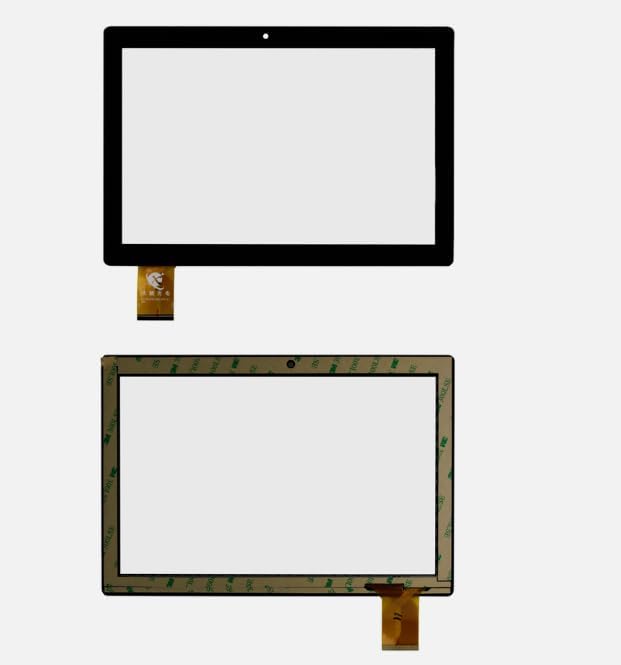
Image 2.1: Included components of the digitizer replacement kit.
3. Pomembne varnostne informacije in opozorila
Pred poskusom namestitve natančno preberite vsa navodila.
- Priporočena profesionalna namestitev: The removal and installation of a touch screen digitizer often requires specialized equipment to separate it from the LCD screen. If you are not a professional maintenance technician or lack experience in screen replacement and professional tools, it is strongly recommended to seek assistance from a local repair shop. Attempting installation without proper expertise may result in damage to your device.
- Krhka komponenta: The screen digitizer is made of glass and is very fragile. Exercise extreme caution when opening the package and during the installation process to prevent damage to the digitizer itself, the LCD screen, or internal chip ICs.
- Digitizer vs. LCD: This product is a touch screen digitizer only. It is designed to fix issues related to touch functionality (e.g., unresponsive touch). It does NOT include the LCD display. If your device's LCD screen has display problems (e.g., no image, distorted image, dead pixels), replacing only the digitizer will not resolve these issues. In such cases, both the LCD and digitizer may need replacement.
- Testiranje pred namestitvijo: Before fully installing the digitizer, connect the flex cable to the tablet's motherboard and test the touch functionality. Ensure the screen responds correctly across all areas. Do not remove protective films or adhesive until satisfactory testing is complete.
4. Installation Guidelines (Professional Recommended)
These guidelines are provided for informational purposes. Professional installation is highly recommended due to the delicate nature of the components and the specialized tools required.
4.1. Priprava
- Power off your Digiland DL1016 or DL1023 tablet completely.
- Gather all necessary tools, including those provided in the kit.
- Delajte v čistem in brezprašnem okolju, da preprečite nabiranje delcev pod zaslonom.
- Discharge any static electricity from your body before handling components.
4.2. Disassembly (Requires Professional Tools)
- Previdno odprite tableto casing using appropriate prying tools.
- Disconnect the battery to prevent short circuits.
- Poiščite in previdno odklopite fleksibilni kabel starega digitalizatorja z matične plošče.
- Using a heat gun or heating plate, gently heat the edges of the old digitizer to soften the adhesive.
- Carefully separate the old digitizer from the LCD panel and the tablet frame. This step is critical and requires precision to avoid damaging the LCD.
- Clean any remaining adhesive residue from the tablet frame and LCD surface. Use the dust removal sticker to ensure a pristine surface.
4.3. Installation of New Digitizer
- Before applying adhesive, perform a test fit of the new digitizer.
- Connect the new digitizer's flex cable to the tablet's motherboard.
- Reconnect the battery and power on the tablet to test touch functionality across the entire screen. If the touch is unresponsive or erratic, power off, disconnect, and re-seat the flex cable.
- Once testing is successful, power off the tablet and disconnect the battery again.
- Carefully remove the protective films from the new digitizer and apply the double-sided adhesive tape to the tablet frame or the digitizer's edges as appropriate.
- Align the new digitizer precisely with the tablet frame and gently press it into place, ensuring even adhesion.
- Reconnect the digitizer flex cable and the battery.
- Carefully reassemble the tablet casing.

Slika 4.1: Spredaj view of the replacement digitizer.

Slika 4.2: Hrbet view of the replacement digitizer showing adhesive areas.
5. Delovanje
After successful installation, power on your Digiland tablet. The touch screen digitizer should now respond to your touch inputs, allowing you to navigate the tablet's interface as intended. Verify that all areas of the screen register touch accurately and smoothly.
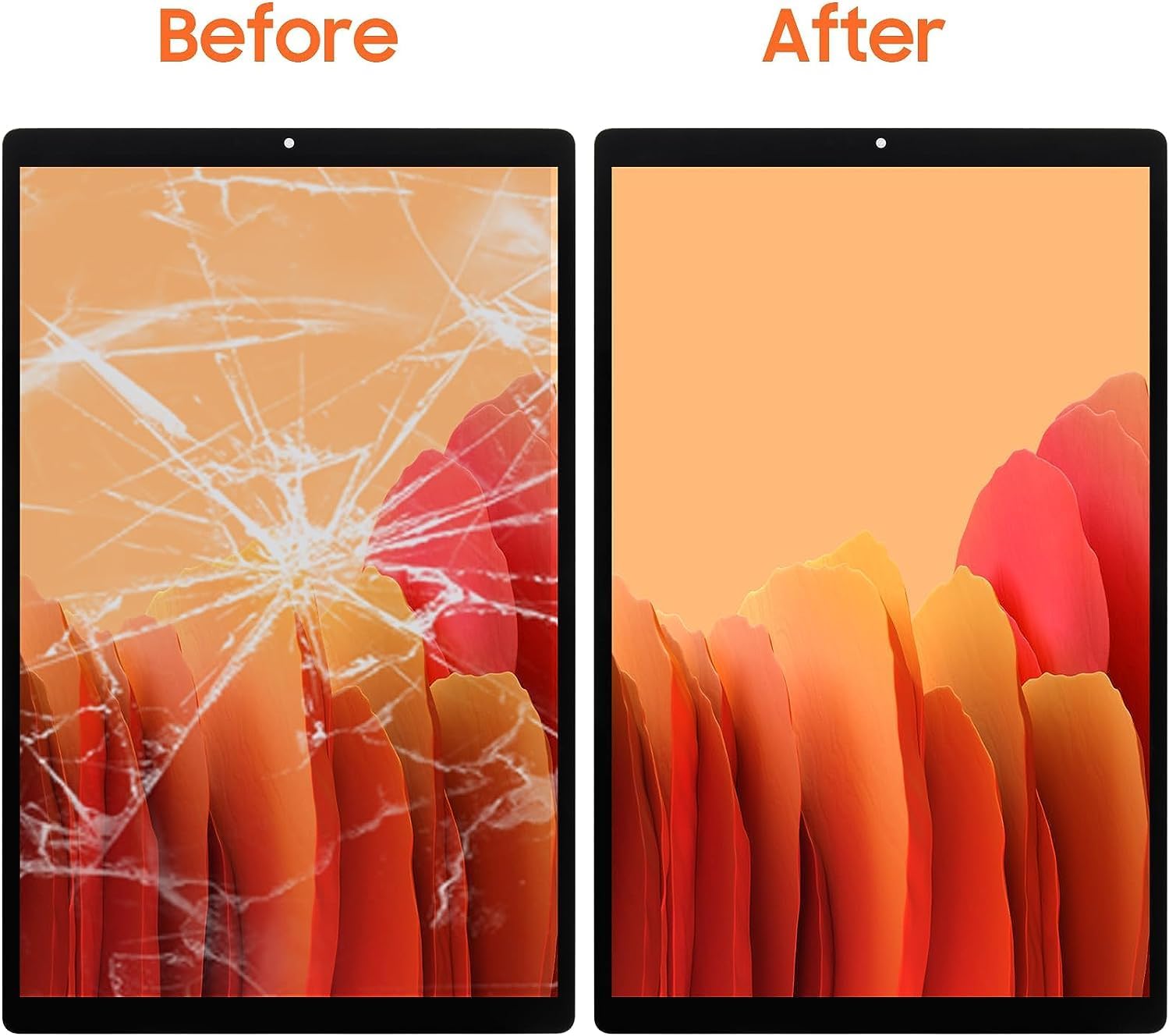
Image 5.1: Visual representation of a damaged screen before replacement and a functional screen after replacement.
6. Vzdrževanje
To ensure the longevity and optimal performance of your new touch screen digitizer:
- Čiščenje: Uporabite mehko krpo, ki ne pušča vlaken, rahloampened with water or a screen-safe cleaning solution, to gently wipe the screen. Avoid harsh chemicals or abrasive materials.
- Zaščita: Razmislite o uporabi zaščitne folije za zaslon, da ga zaščitite pred praskami in manjšimi udarci.
- Ravnanje: Avoid dropping the tablet or subjecting it to excessive pressure, as this can damage the digitizer.
7. Odpravljanje težav
Če po namestitvi naletite na težave, upoštevajte naslednje:
- Dotik se ne odziva:
- Ensure the digitizer flex cable is securely connected to the motherboard. Disconnect and re-connect it carefully.
- Verify that the correct digitizer model was installed for your tablet.
- Perform a hard reset of your tablet.
- Screen Display Issues (e.g., no image, lines, distorted colors):
- Remember, this product is a digitizer only. Display issues are typically related to the LCD screen, not the digitizer. If your LCD was working before and now has issues, it might have been damaged during the installation process.
- If the LCD was already faulty, you will need to replace the LCD assembly, not just the digitizer.
- Physical Damage During Installation:
- Cracks or breaks that occur during installation are typically not covered under warranty. Exercise extreme caution.
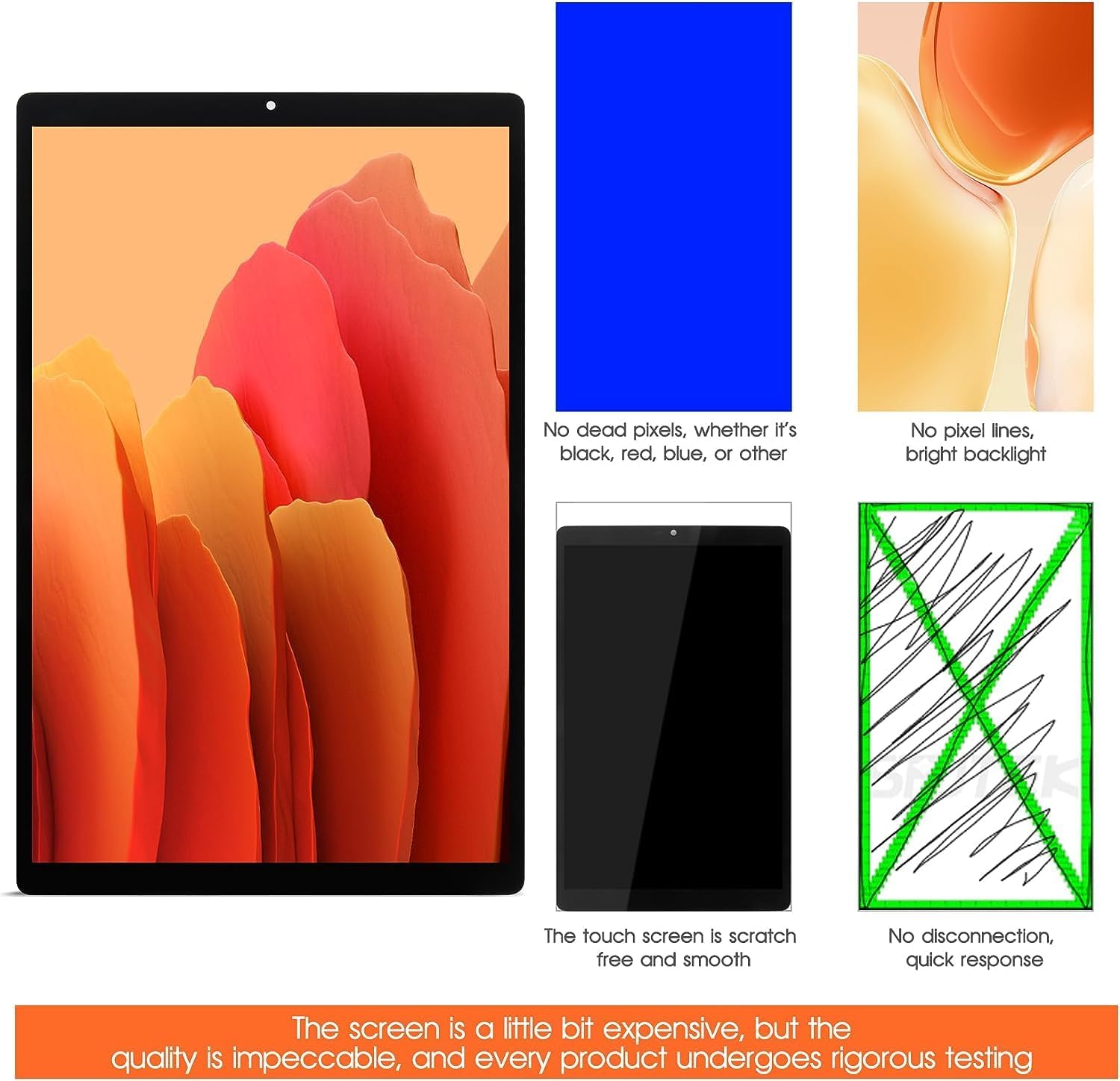
Image 7.1: Quality assurance points for the digitizer.
8. Specifikacije
| Vrsta izdelka | Touch Screen Digitizer Replacement |
| Združljivi modeli | Digiland DL1016, Digiland DL1023 |
| Proizvajalec | AGCUT |
| ASIN | B0D56Y81PR |
| Prvič na voljo | 25. maj 2024 |
9. Garancija in podpora
- Poprodajne storitve: This product includes 6 months of after-sale service.
- Garancija storitve: The touch screen digitizer replacement undergoes 100% inspection by a professional QC team before delivery. We offer a lifetime exchange for non-human damage.
- Obrnite se na podporo: If you encounter any issues with the product, we recommend contacting us for technical support and satisfactory solutions.