
1. Uvod
This manual provides detailed instructions for the installation, operation, and maintenance of your MZZYG Tuya 7-Inch Wired Video Doorbell System. Please read this manual thoroughly before using the product to ensure proper function and safety. Keep this manual for future reference.
2. Izdelek je končanview in vsebino paketa
The MZZYG Tuya Video Doorbell System is designed to enhance your home security with a 1080P camera, a 7-inch touchscreen monitor, and Wi-Fi connectivity. It supports remote unlocking, two-way communication, and motion detection.
2.1 Vsebina paketa
Preverite, ali so v paketu vsi elementi:
- Outdoor Doorbell Unit (1080P Camera)
- Indoor Monitor Unit (7-inch TFT-LCD Touchscreen)
- Napajalnik za notranji monitor
- Montažni nosilec in vijaki
- Kabli za ožičenje
- RFID Key Fobs (Quantity may vary)
- Uporabniški priročnik (ta dokument)

Slika 2.1: Main components of the MZZYG Tuya Video Doorbell System, including the outdoor doorbell unit, the indoor 7-inch monitor, and several RFID key fobs for access control.
3. Specifikacije
3.1 Indoor Monitor
- zaslon: 7-inch TFT-LCD Touchscreen
- Resolucija: 1024 x 680
- Melodije zvonjenja: 7-chord melodic rings
- Način povezave: 4-wire, Tuya Wi-Fi solution
- Material plošče: Akril/ABS
3.2 Zunanja enota zvonca
- Kamera: 1080P
- Objektiv: 3.2mm wide-angle, 160-degree view
- Nočni vid: Podprto
- Ocena vodoodpornosti: IP65
- CasinMaterial: Aluminijeve zlitine
- Lastnosti: Remote unlock, monitoring, two-way communication, video recording, motion detection
4. Namestitev in nastavitev
Proper installation is crucial for optimal performance. It is recommended to consult a qualified electrician for wiring if you are unfamiliar with electrical installations.
4.1 Montaža zunanje enote
- Choose a suitable location near your entrance, ensuring the camera has a clear, unobstructed view of visitors. The recommended height is approximately 1.5 meters (5 feet) from the ground.
- Za označevanje vrtalnih točk na steni uporabite montažni nosilec kot šablono.
- Izvrtajte luknje in vstavite stenske vložke.
- Pritrdite nosilec na steno s priloženimi vijaki.
- Connect the wiring from your home to the outdoor unit. Ensure correct polarity for power and signal wires.
- Zunanjo enoto pritrdite na nosilec.
4.2 Montaža notranjega monitorja
- Izberite priročno lokacijo v zaprtih prostorih, na primer hodnik ali dnevno sobo, kjer je monitor enostavno dostopen.
- Mount the indoor monitor's bracket to the wall using screws.
- Priključite 4-žilni kabel iz zunanje enote na notranji monitor.
- Priključite napajalnik na notranji monitor in ga vključite v električno vtičnico.
- Attach the indoor monitor to its wall bracket.

Slika 4.1: Ilustrativni pramples of the outdoor doorbell unit mounted next to a door and the indoor monitor installed on a wall inside a home.
4.3 Initial Power-On and Wi-Fi Configuration
- Once both units are mounted and wired, power on the indoor monitor.
- Follow the on-screen prompts to configure the date, time, and language settings.
- Navigate to the Wi-Fi settings menu on the indoor monitor.
- Select your home Wi-Fi network and enter the password. The monitor will connect to the internet, enabling Tuya app integration.
5. Delovanje
5.1 Sprejem klica
- When a visitor presses the doorbell button, the indoor monitor will ring and display the visitor's image.
- To answer, tap the "Answer" icon on the touchscreen. This initiates two-way audio communication.
- To end the call, tap the "End Call" icon.
5.2 Remote Unlocking
If connected to an electronic lock (sold separately), you can unlock the door remotely:
- During a call or while monitoring, tap the "Unlock" icon on the indoor monitor or in the Tuya app.
- Confirm the unlock action if prompted.
5.3 Spremljanje
Lahko view the outdoor camera feed at any time:
- On the indoor monitor, tap the "Monitor" icon to view the live feed from the outdoor unit.
- In the Tuya app, select your doorbell device to access the live view.
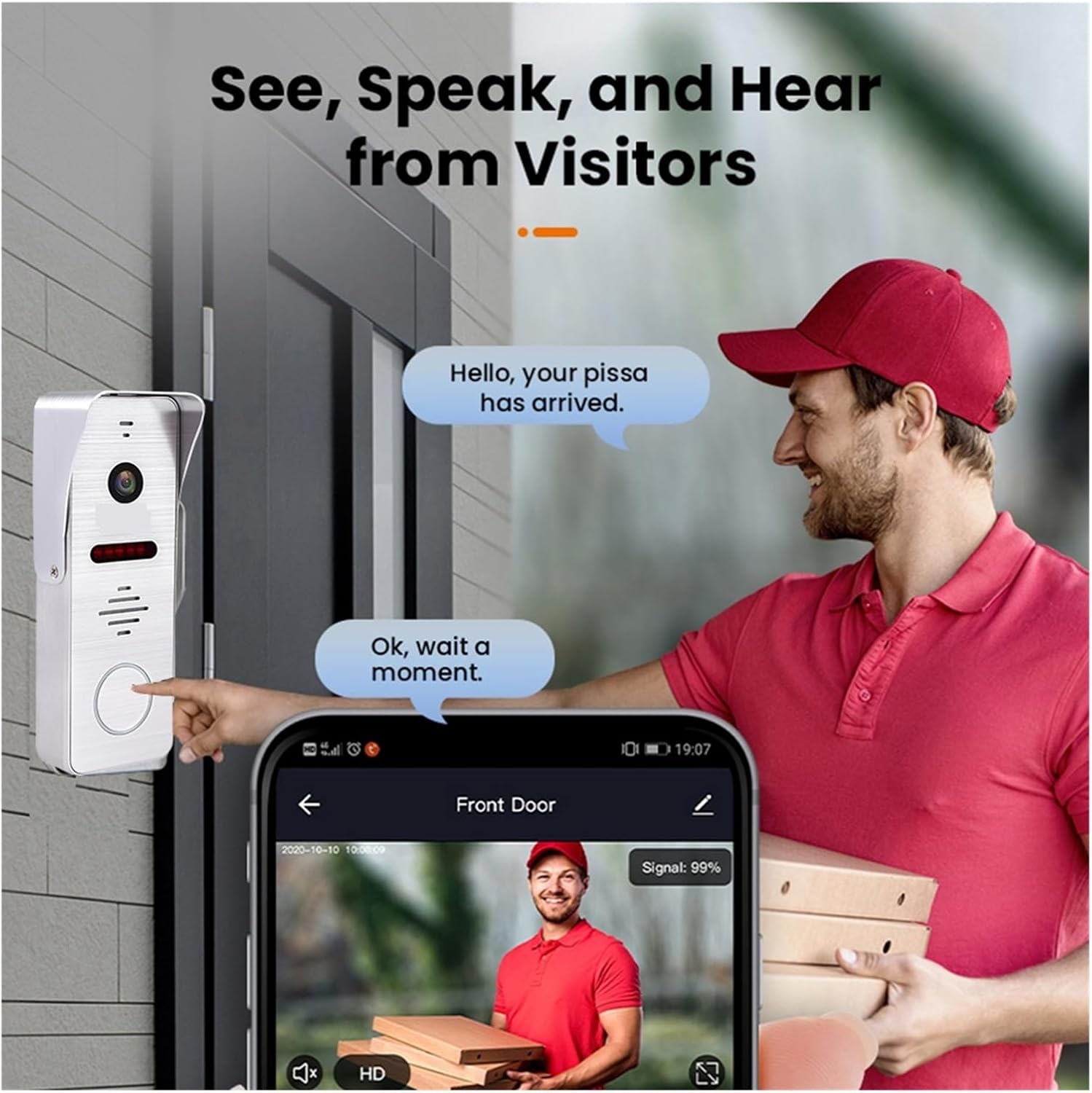
Slika 5.1: A visitor at the door pressing the doorbell, with a smartphone displaying the live video feed and communication options through the mobile application.
6. Tuya Smart App Integration
The system integrates with the Tuya Smart app for remote access and control.
6.1 Downloading and Registering the App
- Download the "Tuya Smart" app from your smartphone's app store (Google Play Store for Android, Apple App Store for iOS).
- Odprite aplikacijo in registrirajte nov račun ali se prijavite, če ga že imate.
6.2 Adding the Doorbell Device
- In the Tuya Smart app, tap the "+" icon to add a new device.
- Select "Video Surveillance" or "Doorbell" from the device categories.
- Follow the in-app instructions to pair your doorbell system. This typically involves scanning a QR code displayed on the indoor monitor or entering Wi-Fi credentials.
6.3 Funkcije aplikacije
- Oddaljeno spremljanje: View live video from the outdoor unit.
- Dvosmerni zvok: Komunicirajte z obiskovalci od koder koli.
- Odklepanje na daljavo: Open the door remotely (requires compatible electronic lock).
- Video Recording & Snapshots: Capture video and images of visitors or events.
- Opozorila zaznavanja gibanja: Receive notifications when motion is detected.

Slika 6.1: A smartphone screen showing a list of motion detection events recorded by the doorbell camera, with timestamps in predview slike.
7. Motion Detection and Night Vision
The system is equipped with motion detection and night vision capabilities for enhanced security.
7.1 Zaznavanje gibanja
- The outdoor unit can detect motion in its field of view.
- Upon detection, the system can automatically record video or take snapshots.
- You will receive push notifications on your smartphone via the Tuya Smart app when motion is detected.
- Sensitivity settings for motion detection can be adjusted in the indoor monitor's menu or the Tuya app.
7.2 Nočni vid
- The outdoor unit features infrared night vision, allowing clear visibility even in low-light or complete darkness.
- Nočni vid se samodejno aktivira, ko je raven svetlobe v okolju nizka.

Slika 7.1: An illustration of the doorbell's night vision capability, showing a person in low light conditions as seen on the indoor monitor and a mobile phone screen.
8. Vzdrževanje
- Čiščenje: Regularly wipe the camera lens and monitor screen with a soft, damp krpo. Izogibajte se abrazivnim čistilom.
- Posodobitve vdelane programske opreme: Check for firmware updates periodically through the indoor monitor's settings or the Tuya Smart app to ensure optimal performance and security.
- Pregled ožičenja: Periodically inspect all wiring connections for any signs of wear or damage.
9. Odpravljanje težav
| Težava | Možen vzrok | rešitev |
|---|---|---|
| Na notranjem monitorju ni slike. | Power issue, loose wiring, faulty unit. | Check power connection to monitor. Verify all 4-wire connections between outdoor and indoor units. Restart the system. |
| No audio during call. | Microphone/speaker issue, volume too low. | Check volume settings on the monitor. Ensure wiring is secure. |
| Wi-Fi connection unstable or disconnected. | Šibek Wi-Fi signal, napačno geslo, težave z usmerjevalnikom. | Ensure monitor is within Wi-Fi range. Re-enter Wi-Fi password. Restart your router. |
| Zaznavanje gibanja ne deluje. | Motion detection disabled, sensitivity too low, incorrect settings. | Enable motion detection in settings. Adjust sensitivity. Check recording schedule. |
10. Varnostne informacije
- Naprave ne poskušajte razstavljati ali popravljati sami. Vsa servisna dela prepustite usposobljenemu osebju.
- Napravo hranite ločeno od vode, vlage in ekstremnih temperatur.
- Ensure all wiring is correctly installed and insulated to prevent electrical hazards.
- Uporabljajte samo priloženi napajalnik.
11. Garancija in podpora
Warranty information for this product is not explicitly detailed in the provided specifications. Please refer to your purchase documentation or contact your retailer for specific warranty terms and conditions.
For technical support or inquiries, please contact MZZYG customer service through the contact information provided with your purchase or on the official MZZYG webmesto.