
Uvod
Thank you for choosing the KOORUI 2.4G Silent Full Size Ergonomic Wireless Keyboard and Mouse Combo. This manual provides essential information for setting up, operating, maintaining, and troubleshooting your new wireless peripheral set. Please read this manual thoroughly before use to ensure optimal performance and longevity of your product.

Figure 0: KOORUI Wireless Keyboard and Mouse Combo
1. Nastavitev
1.1 Vsebina paketa
- Brezžična tipkovnica
- Brezžična miška
- 2-in-1 USB Receiver
- Uporabniški priročnik
1.2 Namestitev baterije
- Locate the battery compartment on the underside of the keyboard. Insert one AAA battery (not included), ensuring correct polarity.
- Locate the battery compartment on the underside of the mouse. The 2-in-1 USB receiver is stored inside this compartment. Remove the receiver, then insert one AA battery (not included), ensuring correct polarity.
- Oba predala za baterije trdno zaprite.

Figure 1: Battery and USB Receiver Installation
1.3 Povezovanje z vašo napravo
- Ensure both the keyboard and mouse are switched to the "ON" position using their respective power switches.
- Plug the 2-in-1 USB receiver into an available USB port on your computer (Laptop/PC/Gaming Console).
- Your operating system should automatically detect and install the necessary drivers. The keyboard and mouse are ready for use once the installation is complete.
Video 1: Demonstrating the setup and functionality of the KOORUI 104-key wireless keyboard and mouse combo.
2. Navodila za uporabo
2.1 Funkcije tipkovnice
- Full Size Layout: The keyboard features a full-size layout with 104 keys, including a numeric keypad, for comprehensive input.
- Tiho tipkanje: Soft and responsive keys provide a quiet typing experience, reducing noise in shared environments.
- Ergonomska oblika: Designed for comfort, the keyboard includes an 8° tilt angle to reduce wrist strain during extended use.
- Multimedia & Shortcut Keys: Access 5 multimedia keys and 12 shortcut functions (primarily for Windows systems) for quick control over media, applications, and system functions.

Figure 2: Ergonomic Design with 8° Tilt
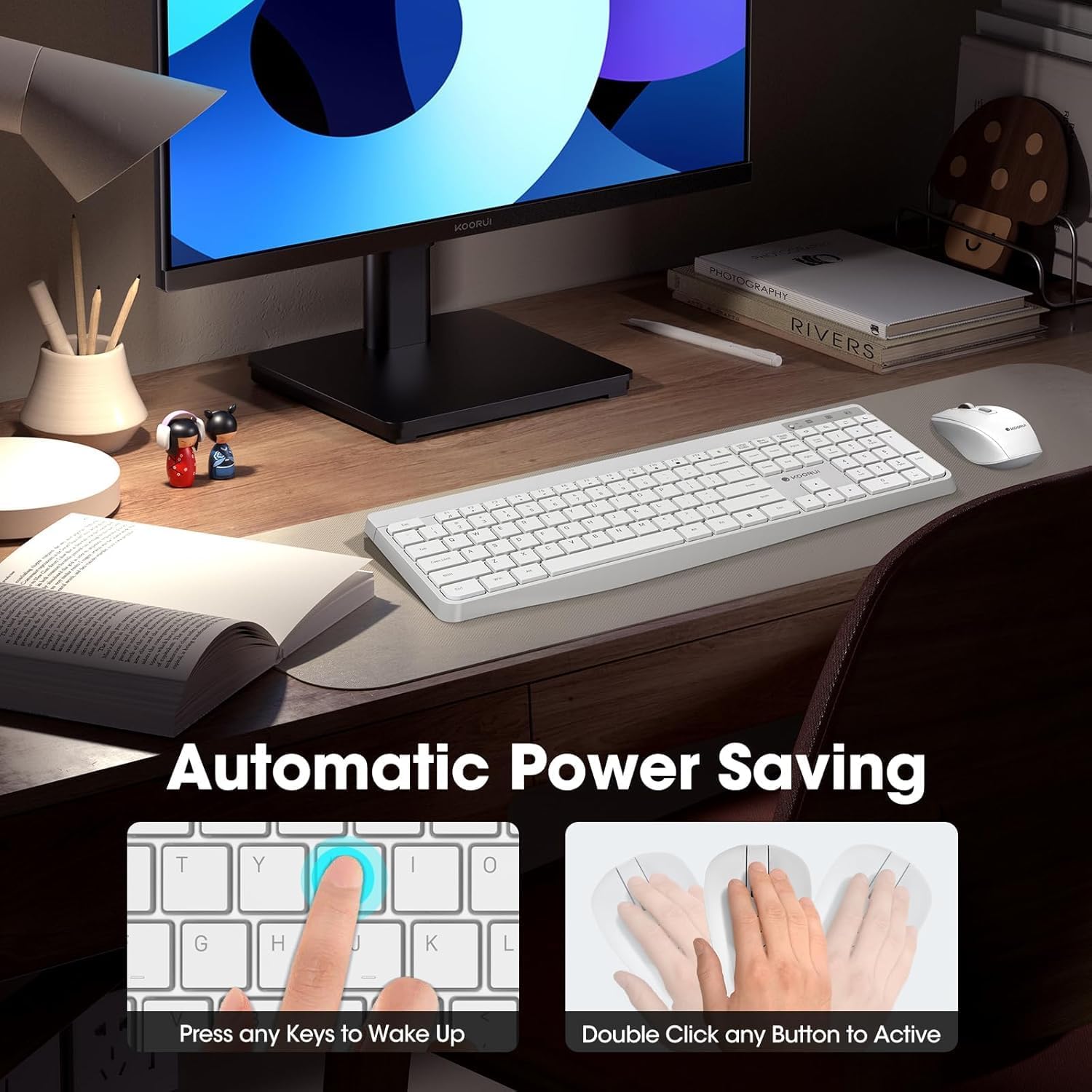
Figure 3: Multimedia and Shortcut Keys
2.2 Funkcije miške
- 3 nastavljivih stopenj DPI: Cycle through 800, 1200, and 1600 DPI settings to adjust cursor sensitivity for precise control.
- Tihi kliki: The mouse features ultra-quiet buttons, minimizing click noise.
- Ergonomska oblika: Contoured shape fits comfortably in your hand for extended use.

Figure 4: Mouse DPI Settings
2.3 Združljivost
The KOORUI Wireless Keyboard and Mouse Combo is compatible with a wide range of operating systems, including Windows 7/8/10/11/Vista, macOS, and Linux. It can be used with laptops, personal computers, and gaming consoles.

Slika 5: Široka združljivost
3. Vzdrževanje
3.1 Čiščenje
The keyboard features a waterproof design, offering protection against accidental spills. To clean, gently wipe the surfaces of the keyboard and mouse with a soft, damp cloth. Avoid using harsh chemicals or abrasive materials. Ensure the devices are completely dry before use.

Figure 6: Waterproof Keyboard Design
3.2 Battery Life and Power Saving
- The keyboard and mouse are equipped with an auto-sleep mode function to conserve battery life. They will enter sleep mode after a period of inactivity.
- To wake the devices, simply click any button on the mouse or press any key on the keyboard.
- Replace batteries when the low battery indicator light appears (Keyboard: 1 AAA, Mouse: 1 AA).
Figure 7: Battery Compartments and Power Indicators
4. Odpravljanje težav
4.1 Težave s povezavo
- Ni odgovora:
- Ensure the keyboard and mouse power switches are in the "ON" position.
- Preverite, ali so baterije pravilno vstavljene in ali so dovolj napolnjene. Po potrebi jih zamenjajte.
- Preverite, ali je USB-sprejemnik varno priključen v delujoča USB-vrata na vašem računalniku. Poskusite z drugimi USB-vhodi.
- Move the keyboard and mouse closer to the USB receiver to rule out range issues (maximum 10m/33ft).
- Zakasnitev ali občasna povezava:
- Zmanjšajte motnje tako, da druge brezžične naprave premaknete stran od sprejemnika.
- Prepričajte se, da med napravami in sprejemnikom ni večjih kovinskih predmetov.
4.2 Keyboard Specific Issues
- Tipke se ne odzivajo:
- Preverite nivo baterije.
- Ensure the keyboard is not in sleep mode (press any key to wake).
4.3 Mouse Specific Issues
- Cursor Not Moving:
- Preverite nivo baterije.
- Ensure the mouse is not in sleep mode (click any button to wake).
- Očistite optični senzor na spodnji strani miške.
- Ensure you are using the mouse on a suitable surface.
5. Specifikacije
| Znamka | KOORUI |
| Model | B0C4DVG5WV |
| barva | Bela |
| Tehnologija povezljivosti | Radijska frekvenca 2.4 GHz |
| Posebna funkcija | Ergonomic, Silent Keys, Waterproof Design, Auto Power Saving |
| Združljive naprave | Gaming Console, Laptop, Personal Computer |
| Zaznavanje gibanja (miška) | Optical (800/1200/1600 DPI) |
| Združljivost operacijskega sistema | Windows 7/8/10/11/Vista, macOS, Linux |
| Razporeditev tipkovnice | QWERTY, Full Size (104 keys) |
| Vir napajanja | Napajanje na baterije (tipkovnica: 1 AAA, miška: 1 AA) |
| Brezžično Domet | Do 10 m (33 čevljev) |
| Teža predmeta | 0.7 kilogramov |
| UPC | 738060953515 |
6. Informacije o garanciji
This KOORUI product comes with a 1-letna omejena garancija od datuma nakupa. Ta garancija krije proizvodne napake in napake v izdelavi pri normalni uporabi. Ne krije škode, ki jo povzroči napačna uporaba, nesreča, nepooblaščena sprememba ali zunanji vzroki.
Za garancijske zahtevke shranite dokazilo o nakupu.
7. Podpora strankam
For any questions, technical assistance, or warranty inquiries regarding your KOORUI Wireless Keyboard and Mouse Combo, please contact our customer support team. We are committed to providing 24-hour service to assist you.
Please refer to the product packaging or the official KOORUI webspletno mesto za najnovejše kontaktne podatke.