
1. Uvod
This manual provides essential information for the installation, operation, and maintenance of your HYTE Thicc FP12 120mm High Performance Fans. The FP12 fans are designed for superior cooling performance in PC systems, featuring a 32mm thick frame, Liquid Crystal Polymer blades, and Nexus Link connectivity. Please read this manual thoroughly before installation and use to ensure proper function and longevity of your product.
2. Varnostne informacije
Da preprečite poškodbe izdelka ali telesne poškodbe, upoštevajte naslednje varnostne ukrepe:
- Ensure your computer system is powered off and disconnected from the main power supply before installation or maintenance.
- S komponentami ravnajte previdno, da preprečite elektrostatično razelektritev (ESD). Razmislite o uporabi antistatične zapestnice.
- Do not attempt to modify the fans or cables. Unauthorized modifications may void your warranty and pose safety risks.
- Keep fans away from liquids and excessive moisture.
- Ensure proper ventilation around the fan installation area.
3. Vsebina paketa
Preverite, ali so v paketu vsi elementi:
- 3 x HYTE THICC FP12 Performance Fans
- 24 x pritrdilni vijaki
- 5 x Nexus Link Cables
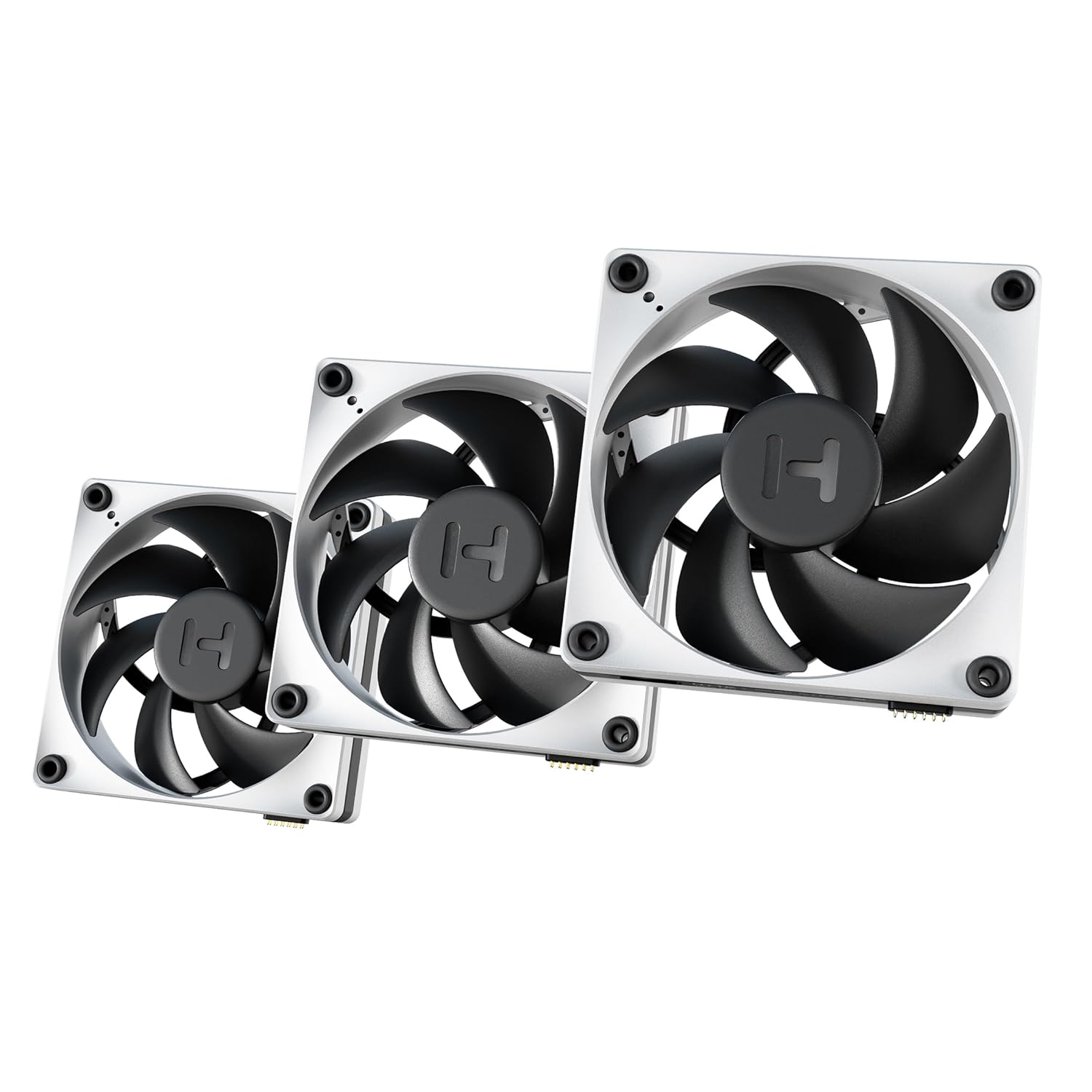
Image: The HYTE Thicc FP12 fan 3-pack, showcasing the fans and their design.
4. Nastavitev in namestitev
Follow these steps for proper installation of your HYTE Thicc FP12 fans.
4.1 Fizična namestitev
- Identify the desired mounting location for your fans (e.g., PC case fan mounts, radiator).
- Align the fan with the mounting holes. Note the direction of airflow indicated by arrows on the fan frame.
- Secure each fan using four mounting screws provided. Do not overtighten.

Image: An individual HYTE Thicc FP12 fan, showing its robust frame and blade design.
4.2 Nexus Link Connectivity
The HYTE Thicc FP12 fans utilize Nexus Link for simplified daisy-chaining and control.
- Locate the Nexus Link ports on the side of each fan.
- Connect the fans sequentially using the provided Nexus Link cables. The magnetic connectors ensure a secure fit.
- Connect the last fan in the chain to a compatible Nexus Link controller (sold separately) or a motherboard header if using a Nexus Link secondary node with 4-pin PWM support.

Slika: Bližnji posnetek view of two HYTE Thicc FP12 fans being connected using their magnetic Nexus Link ports.

Image: A single HYTE Thicc FP12 fan with a Nexus Link cable securely connected to its port.
4.3 Software Installation (HYTE Nexus)
For full control and monitoring, download and install the HYTE Nexus software from the official HYTE website. This software allows for fan speed adjustment, monitoring, and customization.
5. Navodila za uporabo
Once installed and connected, your HYTE Thicc FP12 fans are ready for operation.
5.1 Nadzor hitrosti ventilatorja
The fans operate within a 0-3,000 RPM range. Fan speed can be controlled via:
- HYTE Nexus Software: Provides granular control over fan curves, allowing you to set speeds based on temperature sensors.
- Motherboard PWM: If connected via a 4-pin PWM header (using a compatible Nexus Link secondary node), fan speed can be managed through your motherboard's BIOS or fan control software.
5.2 Način nič vrtljajev
The HYTE Thicc FP12 fans support a Zero RPM mode, where the blades completely stop spinning under light workloads to achieve silent operation. This mode is typically configurable through the HYTE Nexus software or your motherboard's fan control settings.
6. Vzdrževanje
Regular maintenance ensures optimal performance and extends the lifespan of your fans.
6.1 Čiščenje
- Periodically inspect the fan blades and frame for dust accumulation.
- With the system powered off, use compressed air or a soft, dry cloth to gently remove dust from the fan blades and housing.
- Do not use liquid cleaners or immerse the fans in water.
7. Odpravljanje težav
If you encounter issues with your HYTE Thicc FP12 fans, refer to the following common solutions:
- Ventilatorji se ne vrtijo: Ensure all power cables and Nexus Link connections are securely seated. Verify that the fan speed settings in HYTE Nexus or BIOS are not set to 0 RPM.
- Prekomerni hrup: Check for any obstructions preventing the fan blades from rotating freely. Ensure mounting screws are tightened appropriately. Adjust fan speed settings to a lower RPM if noise is a concern.
- Fans not detected by software: Confirm that the Nexus Link controller (if used) is properly connected to the motherboard and powered. Reinstall the HYTE Nexus software.
- Incorrect airflow: Verify that the fans are oriented correctly, with airflow arrows pointing in the desired direction.
8. Specifikacije
| Funkcija | Specifikacija |
|---|---|
| Številka modela | FAN-HYTE-FP12-BW-3 |
| Dimenzije ventilatorja | 120 mm x 120 mm x 32 mm |
| Hitrost ventilatorja | 0 - 3,000 vrt/min |
| Pretok zraka | Do 105.8 CFM |
| Statični tlak | Up to 8.14 mm-H2O |
| Nivo hrupa | Do 47.3 dB |
| Material rezila | Fiberglass Reinforced Liquid Crystal Polymer (LCP) |
| Povezljivost | Nexus Link Type-M (sequential), Legacy 4-pin PWM support |
| voltage | 12 volta |
| Wattage | 9.6 vatov |
| Metoda hlajenja | ventilator |
| Združljive naprave | Namizje |
9. Garancija in podpora
HYTE products are covered by a manufacturer's warranty. For specific warranty terms and conditions, please refer to the official HYTE website or contact HYTE customer support.
For technical assistance, troubleshooting, or further inquiries, please visit the official HYTE support page or contact their customer service department. Keep your proof of purchase for warranty claims.
HYTE Official Webspletno mesto: hyte.com