
GT06N
Generic GPS Tracker GT06N User Manual
Concox Satellite Tracking for Vehicle
Uvod
This manual provides comprehensive instructions for the installation, operation, and maintenance of the Generic GPS Tracker GT06N. Designed for vehicle tracking, the GT06N offers robust features for monitoring and security. Please read this manual thoroughly before using the device to ensure proper functionality and safety.
Konec izdelkaview
The GT06N is a compact and reliable GPS vehicle tracker. It integrates GPS positioning technology with GSM/GPRS communication for real-time tracking and various alert functions.
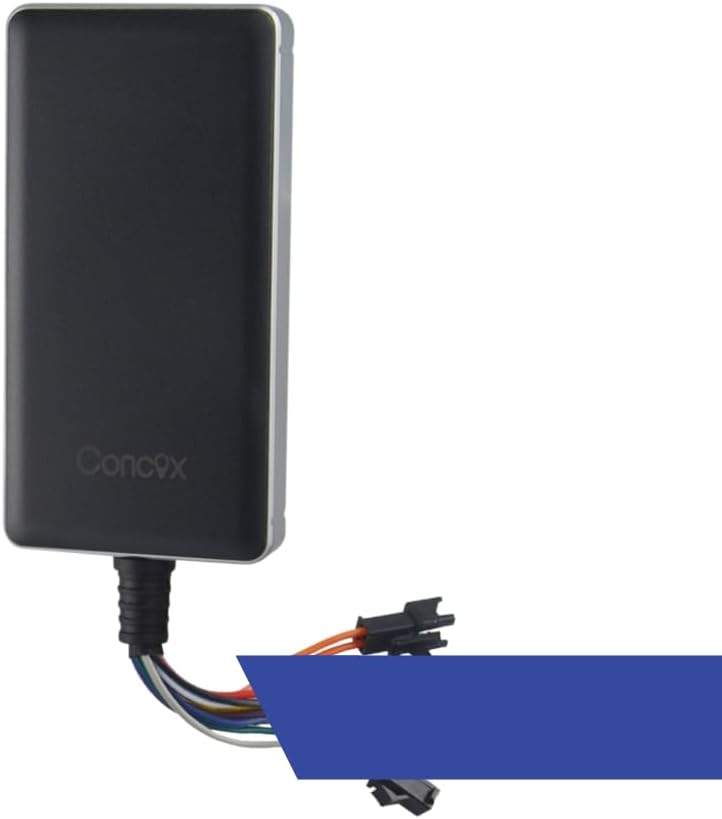
Figure 1: Generic GT06N GPS Tracker. This image displays the main tracking unit, a black rectangular device with the "Concox" logo, connected to a multi-colored wiring harness.
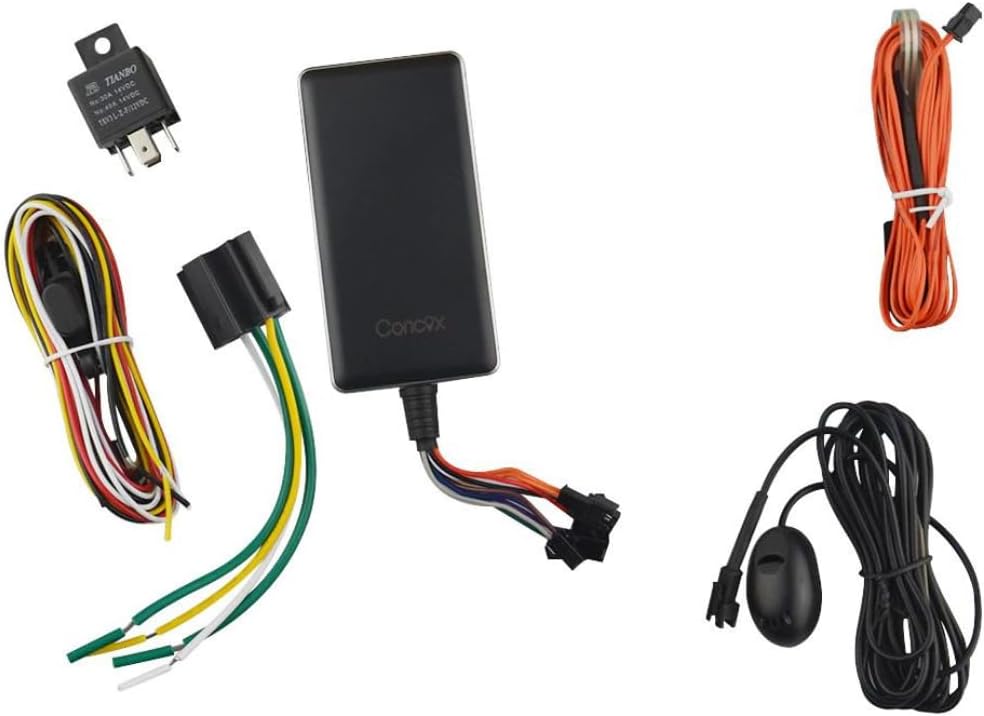
Figure 2: GT06N GPS Tracker and Accessories. This image shows the main GT06N tracker unit, a relay, a microphone, an SOS button, and various wiring harnesses, illustrating the complete package contents.
Ključne značilnosti
- Remote Cutoff (Fuel/Power): Immobilize a vehicle by cutting off its power source or fuel supply through an installed relay.
- Panic Button (SOS): Contact dispatch or emergency support with a discreet SOS button in the cabin.
- Ignition Detection: Constantly detects the vehicle's ACC/ignition status.
- Additional Tx/Rx Interface: Connect to other accessories that support the same protocol for better performance.
- External Microphone for Audio Monitoring: The extended microphone cable allows for discreet placement inside the vehicle cabin for audio monitoring.
- Multiple Alerts: Instant alerts for atypical events such as abnormal vibration, low battery, shutdown, overspeed, and more.
Specifikacije
| Funkcija | Podrobnost |
|---|---|
| Dimenzije izdelka | 5.71 x 7.09 x 1.57 palcev |
| Teža predmeta | 11.2 unč |
| Baterije | Potrebna je 1 litijeva polimerna baterija (vključena) |
| Tehnologija povezljivosti | RF |
| Posebne lastnosti | Alert Notification, SOS, Location History, Real Time Tracking |
| Podprta aplikacija | Besedilna sporočila |
| Material | Plastika |
| Proizvajalec | concox |
Nastavitev
Kaj je v škatli
- GT06N GPS Tracker Unit
- Glavni napajalni kabel
- Rele
- Gumb SOS
- Mikrofon
- Uporabniški priročnik (ta dokument)
Navodila za namestitev
Professional installation is recommended for optimal performance and safety. Ensure the vehicle's power is off before beginning installation.
- Vstavljanje kartice SIM: Open the SIM card slot cover on the device. Insert a valid GSM SIM card with GPRS data service enabled. Ensure the SIM card is inserted correctly according to the diagram on the device. Close the cover securely.
- Napajalni priključek:
- Connect the red wire of the main power cable to the vehicle's positive power supply (+12V/24V).
- Connect the black wire to the vehicle's negative power supply (ground).
- Connect the orange wire to the ACC (ignition) wire of the vehicle. This allows the device to detect ignition status.
- Relay Installation (for Remote Cutoff):
- Identify the fuel pump or ignition circuit wire in the vehicle.
- Cut this wire and connect it to the normally closed (NC) terminals of the provided relay.
- Connect the relay's control wire to the corresponding output wire from the GT06N tracker (typically a yellow wire).
- SOS Button Connection: Connect the SOS button to the designated SOS input on the GT06N wiring harness. Mount the button in an easily accessible but discreet location within the cabin.
- Priključek mikrofona: Connect the external microphone to the audio input port on the GT06N wiring harness. Route the microphone cable and place the microphone in a suitable location for audio monitoring, such as near the driver's seat.
- Postavitev naprave: Mount the GT06N securely in a hidden location within the vehicle, away from direct sunlight and extreme temperatures. Ensure the GPS antenna side faces upwards towards the sky for optimal signal reception. Avoid placing it near large metal objects that could obstruct GPS signals.
- Začetni vklop: After all connections are made, turn on the vehicle's power. The device will power on automatically. Observe the LED indicators for status (GPS, GSM).
Navodila za uporabo
Osnovno delovanje
The GT06N operates primarily through SMS commands or a dedicated tracking platform (if provided by your service provider). Refer to your service provider's documentation for platform-specific instructions.
- Location Query: Send an SMS command (e.g., "WHERE#") to the device's SIM card number to receive its current location via SMS link.
- Nastavitev številk za klic v sili: Configure up to 3 SOS numbers by sending an SMS command (e.g., "SOS,A,1234567890#").
- Stanje vžiga: The device automatically reports ignition status changes to the tracking platform.
Opozorila in obvestila
The GT06N can generate various alerts, which are typically sent to pre-configured numbers or the tracking platform.
- Vibracijski alarm: Triggered when the vehicle experiences abnormal vibration.
- Alarm za nizko stanje baterije: Notifies when the internal battery voltage je nizek.
- Power Off Alarm: Alerts if the main power supply to the device is disconnected.
- Alarm za prekoračitev hitrosti: Activated if the vehicle exceeds a predefined speed limit.
- Geo-fence alarm: Alerts when the vehicle enters or exits a predefined geographic area.
Funkcija SOS
In an emergency, press and hold the SOS button for 3 seconds. The device will send an SOS alert to the pre-configured SOS numbers and the tracking platform. It will also initiate calls to the SOS numbers in a loop until one is answered.
Remote Cutoff (Fuel/Power)
This feature allows you to remotely cut off the vehicle's fuel or power supply via SMS command or tracking platform. This function should only be used in emergency situations and when the vehicle speed is below 20 km/h to prevent accidents.
Zvočni nadzor
Dial the SIM card number of the GT06N from a pre-authorized phone number. The device will automatically answer, allowing you to listen to the audio environment around the installed microphone.
Vzdrževanje
- Keep the device dry. Moisture and liquids can corrode electronic circuits.
- Do not store the device in extreme temperatures. High or low temperatures can shorten the life of electronic devices and damage batteries.
- Do not use harsh chemicals, cleaning solvents, or strong detergents to clean the device. Wipe it with a soft, damp krpo.
- Do not disassemble or modify the device. Unauthorized modifications will void the warranty and may cause damage.
- Ensure the SIM card has sufficient balance and data plan for continuous operation.
Odpravljanje težav
| Težava | Možen vzrok | rešitev |
|---|---|---|
| Naprava se ne vklopi | Incorrect power connection; Blown fuse; Damaged device. | Check power wiring and fuse. Ensure correct voltage. Če težava ne izgine, se obrnite na podporo. |
| Ni signala GPS | Poor device placement; Obstruction; Device not outdoors. | Relocate device to an area with clear sky view. Avoid metal obstructions. Test outdoors. |
| Ni GSM signala | SIM card issue; Out of network coverage; SIM card not activated. | Check SIM card insertion and activation. Verify network coverage. Recharge SIM card balance if needed. |
| SMS commands not working | Incorrect command format; SIM card issues; Device not registered. | Verify SMS command syntax. Check SIM card balance and data. Ensure device is registered on the network. |
| Remote cutoff not working | Incorrect relay wiring; Vehicle speed too high; Device not receiving command. | Verify relay wiring. Ensure vehicle speed is below 20 km/h. Check GSM signal and command delivery. |
Garancija in podpora
This product is typically covered by a manufacturer's warranty. Please refer to the warranty card included with your purchase or contact your retailer for specific warranty terms and conditions. For technical support, installation assistance, or troubleshooting beyond this manual, please contact your product vendor or the manufacturer's authorized service center.
Protection plans may be available for extended coverage. For details on available protection plans, please refer to your purchase documentation or contact your retailer.