
1. Uvod
The FAUOSWUK WS043AP is an industrial Human Machine Interface (HMI) touch screen designed for seamless integration with Programmable Logic Controllers (PLCs) and intelligent controllers. It features a 3-inch TFT LCD screen, an ARM9 processor, and high-precision touch technology, ensuring reliable performance in industrial environments.

Figure 1: FAUOSWUK Industrial HMI Touch Screen WS043AP.
Ključne značilnosti:
- Highly Precise Touch Technology: Equipped with an ARM9 processor for high touch precision and excellent anti-interference capabilities.
- Long-lasting Backlit Display: Features a backlit display with an extended LED lifespan of up to 20,000 hours for enhanced visibility.
- Easy Communication Protocol: Supports data download and automatic display configuration, simplifying setup without complex programming.
- Fast and Stable Performance: Operates with low power consumption, ensuring fast running speed and reliable performance.
- Vsestranske aplikacije: Ideal for various PLC or intelligent controllers with communication ports in industrial settings.

Figure 2: HMI Touch Screen highlighting ARM9 processor and stable performance.
2. Specifikacije
Detailed technical specifications for the WS043AP Industrial HMI Touch Screen are provided below:
| Funkcija | Specifikacija |
|---|---|
| Model | WS043AP |
| Zaslon | 4.3-palčni zaslon TFT LCD |
| Resolucija | 480x272 PX |
| barva | 260,000 barv |
| Svetlost | 400 cd/m² |
| Osvetlitev ozadja | LED (Lifespan: 20,000 hours) |
| Zaslon na dotik | 4-wire industrial resistive (External hardness 4H) |
| procesor | 32 bit 240MHz ARM9 |
| Spomin | 128M NAND FLASH |
| RTC | Integrated real-time clock |
| Ethernet | Noben |
| Vrata USB | 1 USB 2.0 Device port, 1 USB 2.0 Host port |
| Prenos programa | USB download, U disk download and data transfer |
| Serijska komunikacija | COM1 (9-pin D-type male connector) supports RS232, RS485, or RS422 |
| Nazivna moč | 24V DC (Working range ±15%) |
| Zaščita napajanja | Zaščita pred strelo |
| Skladnost | CE, RoHS (EN61000-6-2:2005, EN61000-6-4:2007) |
| Lightning Resistance | ±4KV |
| Skupinski utrip | ±4KV |
| Contact Electrostatic | 4KV |
| Izpust zraka | 8KV |
| Delovna temperatura | -20 ℃ do 50 ℃ |
| Temperatura shranjevanja | -40 ℃ do 70 ℃ |
| Vlažnost okolja | 10-90 % RH (brez kondenzacije) |
| Odpornost na udarce | 10-25 Hz (X, Y, Z 2G for 30 minutes) |
| Zaščitni razred | Front panel: IP65 (with flat panel installation), Rear fuselage: IP20 |
| Splošne dimenzije | 140mm (5.5in) x 98mm (3.9in) |
| Velikost izreza plošče | Približno 130 mm (5.1 palca) x 80 mm (3.1 palca) |
| Material | ABS, PU |
| Teža predmeta | 12.3 unč |

Slika 3: Zadaj view of the HMI Touch Screen with dimensions and port details.
3. Vsebina paketa
Preverite, ali so v vašem paketu priloženi vsi spodaj navedeni elementi:
- 1 x Industrial HMI Touch Screen (WS043AP)
- 2 x pritrdilni nosilci
- 2 x pritrdilni vijaki
- 1 x Power Cable Terminal
- 1 x Discharge Cable
- 1 x USB Cable (Type may vary)

Figure 4: HMI Touch Screen with all included accessories.

Figure 5: USB cables (new and old types) that may be included.
4. Nastavitev
Follow these steps to properly install and set up your HMI Touch Screen:
4.1 Montaža na ploščo
- Prepare a panel cutout according to the specified dimensions (approx. 130mm x 80mm).
- Insert the HMI unit into the cutout from the front.
- Secure the HMI unit using the provided mounting brackets and screws from the rear of the panel. Ensure a snug fit to maintain IP65 front panel protection.
4.2 Žične povezave
Refer to the rear panel diagram (Figure 3) for port locations.
- Napajalni priključek: Connect the 24V DC power supply to the power cable terminal. Ensure correct polarity (+/-) and that the voltage is within the working range of ±15%.
- Serijska komunikacija: Connect your PLC or intelligent controller to the COM1 port using an appropriate RS232, RS485, or RS422 cable.
- USB povezave: The USB 2.0 Device port is used for program download from a computer. The USB 2.0 Host port supports U disk for data transfer and program updates.
4.3 Začetni vklop
Once all connections are secure, apply power to the unit. Observe the indicator lights:
- PWR: Označuje stanje napajanja.
- TEK: Označuje stanje delovanja.
- COM: Indicates serial communication activity.
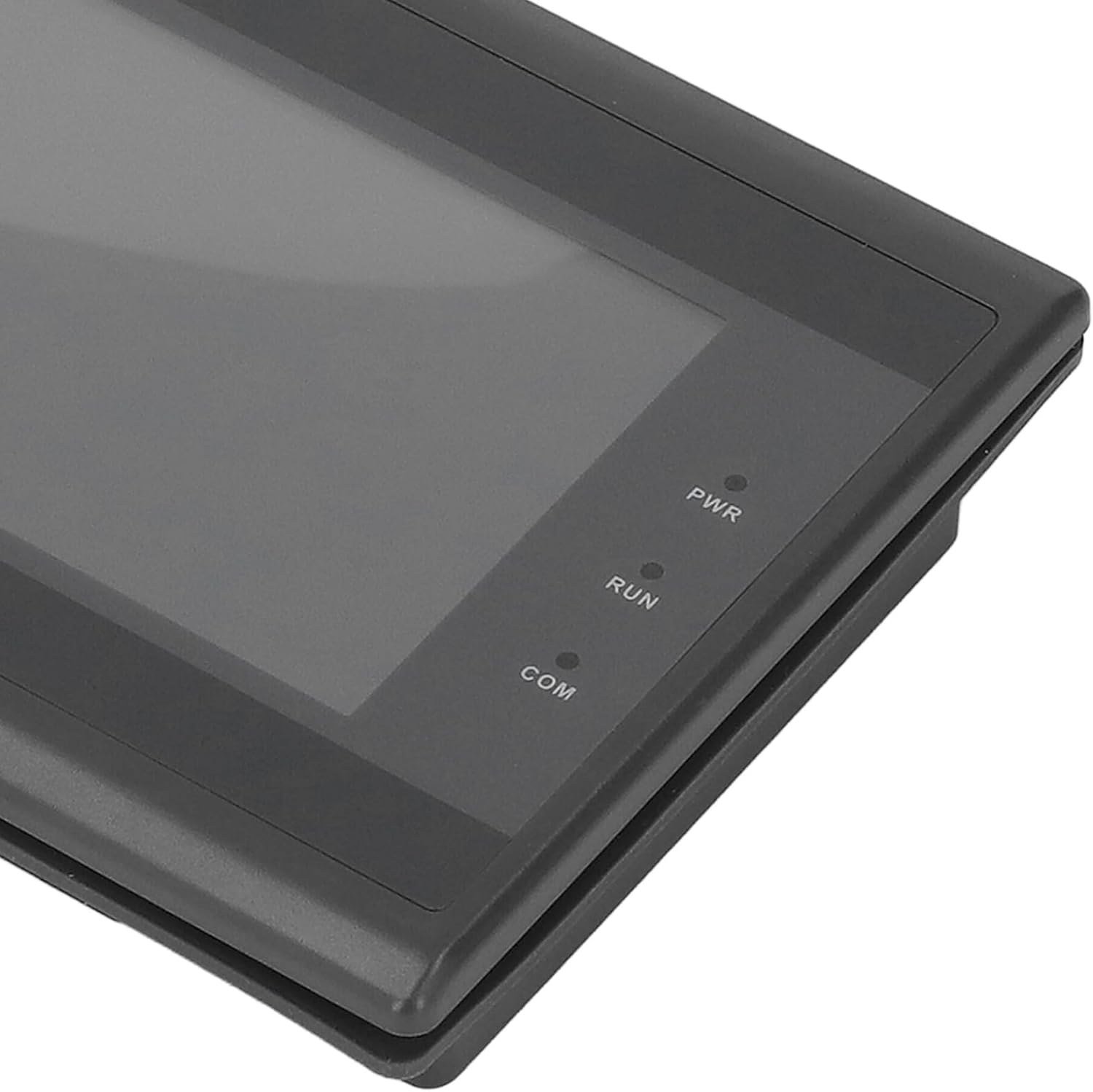
Figure 6: Close-up of PWR, RUN, and COM indicator lights.
5. Navodila za uporabo
The WS043AP HMI Touch Screen is designed for straightforward operation. Once powered on and connected to your controller, it will display the configured interface.
5.1 Interakcija z zaslonom na dotik
Interact with the HMI by touching the screen directly. The resistive touch technology ensures precise input. Use a stylus or a gloved finger for optimal performance in industrial environments.
Slika 7: Bližnji posnetek view of the HMI's 3-inch TFT LCD screen.
5.2 Program Download and Configuration
The HMI supports data download and automatic display configuration. This eliminates the need for complex programming directly on the device. Typically, configuration software on a PC is used to create the HMI interface, which is then downloaded to the device via the USB 2.0 Device port or a U disk connected to the USB 2.0 Host port.
6. Vzdrževanje
Proper maintenance ensures the longevity and optimal performance of your HMI Touch Screen.
- Čiščenje: Uporabite mehko, damp krpo za čiščenje zaslona in casing. Avoid abrasive cleaners, solvents, or harsh chemicals that could damage the display or housing.
- Okolje: Operate and store the device within the specified temperature and humidity ranges to prevent damage. Avoid direct sunlight and excessive dust.
- Povezave: Periodically check all cable connections for tightness and signs of wear.
7. Odpravljanje težav
If you encounter issues with your HMI Touch Screen, refer to the following common problems and solutions:
| Težava | Možen vzrok | rešitev |
|---|---|---|
| Zaslon je prazen | No power, faulty power cable, or unit not turned on. | Check power connections, ensure 24V DC supply, and verify the PWR indicator light is on. |
| Touch input unresponsive | Screen calibration issue, physical damage, or software error. | Restart the device. If the issue persists, check for physical damage. Re-download the HMI program if necessary. |
| Communication error with PLC | Incorrect wiring, wrong communication protocol settings, or faulty cable. | Verify serial cable connections. Ensure the HMI and PLC communication settings (baud rate, parity, data bits) match. Check the COM indicator light for activity. |
| Display flickering or distorted | Power supply instability, environmental interference, or internal fault. | Ensure stable power supply. Check for strong electromagnetic interference sources. If the problem continues, contact support. |
8. Garancija in podpora
FAUOSWUK products are manufactured to high-quality standards. This product comes with a standard manufacturer's warranty against defects in materials and workmanship.
For warranty claims, technical support, or service inquiries, please contact your retailer or the official FAUOSWUK customer support channel. Please have your product model number (WS043AP) and purchase information ready when contacting support.