
HOCO TWS EW34
HOCO EW34 True Wireless Earphones User Manual
Model: TWS EW34 | Brand: HOCO
Uvod
Thank you for choosing the HOCO EW34 True Wireless Earphones. This manual provides essential information on how to set up, operate, maintain, and troubleshoot your earphones to ensure optimal performance and longevity. Please read this manual carefully before using the product.
Vsebina paketa
Preden začnete, se prepričajte, da so v paketu vsi elementi:
- HOCO EW34 True Wireless Earphones (Left and Right)
- etui za polnjenje
- Polnilni kabel
- Uporabniški priročnik (ta dokument)
Nastavitev
1. Začetno polnjenje
Before first use, fully charge the charging case and earphones. Place both earphones into the charging case. Connect the charging cable to the charging port on the case and to a USB power source.

Image: HOCO EW34 earphones placed inside their open charging case, showing the charging indicators.
The indicator light on the charging case will show the charging status. Ensure the case is fully charged before using the earphones for the first time.

Image: The HOCO EW34 charging case, closed, displaying the USB charging port on the side.
2. Bluetooth seznanjanje
- Prepričajte se, da so slušalke napolnjene in v polnilnem ohišju.
- Odprite polnilno ohišje. Slušalke bodo samodejno prešle v način seznanjanja, kar bo označila utripajoča lučka (če je na voljo).
- V napravi (pametnem telefonu, tabličnem računalniku itd.) omogočite Bluetooth.
- Iskanje "HOCO EW34" in the list of available Bluetooth devices.
- Select "HOCO EW34" to connect. Once connected, a voice prompt will confirm the successful pairing.
- Slušalke se bodo samodejno ponovno povezale z zadnjo seznanjeno napravo, ko jih vzamete iz etuija, če je na napravi omogočen Bluetooth.
Navodila za uporabo
Nošenje slušalk
Gently insert the earphones into your ears, ensuring a comfortable and secure fit. Adjust them slightly until the sound quality is optimal and they feel stable.
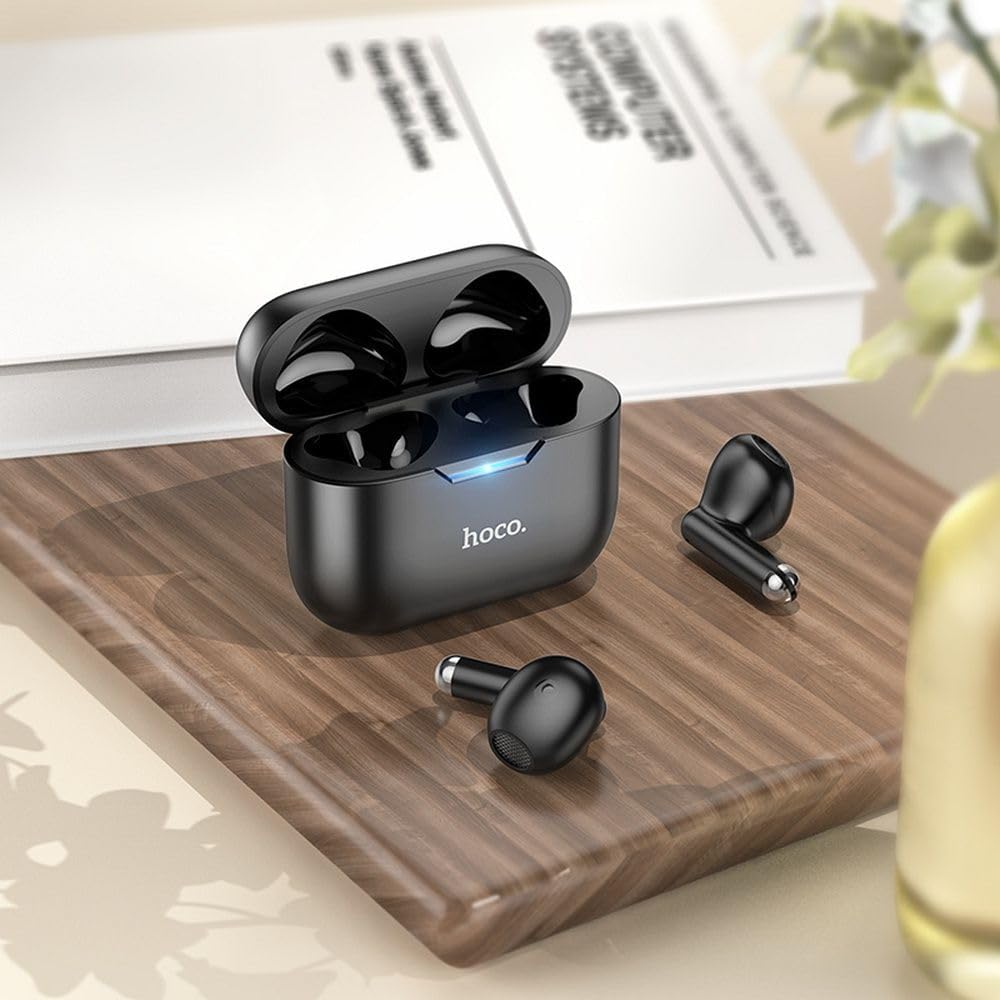
Image: The HOCO EW34 earphones and their charging case resting on a wooden surface next to a book, illustrating their compact size.
Basic Controls (Touch Sensitive)
The HOCO EW34 earphones feature touch-sensitive controls. Specific functions may vary slightly based on your device and application.
- Predvajanje/pavza: Enkratni tap na katero koli slušalko.
- Naslednja skladba: Dvakrat tapnite desno slušalko.
- Prejšnja skladba: Dvakrat tapnite na levo slušalko.
- Sprejmi/končaj klic: Med dohodnim klicem enkrat tapnite katero koli slušalko.
- Zavrni klic: Med dohodnim klicem pritisnite in držite katero koli slušalko 2 sekundi.
- Aktiviranje glasovnega pomočnika: Trikrat tapnite na katero koli slušalko.
Vzdrževanje
Proper maintenance ensures the longevity and performance of your HOCO EW34 earphones.
- Čiščenje: Za čiščenje slušalk in polnilnega ohišja uporabljajte mehko, suho krpo, ki ne pušča vlaken. Ne uporabljajte agresivnih kemikalij ali abrazivnih materialov.
- Shranjevanje: Ko slušalk ne uporabljate, jih shranite v polnilno škatlico, da jih zaščitite pred prahom in poškodbami.
- Vzdrževanje baterije: Avoid fully discharging the battery frequently. Charge the earphones and case regularly, even if not in constant use, to maintain battery health.
- Izogibajte se vodi: Slušalke niso vodoodporne. Izogibajte se izpostavljanju vodi, potu ali visoki vlažnosti.
Odpravljanje težav
If you encounter issues with your HOCO EW34 earphones, try the following solutions:
| Težava | Možna rešitev |
|---|---|
| Slušalke se ne seznanijo z napravo. |
|
| No sound from one or both earphones. |
|
| Polnilna škatlica se ne polni. |
|
| Slaba kakovost zvoka. |
|
Specifikacije
Here are the technical specifications for the HOCO EW34 True Wireless Earphones:
- Različica Bluetooth: 5.3
- čip: JL AC6983
- Kapaciteta akumulatorja za polnilno ohišje: 250 mAh
- Zmogljivost baterije slušalk: 30 mAh (vsak)
- Čas za pogovor/glasbo: 4 uri
- Čas pripravljenosti: 150 uri
- Dimenzije (ohišje): 57 × 46 × 23.5 mm
- Skupna teža: 42 g
- Ime modela: TWS EW34
- barva: Črna
Garancija in podpora
For warranty information, please refer to the warranty card included with your purchase or visit the official HOCO webGarancijski pogoji se lahko razlikujejo glede na regijo.
If you require further assistance or encounter issues not covered in this manual, please contact HOCO customer support through their official website or the retailer from whom you purchased the product. Please have your product model number (TWS EW34) and proof of purchase ready when contacting support.
Ask a question about this manual
Ask about setup, troubleshooting, compatibility, parts, safety, or missing instructions. Manuals+ will review the question and use this page’s manual context to help answer it.