
1. Uvod
This manual provides detailed instructions for the safe and effective operation of your Andoer Mini WiFi Action Camera L11. This compact digital video camera is designed for capturing high-quality 1080P video at 30 frames per second, featuring a 0.96-inch LCD screen, built-in rechargeable battery, motion detection, and versatile mounting options. Please read this manual thoroughly before using the device.
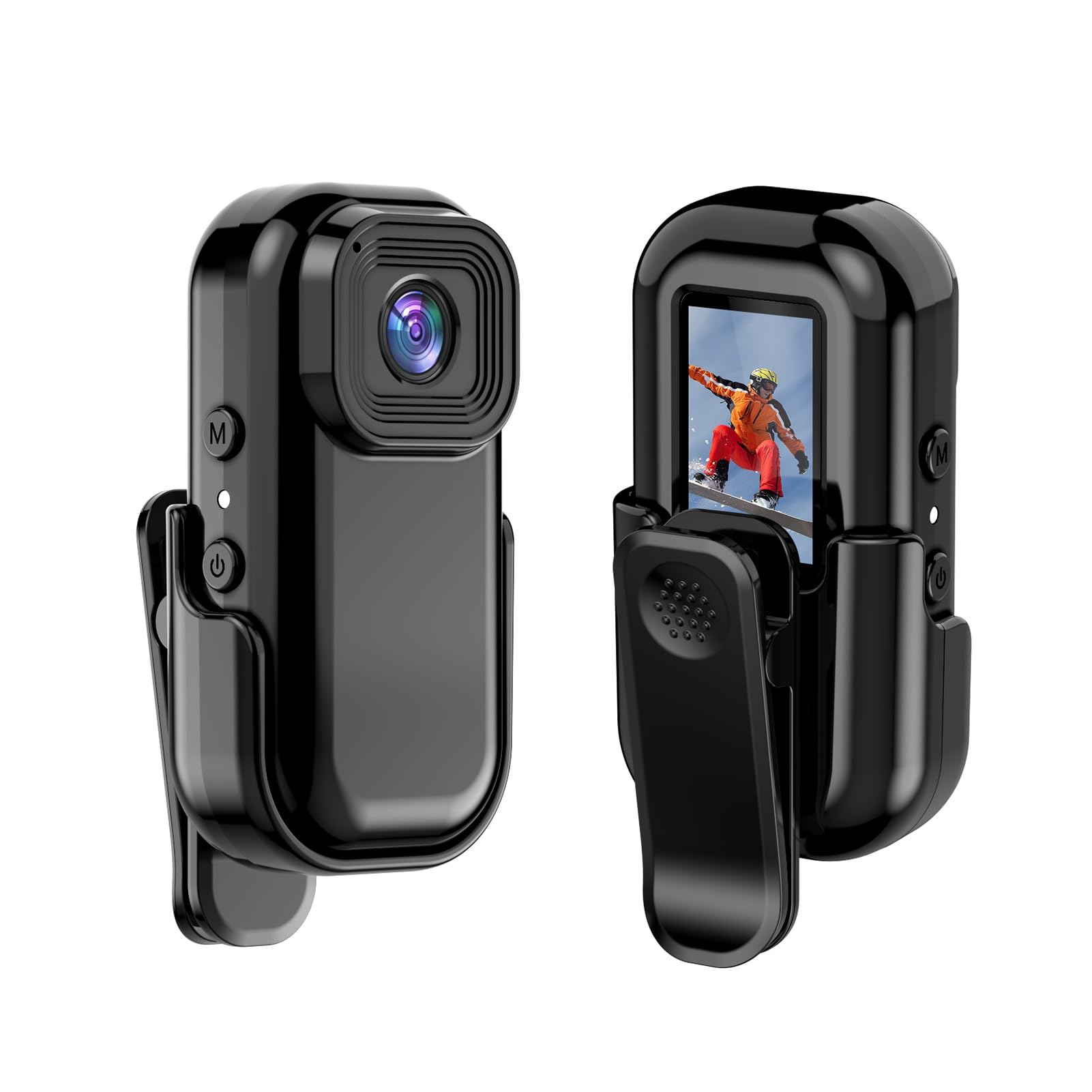
Slika: Spredaj in zadaj view of the Andoer Mini WiFi Action Camera L11, showing the lens and the 0.96-inch LCD screen.
2. Vsebina paketa
Preverite, ali so v paketu vsi spodaj navedeni predmeti. Če kateri koli predmet manjka ali je poškodovan, se obrnite na podporo strankam.
- 1 x Andoer Mini WiFi Action Camera L11
- 1 x zaščitni ovitek
- 1 x 1/4in Adapter Mount
- 1 x Back Clip Mount
- Reader 1 x Card
- 1 x kabel Type-C
- 1 x Uporabniški priročnik (ta dokument)
3. Značilnosti izdelka
- Video visoke kakovosti: Records in 1080P at 30 frames per second, suitable for various applications including live broadcasting and video conferencing.
- Kompakten in prenosen: Super mini size allows for easy portability and discreet placement.
- Magnetno telo: Features a magnetic base for secure attachment to smooth metal surfaces.
- Seamless WiFi Connectivity: Connects wirelessly to a dedicated app for live view in nadzor.
- Vsestranska montaža: Includes a 1/4-inch adapter mount and a back clip mount for diverse installation options.

Slika: npramples of application scenarios for the camera, including parachute jumping, cycling, parent-child activities, and skiing.

Image: The camera being used as a portable video recorder in various outdoor activities like camping, cycling, climbing, and sports.
4. Nastavitev
4.1 Polnjenje baterije
Before first use, fully charge the camera's built-in 400mAh battery. Connect the provided Type-C cable to the camera's USB port and the other end to a standard USB power adapter (5V, ≥1A). The charging indicator light will typically show the charging status and turn off or change color when fully charged.
4.2 Vstavljanje pomnilniške kartice
The camera supports TF (Micro SD) cards up to 128GB. Ensure the card is formatted to FAT32 for optimal performance. Gently insert the TF card into the designated slot until it clicks into place. To remove, press the card in slightly until it springs out.
Note: A memory card is required for recording video and taking photos.
4.3 Vklop/izklop
- Za vklop: Press and hold the Power button (usually marked with a power symbol) for a few seconds until the screen illuminates.
- Za izklop: Press and hold the Power button again for a few seconds until the screen turns off.
5. Navodila za uporabo
5.1 Osnovna operacija
The 0.96-inch color display provides visual feedback for modes and settings. Use the navigation buttons (if present, typically 'M' for Mode and another for selection/shutter) to cycle through options and confirm selections.
5.2 Snemanje videa
In video mode, press the Shutter/Record button to start recording. Press it again to stop. Videos are saved in AVI format at 1920x1080P resolution. The camera supports loop recording with 3-minute segments.

Image: The camera's screen displaying a family scene, indicating video recording at 1920x1080P resolution.
5.3 Fotografiranje
Switch to photo mode using the Mode button. Press the Shutter button to capture a still image. Photos are saved in JPG format.

Image: Icons representing photo, video, and audio recording modes, illustrating the camera's ability to capture various moments.
5.4 Zaznavanje gibanja
The camera features motion detection capabilities. Refer to the on-screen menu or the dedicated app for instructions on how to activate and configure this feature. When enabled, the camera will automatically begin recording when motion is detected within its field of view.
6. WiFi povezljivost
The Andoer L11 camera supports wireless WiFi connectivity for remote control and live viewing via a smartphone application. Follow these general steps:
- Download the official Andoer camera app from your device's app store (iOS or Android).
- Power on the camera and activate its WiFi mode (refer to the camera's on-screen menu).
- On your smartphone, go to WiFi settings and connect to the camera's WiFi network (SSID and password will be displayed on the camera screen or in the app).
- Open the Andoer app. You should now see a live view from the camera and be able to control recording and settings remotely.

Slika: Pametni telefon, ki prikazuje sliko v živo view from the camera, demonstrating the WiFi connectivity feature.
7. Možnosti namestitve
The Andoer L11 offers flexible mounting solutions:
- Magnetni nosilec: The camera body has a magnetic feature, allowing it to be securely attached to smooth metal surfaces like refrigerator doors or metal poles.
- 1/4-inch Adapter Mount: Use the included 1/4-inch adapter mount to attach the camera to standard tripods, monopods, or other accessories with a 1/4-inch screw.
- Back Clip Mount: The back clip mount allows you to attach the camera to clothing, backpacks, or other thin objects for hands-free recording.
8. Vzdrževanje
- Čiščenje: Za čiščenje ohišja fotoaparata uporabite mehko, suho krpo. Za objektiv uporabite posebno krpo in raztopino za čiščenje objektivov. Izogibajte se agresivnim kemikalijam.
- Shranjevanje: Fotoaparat shranjujte na hladnem in suhem mestu, stran od neposredne sončne svetlobe in ekstremnih temperatur.
- Vzdrževanje baterije: For long-term storage, charge the battery to about 50% every few months to maintain its health.
- Posodobitve vdelane programske opreme: Check the official Andoer webobčasno preverjajte spletno mesto za morebitne posodobitve vdelane programske opreme, da zagotovite optimalno delovanje in nove funkcije.
9. Odpravljanje težav
| Težava | Možna rešitev |
|---|---|
| Kamera se ne vklopi. | Prepričajte se, da je baterija popolnoma napolnjena. Priključite na vir napajanja in poskusite znova. |
| Ni mogoče snemati videoposnetkov/fotografirati. | Check if a TF card is inserted and properly formatted. Ensure there is sufficient storage space. |
| Težave z brezžično povezavo. | Ensure WiFi is enabled on the camera and your smartphone. Restart both devices. Verify the correct app is installed. |
| Slaba kakovost videa/slike. | Ensure the lens is clean. Check lighting conditions. Verify camera settings are correct (e.g., resolution). |
| Kamera se zamrzne ali se ne odziva. | Perform a soft reset by holding the power button until it turns off, then restart. If persistent, remove and reinsert the memory card. |
10. Specifikacije
| Funkcija | Podrobnost |
|---|---|
| Vrsta stroja | L11 |
| Kot objektiva | 140 stopinj |
| TFT zaslon | 0.96-palčni barvni zaslon |
| Video ločljivost | 1920 * 1080p |
| Baterija | 400 mAh |
| Video File Oblika | AVI |
| Format fotografije | JPG |
| Loop Video | 3 minut |
| Snemanje File Oblika | WAV (Audio) |
| Delovna vlažnost | 30 % |
| Delovna temperatura | -25 do + 75 ° C (-13 do + 167 ° F) |
| Napajalnik | USB voltage 5V, tok ≥1A |
| Pomnilniška kartica | TF kartica, podpira do 128G |
| Tehnologija povezljivosti | Wi-Fi |
| Faktor oblike | Kompakten |
| Teža predmeta | 4.2 unče (približno 119 g) |
| Dimenzije paketa | 3.94 x 2.36 x 1.97 palcev |
11. Varnostne informacije
- Do not expose the camera to extreme temperatures outside the specified operating range (-25°C to +75°C).
- Avoid operating the camera in humidity levels exceeding 30%.
- Keep the device away from water and other liquids unless explicitly stated as waterproof.
- Ne poskušajte razstavljati ali spreminjati fotoaparata, saj boste s tem razveljavili garancijo in ga lahko poškodovali.
- Use only the specified power supply (USB 5V, ≥1A) for charging.
- Hraniti izven dosega otrok.