
1. Uvod
The HYTE Y70 is an advanced dual-chamber ATX mid-tower computer case designed for high-performance gaming systems. It features a panoramic tempered glass display, extensive cooling capabilities, and a pre-installed PCIe 4.0 riser cable for vertical GPU mounting. This manual provides essential information for the proper assembly, operation, and maintenance of your HYTE Y70 case.
2. Varnostne informacije
Please read and understand all safety precautions before installing components into the HYTE Y70 case. Failure to follow these guidelines may result in personal injury or damage to your equipment.
- Električna varnost: Always disconnect the power supply from the wall outlet before installing or removing any components. Ensure proper grounding.
- Statična razelektritev: Nosite antistatično zapestnico ali se pogosto dotikajte ozemljenega kovinskega predmeta, da preprečite elektrostatično razelektritev (ESD), ki lahko poškoduje občutljive elektronske komponente.
- Komponente za ravnanje: Handle all components, especially the tempered glass panels, with care. Tempered glass, while durable, can shatter if subjected to sharp impacts or excessive force.
- Prezračevanje: Ensure adequate airflow around the case to prevent overheating. Do not block ventilation openings.
- Teža: The case itself weighs approximately 24.3 pounds (11 kg). With components installed, it will be heavier. Lift with care, using proper lifting techniques.
3. Vsebina paketa
Verify that all items are present in your HYTE Y70 package:
- HYTE Y70 Mid-Tower ATX Computer Gaming Case (Snow White)
- PCIe 4.0 x16 Riser Cable with color-matched canopy
- Accessory box containing screws, standoffs, cable ties, and other small parts.
- Uporabniški priročnik (ta dokument)
4. Izdelek je končanview
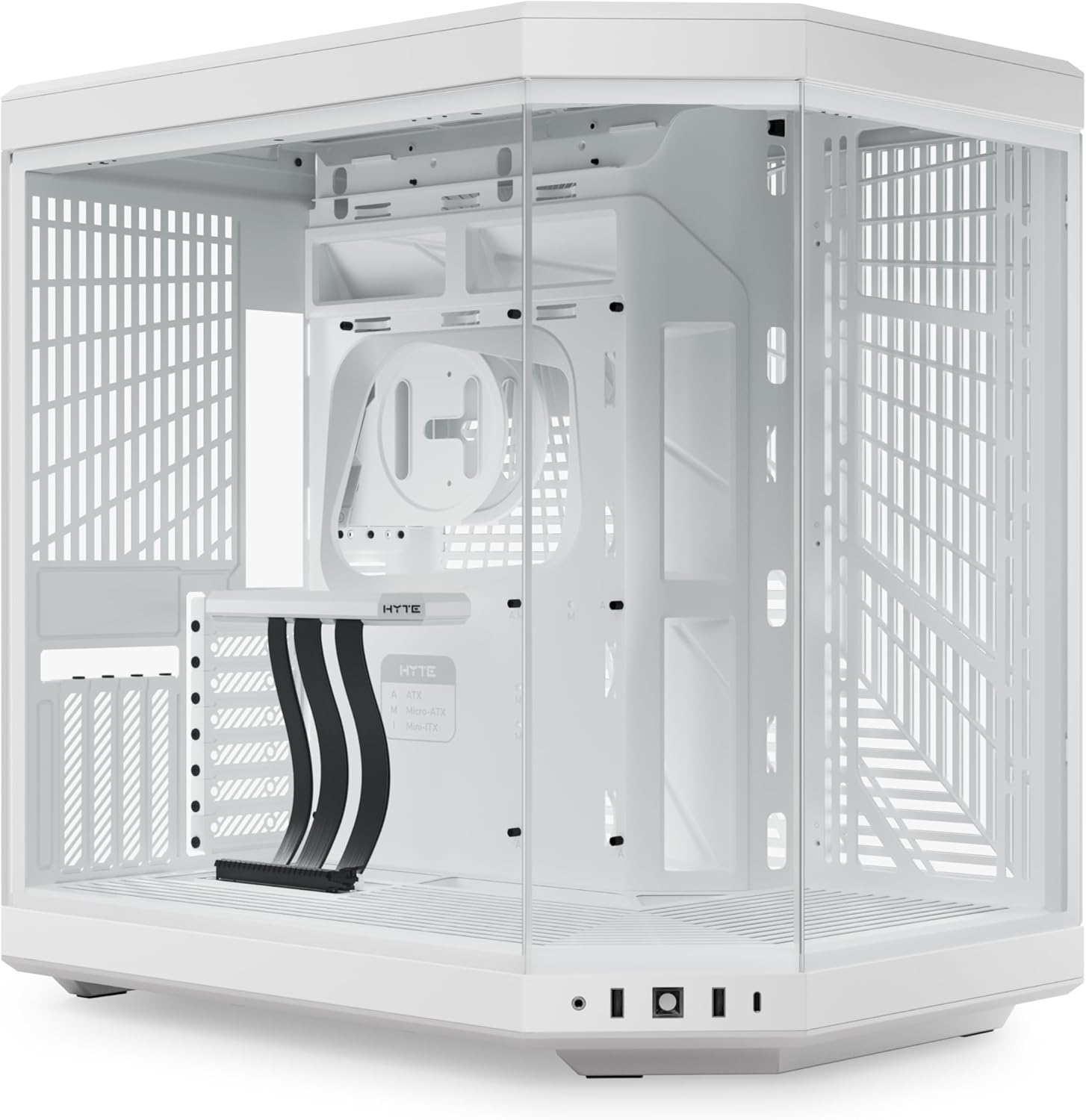
The HYTE Y70 case is engineered for both aesthetic appeal and high performance, featuring a dual-chamber design and panoramic tempered glass panels.
Ključne značilnosti:
- Panoramsko kaljeno steklo: A three-piece panoramic glass design provides an unobstructed view of your internal components.
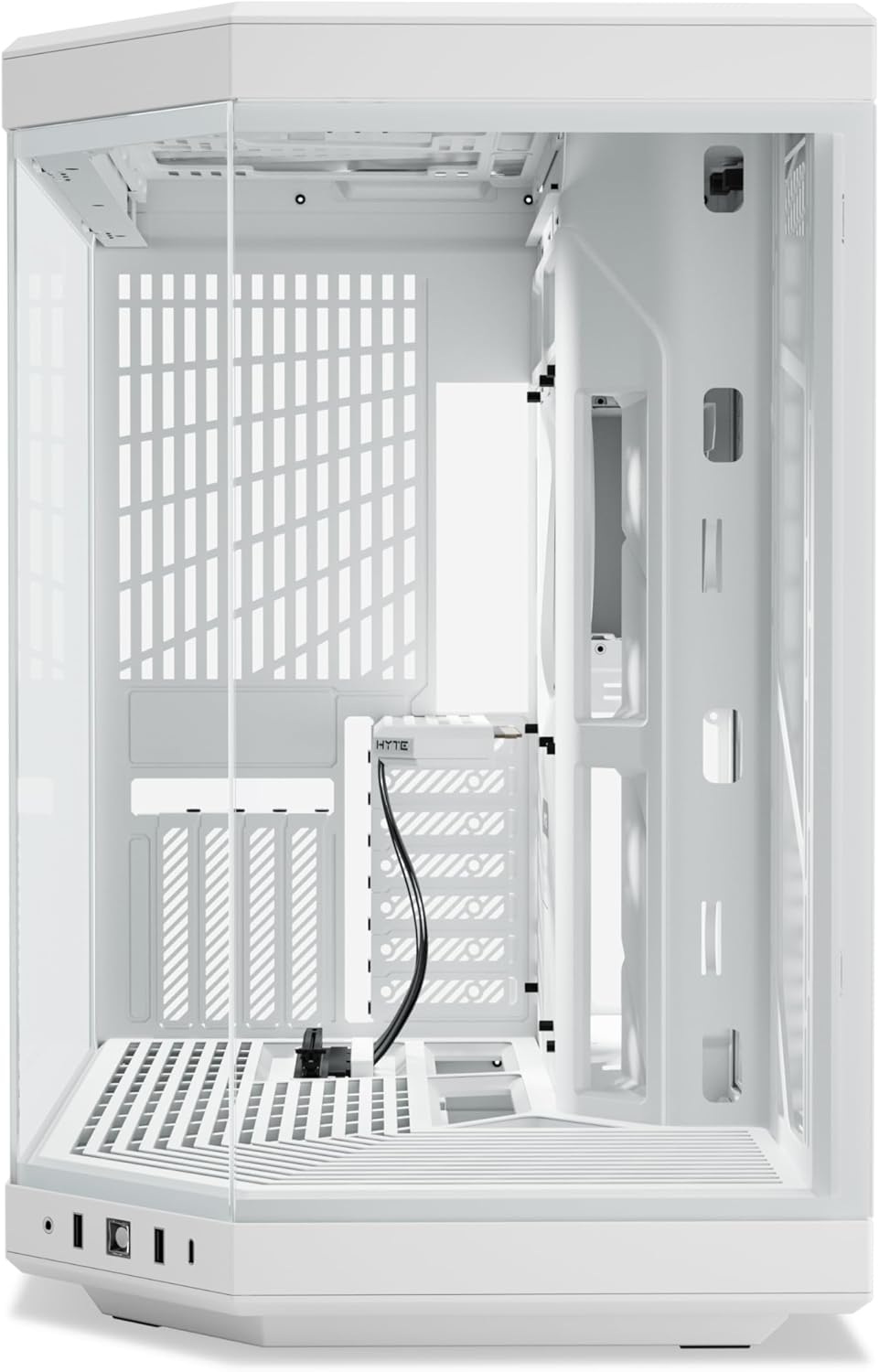
- Dual Chamber Layout: Separates the main components from the power supply and cable management area for a cleaner build and improved airflow.
- Vertical GPU Mounting: Supports massive 4-slot vertical graphics cards with an included PCIe 4.0 x16 riser cable.
- Extensive Cooling Capacity: Accommodates up to a 360mm radiator on the side (up to 125mm thick) and top (up to 68mm thick). Features cold floor cooling for the GPU, supporting up to three 120mm or two 140mm fans (up to 32mm thick). Total capacity for up to 10 fans.
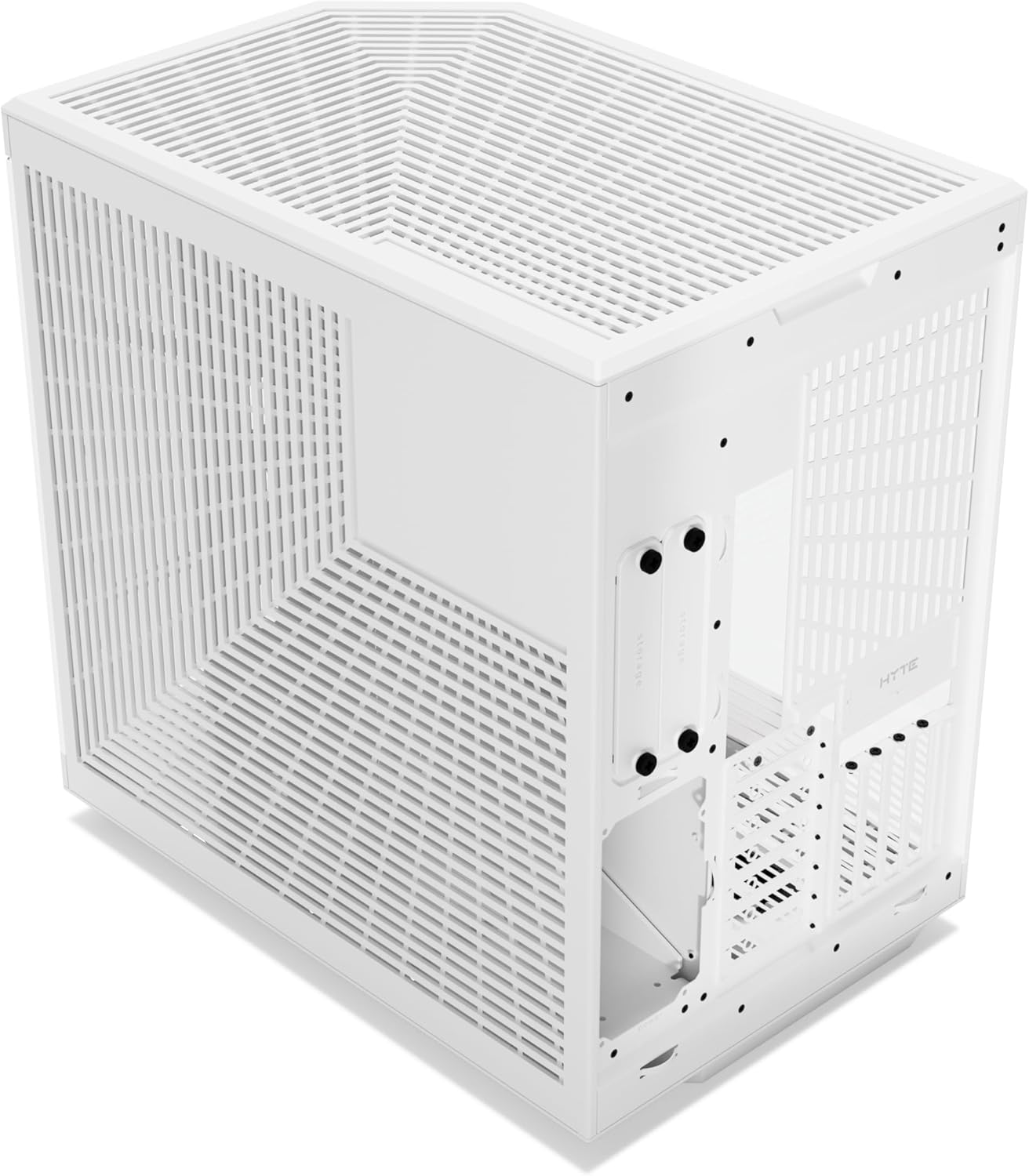
- Optimizirano upravljanje kablov: Includes an L-shaped molded rubber grommet, dedicated routing channels, tie-down points, and reusable Velcro straps in the rear chamber.
- Dostop brez orodja: Top and side panels are easily removable without tools for convenient installation and maintenance.
- Floating Storage Sleds: Drive bays eject from the rear for intuitive drive maintenance.
Vizualne komponente:



5. Nastavitev in namestitev
Follow these steps to install your computer components into the HYTE Y70 case.
- Pripravite primer: Carefully remove the tempered glass panels and the rear side panel by gently pulling them away from the chassis. The top panel can also be removed for easier access.
- Namestitev napajalnika (PSU): Mount your power supply unit in the dedicated compartment in the rear chamber of the case. Secure it with screws provided in the accessory box.
- Namestite matično ploščo: Align your ATX, Micro-ATX, or Mini-ITX motherboard with the standoffs in the main chamber. Secure it with the appropriate screws.
- Namestitev pogonov za shranjevanje: Utilize the floating storage sleds in the rear chamber for 2.5-inch SSDs or 3.5-inch HDDs. Eject the sleds, mount your drives, and reinsert them.
- Install Cooling Solutions:
- Oboževalci: Install case fans in the designated locations (side, top, bottom, rear). The case supports up to three 120mm or two 140mm fans at the bottom, and various configurations on the side and top.
- Radiatorji: If using liquid cooling, mount radiators up to 360mm on the side or top brackets. Ensure proper clearance for tubes and fittings.
- Namestitev grafične kartice (GPU): The HYTE Y70 supports vertical GPU mounting. Connect your graphics card to the included PCIe 4.0 x16 riser cable and secure it in the vertical slot. Ensure the card is properly seated and secured.
- Priključite sprednje I/O kable: Connect the front panel USB 2.0, USB 3.0, audio, and power/reset switch cables to the corresponding headers on your motherboard.
- Upravljanje kablov: Route all power and data cables through the designated channels and tie-down points in the rear chamber. Use the provided Velcro straps to bundle cables neatly.
- Ponovno sestavite plošče: Once all components are installed and cables are managed, carefully reattach the side and top panels.
6. Upravljanje ohišja
The HYTE Y70 case functions as an enclosure for your computer components, facilitating airflow and protecting hardware. Once your system is fully assembled and powered on, ensure proper ventilation and monitor component temperatures.
- Vklop: Press the power button located on the front I/O panel to start your system.
- Optimizacija pretoka zraka: For optimal cooling performance, ensure that intake fans draw cool air into the case and exhaust fans expel hot air. The dual-chamber design and extensive fan mounting options allow for highly efficient airflow configurations.
- Aesthetic Display: The panoramic glass panels are designed to showcase your internal components. Consider lighting and component placement for visual appeal.
7. Vzdrževanje
Regular maintenance helps ensure optimal performance and longevity of your HYTE Y70 case and its components.
- Filtri za prah: The case features removable dust filters to prevent dust buildup inside. Regularly remove and clean these filters by rinsing them with water or using a soft brush. Ensure they are completely dry before reinstallation.
- Čiščenje zunanjosti: Wipe the exterior surfaces, including the tempered glass panels, with a soft, lint-free cloth. For stubborn smudges on glass, use a glass cleaner applied to the cloth, not directly to the glass. Avoid abrasive cleaners.
- Notranje brisanje prahu: Periodically, with the system powered off and unplugged, use compressed air to remove dust from internal components and hard-to-reach areas.
8. Odpravljanje težav
Ta razdelek obravnava pogoste težave, na katere lahko naletite med nastavitvijo ali delovanjem.
- Sistem se ne vklopi:
- Ensure the power supply is properly connected to the wall outlet and the motherboard.
- Verify that the front panel power switch cable is correctly connected to the motherboard's front panel header.
- Brez izhoda za prikaz:
- Check that the graphics card is fully seated in the PCIe slot and the PCIe riser cable is securely connected at both ends.
- Ensure your monitor cable is connected to the graphics card, not the motherboard's integrated graphics port (unless you are using integrated graphics).
- Slab pretok zraka/visoke temperature:
- Preverite, ali se vsi ventilatorji vrtijo in so pravilno usmerjeni (sesalni in izpušni).
- Clean any clogged dust filters.
- Ensure no cables or components are obstructing airflow paths.
- Ohlapne plošče:
- Ensure panels are properly aligned with their mounting points and pushed firmly into place until they click or are securely seated.
For further assistance, please refer to the HYTE support webspletno mesto ali se obrnite na njihovo službo za stranke.
9. Specifikacije
| Funkcija | Specifikacija |
|---|---|
| Ime modela | CS-HYTE-Y70-WW |
| Vrsta ohišja | Srednji stolp |
| Združljivost matične plošče | ATX |
| Material | Kovina, kaljeno steklo |
| barva | Sneguljčica |
| Dimenzije (DxŠxV) | 18.5 x 12.5 x 18.5 palca (470 x 318 x 470 mm) |
| Teža predmeta | 24.3 funtov (11 kg) |
| Metoda hlajenja | Zrak, voda |
| Vrsta montaže napajalnika | Spodnji nosilec |
| Vrata USB 2.0 | 2 |
| Vrata USB 3.0 | 2 |
| PCIe Riser Cable | PCIe 4.0 x16 (Included) |
10. Garancija in podpora
For detailed warranty information regarding your HYTE Y70 case, please refer to the documentation included with your purchase or visit the official HYTE webGarancijski pogoji se lahko razlikujejo glede na regijo in prodajalca.
For technical support, troubleshooting assistance, or to inquire about replacement parts, please contact HYTE customer support directly. You can typically find support contact information on the official HYTE webspletno mesto:


