
1. Uvod
This manual provides detailed instructions for the proper use and maintenance of your Dollarfix EF18 OBD2 Scanner. Please read this manual thoroughly before operating the device to ensure correct usage and to prevent damage.
The Dollarfix EF18 is a diagnostic tool designed to read and clear engine fault codes, display live data, and perform various diagnostic tests on OBDII/EOBD/CAN compliant vehicles manufactured after 1996.
2. Izdelek je končanview
2.1 Komponente naprave
The Dollarfix EF18 OBD2 Scanner features a compact design with a clear LCD screen and intuitive controls.

Slika 1: Spredaj view of the Dollarfix EF18 OBD2 Scanner, showing the display screen, navigation buttons (up, down, OK, back), and the OBD2 connector cable.
2.2 Ključne lastnosti
- Polne funkcije OBD2: Reads and clears Diagnostic Trouble Codes (DTCs), turns off the Check Engine Light (MIL).
- Tok podatkov v živo: Displays real-time vehicle sensor data in text and graph format.
- Podatki zamrznjenega okvira: Captures a snapshot of vehicle conditions when an emission-related fault occurs.
- Stanje pripravljenosti I/M: Checks the operational status of the emission system monitors.
- Test senzorja O2: Pridobi in viewRezultati testa monitorja senzorja O2.
- Preizkus sistema EVAP: Začne preizkus tesnosti sistema EVAP v vozilu.
- Podatki o vozilu: Pridobi VIN, CIN in CVN.
- Baterija Voltage Monitor: Displays real-time 12V battery voltage.
- Večjezična podpora: Supports eight languages.
- Delovanje Plug-and-Play: No external power or batteries required for basic functions.

Slika 2: The Dollarfix EF18 scanner screen showing icons for various functions including Read Code, Clear Code, Live Data, I/M Readiness, Vehicle Info, Freeze Frame, EVAP Monitor Test, O2 Monitor Test, and On-board Monitor Test.
3. Nastavitev
The Dollarfix EF18 scanner is designed for plug-and-play operation. Follow these steps to begin using the device:
- Poiščite vrata OBD2: The OBD2 port is typically located under the dashboard on the driver's side. Refer to your vehicle's owner's manual for the exact location.
- Priključite skener: Plug the EF18 scanner's OBD2 connector into your vehicle's OBD2 port.
- Turn on Vehicle Ignition: Turn the vehicle's ignition to the "ON" position (engine can be off or running, depending on the test). The scanner will power on automatically.
- Začni diagnozo: The scanner will automatically link to the vehicle's computer. Once linked, you can navigate the menu to select desired diagnostic functions.

Slika 3: Visual guide showing three steps: 1. Plug into OBD2 Port, 2. Turn on the car (ignition), 3. Start diagnosis by pressing the start engine button.
4. Navodila za uporabo
Use the navigation buttons (Up, Down, OK, Back) on the device to select and confirm menu options.
4.1 Branje in brisanje kod
- V glavnem meniju izberite »OBDII/EOBD«.
- Izberite »Preberi kode« za view current, pending, or historic Diagnostic Trouble Codes (DTCs).
- To clear codes, select "Clear Codes". Confirm the action when prompted. Note: Clearing codes will also turn off the Check Engine Light (MIL) and erase freeze frame data. Ensure you have recorded any necessary information before clearing codes.
4.2 Tok podatkov v živo
This function displays real-time data from the vehicle's sensors.
- From the "OBDII/EOBD" menu, select "Live Data".
- Lahko view data in text format or graphical format for selected parameters.
4.3 Stanje pripravljenosti I/M
Checks if the various emission-related systems on the vehicle are operating correctly and are ready for inspection and maintenance testing.
- From the "OBDII/EOBD" menu, select "I/M Readiness".
- The screen will display the status of various monitors (e.g., Misfire Monitor, Fuel System Monitor, O2 Sensor Monitor). "OK" indicates the monitor has completed its test, "INC" indicates incomplete, and "N/A" indicates not applicable.
4.4 Baterija Voltage Monitor
Allows for a quick check of the vehicle's 12V battery voltage.
- From the main menu, select "Battery".
- Trenutna voltage bo prikazano na zaslonu.

Slika 4: The Dollarfix EF18 scanner connected to a vehicle, illustrating its capability to perform Oxygen Sensor Test, EVAP System Test, and I/M Ready State checks.

Slika 5: The Dollarfix EF18 scanner screen showing a DTC Lookup function (P0006), alongside icons representing DTC Reading & Clearing, Live Data Monitor, Freeze Frame, Battery Voltage Display, and Read Vehicle Information.
5. Vzdrževanje
- Čiščenje: Za čiščenje zunanjosti skenerja uporabite mehko, suho krpo. Ne uporabljajte abrazivnih čistil ali topil.
- Shranjevanje: Napravo shranjujte v suhem in hladnem okolju, stran od neposredne sončne svetlobe in ekstremnih temperatur.
- Skrb za kabel: Avoid bending or twisting the OBD2 cable excessively. Ensure the connector is clean and free of debris before plugging it into the vehicle.
6. Odpravljanje težav
- Optični bralnik se ne vklopi:
- Ensure the OBD2 connector is securely plugged into the vehicle's port.
- Preverite, ali je kontakt vozila v položaju "VKLOP".
- Preverite varovalko vozila za priključek OBD2 (glejte priročnik za uporabo vašega vozila).
- Linking Error / Communication Failure:
- Confirm the vehicle is OBDII compliant (most vehicles after 1996).
- Ensure the ignition is "ON" and the engine is off or running as required by the test.
- Preverite morebitne ohlapne povezave.
- Poskusite se povezati z drugim vozilom, ki je združljivo z OBDII, da izključite okvaro skenerja.
- "DTCs Not Found" Message:
- This indicates that no Diagnostic Trouble Codes are currently stored in the vehicle's computer.
7. Specifikacije
| Funkcija | Podrobnost |
|---|---|
| Model | EF18 |
| Znamka | Dollarfix |
| Združljivost | OBDII/EOBD/CAN compliant vehicles (most after 1996) |
| Podprti protokoli | ISO14230-4 KWP, ISO15765-4 CAN, ISO9141-2, J1850 VPW, SAE J1850 PWM |
| Zaslon | Osvetljen LCD zaslon |
| Vir napajanja | Vehicle OBD2 port (powered by vehicle's 12V battery, no internal battery required for operation) |
| Dimenzije | 6.69 x 2.76 x 2.76 palcev (17.0 x 7.0 x 7.0 cm) |
| Teža | 260 g |
| Podprti jeziki | 8 jezikov |
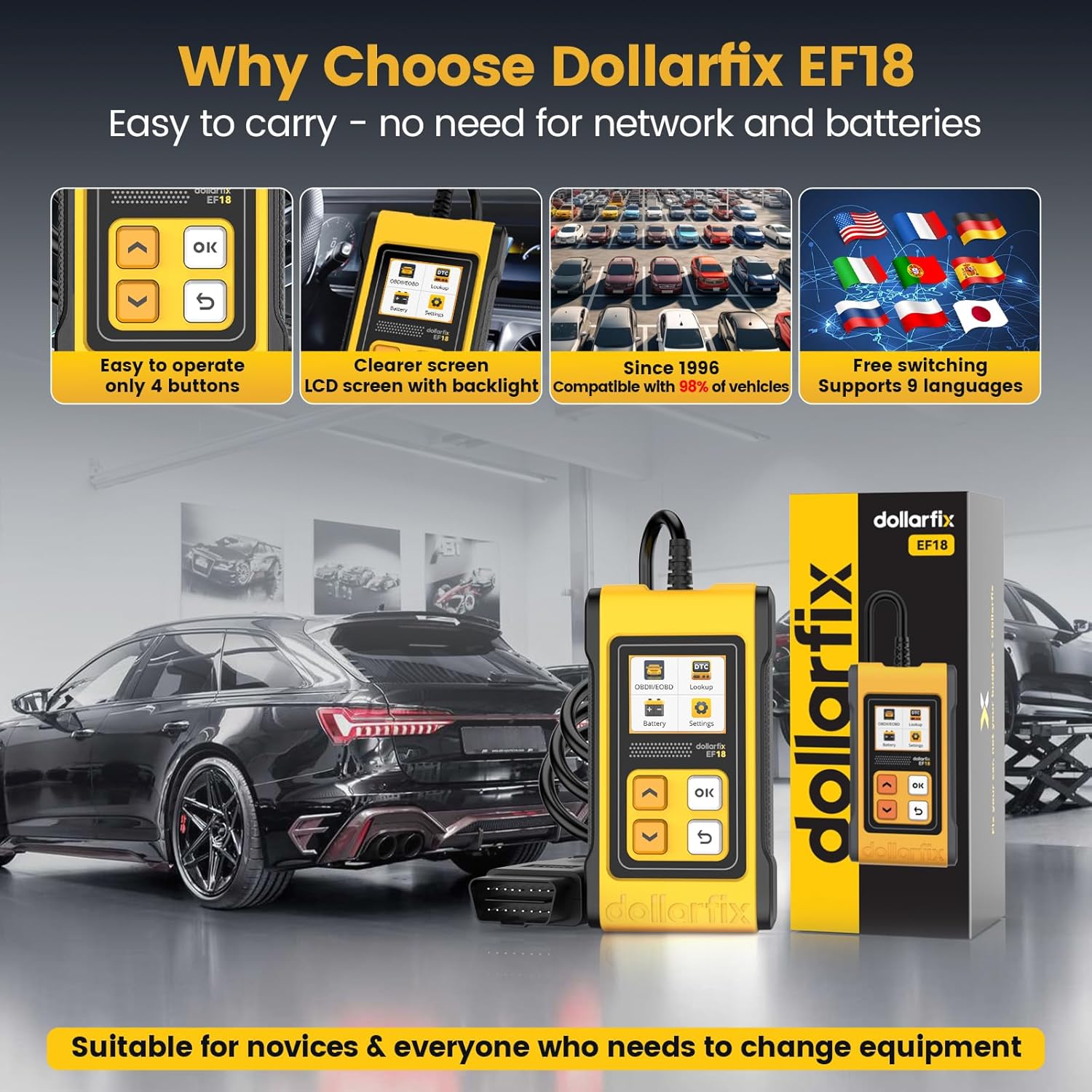
Slika 6: The Dollarfix EF18 scanner shown with its compact size, clear backlit LCD screen, simple 4-button operation, and flags representing its 8-language support. It also emphasizes compatibility with vehicles since 1996.
8. Garancija in podpora
For warranty information and technical support, please refer to the contact details provided with your product packaging or visit the official Dollarfix webmesto.
Proizvajalec: Dollarfix
ASIN: B0CWLDMC1P
UPC: 768297280023