
BOXPUT G60S PRO BT
G60S Pro BT Bluetooth Voice Remote with Keyboard User Manual
Model: G60S PRO BT
Brand: BOXPUT
Uvod
This user manual provides detailed instructions for the G60S Pro BT Multi-Function Air Mouse. Please read this manual carefully before using the product to ensure proper operation and to maximize its features.
The G60S Pro BT is a versatile remote control featuring dual connectivity modes (2.4GHz wireless and Bluetooth 5.0), a full QWERTY keyboard with a touchpad, backlight, 6-axis gyroscope, and voice search capabilities. It is designed for use with various devices such as TV boxes, projectors, PCs, and Android TV boxes.
Vsebina paketa
Po odprtju paketa preverite, ali so priloženi vsi naslednji elementi:
- 1x G60S Pro BT Remote Control
- 1x USB sprejemnik
- 1x USB polnilni kabel
- 1x Uporabniški priročnik (ta dokument)

Image: Contents of the G60S Pro BT package, showing the remote control, USB receiver, USB charging cable, and user manual.
Konec izdelkaview
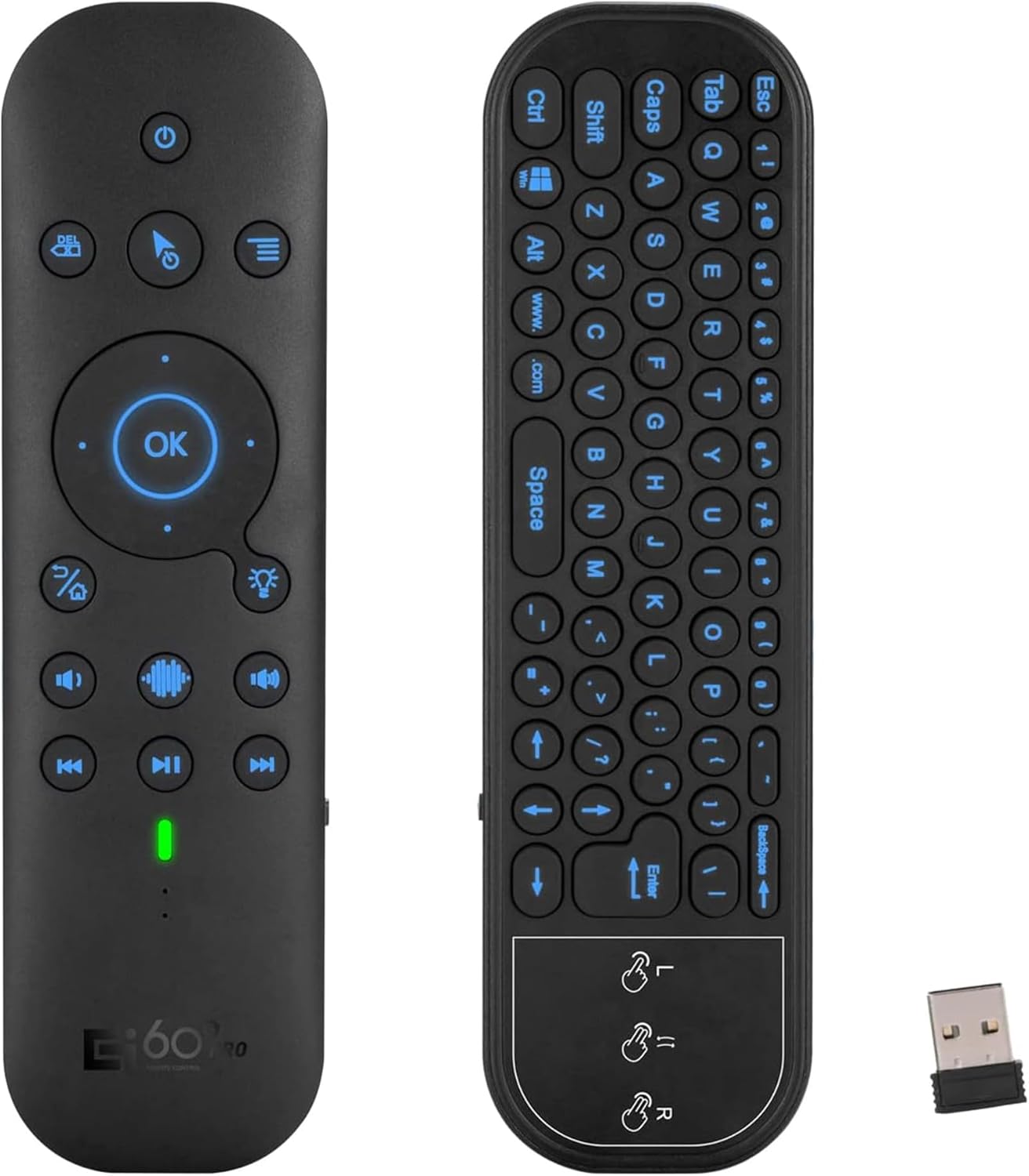
Image: The G60S Pro BT remote control showing both its front (remote) and back (keyboard with touchpad) sides, alongside its USB receiver.
The G60S Pro BT is a multi-functional air mouse remote control designed for versatile use with various smart devices. It features a dual-sided design, with a traditional remote control interface on one side and a full QWERTY keyboard with a touchpad on the other. Key features include:
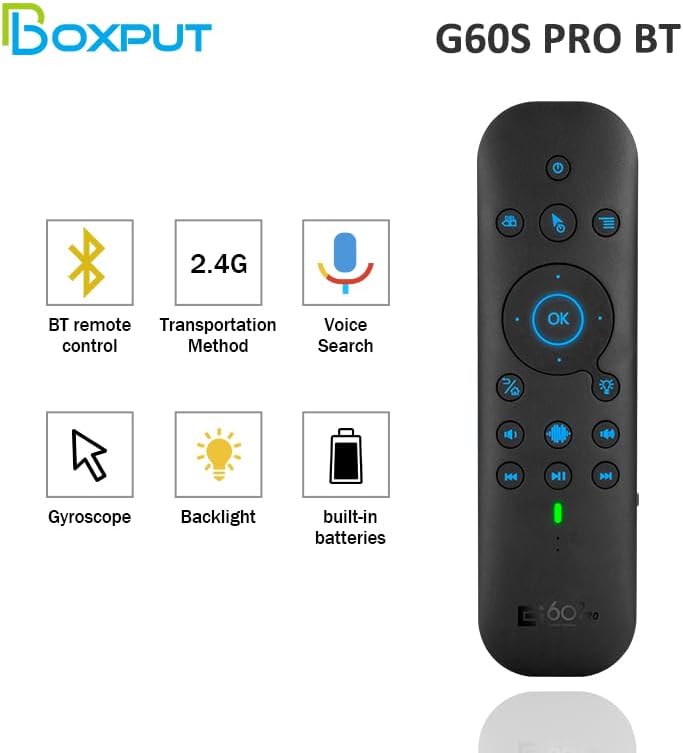
Image: Icons representing the key features of the G60S Pro BT: Bluetooth remote control, 2.4G wireless transmission, Voice Search, Gyroscope, Backlight, and Built-in batteries.
- Dvojna povezljivost: Supports both 2.4GHz wireless (via USB receiver) and Bluetooth 5.0.
- Polna tipkovnica QWERTY: Integrated on the back for easy text input.
- Multi-touch Touchpad: For precise cursor control and gesture support.
- Osvetlitev ozadja: Illuminated keys for convenient use in low-light conditions.
- 6-axis Gyroscope: Enables accurate air mouse functionality.
- Glasovno iskanje: Allows for voice commands (2.4G mode only).
- Akumulatorska baterija: Built-in lithium battery, charged via USB-C.
Front Side (Remote Control)
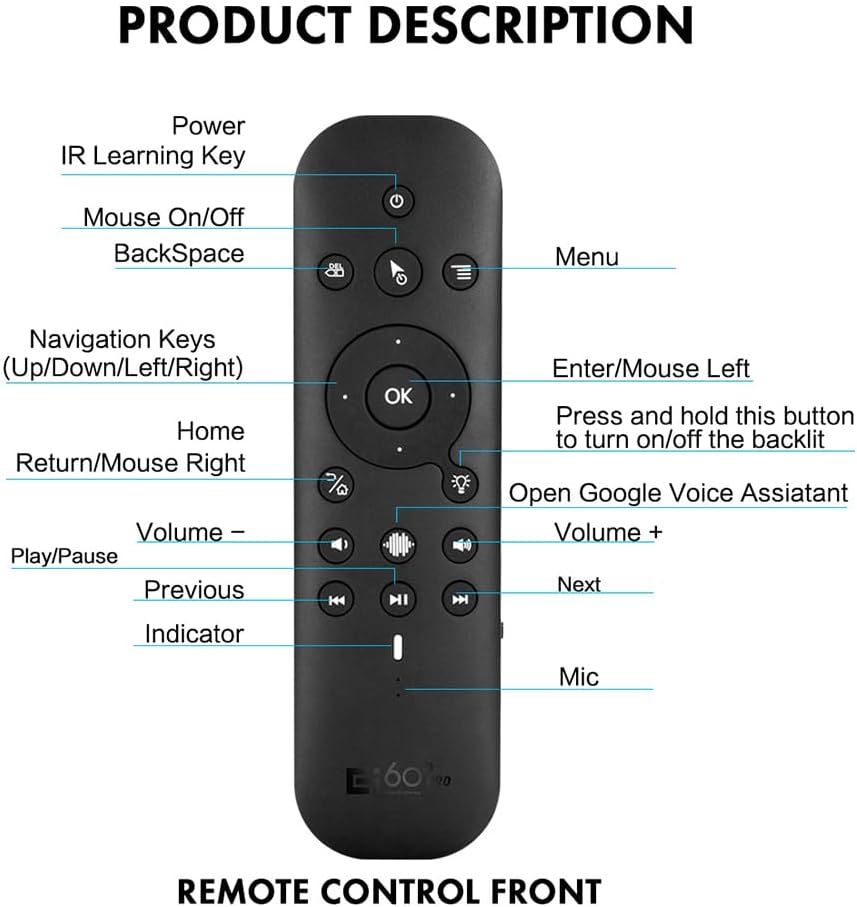
Image: Diagram of the G60S Pro BT remote control's front side, labeling buttons such as Power, IR Learning Key, Mouse On/Off, Backspace, Menu, Navigation Keys, OK, Enter/Mouse Left, Home, Return/Mouse Right, Volume -, Volume +, Play/Pause, Previous, Next, Indicator, and Mic.
- Gumb za vklop: Vklopi/izklopi napravo.
- IR Learning Key: For programming infrared functions.
- Vklop/izklop miške: Preklopi funkcijo zračne miške.
- vračalka: Izbriše znake.
- meni: Dostopi do možnosti menija.
- Navigacijske tipke (gor/dol/levo/desno): Za smerni nadzor.
- Gumb V redu: Potrjuje izbire.
- Enter/Mouse Left: Acts as Enter key or left mouse click.
- Domov: Vrne se na začetni zaslon.
- Return/Mouse Right: Acts as Back key or right mouse click.
- Glasnost - / Glasnost +: Prilagodi glasnost zvoka.
- Predvajanje/pavza: Nadzira predvajanje predstavnosti.
- Prejšnja / naslednja: Skips to previous or next media track.
- Indikator: Lučka stanja.
- Mikrofon: Mikrofon za glasovni vnos.
- Gumb za osvetlitev ozadja: Dolgo pritisnite za vklop/izklop osvetlitve ozadja.
- Google Voice Assistant Button: Opens Google Voice Assistant.
Back Side (Keyboard & Touchpad)

Image: Close-up of the G60S Pro BT's keyboard and touchpad, illustrating multi-touch gestures: one-finger for left-click, two-finger drag for slide up and down, and two-finger for right-click.
- Tipkovnica QWERTY: Full keyboard for text input.
- Plošča na dotik: Podpira večdotične kretnje za navigacijo.
- Multi-touch Functions:
- One-finger tap: Left-click function.
- Two-finger drag: Slide up and down function (scrolling).
- Two-finger tap: Right-click function.
Nastavitev in povezava
The G60S Pro BT offers two connection methods: 2.4G wireless via USB receiver and Bluetooth 5.0.
2.4G Wireless Connection (Recommended for Voice Functionality)
- Locate the USB receiver included in the package. It is typically stored inside the battery compartment of the remote or in the packaging.
- Insert the USB receiver into an available USB port on your device (e.g., TV Box, PC, Projector).
- The remote control should automatically connect to the receiver. The indicator light on the remote may flash briefly and then turn solid or off, indicating a successful connection.
- Test the remote by moving it to control the cursor or pressing buttons.
Opomba: The voice search function only works when connected via 2.4GHz wireless mode. It does not function in Bluetooth mode.
Povezava Bluetooth 5.0
- Prepričajte se, da je Bluetooth v vaši napravi omogočen.
- On the G60S Pro BT remote, press and hold the OK gumb in Prostornina - button simultaneously for a few seconds until the indicator light starts flashing rapidly. This indicates pairing mode.
- On your device, search for Bluetooth devices. You should see "G60S PRO" appear in the list of available devices.
- Select "G60S PRO" to pair. Once paired, the indicator light on the remote will stop flashing.
- Test the remote's functionality.
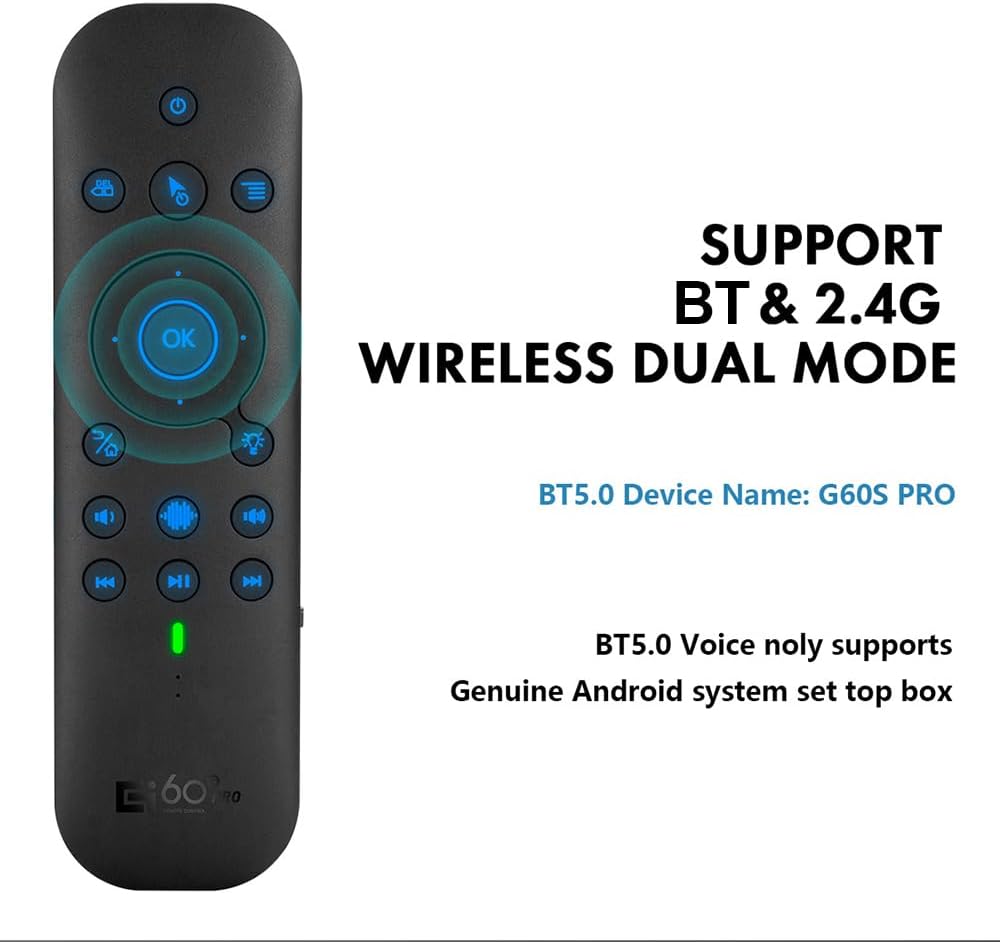
Image: Illustration showing the G60S Pro BT remote supporting both Bluetooth and 2.4G wireless dual modes. It notes that the Bluetooth 5.0 device name is "G60S PRO" and that BT5.0 voice only supports genuine Android system set-top boxes.
Opomba: Bluetooth 5.0 voice functionality is primarily supported on genuine Android system set-top boxes.
Navodila za uporabo
Funkcija zračne miške
The G60S Pro BT features a 6-axis gyroscope, allowing for precise air mouse control.
- To activate the air mouse, press the Vklop/izklop miške button (usually depicted with a mouse icon).
- Hold the remote in your hand and move it in the air to control the cursor on your screen.
- Pritisnite OK button for left-click actions.
- Pritisnite Return/Mouse Right button for right-click actions.
- To deactivate the air mouse, press the Vklop/izklop miške gumb znova.
Uporaba tipkovnice in sledilne ploščice
Flip the remote to access the full QWERTY keyboard and touchpad.
- Tipkanje: Use the individual keys for text input.
- Osvetlitev ozadja: Long press the backlight button on the remote side to turn the keyboard backlight on or off for use in dark environments.
- Sledilna ploščica: Use the touch panel for cursor control.
- Dotik z enim prstom: Performs a left-click.
- Two Finger Drag: Scrolls up or down.
- Dotik z dvema prstoma: Performs a right-click.
Funkcija glasovnega iskanja
The voice search function allows you to control your device using voice commands. This feature is only available in 2.4GHz wireless mode.
- Ensure the remote is connected via the 2.4G USB receiver.
- Pritisnite in držite Glasovni gumb (microphone icon) on the remote.
- Speak clearly into the microphone located on the remote.
- Release the voice button when you are finished speaking. The device will process your command.
Opomba: Compatibility with voice search may vary depending on the operating system and applications of your connected device.
IR Learning Function (for Power Button)
The power button on the G60S Pro BT can be programmed to learn the infrared signal from another remote control, such as your TV's power button.
- Place the G60S Pro BT remote and your original remote control head-to-head, about 1-3 cm apart.
- Pritisnite in držite IR Learning Key (often labeled with an IR icon or a specific learning button) on the G60S Pro BT remote for 3-5 seconds until the indicator light starts flashing slowly.
- Press the power button on your original remote control. The indicator light on the G60S Pro BT remote should flash rapidly, indicating it has received the signal.
- Pritisnite Gumb za vklop on the G60S Pro BT remote. The indicator light will turn solid, indicating successful learning.
- Test the power button on the G60S Pro BT remote to ensure it now controls your device.
Polnjenje in baterija
The G60S Pro BT is equipped with a built-in rechargeable lithium battery.
- To charge the remote, connect the included USB charging cable to the USB-C port on the remote and the other end to a USB power source (e.g., computer USB port, USB wall adapter).
- The indicator light will typically show charging status (e.g., red while charging, off or green when fully charged).
- A full charge usually takes a few hours.
- When the battery is low, the indicator light may flash to alert you to recharge.
Združljivost
The G60S Pro BT air mouse remote is compatible with a wide range of operating systems and devices:
- Windows
- macOS
- Linux
- Android TV Box
- Projektorji
- Smart TVs (some models)
- Mobile Phones (some models)
- Tablet Computers
- Namizni računalniki

Image: Grid of devices illustrating the G60S Pro BT's compatibility, including TV Box, Raspberry Pi, Projector, Smart TV, Cell phone, Tablet, Computer, All-in-one PC, and HTPC.
Pomembne opombe o združljivosti:
- Je ni združljivo with Amazon Fire TV and Fire TV Stick.
- Lahko ne biti združljiv with some Samsung, LG, Sony, and Mi smart TVs or Mi TV Boxes.
Odpravljanje težav
| Težava | Možen vzrok/rešitev |
|---|---|
| Remote not responding (2.4G mode) |
|
| Remote not responding (Bluetooth mode) |
|
| Kazalec zračne miške je neenakomeren ali se ne premika gladko |
|
| Voice search not working |
|
| Keyboard backlight not turning on/off |
|
Specifikacije
| Funkcija | Podrobnost |
|---|---|
| Številka modela | G60S PRO BT |
| Metoda prenosa | 2.4G Wireless + Bluetooth 5.0 |
| Senzorji | 6-axis Gyroscope (3-Gyro + 3-Gsensor) |
| Delovna razdalja | 8-10 metrov |
| Število ključev | 17 (remote side) + 63 (keyboard side) |
| Vrsta baterije | Built-in Lithium Battery (Rechargeable via USB-C) |
| Material | ABS Plastic and Silicone |
| Dimenzije (D*Š*V) | 19.6 x 8.9 x 1.9 cm (7.72 x 3.50 x 0.75 palca) |
| Teža | 91 g (3.21 unč) |
| Posebne lastnosti | Voice Control (2.4G only), Gyroscope, Backlight, Mini Keyboard, Multi-touch Touchpad, IR Learning |
| Certifikati | FCC, CE, RoHS |

Image: Diagram showing the dimensions of the G60S Pro BT remote control, indicating a length of 178mm (7.01 inches), width of 50mm (1.97 inches), and thickness of 16mm (0.63 inches).
Vzdrževanje in nega
- Keep the remote control dry. Avoid exposure to water or excessive humidity.
- Do not expose the remote to extreme temperatures (hot or cold).
- Daljinski upravljalnik očistite z mehko, suho krpo. Ne uporabljajte abrazivnih čistil ali topil.
- Daljinski upravljalnik ne sme spustiti ali biti izpostavljen močnim udarcem.
- When not in use for extended periods, ensure the remote is fully charged and stored in a cool, dry place.
Garancija in podpora
For warranty information and technical support, please refer to the official BOXPUT webspletno mesto ali se obrnite neposredno na njihovo službo za stranke. Podrobnosti so običajno navedene na embalaži izdelka ali na uradnih kanalih proizvajalca.
Manufacturer: BOXPUT
Za dodatno pomoč obiščite BOXPUT Store on Amazon.
Ask a question about this manual
Ask about setup, troubleshooting, compatibility, parts, safety, or missing instructions. Manuals+ will review the question and use this page’s manual context to help answer it.