
1. Uvod
Thank you for choosing the MONODEAL DV68 Bone Conduction Headphones. These headphones are designed to provide a comfortable and safe listening experience, especially during sports and outdoor activities. Utilizing advanced bone conduction technology and Bluetooth 5.3, they deliver clear audio while keeping your ears open to ambient sounds. The integrated smart light enhances visibility and safety during nighttime use.
2. Vsebina paketa
Prosimo, preverite paket za naslednje artikle:
- MONODEAL DV68 Bone Conduction Headphones
- Magnetni polnilni kabel
- Uporabniški priročnik
- Earplugs (optional, for enhanced sound isolation)
3. Izdelek je končanview
Familiarize yourself with the components of your MONODEAL DV68 headphones.
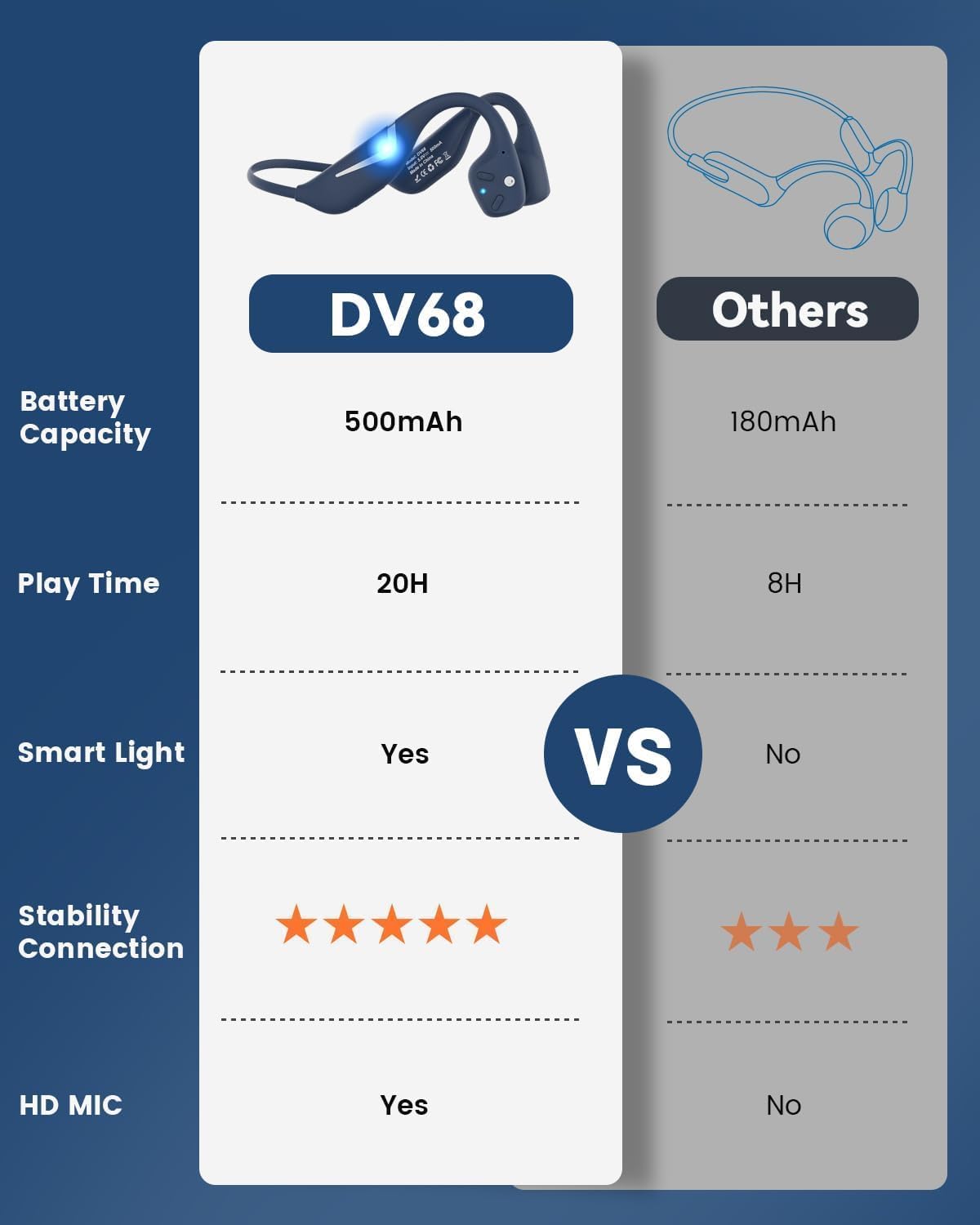
Figure 3.1: MONODEAL DV68 Bone Conduction Headphones, showing the overall design.

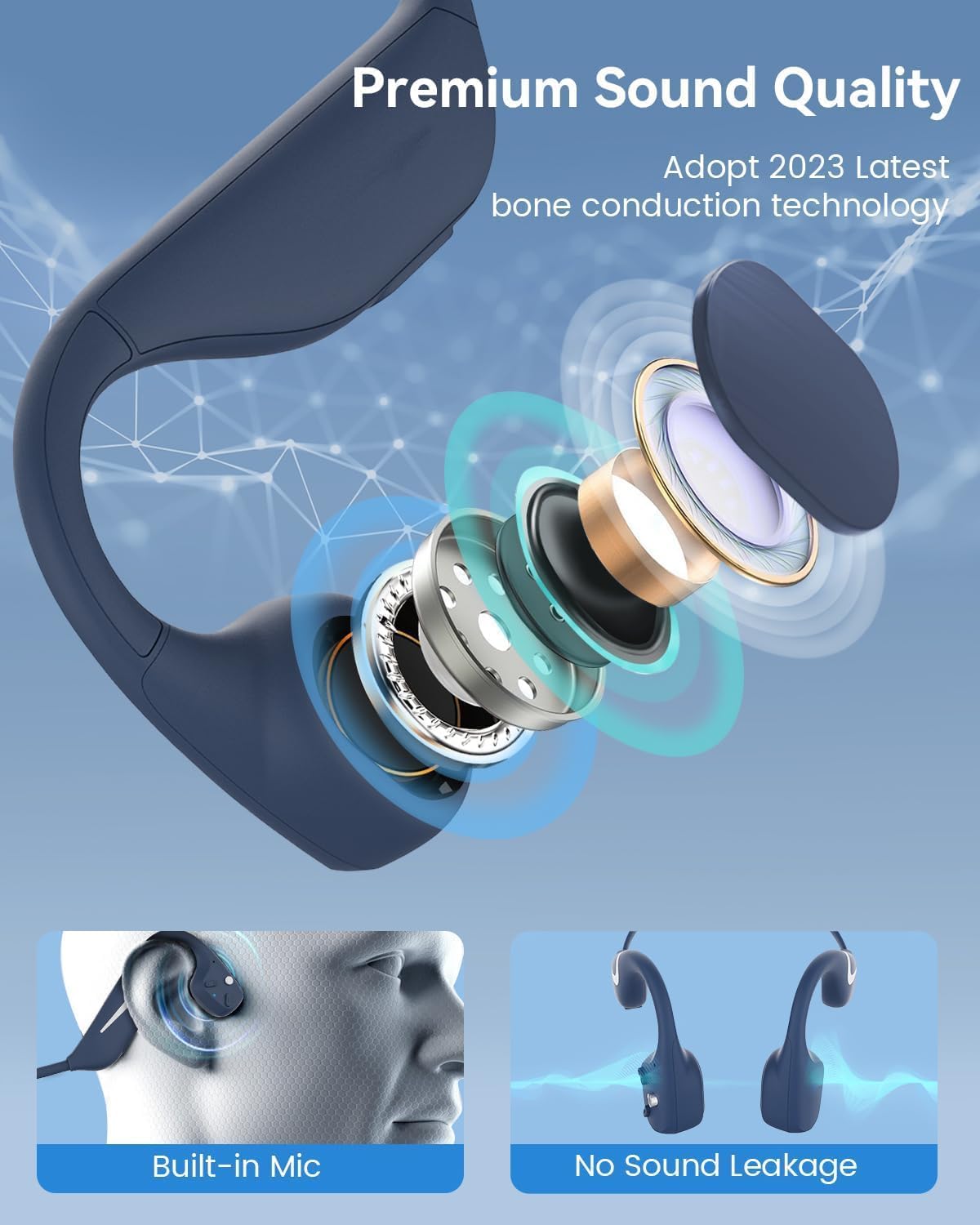
Slika 3.2: Eksplodirano view illustrating the bone conduction transducer and built-in microphone.
3.1 Krmilniki in priključki
Slika 3.3: stran view of the headphones highlighting the control buttons.

Slika 3.4: Bližnji posnetek view of the magnetic charging port.
The headphones feature physical buttons for power, volume, and playback control. The magnetic charging port is located on one of the ear pieces for convenient charging.
4. Specifikacije
| Funkcija | Specifikacija |
|---|---|
| Številka modela | DV68 |
| Različica Bluetooth | 5.3 |
| Kapaciteta baterije | 500 mAh |
| Igralni čas | Do 20 ur |
| Ocena vodoodpornosti | IP67 (Sweat, rain, and splash resistant) |
| Teža | 34 gramov |
| Frekvenčno območje | 20 Hz - 20,000 Hz |
| Tehnologija povezljivosti | Brezžično (Bluetooth) |
| Vrsta zvočnega gonilnika | Kostna prevodnost |
| Posebne lastnosti | Smart LED Light, Built-in Microphone, Multipoint Pairing |

Slika 4.1: Konecview of key features including Open-Ear design, IP67 Waterproofing, 500mAh Battery, Bluetooth V5.3, Lightweight, HD Microphone, Multipoint Pairing, and RGB Light.
5. Nastavitev
5.1 Polnjenje slušalk
Pred prvo uporabo popolnoma napolnite slušalke.
- Priključite magnetni polnilni kabel na polnilno vtičnico na slušalkah.
- Drugi konec kabla priključite na napajalnik USB (ni priložen) ali na vrata USB računalnika.
- LED indikator bo prikazoval stanje polnjenja. Popolno polnjenje običajno traja približno 2 ure.

Figure 5.1: Illustration of 20-hour battery life and quick charge feature (10 minutes charging for 2 hours playtime).
5.2 Bluetooth seznanjanje
Če želite slušalke povezati z napravo:
- Prepričajte se, da so slušalke izklopljene.
- Pritisnite in držite gumb za vklop, dokler LED indikator ne utripa rdeče in modro, kar označuje način seznanjanja.
- V napravi (pametnem telefonu, tablici, računalniku) omogočite Bluetooth in poiščite razpoložljive naprave.
- Select "MONODEAL DV68" from the list of found devices.
- Ko je povezava vzpostavljena, bo LED indikator začel neprekinjeno svetiti modro ali počasi utripati modro.
The headphones support multipoint pairing, allowing connection to two devices simultaneously. Refer to your device's Bluetooth settings for managing multiple connections.
6. Navodila za uporabo
6.1 Vklop/izklop
- Vklop: Pritisnite in držite gumb za vklop 3 sekund.
- Ugasniti: Pritisnite in držite gumb za vklop 5 sekund.
6.2 Predvajanje glasbe
- Predvajanje/pavza: Enkrat pritisnite večfunkcijski gumb.
- Naslednja skladba: Pritisnite in držite gumb za povečanje glasnosti 2 sekundi.
- Prejšnja skladba: Pritisnite in držite gumb za glasnost - 2 sekundi.
- Povečaj glasnost: Pritisnite gumb za glasnost +.
- Znižaj glasnost: Pritisnite gumb za glasnost -.
6.3 Upravljanje klicev
- Sprejmi/končaj klic: Enkrat pritisnite večfunkcijski gumb.
- Zavrni klic: Pritisnite in držite večfunkcijski gumb 2 sekundi.
- Glasovni asistent: Dvakrat pritisnite večfunkcijski gumb.
6.4 Smart LED Light
The headphones feature a smart LED light for enhanced visibility during nighttime activities.
- Vklop/izklop luči: Refer to the specific button combination in your quick start guide (usually a dedicated light button or a long press of a volume button).
- The light can cycle through different colors (e.g., blue, green, red) to increase your safety and visibility.

Figure 6.1: A runner demonstrating the smart LED light feature for night safety.
7. Vzdrževanje
7.1 Čiščenje
To maintain hygiene and product longevity:
- After sweating or intense workouts, gently wipe the headphones with a damp krpo ali mokro krpo.
- Izogibajte se uporabi močnih kemikalij ali abrazivnih čistil.
7.2 Shranjevanje
- Slušalke shranjujte na hladnem in suhem mestu, stran od neposredne sončne svetlobe in ekstremnih temperatur.
- When not in use, it is recommended to store them in their original packaging or a protective case.
7.3 Vodoodpornost
The MONODEAL DV68 headphones are IP67 rated, meaning they are resistant to sweat, rain, and splashes. However, they are not suitable for swimming or submersion in water.

Figure 7.1: A person exercising with the headphones, demonstrating their IP67 water resistance against sweat and rain. Note: Not for swimming.
8. Odpravljanje težav
Če imate težave s slušalkami, si oglejte naslednje pogoste rešitve:
- Brez napajanja:
Ensure the headphones are fully charged. Connect them to the charging cable and a power source. - Ni mogoče seznaniti:
Make sure the headphones are in pairing mode (LED flashing red and blue). Turn off Bluetooth on other nearby devices that may have previously connected. Try restarting both the headphones and your device. - Ni zvoka/nizka glasnost:
Check the volume levels on both the headphones and your connected device. Ensure the headphones are properly positioned on your cheekbones. If using earplugs, ensure they are correctly inserted. - Prekinjena povezava:
Ensure your device is within the Bluetooth range (up to 15 meters) and there are no significant obstacles between the headphones and your device. Avoid strong electromagnetic interference. - Slaba kakovost klica:
Ensure the microphone is not obstructed. Move to an area with better network reception for your phone.
9. Garancija in podpora
9.1 Informacije o garanciji
MONODEAL provides a 2-letna garancija for the DV68 Bone Conduction Headphones from the date of purchase. This warranty covers manufacturing defects and ensures the product meets its specified performance. Please retain your proof of purchase for warranty claims.
9.2 Podpora strankam
For further assistance, technical support, or warranty inquiries, please contact MONODEAL customer service through the retailer where you purchased the product or visit the official MONODEAL webspletno mesto za kontaktne podatke.