
Uvod
Thank you for choosing the ADE WS2322 Digital Indoor Thermometer and Hygrometer. This device is designed to provide accurate measurements of indoor temperature and humidity, along with timekeeping and alarm functions. Please read this manual carefully before use to ensure proper operation and to maximize the lifespan of your device.
Varnostne informacije
- Napravo hranite stran od ekstremnih temperatur, neposredne sončne svetlobe in visoke vlažnosti.
- Naprave ne izpostavljajte vodi ali drugim tekočinam.
- Naprave ne poskušajte razstavljati ali popravljati sami. Obrnite se na usposobljeno servisno osebje.
- Baterije hranite izven dosega otrok. Rabljene baterije pravilno zavrzite v skladu z lokalnimi predpisi.
- Napravo očistite z mehko, suho krpo. Ne uporabljajte abrazivnih čistil ali topil.
Vsebina paketa
Prosimo, preverite vsebino paketa in se prepričajte, da so prisotni vsi elementi:
- 1 x ADE WS2322 Digital Indoor Thermometer and Hygrometer
- 1 x AAA baterija
- 1 x Navodila za uporabo
Konec izdelkaview
The ADE WS2322 features a clear LCD display showing temperature, humidity, and time. It includes buttons for mode selection, setting adjustments, and switching between Celsius/Fahrenheit.
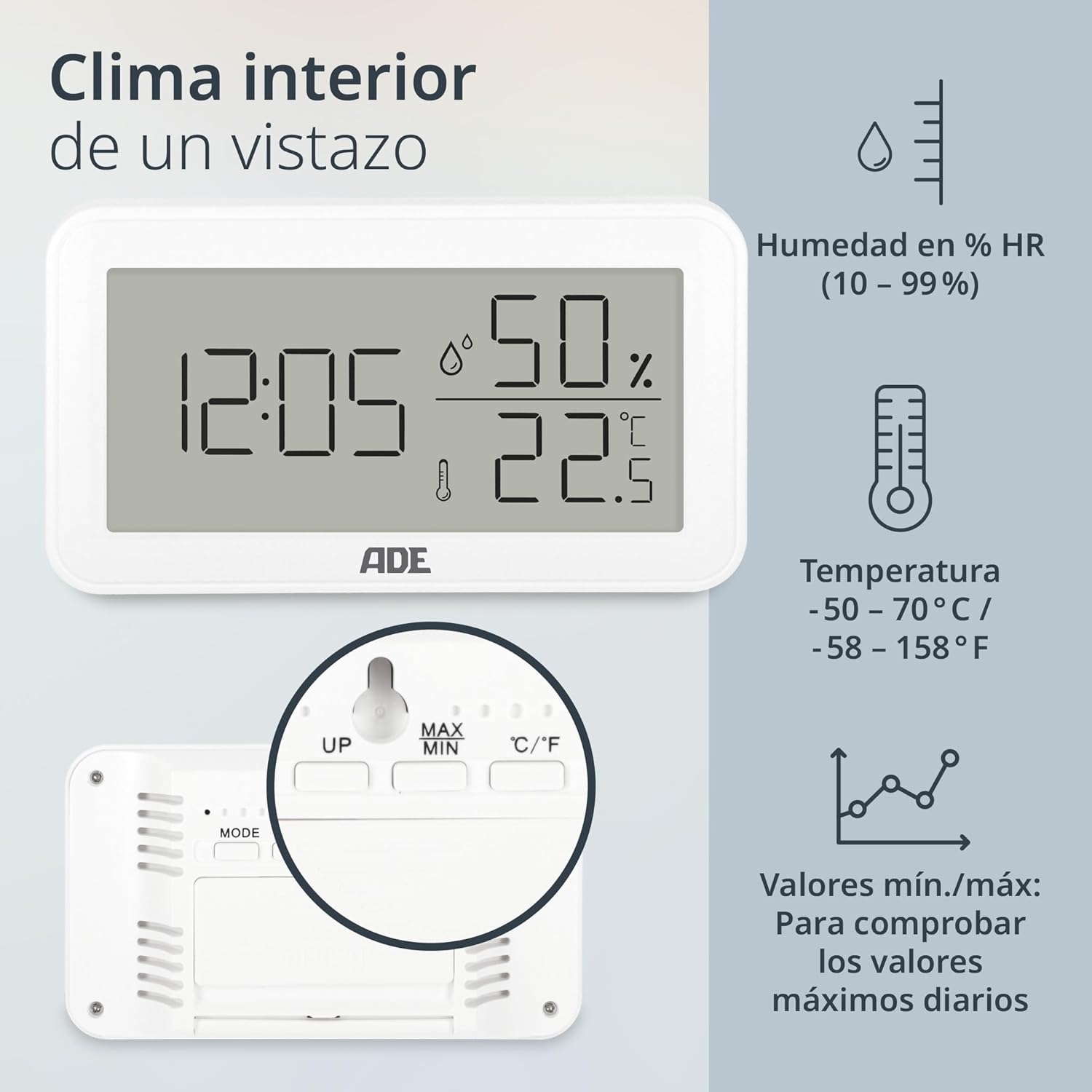
Slika: Spredaj view of the ADE WS2322 display, illustrating current time, humidity percentage, and temperature in Celsius. The display also shows icons indicating humidity, temperature, and the min/max value tracking feature. This image highlights the primary information presented on the device's screen.
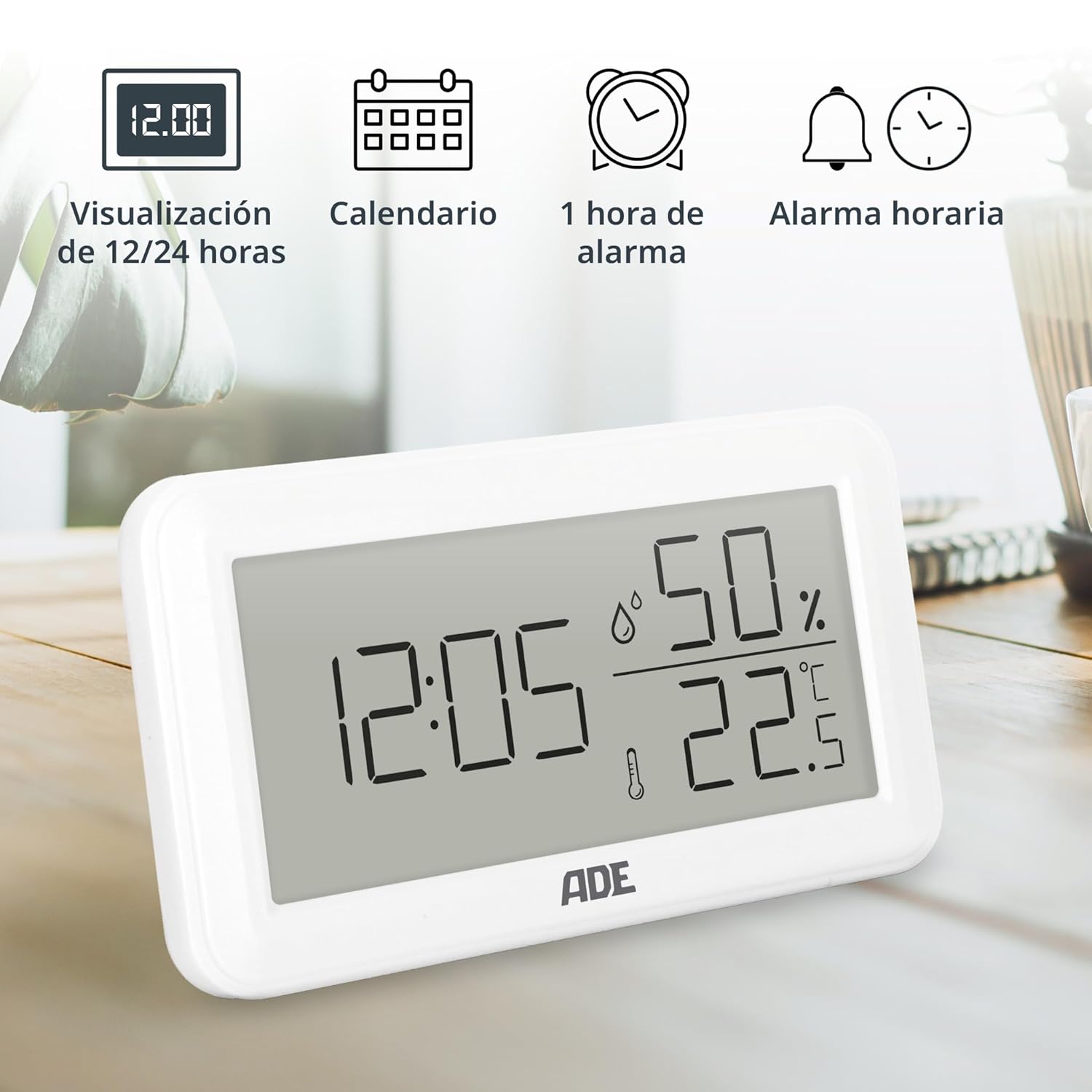
Slika: The ADE WS2322 display, showcasing its various time-related functions. This includes the ability to switch between 12 and 24-hour time formats, a calendar display, a 1-hour alarm, and an hourly chime function. The image emphasizes the device's versatility beyond just temperature and humidity monitoring.
Nastavitev
1. Namestitev baterije
- Poiščite predal za baterije na zadnji strani naprave.
- Odprite pokrov prostora za baterije.
- Insert one AAA battery, ensuring the correct polarity (+/-).
- Trdno zaprite pokrov prostora za baterije.
2. Začetna namestitev
The device can be placed on a flat surface using its integrated stand or mounted on a wall using the hanging loop.

Slika: Zadaj view of the ADE WS2322, highlighting its design for flexible placement. The image shows both the integrated stand for tabletop use and the hanging loop for wall mounting, demonstrating how the device can be adapted to various environments.
Navodila za uporabo
1. Vklop/izklop
The device powers on automatically once batteries are inserted. There is no manual power off button; remove batteries to power off.
2. Nastavitev časa in datuma
- Pritisnite in držite NAČIN 3 sekunde držite gumb , da vstopite v način nastavitve časa. Številke za ure bodo utripale.
- Uporabite UP or MAX/MIN gumbi za nastavitev ure.
- Pritisnite NAČIN again to move to minute setting, then year, month, and day. Adjust each with UP or MAX/MIN.
- Pritisnite NAČIN še zadnjič za izhod iz načina nastavitev.
3. Izbira 12/24-urnega formata
V običajnem načinu prikaza pritisnite UP gumb za preklapljanje med 12-urnim in 24-urnim formatom časa.
4. Izbira enote za temperaturo (°C/°F)
V običajnem načinu prikaza pritisnite ° C / ° F gumb za preklapljanje med temperaturnimi enotami Celzija in Fahrenheita.
5. Nastavitve alarma
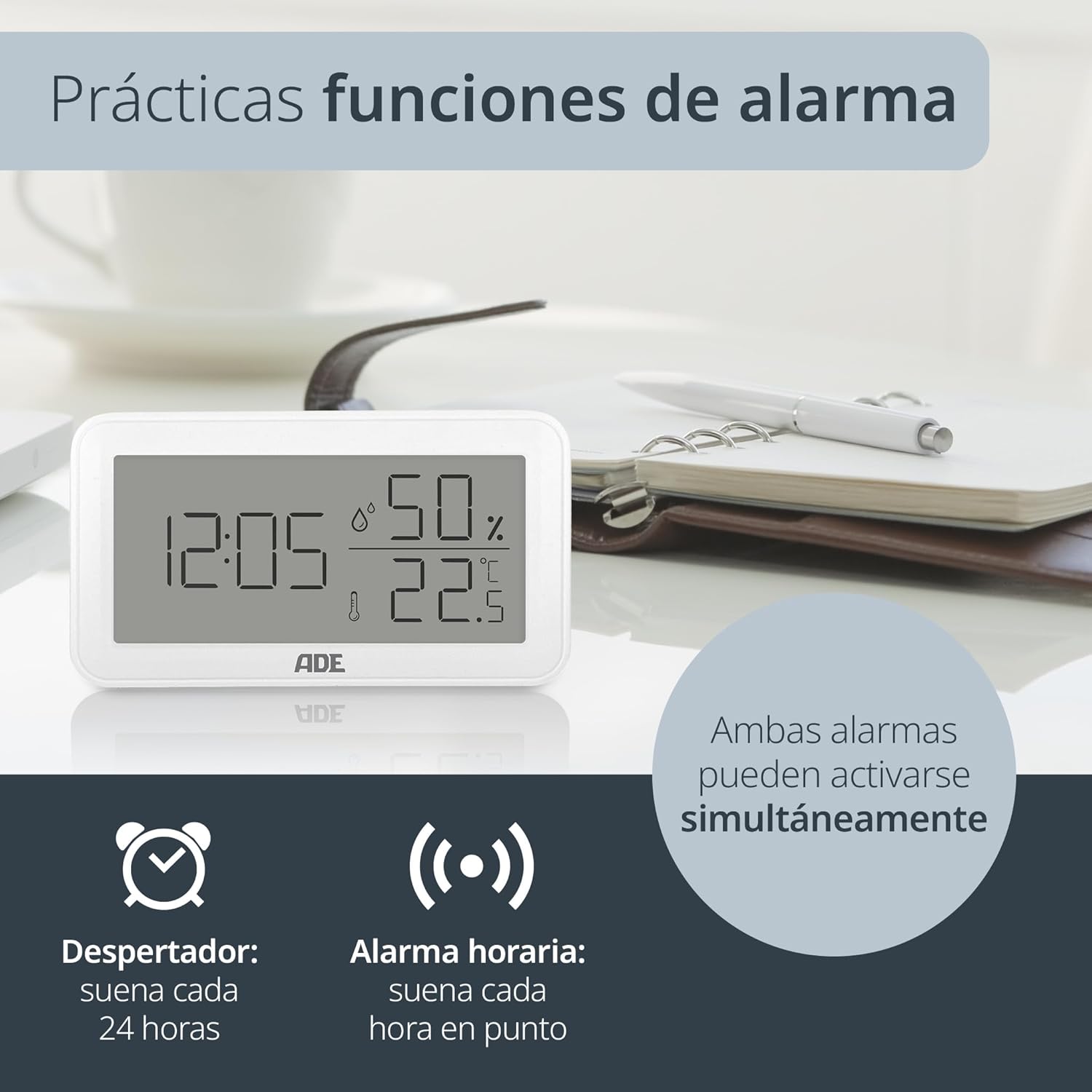
Slika: The ADE WS2322 display, illustrating its practical alarm functions. It shows icons for both a daily alarm clock and an hourly chime, emphasizing that these two features can be activated concurrently to suit user preferences.
- Setting the Daily Alarm:
- Pritisnite NAČIN button once to enter alarm display mode (AL).
- Pritisnite in držite NAČIN for 3 seconds. The alarm hour digits will flash.
- Uporaba UP or MAX/MIN za nastavitev ure budilke.
- Pritisnite NAČIN again to set the alarm minute. Adjust with UP or MAX/MIN.
- Pritisnite NAČIN za potrditev in izhod.
- Activating/Deactivating Daily Alarm: In alarm display mode (AL), press the UP button to toggle the alarm ON/OFF. An alarm icon will appear/disappear on the display.
- Aktiviranje / deaktiviranje Hourly Zvonec: V običajnem načinu prikaza pritisnite MAX/MIN gumb za preklop hourly chime ON/OFF. A chime icon will appear/disappear.
6. Min/Max Temperature and Humidity Display
Naprava beleži najnižje in najvišje vrednosti temperature in vlažnosti v določenem časovnem obdobju. view these values:
- Pritisnite MAX/MIN button once to display the maximum recorded temperature and humidity.
- Pritisnite MAX/MIN again to display the minimum recorded temperature and humidity.
- Pritisnite MAX/MIN tretjič, da se vrnete na prikaz trenutne temperature in vlažnosti.
- To reset the Min/Max values, press and hold the MAX/MIN gumb za 3 sekundi, medtem ko viewing the Min/Max values.
Vzdrževanje
Čiščenje
Wipe the device with a soft, dry cloth. Do not use liquid cleaners, aerosols, or abrasive materials, as these may damage the device.
Zamenjava baterije
When the display becomes dim or the device stops functioning, replace the AAA battery. Follow the battery installation steps in the Setup section.
Odpravljanje težav
| Težava | Možen vzrok | rešitev |
|---|---|---|
| Brez zaslona ali zatemnjen zaslon | Low or dead battery; incorrect battery polarity. | Zamenjajte baterijo AAA; pazite na pravilno polarnost. |
| Napačne odčitke temperature/vlažnosti | Device placed near heat/cold sources or in direct sunlight; sensor obstruction. | Relocate the device to a stable environment; ensure sensors are clear. |
| Alarm se ne oglasi | Alarm ni aktiviran. | Ensure the alarm icon is displayed (refer to "Activating/Deactivating Daily Alarm"). |
| Ni mogoče nastaviti časa/datuma | Not in setting mode; buttons not pressed correctly. | Pritisnite in držite NAČIN gumb za 3 sekunde, da vstopite v način nastavitve. |
Specifikacije

Slika: The ADE WS2322 device, illustrating its compact dimensions. The image clearly labels the length (12 cm), height (6.8 cm), and depth (2.5 cm), emphasizing its suitability for various spaces due to its small footprint and clear, large-digit display.
- Model: WS2322
- Dimenzije: 12 x 6.8 x 2.5 cm (Length x Height x Depth)
- Teža: 110 g
- Temperaturno območje: -50 °C do 70 °C (-58 °F do 158 °F)
- Natančnost temperature: ±1°C
- Razpon vlažnosti: 10% do 99% RH
- vir energije: 1 x AAA baterija (priložena)
- Funkcije: Thermometer, Hygrometer, Digital Clock (12/24h), Daily Alarm, Hourly Chime, Min/Max Value Display
- Vrsta pritrditve: Wall mount or tabletop stand
- Država izvora: Kitajska
Garancija in podpora
For warranty information or technical support, please refer to the official ADE website or contact your retailer. You can also find additional language manuals and support resources by scanning the QR code in the printed instructions or visiting the product page on Amazon.
Za dodatno pomoč obiščite ADE Brand Store.


