
1. Uvod
Thank you for choosing the ABSOSO Single Din Wireless CarPlay Stereo. This manual provides essential information for the proper installation, operation, and maintenance of your new car stereo system. Please read this manual thoroughly before use to ensure optimal performance and safety.
2. Varnostne informacije
- Napravo vedno upravljajte odgovorno in v skladu z lokalnimi prometnimi predpisi. Vožnja z motnjami lahko povzroči nesreče.
- Do not attempt to install or repair the unit yourself if you are not qualified. Improper installation can cause damage to the unit or your vehicle.
- Prepričajte se, da so vse žice pravilno priključene, da preprečite kratke stike ali električne nevarnosti.
- Zaslon naj bo čist in brez ovir, da bo ohranjena jasna vidljivost.
- Izogibajte se izpostavljanju enote ekstremnim temperaturam, neposredni sončni svetlobi dlje časa ali prekomerni vlagi.
3. Kaj je v škatli
Preden nadaljujete z namestitvijo, preverite, ali so vse komponente prisotne:
- Single Din CarPlay Stereo Unit
- Dual USB Cable
- GPS antena
- Kabel rezervne kamere
- Wiring Harness & Wires
- Montažni kompleti
- Uporabniški priročnik (ta dokument)
4. Izdelek je končanview
The ABSOSO Single Din Wireless CarPlay Stereo features a 10.1-inch rotatable touchscreen designed for enhanced in-car entertainment and navigation. It supports wireless Apple CarPlay and Android Auto, Bluetooth connectivity, AM/FM radio, and includes GPS navigation capabilities.
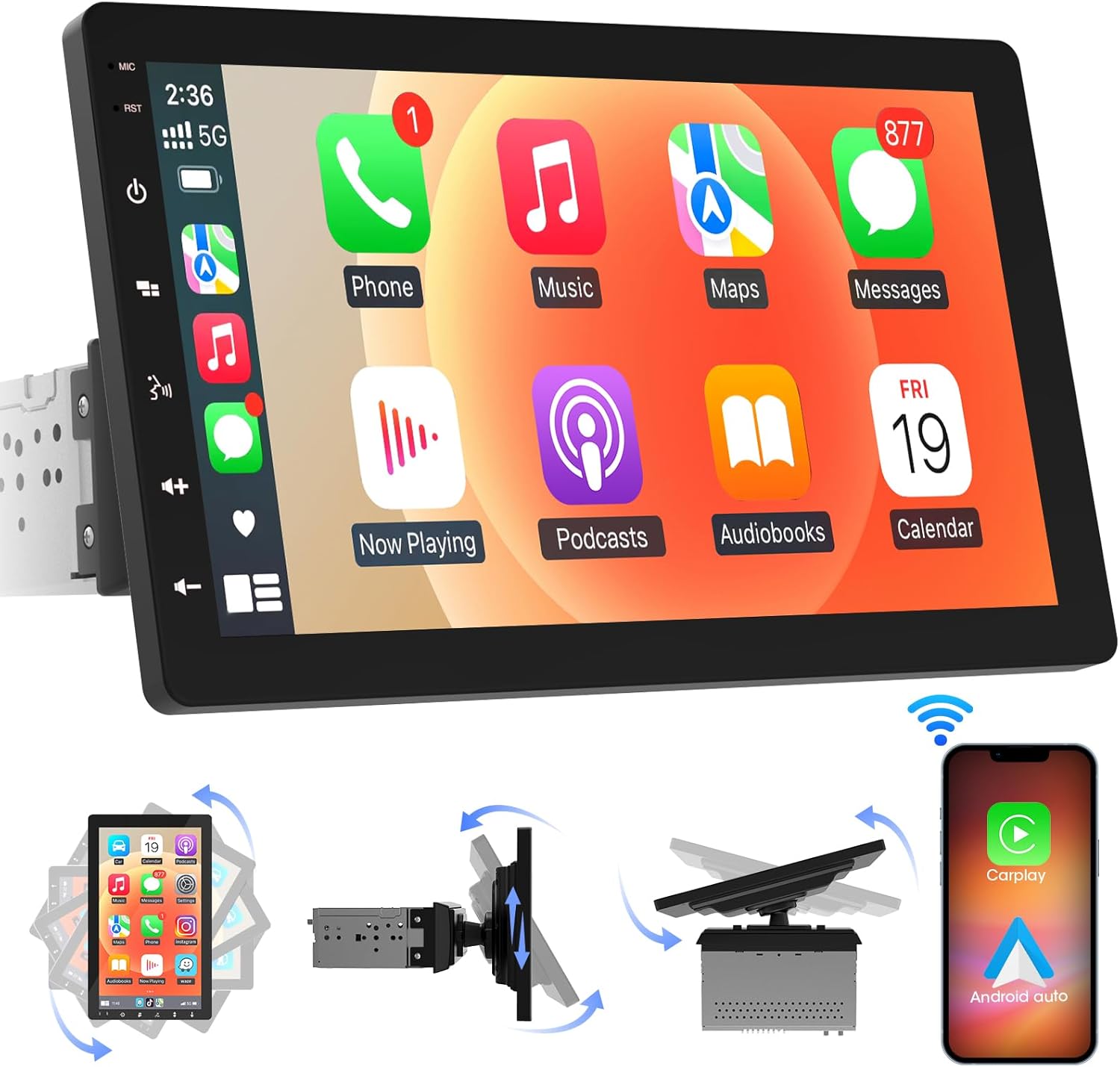
Slika 4.1: Spredaj view of the ABSOSO Single Din Wireless CarPlay Stereo displaying the Apple CarPlay interface.
5. Nastavitev in namestitev
This unit is designed for standard single DIN dash openings. Professional installation is recommended to ensure correct wiring and functionality. Refer to the wiring diagram provided with the unit for specific connections.
5.1 Namestitev enote
The modular design allows for flexible installation. The main unit fits into a single DIN slot, and the 10.1-inch screen can be adjusted for optimal viewing.

Image 5.1: Visual comparison of a car dashboard before and after the installation of the ABSOSO 10.1-inch rotatable car stereo, highlighting the integrated appearance.
5.2 Žične povezave
Connect the power, speaker, and accessory wires according to your vehicle's wiring harness and the provided diagram. Ensure the backup camera input cable is routed correctly if you plan to use a rearview fotoaparat.
5.3 Namestitev GPS antene
GPS anteno namestite na mesto z neoviranim view of the sky, typically on the dashboard or under the windshield, to ensure accurate satellite reception.
6. Navodila za uporabo
6.1 Vklop/izklop
The unit will power on automatically with the vehicle's ignition. To manually power off, press and hold the power button on the unit.
6.2 Brezžični CarPlay in Android Auto
This stereo supports wireless Apple CarPlay and Android Auto. To connect, enable Bluetooth and Wi-Fi on your smartphone and follow the on-screen prompts to pair with the stereo. Once connected, you can access navigation, music, messages, and voice assistants directly from the stereo's display.

Image 6.1: The ABSOSO car stereo showcasing its wireless connectivity features, including Apple CarPlay, Android Auto, and MirrorLink, with various app interfaces.
6.3 HD Touchscreen Operation
The 10.1-inch HD IPS display offers a responsive touch interface. Navigate through menus and applications by tapping, swiping, and pinching. Five capacitive touch buttons are located along the left edge for quick access to common functions.

Image 6.2: The 10.1-inch screen of the ABSOSO car stereo, emphasizing its HD resolution, sleek touch buttons, and 178-degree viewkota za optimalno jasnost.
6.4 Funkcionalnost Mirrorlinka
Mirrorlink allows you to display your smartphone's screen directly onto the stereo. This feature is useful for viewing navigation, videos, or other content from your phone on a larger display.
6.5 Povezljivost Bluetooth
Pair your smartphone via Bluetooth for hands-free calling and wireless audio streaming. Access your phone's contacts and call history directly from the stereo.
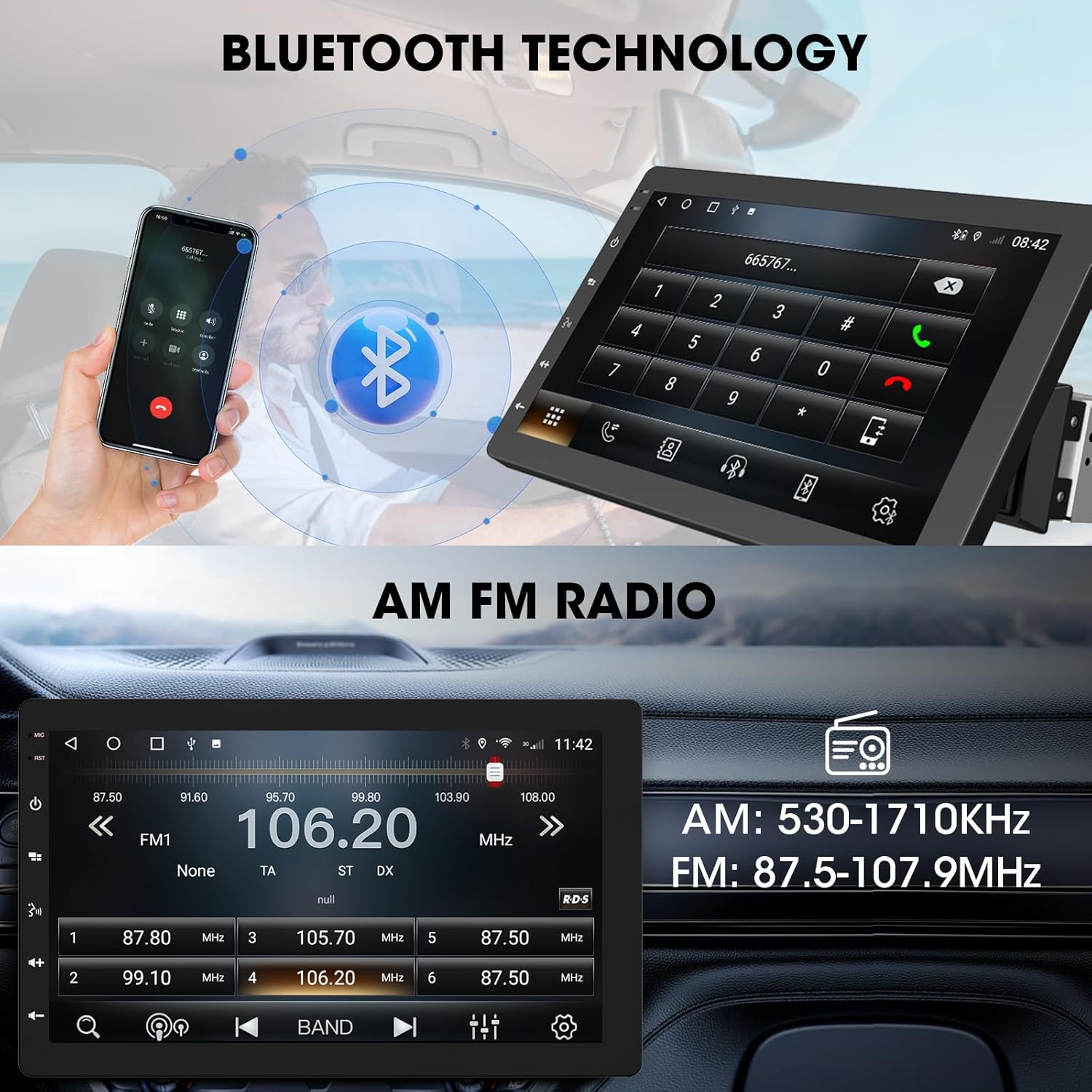
Image 6.3: The ABSOSO car stereo illustrating Bluetooth technology for hands-free calls and the interface for AM/FM radio tuning.
6.6 FM/AM radio
Tune into your favorite FM and AM radio stations. The unit features 30 station memory presets for quick access to sports, news, and music.
6.7 GPS Navigation & WiFi Hotspot
The stereo includes built-in GPS navigation with support for offline maps (2G RAM + 64GB ROM storage). Connect to a 2.4 GHz or 5 GHz Wi-Fi hotspot for online navigation and app downloads.
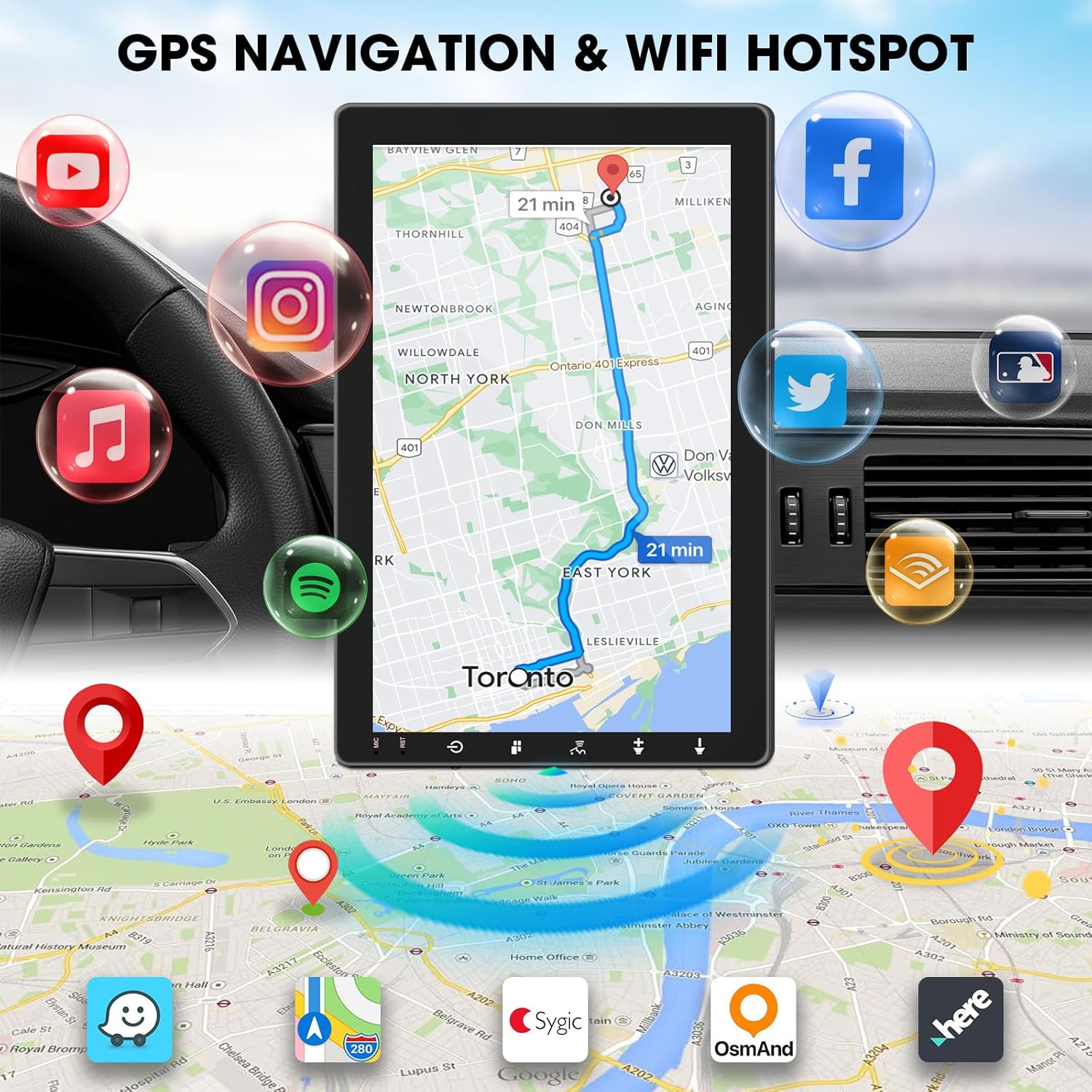
Image 6.4: The ABSOSO car stereo screen showing GPS navigation with a map, surrounded by icons representing various applications accessible via WiFi hotspot.
6.8 Adjustable Floating Screen
The 10.1-inch display is rotatable by 360 degrees and can be adjusted vertically and tilted to achieve optimal viewing angles, reducing glare and improving visibility.
6.9 Sound Tuning
Customize your audio experience with preset equalizer settings. The unit delivers a maximum power output of 200W and includes pre-amp and subwoofer outputs for enhanced sound quality.
6.10 Vhod za vzvratno kamero
Connect a compatible backup camera (sold separately) to the RCA input. The stereo will automatically display the rearview camera feed when the vehicle is in reverse, aiding in accurate parking and maneuvering.

Image 6.5: Illustration of the backup camera input connection to the ABSOSO car stereo, showing how the camera feed is displayed on the screen when reversing.
7. Vzdrževanje
7.1 Čiščenje zaslona
Zaslon na dotik nežno obrišite z mehko krpo, ki ne pušča vlaken. Za trdovratne madeže rahlo obrišiteampKrpo obrišite z vodo ali čistilom za zaslone. Izogibajte se abrazivnim materialom ali močnim kemikalijam.
7.2 Splošna nega
Keep the unit free from dust and debris. Ensure proper ventilation around the unit to prevent overheating. Do not block any vents or openings.
8. Odpravljanje težav
- Brez napajanja: Preverite vse napajalne priključke in varovalke. Prepričajte se, da je vžig vozila vklopljen.
- Ni zvoka: Preverite povezave zvočnikov. Preverite glasnost in nastavitve za utišanje zvoka. Prepričajte se, da je izbran pravilen vir zvoka.
- Težave s povezavo Bluetooth/CarPlay/Android Auto: Ensure your phone's Bluetooth and Wi-Fi are enabled. Try restarting both the stereo and your phone. Forget and re-pair the device.
- Izguba GPS signala: Zagotovite, da ima antena GPS neoviran view neba. Preverite povezavo antene.
- Zaslon se ne odziva: Poskusite znova zagnati enoto. Če težava ne izgine, se obrnite na podporo strankam.
9. Specifikacije
- Dimenzije izdelka: 6.4"D x 9.8"Š x 5.9"V
- Teža artikla: 4.73 funtov
- Zaslon: 10.1 Inch HD IPS Touchscreen (1280*720P)
- Povezljivost: Bluetooth, USB, Wi-Fi (2.4 GHz & 5 GHz)
- Posebne lastnosti: 360° Rotatable Floating Touchscreen, Wireless Android Auto, Apple CarPlay, Mirrorlink, GPS Navigation (Online/Offline Maps), AM/FM Radio, AV Input, Rearview Camera Input, USB Charging, Voice Control, Preset EQ, Video Output, Amplifier/Subwoofer Output
- Pomnilnik: 2 GB RAM-a + 64 GB ROM-a
- Način avdio izhoda: Stereo
- Konfiguracija kanala za prostorski zvok: 4
- Video kodiranje: H.264, H.265/HEVC
10. Garancija in podpora
For warranty information and technical support, please refer to the documentation included with your purchase or contact ABSOSO customer service directly. Keep your purchase receipt as proof of purchase for any warranty claims.
For further assistance, visit the official ABSOSO webspletno mesto ali se obrnite na njihove kanale za podporo.