
Uvod
This manual provides detailed instructions for the safe and effective operation of your NBD K100 4K Digital Camera. Please read this manual thoroughly before using the camera and retain it for future reference.
The NBD K100 is a versatile digital camera designed for high-quality photography and video recording, featuring 4K video resolution, 56MP photo capability, and a 180-degree rotatable screen for various shooting angles, including vlogging.
Varnostne informacije
- Fotoaparata ne izpostavljajte vodi ali vlagi.
- Pazite, da vam fotoaparat ne pade na tla ali da ga ne izpostavljate močnim udarcem.
- Fotoaparat hranite stran od neposredne sončne svetlobe in visokih temperatur.
- Uporabljajte samo navedene baterije in dodatno opremo.
- Ne poskušajte sami razstaviti ali popraviti fotoaparata. Za pomoč se obrnite na podporo strankam.
- Hraniti izven dosega otrok.
Vsebina paketa
Preverite, ali so v paketu prisotni vsi elementi:
- NBD K100 4K Digital Camera
- Two Rechargeable Batteries
- 32 GB pomnilniške kartice
- USB kabel
- Napajalni adapter
- Zapestni trak
- Uporabniški priročnik (ta dokument)
Kamera je končanaview
Seznanite se s komponentami fotoaparata.
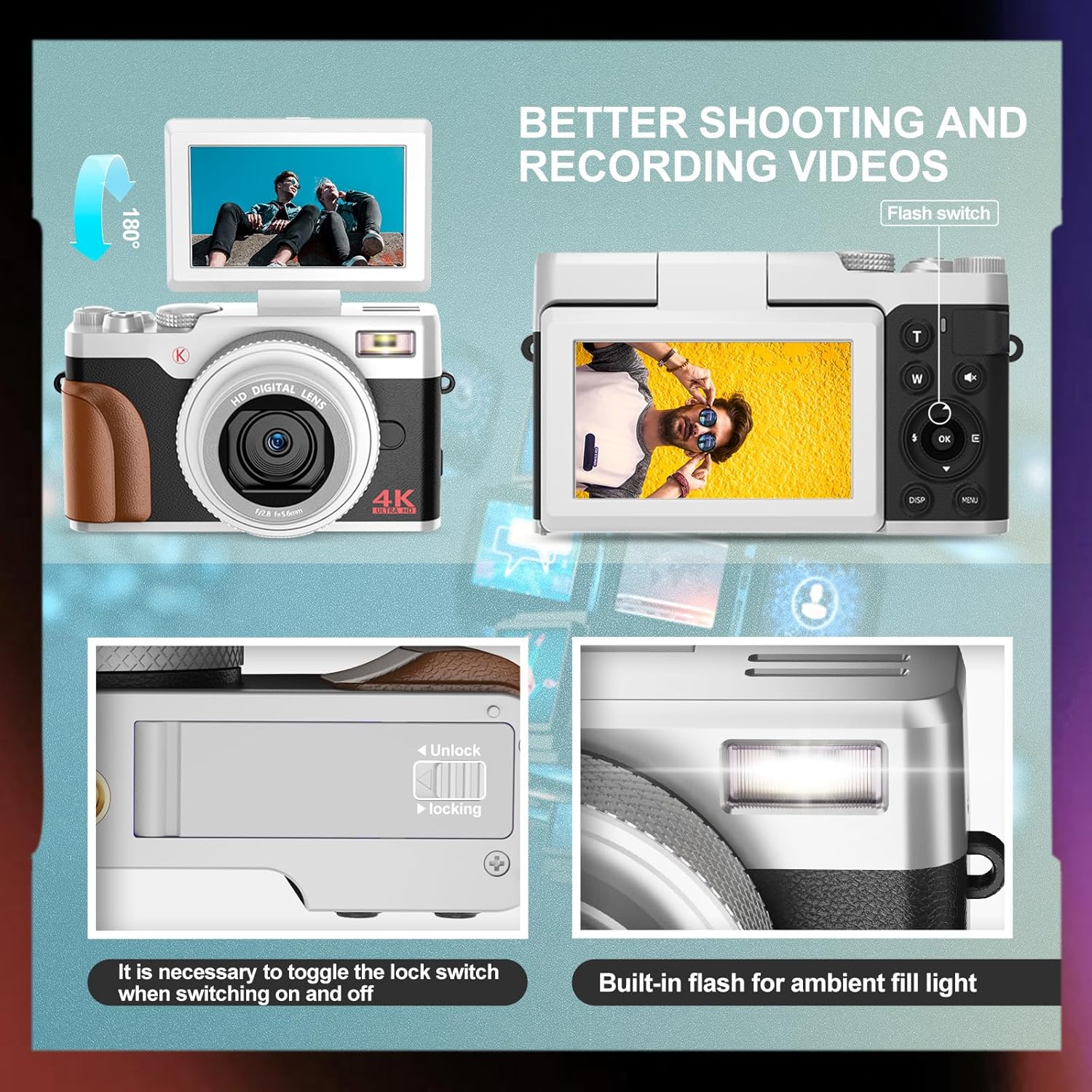
Slika: Spredaj in zadaj view of the NBD K100 camera, highlighting the adjustable screen, built-in flash, and the battery compartment lock switch.
- Objektiv: Glavna optična komponenta za zajemanje slik.
- Vgrajena bliskavica: Zagotavlja osvetlitev v slabih svetlobnih pogojih.
- 3-inch Rotatable Screen: Prikazi v živo view, meniji in predvajanje. Lahko se zavrti za 180 stopinj.
- Sprožilec: Half-press to activate autofocus, full-press to capture.
- Gumb za izbiro načina/vrtljivi gumb: Selects shooting modes (Photograph, Video, Slow Motion, Time-lapse, Continuous, Self-timer, Special Effects, Beauty Mode).
- Ročica za zoom (T/W): Adjusts 16X digital zoom.
- Gumb menija: Dostopi do nastavitev kamere.
- Gumb V redu: Potrjuje izbire.
- Gumbi za smer: Navigate menus and settings.
- Predal za baterije: Vsebuje polnilno baterijo.
- Reža za pomnilniško kartico: For inserting the SD card.
- Vrata USB: Za polnjenje in prenos podatkov.
Nastavitev
1. Namestitev baterije
- Poiščite pokrov predalčka za baterije na spodnji strani fotoaparata.
- Slide the lock switch to the "Unlock" position and open the cover.
- Insert the rechargeable battery according to the polarity indicators (+/-).
- Close the battery compartment cover and slide the lock switch to the "Lock" position.
2. Namestitev pomnilniške kartice
The camera supports SD cards up to 32GB (a 32GB card is included).
- Open the memory card slot cover, usually located near the battery compartment or on the side.
- Insert the SD card with the metal contacts facing the correct direction (refer to the diagram inside the slot). Push until it clicks into place.
- Zaprite pokrov reže za pomnilniško kartico.
3. Polnjenje baterije
The camera comes with two rechargeable batteries.
- Connect the camera to the power adapter using the provided USB cable.
- Priključite adapter v električno vtičnico.
- Indikatorska lučka polnjenja bo zasvetila. Ko je polnjenje končano, se bo izklopila ali spremenila barvo.
- The camera supports recording while charging.
Upravljanje kamere
1. Vklop/izklop
- Za vklop pritisnite in držite gumb za vklop.
- Za izklop ponovno pritisnite in držite gumb za vklop.
2. Osnove fotografiranja in snemanja videoposnetkov

Image: Visual representation of the camera's 4K video and 56MP photo capabilities, demonstrating 16X digital zoom and the difference between 2K and 4K output.
- Izberite način: Rotate the mode dial (Quick Rotary Button) to select between "Photograph" (still images) or "Video" (video recording).

Image: Diagram illustrating the Quick Rotary Button and its various shooting modes, including Photograph, Video, Slow Motion, and Special Effects.
- Fokus: Half-press the Shutter button to activate autofocus. The camera will adjust focus automatically.
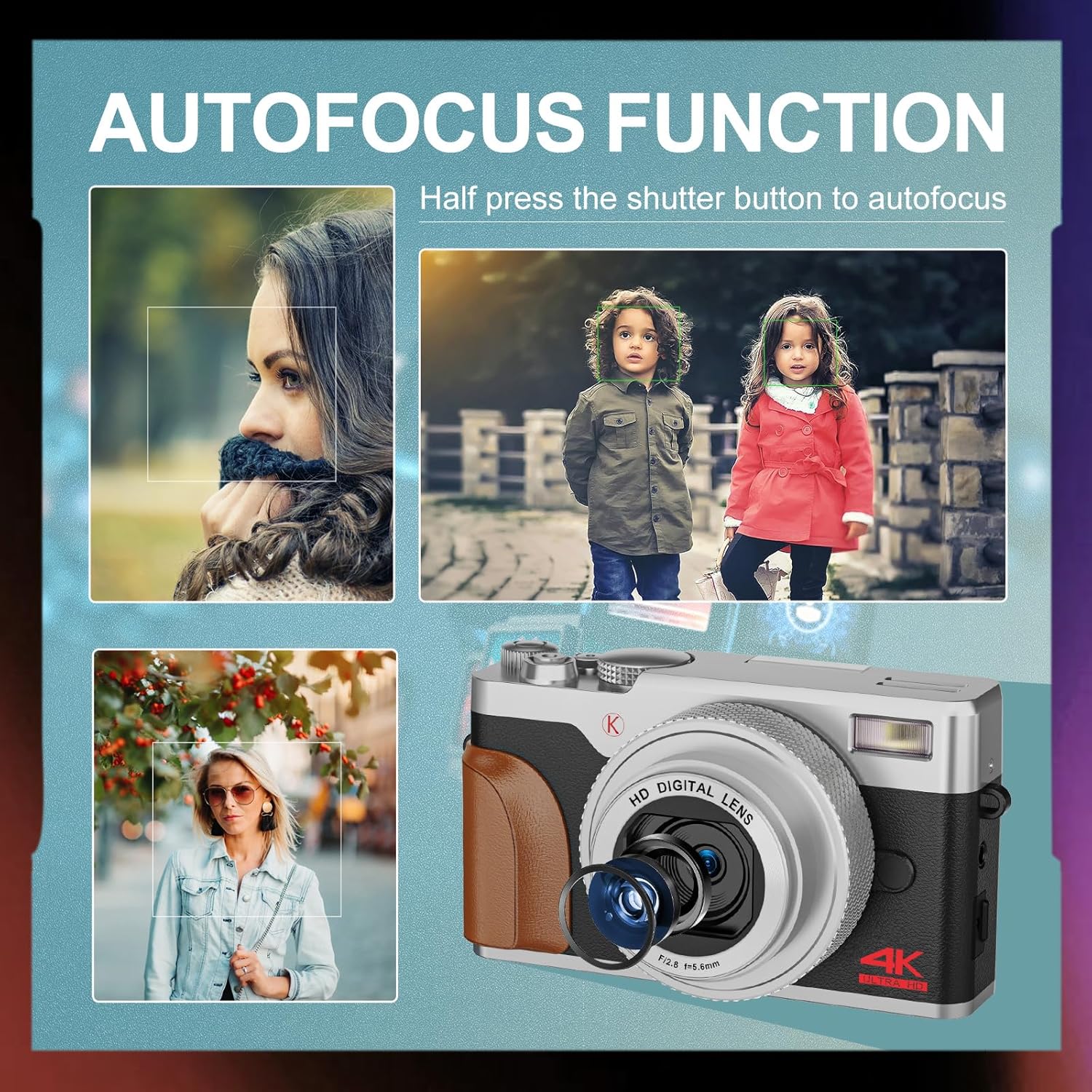
Slika: npramples of autofocus in action, showing subjects in sharp focus against blurred backgrounds, with the camera lens visible.
- Zajem: Full-press the Shutter button to take a photo or start/stop video recording.
- Zoom: Use the T (Telephoto) and W (Wide) levers to adjust the 16X digital zoom.
- Flash: The built-in flash can be used for low-light conditions. Access flash settings via the menu or a dedicated button (if available).
3. Napredni načini fotografiranja
The Quick Rotary Button allows selection of various advanced modes:
- Počasni video: Snema videoposnetke z višjo hitrostjo sličic za počasno predvajanje.
- Time-lapse Video: Captures a series of images over time and compiles them into a video.
- Neprekinjeno fotografiranje: Posname več fotografij v hitrem zaporedju.
- Samosprožilec: Delays the shutter release for self-portraits or group photos.
- Posebni učinki (učinki filtrov): Applies creative filters to your photos.
- Način lepotne fotografije: Enhances portraits.
4. Adjustable Screen
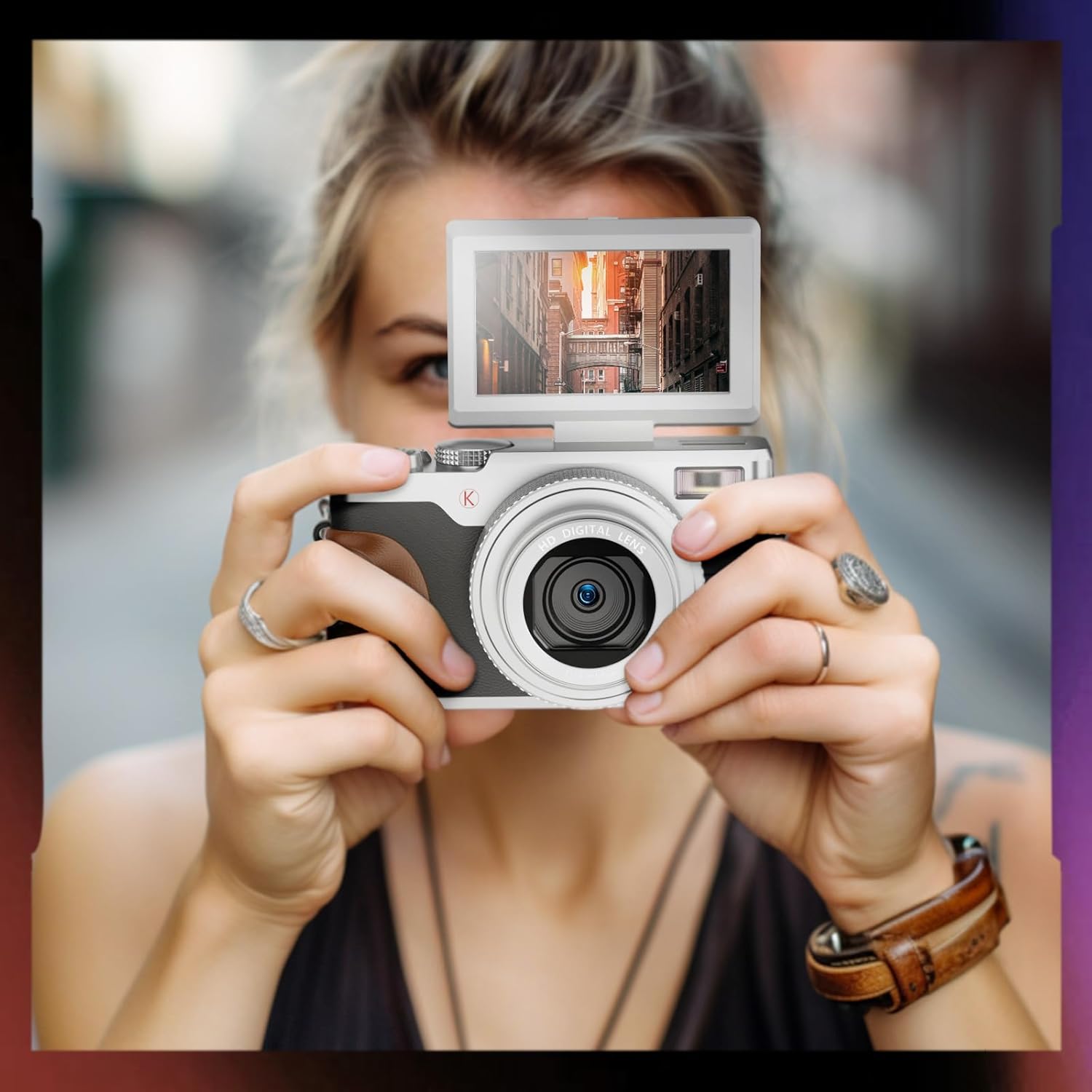
Image: A user holding the NBD K100 camera, demonstrating the 180-degree rotatable screen flipped upwards, ideal for selfies or vlogging.
The 3-inch screen can rotate 180 degrees, allowing for flexible viewing angles. This is particularly useful for vlogging, selfies, or shooting from high or low perspectives.
5. Webfunkcija cam

Image: The NBD K100 camera shown in two scenarios: recording video and functioning as a webcam connected to a laptop and a tablet for video conferencing.
Connect the camera to your computer via the USB cable to use it as a webcam for video calls or live streaming. Ensure the camera is powered on and select the webcam option if prompted.
Vzdrževanje
- Čiščenje leče: Uporabite mehko krpo, ki ne pušča vlaken in je posebej zasnovana za objektive fotoaparatov. Ne uporabljajte abrazivnih materialov ali agresivnih kemikalij.
- Čiščenje zaslona: Wipe gently with a microfiber cloth.
- Shranjevanje: When not in use for extended periods, remove the battery and store the camera in a cool, dry place.
- Vzdrževanje baterije: Recharge batteries regularly, even if not in use, to maintain their lifespan. Avoid fully discharging batteries.
Odpravljanje težav
| Težava | rešitev |
|---|---|
| Kamera se ne vklopi. | Ensure the battery is correctly inserted and fully charged. Try using the second battery. |
| Fotografiranje/snemanje videoposnetkov ni mogoče. | Check if the memory card is inserted correctly and has sufficient free space. Ensure the battery has enough charge. |
| Slike so zamegljene. | Ensure autofocus is engaged (half-press shutter). Clean the lens if dirty. Check lighting conditions. |
| Flash is not working. | Check flash settings in the menu. Ensure the flash is not physically obstructed. |
| Računalnik ne prepozna kamere. | Ensure the USB cable is securely connected. Try a different USB port or cable. Restart both camera and computer. |
Specifikacije
| Funkcija | Podrobnost |
|---|---|
| Znamka | NBD |
| Ime modela | K100 (A1) |
| Ločljivost foto senzorja | 56 Megapixels (48 Megapixels in some specifications) |
| Ločljivost zajema videa | 4K (3840 x 2160) |
| Digitalni zoom | 16X |
| Velikost zaslona | 3.0 inches (180-degree rotatable) |
| Senzorska tehnologija | CMOS |
| Tehnologija povezljivosti | USB |
| Podpora za pomnilniško kartico | SD Card (up to 32GB included) |
| Vrsta baterije | Litij ion |
| Vrsta zaslona | OLED (Color Screen) |
| Samodejno ostrenje | ja |
| Vgrajen Flash | ja |
| Stabilizacija slike | št |
| Avdio snemanje | ja |
Garancija in podpora
Za informacije o garanciji in tehnično podporo glejte garancijski list, ki je priložen paketu, ali obiščite uradno spletno stran NBD. website. If you encounter any issues not covered in this manual, please contact NBD customer service for assistance.
Kontaktni podatki: Prosimo, glejte embalažo izdelka ali navodila proizvajalca webspletno mesto za najnovejše kontaktne podatke.