
1. Uvod
This manual provides detailed instructions for the installation, operation, and maintenance of your EZoneTronics RM-26VW93-2G32 9-inch Android 11 Car Stereo. This universal car radio is designed for various VW models including Passat, Golf MK5, Golf MK6, Jetta, T5, EOS, POLO, Touran, Seat, and Sharan. It features an Android 11 operating system, integrated CarPlay and Android Auto, Bluetooth 5.0, FM/RDS radio, and GPS navigation. Please read this manual thoroughly before using the product to ensure proper function and safety.
2. Varnostne informacije
- Napravo vedno upravljajte odgovorno in v skladu z lokalnimi prometnimi predpisi. Vožnja z motnjami lahko povzroči nesreče.
- Do not attempt to install or repair the unit yourself if you are not qualified. Improper installation can cause damage to the vehicle's electrical system or the unit itself.
- Prepričajte se, da so vse žice pravilno priključene in izolirane, da preprečite kratek stik.
- Napravo hranite stran od vode in prekomerne vlage.
- Izogibajte se izpostavljanju enote ekstremnim temperaturam.
3. Vsebina paketa
Preverite, ali so v vašem paketu priloženi vsi spodaj navedeni elementi:
- 1 x EZoneTronics Android Car Stereo Unit
- 1 x GPS antena
- 1 x VW Wiring Harness
- 1 x CANBUS škatla
- 1 x adapter za radijsko anteno
- 1 x USB adapter
- 1 x Uporabniški priročnik (ta dokument)
4. Izdelek je končanview
The EZoneTronics RM-26VW93-2G32 is a 9-inch universal car stereo designed to enhance your driving experience with advanced features and seamless integration. Key features include:
- Sistem Android 11: Provides a fast, stable, and user-friendly operating environment.
- 9-inch TFT Capacitive Touchscreen: High-definition display with 1280 x 720 pixels for clear visuals.
- Integrated CarPlay & Android Auto: Connect your smartphone via USB for navigation, music, calls, and messages.
- Bluetooth 5.0: For hands-free calling, phonebook access, and audio streaming (A2DP).
- GPS navigacija: Built-in receiver compatible with various navigation apps like Waze, Navfree, and Google Maps.
- FM/RDS radio: Automatic memory and preset scanning for your favorite stations.
- Podpora za upravljanje na volanu: Retains original vehicle steering wheel control functionality via CANBUS.
- multimedijski predvajalnik: Supports various audio and video formats.
- Vhod za zadnjo kamero: Supports CVBS/AHD cameras for parking assistance.
- 32 GB bliskovnega pomnilnika: Ample storage for music, map data, and videos.
- 4 x 45W Output Power: Zagotavlja jasen in močan zvok.
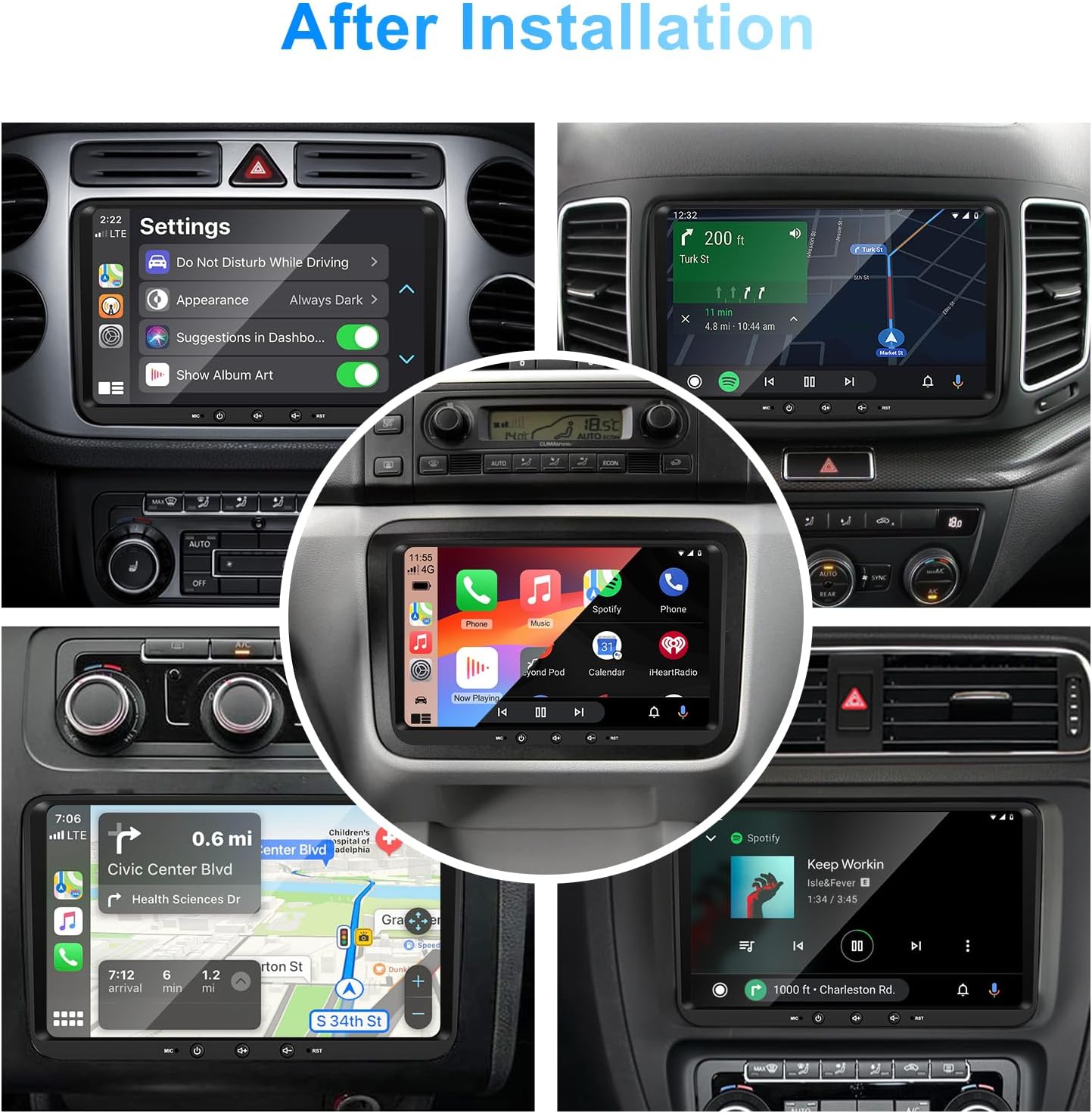
Slika 1: Spredaj view of the EZoneTronics 9-inch Android 11 Car Stereo unit, showcasing its large touchscreen display and sleek design.
5. Nastavitev in namestitev
Priporočljiva je profesionalna namestitev. Pred začetkom namestitve se prepričajte, da je napajanje vozila izklopljeno.
5.1 Shema ožičenja
Refer to the following diagram for proper wiring connections. Each connector is labeled for clarity.

Image 2: Detailed wiring diagram illustrating connections for the power harness, CANBUS box, USB extension, backup camera video input, radio antenna adapter, and GPS antenna.
5.2 Koraki namestitve (splošno)
- Odstrani originalno enoto: Carefully remove your vehicle's existing car stereo unit and trim panels.
- Priključite napajalni kabel: Connect the provided VW wiring harness to the vehicle's wiring and then to the car stereo unit. Ensure all connections are secure.
- Connect CANBUS Box: Integrate the CANBUS box as shown in the wiring diagram. This enables steering wheel controls and other vehicle data integration.
- Priključitev GPS antene: GPS anteno namestite na mesto z neoviranim view of the sky (e.g., dashboard or windshield corner) and connect it to the unit.
- Connect Radio Antenna: Use the provided radio antenna adapter to connect the vehicle's radio antenna to the unit.
- Connect USB Adapters: Connect the USB extension harnesses for external USB devices.
- Izbirne povezave: Connect any optional accessories such as a backup camera (CVBS/AHD), external amplifier (RCA output), or additional video inputs/outputs.
- Testna funkcionalnost: Before fully reassembling the dashboard, temporarily connect the unit and test all functions (power, audio, radio, GPS, Bluetooth, steering wheel controls, camera).
- Varna enota: Once all functions are verified, secure the car stereo unit in the dashboard and reassemble all trim panels.
6. Navodila za uporabo
This section details the primary functions and operations of your EZoneTronics car stereo.
6.1 Osnovna operacija
- Vklop/izklop: Press and hold the power button (usually on the front panel) to turn the unit on or off. A short press typically mutes/unmutes audio.
- Nadzor glasnosti: Use the physical volume knob or the on-screen controls to adjust the audio level.
- Vmesnik zaslona na dotik: Navigate through menus and applications by tapping, swiping, and pinching on the 9-inch capacitive touchscreen.
Sistem 6.2 Android 11
The unit runs on Android 11, providing a familiar smartphone-like experience. You can download and install various applications from the Google Play Store.

Image 3: Screenshot of the Android 11 system interface, showing various applications and media options available on the car stereo.
6.3 CarPlay in Android Auto
Connect your iPhone or Android smartphone via USB to access CarPlay or Android Auto. This allows for safe and convenient use of phone features while driving.
- Povezava: Connect your smartphone to one of the unit's USB ports using a certified USB cable.
- Aktivacija: The unit should automatically detect and prompt you to launch CarPlay or Android Auto. Follow on-screen instructions.
- Lastnosti: Access navigation, make calls, send/receive messages, and play music using voice commands (Siri or Google Assistant) or the touchscreen.

Image 4: Display showing the CarPlay interface with Siri voice commands and the Android Auto interface with Google Assistant commands, demonstrating smartphone integration.
6.4 GPS navigacija
The unit includes a built-in GPS receiver and supports various navigation applications.
- Pre-installed Maps: Sygic Maps are typically pre-installed. For offline use, download regional map data as needed.
- Spletna navigacija: Connect to Wi-Fi or use a mobile hotspot to access real-time traffic information and online map services like Google Maps.
- External GPS Antenna: Ensure the external GPS antenna is properly connected and positioned for optimal signal reception.

Image 5: The car stereo displaying an online navigation map, showing a route and real-time traffic conditions within a vehicle dashboard.
6.5 Bluetooth 5.0
Connect your smartphone via Bluetooth for hands-free communication and audio streaming.
- Seznanjanje: Enable Bluetooth on your smartphone and search for the car stereo (e.g., "EZoneTronics"). Select the device and confirm the pairing code.
- Prostoročno telefoniranje: Make and receive calls directly from the car stereo. Access your phonebook and recent call history.
- Pretakanje zvoka (A2DP): Play music from your smartphone through the car stereo's speakers.

Image 6: The car stereo displaying music playback via Bluetooth 5.0, with a smartphone shown next to it also playing music, illustrating the wireless audio connection.
6.6 FM/RDS radio
Access local radio stations with the built-in FM/RDS tuner.
- tuning: Use the on-screen controls to manually tune to frequencies or perform an automatic scan for available stations.
- Prednastavitve: Shranite svoje najljubše postaje na prednastavljene gumbe za hiter dostop.
- RDS (radijski podatkovni sistem): Displays station information such as song title, artist, or program type where available.
6.7 Nadzor na volanu
The unit supports your vehicle's original steering wheel controls through the CANBUS box, allowing you to manage audio and other functions without taking your hands off the wheel.
- Funkcionalnost: Control volume, change tracks, answer calls, and switch modes directly from your steering wheel.
- Konfiguracija: In some cases, steering wheel controls may require initial configuration in the unit's settings menu.

Image 7: Illustration showing a steering wheel with control buttons and corresponding icons on the car stereo display, indicating seamless integration of steering wheel controls.
6.8 Audio Settings (32-Band EQ)
Customize your audio experience with the built-in 32-band equalizer and other sound controls.
- Izenačevalnik: Adjust frequency bands to fine-tune the sound output to your preference.
- Prednastavljeni načini izenačevalnika: Select from various preset equalizer modes (e.g., Pop, Rock, Jazz, Classic).
- Fader/Ravnotežje: Prilagodite porazdelitev zvoka med sprednjimi/zadnjimi in levimi/desnimi zvočniki.
- Glasnost: Enhance bass and treble at low volume levels.

Image 8: Screenshot of the car stereo's 32-band equalizer interface, showing adjustable frequency sliders and preset sound modes, along with a visual representation of sound distribution in a car cabin.
6.9 After Installation Overview
Once installed, the unit provides a comprehensive interface for various functions, including system settings, navigation, media playback, and vehicle information.
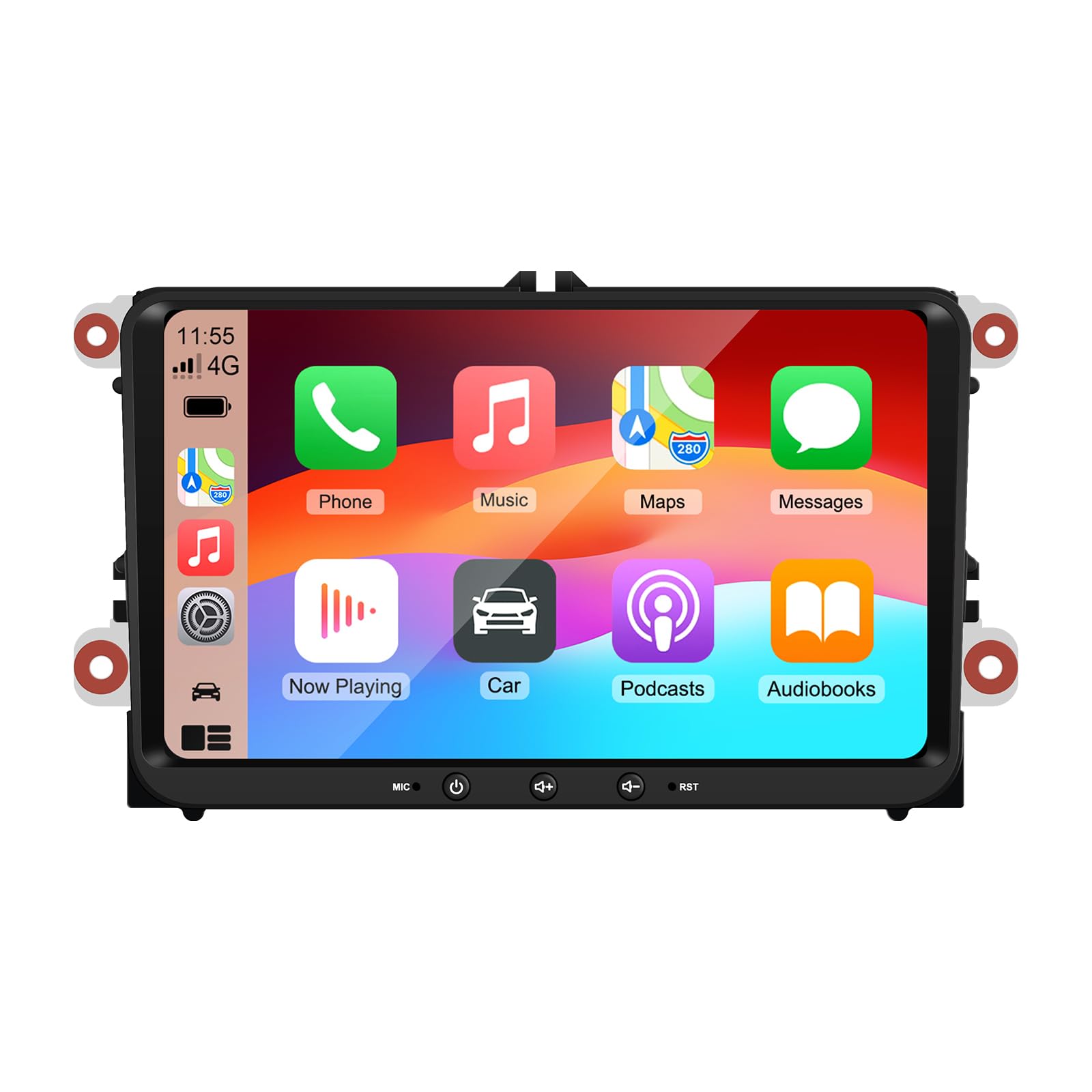
Image 9: A collage of various screen displays from the car stereo after installation, showing settings, navigation, CarPlay, Spotify, and vehicle information screens.
7. Vzdrževanje
- Čiščenje zaslona: Zaslon na dotik nežno obrišite z mehko krpo, ki ne pušča vlaken. Za trdovratne madeže rahlo obrišiteampkrpo obrišite z vodo ali čistilom za zaslone. Izogibajte se agresivnim kemikalijam.
- Posodobitve programske opreme: Periodically check for software updates through the unit's settings menu or the manufacturer's webspletno mesto, da se zagotovi optimalno delovanje in dostop do novih funkcij.
- Ponastavitev sistema: If the unit experiences persistent issues, a factory reset option is available in the settings. Note that this will erase all user data and settings.
8. Odpravljanje težav
If you encounter problems with your EZoneTronics car stereo, refer to the following common issues and solutions:
| Težava | Možen vzrok | rešitev |
|---|---|---|
| Enota se ne vklopi. | Nepravilno ožičenje; Pregorela varovalka; Težava z napajanjem vozila. | Preverite napajalne priključke in varovalke. Posvetujte se s strokovnim monterjem. |
| Brez zvoka. | Volume muted; Speaker wiring incorrect; Ampvprašanje lifierja. | Check volume and mute settings. Verify speaker connections. |
| GPS signal izgubljen ali netočen. | GPS antena je nepravilno nameščena ali odklopljena. | Zagotovite, da ima antena GPS neoviran view neba in je varno povezan. |
| Bluetooth seznanjanje ne uspe. | Bluetooth not enabled on phone/unit; Incorrect pairing process. | Ensure Bluetooth is active on both devices. Restart pairing process. |
| Upravljanje na volanu ne deluje. | CANBUS box not connected; Incorrect configuration. | Verify CANBUS box connection. Check steering wheel control settings in the unit. |
9. Specifikacije
Technical specifications for the EZoneTronics RM-26VW93-2G32 car stereo:
| Funkcija | Specifikacija |
|---|---|
| Številka modela | RM-26VW93-2G32 |
| Operacijski sistem | Android 11 |
| Velikost zaslona | 9 palcev |
| Ločljivost zaslona | 1280 x 720 slikovnih pik |
| Procesor | Quad Core 1.5G |
| RAM | 2G DDR4 |
| Notranji pomnilnik | 32 GB bliskovnega pomnilnika |
| Različica Bluetooth | 5.0 |
| Izhodna moč | 4 x 45 W (skupaj 180 W) |
| Število kanalov | 2 |
| GPS sprejemnik | Built-in, with external antenna |
| Wi-Fi | Vgradna |
| USB vhod | 2 x zadnji USB |
| Vnos kamere | CVBS/AHD compatible |
| Proizvajalec | Rhythm Electronics Limited |
10. Garancija in podpora
10.1 Informacije o garanciji
The EZoneTronics RM-26VW93-2G32 car stereo comes with a 1-letna garancija od datuma nakupa. Ta garancija krije proizvodne napake in okvare pri normalni uporabi. Ne krije škode, ki jo povzroči nepravilna namestitev, zloraba, nesreče ali nepooblaščene spremembe.
10.2 Podpora strankam
For technical assistance, warranty claims, or any questions regarding your product, please contact our customer support team:
- E-pošta: podpora@ezonetronics.com
When contacting support, please provide your product model number (RM-26VW93-2G32) and a detailed description of the issue.