
Uvod
Thank you for choosing the Xmenha Mini Invisible Bluetooth Earbuds Y9. These earbuds are designed for discreet, comfortable listening, featuring a compact size and ergonomic fit suitable for small ears. This manual provides essential information for setting up, operating, maintaining, and troubleshooting your earbuds to ensure optimal performance and longevity.
Vsebina paketa
- Xmenha Mini Invisible Bluetooth Earbuds (1 pair)
- etui za polnjenje
- USB polnilni kabel
- Uporabniški priročnik
- Silicone Eartips (various sizes)
Konec izdelkaview
The Xmenha Y9 earbuds are engineered for a low-profile fit and high-quality audio. Below are visual representations of the product and its key features.

Image: The Xmenha Y9 mini earbud is shown held by a finger, highlighting its exceptionally small and discreet design next to its charging case.

Slika: Bližnji posnetek view of a woman's ear demonstrates how the Xmenha Y9 earbud sits almost entirely within the ear canal, making it nearly invisible.

Image: A visual guide illustrating the simple one-step Bluetooth pairing process between the Xmenha Y9 earbuds and a smartphone.
Video: Official product video demonstrating the features and compact design of the Xmenha Y9 Mini Bluetooth Earbuds.
Nastavitev
1. Polnjenje slušalk in etuija
Before first use, fully charge the earbuds and charging case. The charging case provides additional power for on-the-go use.
- Slušalke vstavite v polnilno ohišje. Za začetek polnjenja se prepričajte, da so pravilno nameščene.
- Priključite polnilni kabel USB na polnilno vtičnico na ohišju in vir napajanja (npr. vrata USB računalnika, stenski adapter).
- Indikatorske lučke na ohišju bodo prikazovale stanje polnjenja. Za prikaz polne napolnjenosti glejte specifične vzorce lučk na ohišju.
- A single charge provides approximately 4 hours of playback time. The fully charged case can extend total listening time to about 30 hours.

Image: This graphic illustrates the battery performance, showing 4-5 hours of playback on a single earbud charge and up to 30 hours total with the charging case.
2. Bluetooth seznanjanje
The earbuds feature automatic pairing for convenience.
- Prvič seznanjanje: Odprite polnilno ohišje. Slušalke se bodo samodejno vklopile in preklopile v način seznanjanja.
- V napravi (pametnem telefonu, tabličnem računalniku itd.) omogočite Bluetooth in poiščite razpoložljive naprave.
- Select "Y9" from the list of available devices to connect. Once connected, you will hear a confirmation tone.
- Naknadno združevanje: After the initial connection, the earbuds will automatically connect to the last paired device when removed from the charging case.
Navodila za uporabo
1. Nošenje slušalk
For optimal sound quality and comfort, ensure the earbuds are properly seated in your ear canal.
- Prepoznajte levi (L) in desni (R) ušesni čepki.
- Vsako ušesno slušalko nežno vstavite v ustrezen sluhovod.
- Rotate the earbud slightly until it feels secure and comfortable. The ergonomic design is intended to fit snugly and discreetly.
- Experiment with different silicone eartip sizes to find the best fit for noise isolation and comfort.

Slika: Stranski profesionalecfile view showing the Xmenha Y9 earbud worn discreetly, demonstrating its low-profile oblikovanje.

Image: A man and woman are shown wearing the Xmenha Y9 invisible Bluetooth earbuds, highlighting their comfortable and discreet fit for various ear sizes.
2. Dotaknite se Controls
The Xmenha Y9 earbuds feature intuitive touch controls on each earbud for managing audio playback and calls.
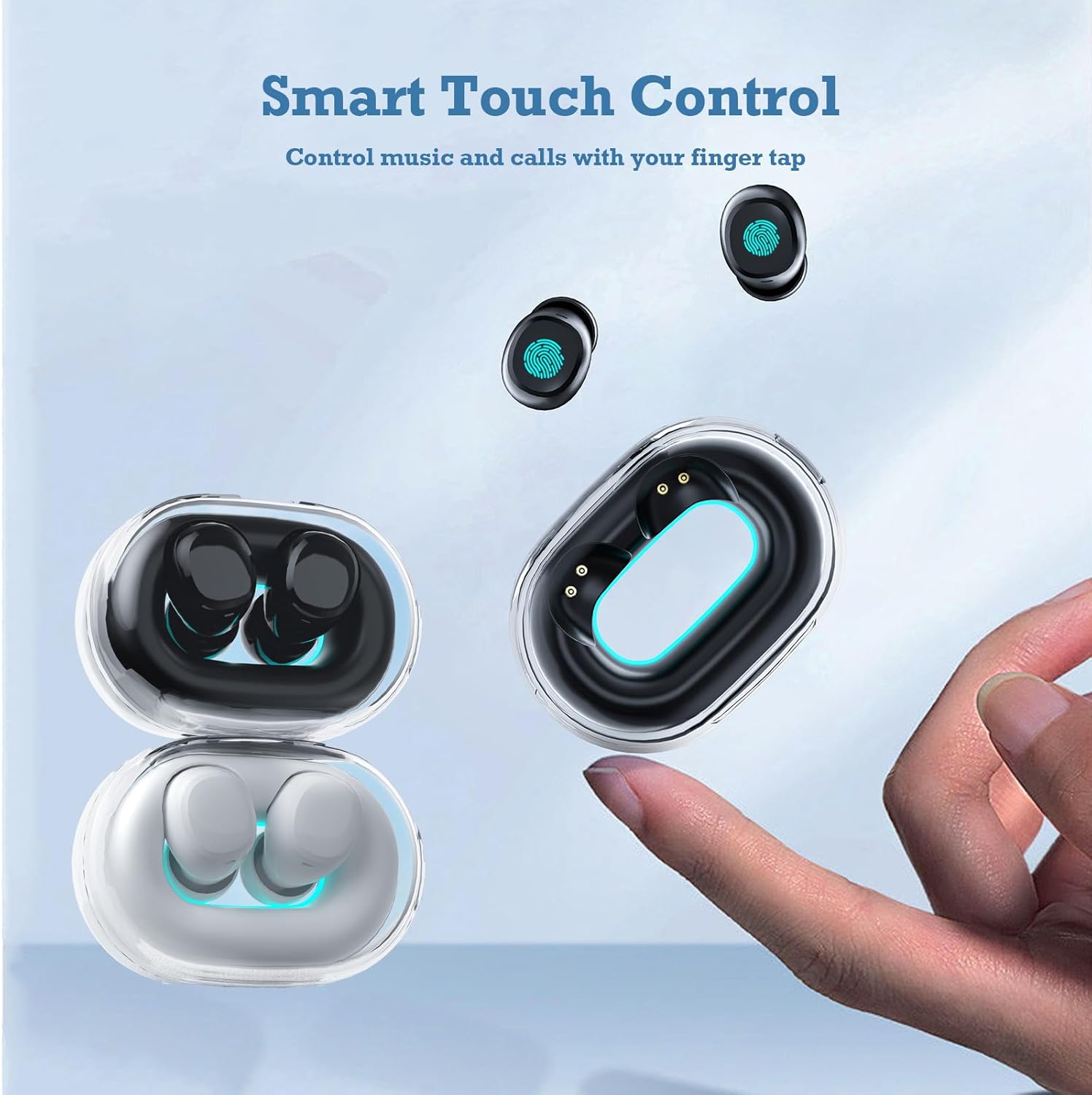
Image: A hand interacts with an Xmenha Y9 earbud, illustrating the smart touch control functionality for managing media and calls.
| Akcija | funkcija |
|---|---|
| Enkratni dotik (levo/desno) | Predvajanje/začasna ustavitev glasbe, sprejem/končanje klica |
| Dvojni tap (desno) | Naslednja skladba |
| Dvojni tap (levo) | Prejšnja skladba |
| Trojni tap (levo/desno) | Aktivirajte glasovnega pomočnika |
| Dolg pritisk (2 sekund) | Zavrni klic |
Vzdrževanje
1. Čiščenje
Redno čiščenje pomaga ohranjati kakovost zvoka in higieno.
- Za brisanje slušalk in polnilnega ohišja uporabite mehko, suho krpo, ki ne pušča vlaken.
- Za trdovratno umazanijo rahlo dampKrpo obrišite z vodo ali blagim, neabrazivnim čistilom. Pazite, da tekočina ne pride v odprtine.
- Remove silicone eartips and clean them separately with water and mild soap, then dry thoroughly before reattaching.
- Ne uporabljajte agresivnih kemikalij, alkohola ali abrazivnih materialov.
2. Shranjevanje
Proper storage extends the lifespan of your earbuds.
- Slušalke vedno shranjujte v polnilni škatlici, ko jih ne uporabljate, da jih zaščitite in ohranite napolnjene.
- Store the case and earbuds in a cool, dry place, away from direct sunlight, extreme temperatures, and humidity.
Odpravljanje težav
If you encounter issues with your Xmenha Y9 earbuds, try the following solutions:
- Slušalke se ne morejo seznaniti: Ensure both earbuds are charged. Place them back in the case, close it, then open it again to re-enter pairing mode. Delete "Y9" from your device's Bluetooth list and try pairing again.
- Iz ene slušalke ni zvoka: Ensure both earbuds are charged. Try resetting the earbuds (refer to the full product manual if available for specific reset instructions). Re-pair with your device.
- Težave s polnjenjem: Check the charging cable and power source. Ensure the earbuds are correctly seated in the charging case. Clean the charging contacts on both the earbuds and the case.
- Slaba kakovost zvoka: Ensure the earbuds are properly inserted and the correct size eartips are used for a good seal. Clean any debris from the earbud nozzles. Move closer to your connected device to avoid interference.
- Izpadanje slušalk: Try different sizes of silicone eartips to find a more secure fit. Ensure they are inserted correctly as described in the "Wearing the Earbuds" section.
Specifikacije
| Funkcija | Podrobnost |
|---|---|
| Znamka | Xmenha |
| Številka modela | Xmenha-GWC-Y9-Black |
| Ime modela | AK57 |
| barva | Temno črna |
| Namestitev ušesa | V ušesu |
| Faktor oblike | V ušesu |
| Nadzor hrupa | Zvočna izolacija |
| Tehnologija povezljivosti | Brezžično (Bluetooth) |
| Različica Bluetooth | 5.0 |
| Bluetooth obseg | 10 metrov |
| Vrsta nadzora | Nadzor hrupa |
| Nadzorna metoda | Daljinski upravljalnik (na dotik) |
| Vrsta zvočnega gonilnika | Dinamični gonilnik |
| Frekvenčno območje | 20 Hz - 20,000 Hz |
| Material ohišja | Plastika |
| Stopnja vodoodpornosti | Vodotesen |
| Battery Average Life (Single Charge) | 4 ur |
| Skupna življenjska doba baterije (s polnilnim ohišjem) | Do 30 uri |
| Teža (slušalke) | Approximately 0.71 ounces (total for both) |
| Dimenzije (slušalke) | Približno 0.3 x 0.2 x 0.5 palca |
Garancija in podpora
For detailed warranty information, please refer to the documentation included with your purchase or contact the retailer. If you require further assistance or have questions not covered in this manual, please reach out to Xmenha customer support through their official channels or the platform where you purchased the product.