
VBESTLIFE VBESTLIFE835b70pq4s-11
VBESTLIFE Mini 4 Keys Copy Paste Enter Macro Keypad User Manual
Model: VBESTLIFE835b70pq4s-11
1. Izdelek je končanview
The VBESTLIFE Mini 4 Keys Macro Keypad is a compact, programmable mechanical keyboard designed for efficiency in various applications, including office work, gaming, music production, and industrial control. It features four customizable keys, typically pre-programmed for common shortcuts like Ctrl, C, V, and Enter, and utilizes durable red mechanical switches.
Ključne značilnosti:
- 4 programabilnih tipk: Designed with four keys (Ctrl, C, V, Enter) for a variety of programming settings and single-handed operation.
- Plug and Play: Simple connection without the need for complex driver installations. Settings are saved directly on the keypad, eliminating the need for re-configuration when switching devices.
- Prilagodljive funkcije: All key functions of a standard keyboard can be easily assigned, allowing for complex shortcut combinations.
- Žična povezava USB: Ensures stable and reliable performance.
- Široka združljivost: Supports various operating systems including Dos, Windows, Linux, OS X Laptop, and Android.
- Rdeča mehanska stikala: Zagotavlja odzivno in taktilno izkušnjo tipkanja.
- NKRO Support: N-Key Rollover ensures all key presses are registered accurately, even during rapid input.
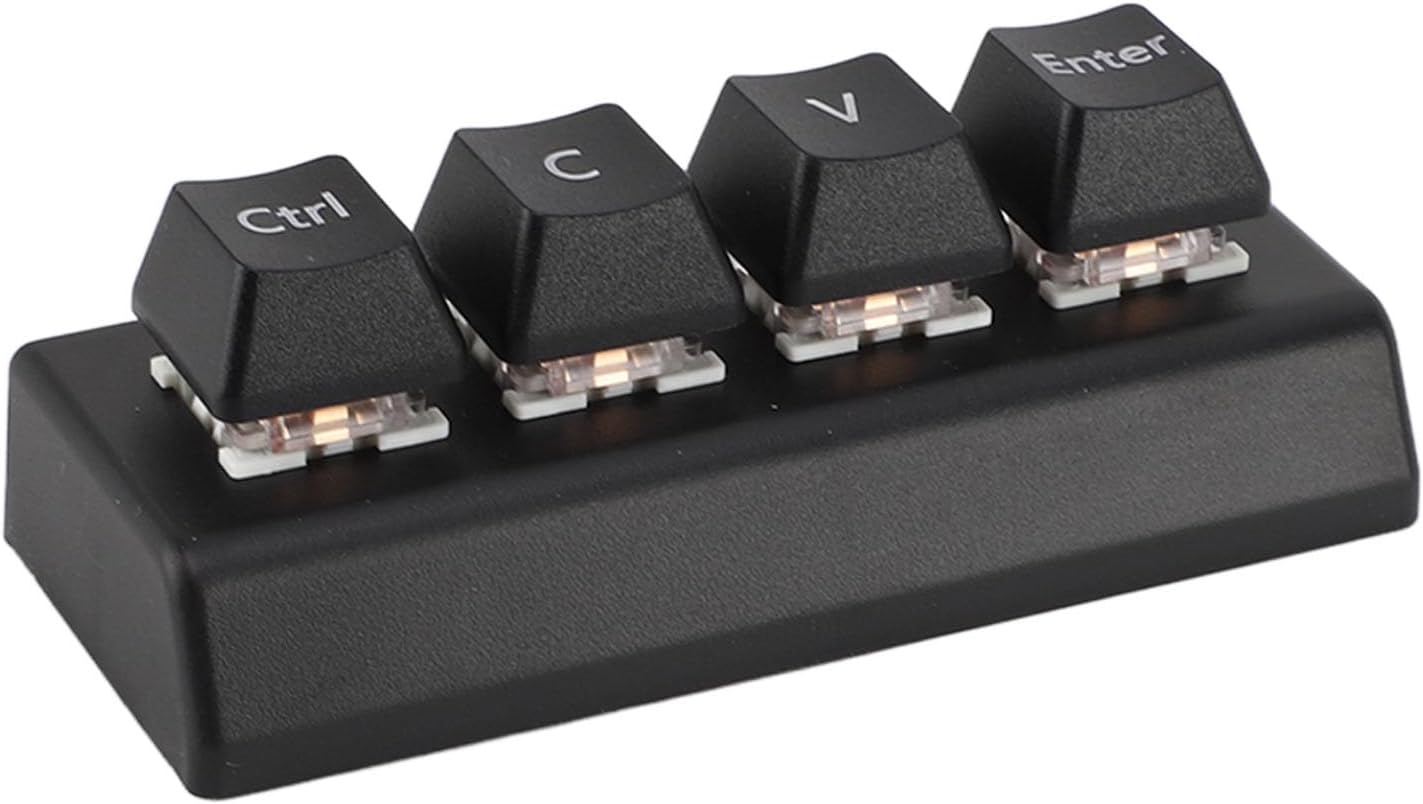
Image 1.1: The VBESTLIFE Mini 4 Keys Macro Keypad, showcasing its compact design and the four labeled keys: Ctrl, C, V, and Enter.
2. Vsebina paketa
Preverite, ali so v paketu vsi spodaj navedeni predmeti. Če kateri koli predmeti manjkajo ali so poškodovani, se obrnite na podporo strankam.
- 1 x VBESTLIFE Mini 4 Keys Programmable Keypad
- 1 x USB kabel
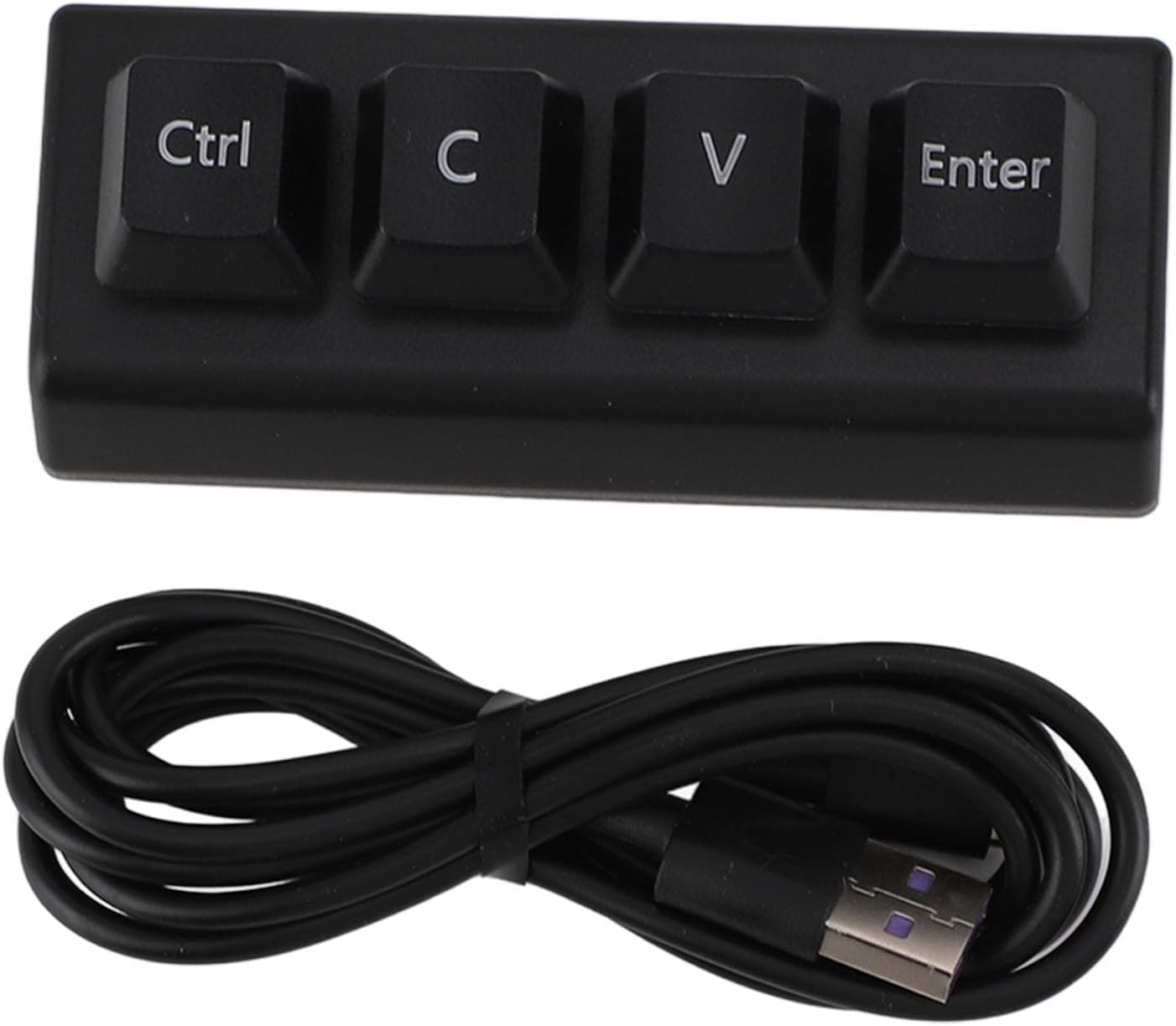
Image 2.1: The keypad and its accompanying USB cable, as found in the product package.
3. Specifikacije
| Ime modela | VBESTLIFE835b70pq4s-11 |
| Znamka | VBESTLIFE |
| Tehnologija povezljivosti | USB-A, USB-C |
| Opis tipkovnice | Gaming (Macro Keypad) |
| Priporočene uporabe | Gaming, Office, Music, Media, Industrial Control, Laboratory, Production Line Testing |
| barva | Črna |
| Material | Akrilonitril butadien stiren (ABS) |
| Teža predmeta | 2.68 unč |
| Dimenzije paketa | 7.87 x 5.12 x 1.57 palcev |
| Združljive naprave | Laptop, PC (Dos, Windows, Linux, OS X, Android) |
4. Navodila za namestitev
The VBESTLIFE Mini 4 Keys Macro Keypad is designed for simple plug-and-play functionality. Follow these steps to set up your device:
- Priključite USB kabel: Locate the USB-C port on the back of the keypad. Insert one end of the provided USB cable into this port.
- Povežite se z računalnikom: Insert the other end of the USB cable (USB-A) into an available USB port on your computer or compatible device.
- Prepoznavanje sistema: Your operating system should automatically detect and install the necessary drivers for the keypad. This process usually takes a few seconds. No additional software installation is typically required for basic functionality.
- Preverite funkcionalnost: Once connected, the default functions (Ctrl, C, V, Enter) should be immediately available. Test each key to ensure proper operation.
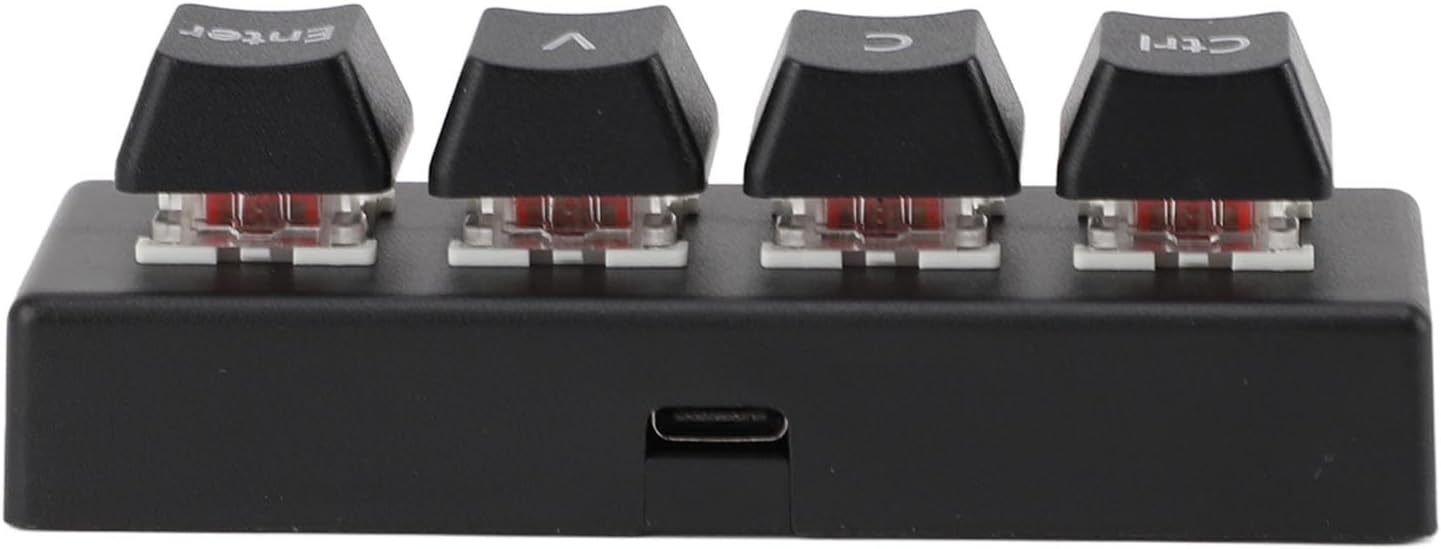
Slika 4.1: Zadaj view of the keypad, highlighting the USB-C connection port for easy setup.

Image 4.2: The keypad connected to a computer, demonstrating its use in a typical workstation environment. It is compatible with various operating systems including Dos, Windows, Linux, OS X Laptop, and Android.
5. Navodila za uporabo
The VBESTLIFE Mini 4 Keys Macro Keypad offers programmable functionality, allowing you to customize each of its four keys to suit your specific needs. The default keys are Ctrl, C, V, and Enter.
5.1 Default Key Functions
- Ctrl: Functions as the Control key.
- C: Functions as the 'C' key, often used in combination with Ctrl for 'Copy'.
- V: Functions as the 'V' key, often used in combination with Ctrl for 'Paste'.
- Vnesite: Functions as the Enter key.
5.2 Programming the Keypad
The keypad's programmable design allows you to assign any standard keyboard function or complex shortcut combination to its keys. The settings are saved directly within the keypad's internal memory, meaning you do not need to re-program it when connecting to a different device.
To program the keypad, you will typically need to use a dedicated software provided by the manufacturer or a third-party macro programming tool compatible with generic USB HID devices. Please refer to the manufacturer's website or included software (if applicable) for detailed instructions on how to access and use the programming interface.
Ključne programerske sposobnosti:
- Assign single key presses (e.g., 'A', 'F1', 'Space').
- Assign modifier key combinations (e.g., Ctrl+Z, Alt+Tab, Shift+Delete).
- Assign complex macro sequences (e.g., a series of key presses for a specific task).
The keypad supports N-Key Rollover (NKRO), ensuring that all simultaneous key presses are registered accurately, which is beneficial for rapid input scenarios in gaming or complex data entry.
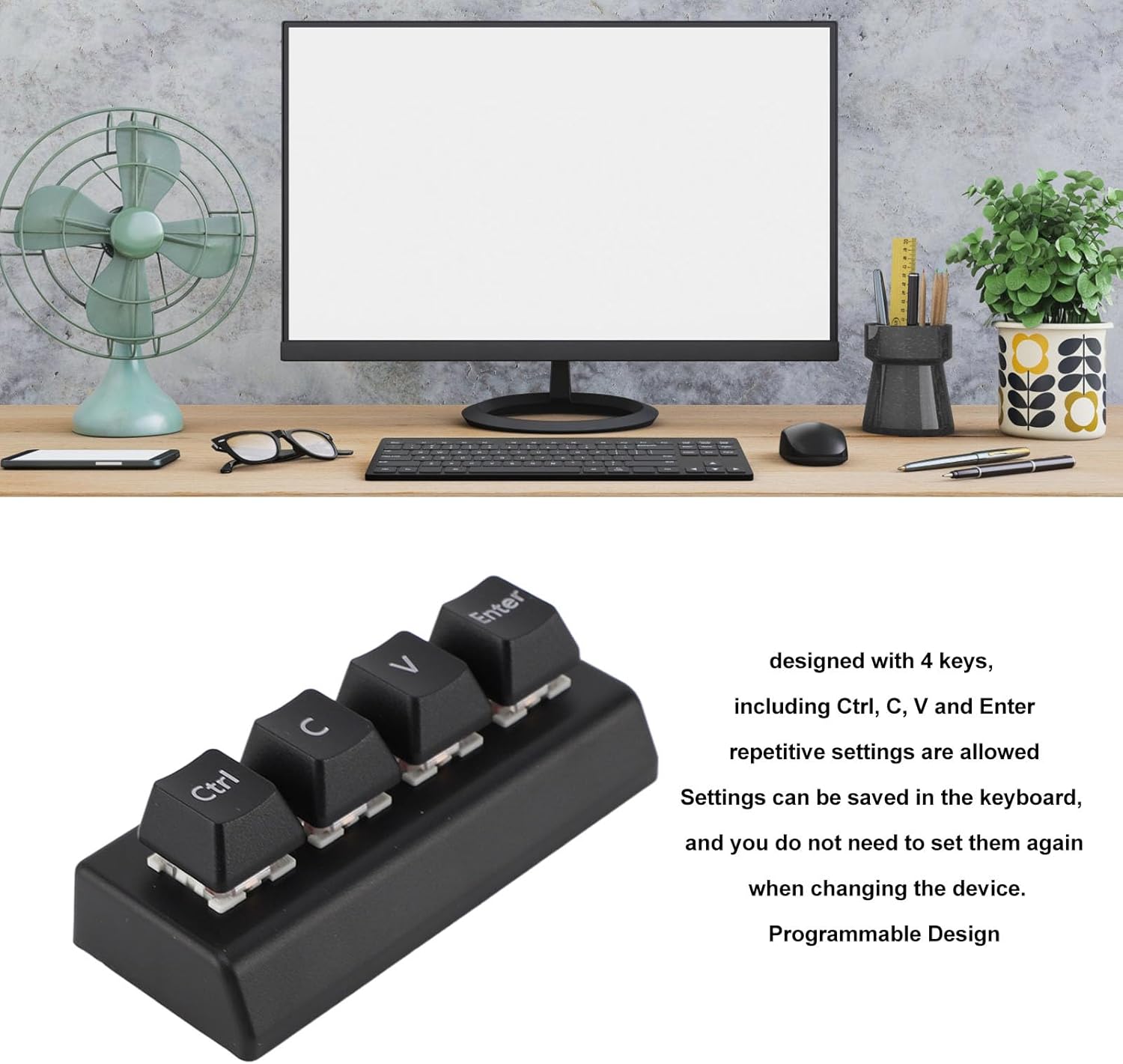
Image 5.1: The keypad illustrating its programmable design. Repetitive settings are allowed, and configurations are saved on the device, eliminating the need for re-setting when changing devices.

Image 5.2: A close-up of the keypad's keys, revealing the red mechanical switches underneath, which provide tactile feedback and durability.
6. Nega in vzdrževanje
Proper care and maintenance will extend the lifespan of your VBESTLIFE Mini 4 Keys Macro Keypad.
- Čiščenje: Za brisanje površine tipkovnice uporabite mehko, suho krpo. Za trdovratno umazanijo rahlo obrišiteampKrpo sperite z vodo ali blagim, neabrazivnim čistilom. Izogibajte se prekomerni vlagi.
- Odstranjevanje prahu: Za odstranjevanje prahu in umazanije med tipkami uporabite stisnjen zrak.
- Izogibajte se tekočinam: Do not expose the keypad to liquids. In case of accidental spills, immediately disconnect the keypad from your computer and allow it to dry completely before reconnecting.
- Shranjevanje: Store the keypad in a cool, dry place away from direct sunlight and extreme temperatures.
- Ravnanje: Avoid dropping the keypad or subjecting it to strong impacts, as this may damage internal components.
7. Odpravljanje težav
If you encounter issues with your VBESTLIFE Mini 4 Keys Macro Keypad, please refer to the following troubleshooting steps:
7.1 Tipkovnica se ne odziva
- Preverite povezavo USB: Ensure the USB cable is securely connected to both the keypad and your computer. Try plugging it into a different USB port.
- Test z drugo napravo: Connect the keypad to another computer or compatible device to determine if the issue is with the keypad or the original device.
- Znova zaženite računalnik: Včasih lahko težave s povezljivostjo odpravi že preprost ponovni zagon sistema.
- Preverite upravitelja naprav (Windows): Open Device Manager and check under 'Keyboards' or 'Human Interface Devices' to see if the keypad is recognized and if there are any error symbols.
7.2 Keys Not Performing Assigned Functions
- Preverjanje programiranja: If you have programmed the keys, ensure the correct functions were saved. Re-program the keys if necessary.
- Konflikti programske opreme: Check if any other software or applications are interfering with the keypad's input. Temporarily close other programs and test again.
- Ponastavi na privzeto: If programming issues persist, consider resetting the keypad to its factory default settings (refer to programming software instructions for this option).
7.3 Občasna povezljivost
- Preverite kabel USB: Check the USB cable for any signs of damage (frays, bends). A damaged cable can cause intermittent connections. Try using a different USB cable if available.
- Težave z vrati USB: Ensure the USB port on your computer is functioning correctly. Try a different port.
8. Garancija in podpora
VBESTLIFE products are manufactured to high-quality standards. For specific warranty information, please refer to the documentation included with your purchase or visit the official VBESTLIFE website. In most cases, products come with a limited warranty covering manufacturing defects.
For technical support, troubleshooting assistance, or warranty claims, please contact VBESTLIFE customer service through their official channels. When contacting support, please have your product model number (VBESTLIFE835b70pq4s-11) and purchase details ready.
Proizvajalec: VBESTLIFE
Spletna podpora: Obiščite VBESTLIFE Store on Amazon ali njihov uradnik webspletno mesto za kontaktne podatke in vire podpore.