
Uvod
The JLab Nightfall Wired Gaming Headset is designed to provide an immersive audio experience for gamers across multiple platforms. Featuring 50mm drivers, cloud foam cushions, and a sound-isolating inner shelf, this headset ensures clear communication and comfortable wear during extended gaming sessions.
Vsebina paketa
- JLab Nightfall Wired Gaming Headset
- Navodila za uporabo
Nastavitev in povezljivost
The Nightfall headset offers universal compatibility through its wired 3.5mm connection cable, making it suitable for a wide range of gaming and multimedia devices.
Povezovanje slušalk
- Locate the 3.5mm audio jack on your device (PC/Mac, Xbox, PlayStation 4 & 5, Nintendo Switch).
- Insert the 3.5mm connector from the headset cable firmly into the device's audio jack.
- Adjust your device's audio settings to ensure the headset is selected as the input and output device.

Image: The JLab Nightfall Wired Gaming Headset in use, connected to a gaming setup, demonstrating its universal compatibility.
Navodila za uporabo
Audio Quality and Immersion
Equipped with 50mm drivers and a sound-isolating inner shelf, the Nightfall headset delivers immersive and powerful sound. This design enhances your gaming experience by providing rich audio with clarity and deep bass, allowing you to hear crucial in-game details.

Slika: Eksplodirala view diagram highlighting the 50mm audio driver and the sound-isolating inner shelf within the headset's ear cup.
Uporaba mikrofona
The headset features a flip-to-mute rotating boom mic, ensuring clear team communications during gaming sessions. The TeamSpeak Certified near-field directional mic captures your voice while actively eliminating background noise, ensuring your teammates hear you clearly without distractions.
- Za izklop zvoka: Flip the microphone boom upwards.
- To Unmute: Flip the microphone boom downwards.
- The rotating design allows for optimal positioning of the mic for better voice pickup.
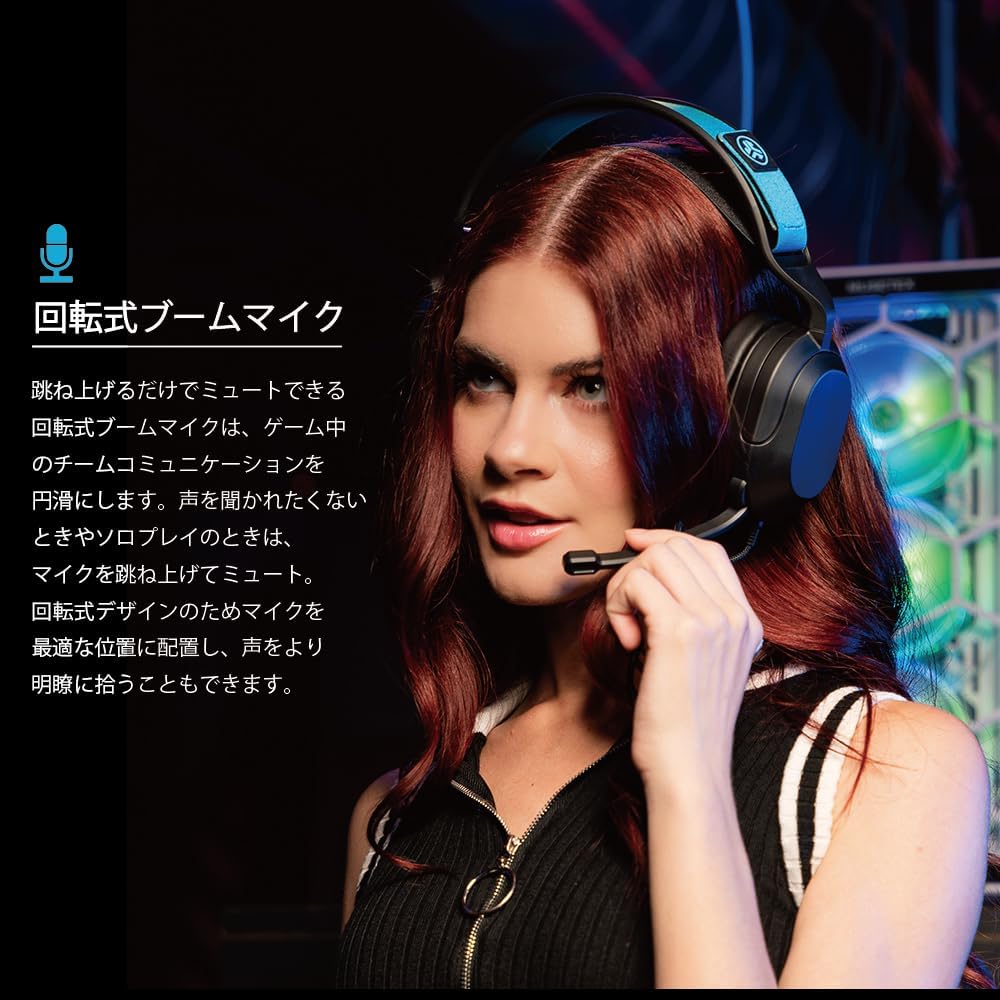
Image: A user wearing the JLab Nightfall headset, demonstrating the flexible and rotating boom microphone in an active position.

Image: A gamer wearing the JLab Nightfall headset, illustrating the effective noise elimination provided by the directional microphone for clear communication.
Udobje in dizajn
The Nightfall headset is engineered for all-night comfort. It features super-wide stretchable and adjustable headbands that provide a customizable fit for various head sizes. The cloud foam cushions further enhance comfort, preventing discomfort during long gaming sessions.
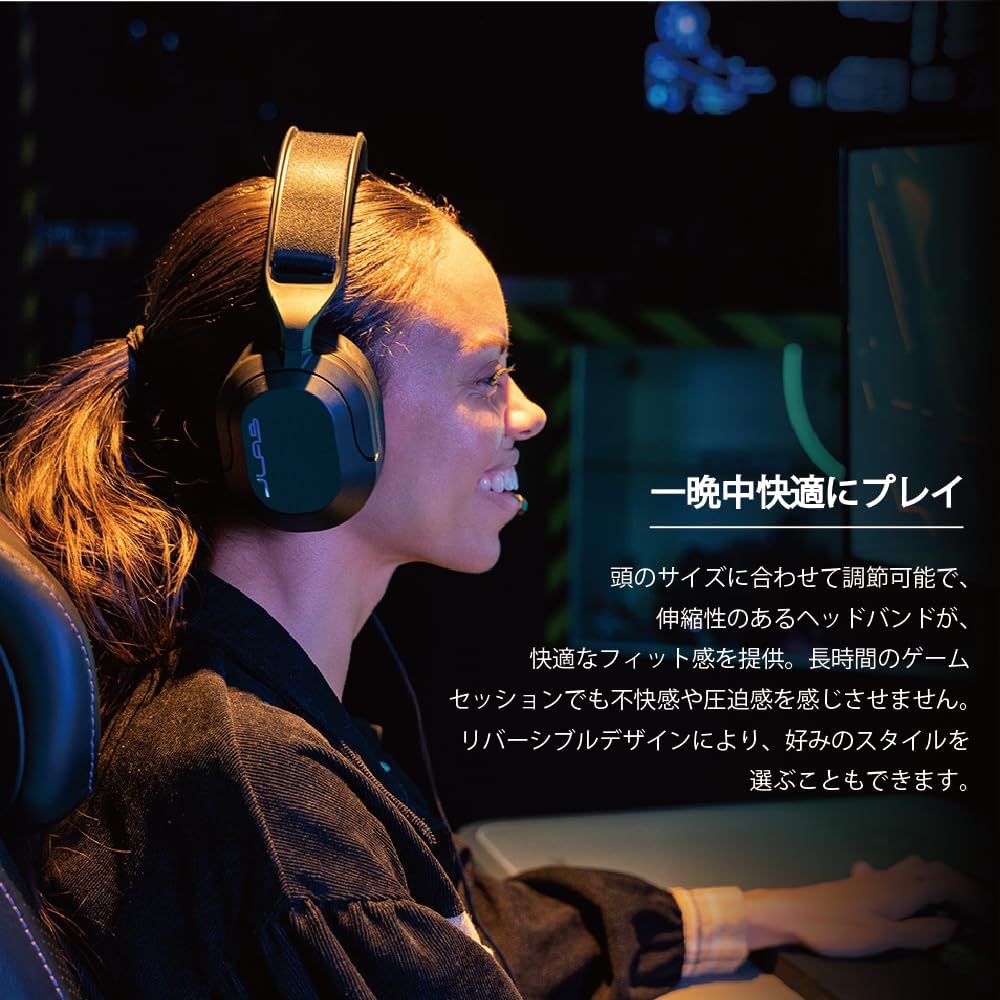
Image: A user wearing the JLab Nightfall headset, showcasing the comfortable over-ear design and adjustable headband for extended wear.

Slika: Podrobna view of the JLab Nightfall headset's cloud foam ear cushions, emphasizing their soft and comfortable design.
Specifikacije
| Funkcija | Podrobnost |
|---|---|
| Znamka | JLab |
| Ime modela | Nightfall |
| Tehnologija povezljivosti | Žično (3.5 mm vtičnica) |
| Namestitev ušesa | Nad ušesi |
| Velikost zvočnega gonilnika | 50 milimetrov |
| Impedanca | 32 Ohmov |
| Občutljivost | 102 dB |
| Frekvenčno območje | 20Hz - 20,000Hz |
| Nadzor hrupa | Zvočna izolacija |
| Mikrofon | Flip-to-mute rotating boom mic, TeamSpeak Certified near-field directional |
| Združljive naprave | PC/Mac, Xbox, PlayStation 4, PlayStation 5, Nintendo Switch |
| Teža predmeta | 0.39 kilogramov |
| Material | Plastic, Metal, Synthetic materials |
| Dodatne funkcije | Adjustable Headband, Cloud Foam Cushions |
Vzdrževanje
- Čiščenje: Za čiščenje slušalk uporabite mehko, suho krpo. Ne uporabljajte tekočih čistil ali aerosolov.
- Shranjevanje: Slušalke shranjujte na hladnem in suhem mestu, stran od neposredne sončne svetlobe in ekstremnih temperatur.
- Skrb za kabel: Izogibajte se ostrim ovinkom ali prekomernemu vlečenju kabla, da preprečite poškodbe.
Odpravljanje težav
- Ni zvoka:
- Prepričajte se, da je 3.5 mm vtičnica popolnoma vstavljena v napravo.
- Check your device's audio settings to confirm the headset is selected as the output device and volume is not muted.
- Slušalke preizkusite z drugo napravo, da izključite težavo, specifično za napravo.
- Mikrofon ne deluje:
- Ensure the microphone boom is flipped down to the active position (not muted).
- Verify your device's audio settings have the headset microphone selected as the input device and input volume is not muted.
- Check for any in-game or application-specific microphone settings.
- Popačen zvok:
- Lower the volume on your device or the headset.
- Prepričajte se, da je 3.5 mm priključek varen in brez umazanije.
- Preizkusite z drugim zvočnim virom, da ugotovite, ali je težava v slušalkah ali izvorni napravi.
Garancija in podpora
The JLab Nightfall Wired Gaming Headset comes with a 2-Year Warranty from the manufacturer, JLab Audio. For detailed warranty information, technical support, or service inquiries, please refer to the official JLab webspletno mesto ali se obrnite neposredno na njihovo podporo strankam.
Manufacturer: JLab Audio