
Uvod
The Vieta Pro Way 3 headphones are designed to provide a versatile audio experience with multiple connectivity options and features. This device supports Bluetooth wireless connection, an Aux-in port for wired use, an integrated microphone for hands-free communication, a dedicated gaming mode, and Dual Pairing functionality. With an impressive battery life of up to 50 hours, these headphones are suitable for extended listening sessions.
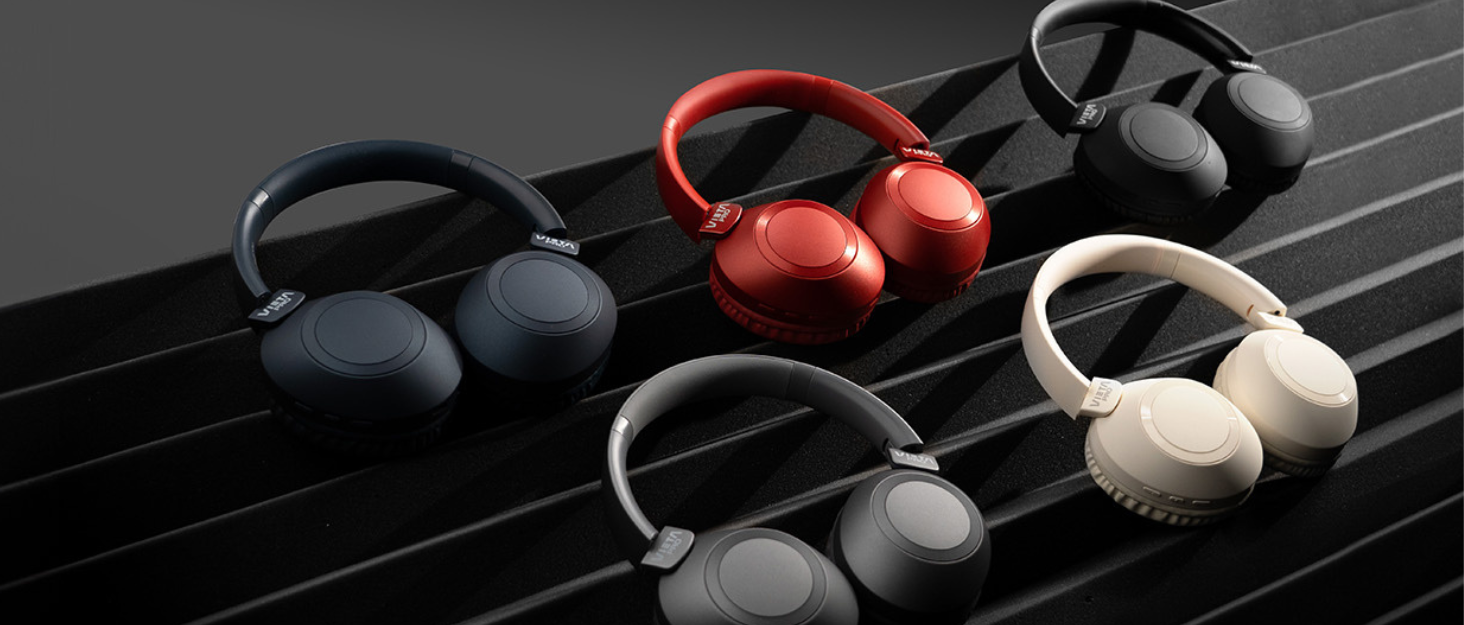
Image: Vieta Pro Way 3 headphones displayed in multiple color options.
Nastavitev
1. Polnjenje slušalk
Before initial use, ensure the headphones are fully charged. The Vieta Pro Way 3 headphones support wireless charging. A full charge provides up to 50 hours of continuous playback.
- Connect the provided charging cable to the charging port on the headphones and to a compatible USB power source.
- Alternatively, place the headphones on a compatible wireless charging pad.
- The indicator light will show the charging status and turn off or change color once fully charged.
2. Vklop/izklop
- Za vklop: Pritisnite in držite gumb za vklop približno 3 sekunde, dokler se ne prižge indikatorska lučka.
- Za izklop: Pritisnite in držite gumb za vklop približno 3 sekund, dokler se indikatorska lučka ne izklopi.
3. Bluetooth seznanjanje
Če želite brezžično povezati slušalke z napravo:
- Prepričajte se, da so slušalke izklopljene.
- Pritisnite in držite gumb za vklop približno 5–7 sekund, dokler indikatorska lučka ne začne hitro utripati, kar označuje način seznanjanja.
- Na pametnem telefonu, tabličnem računalniku ali računalniku omogočite Bluetooth in poiščite razpoložljive naprave.
- Select "Vieta Pro Way 3" from the list of found devices.
- Once connected, the indicator light will stop flashing and remain solid or flash slowly.
4. Priključek Aux-in
For a wired connection, use a 3.5mm audio cable:
- En konec 3.5 mm avdio kabla priključite na vhod Aux-in na slušalkah.
- Connect the other end to the 3.5mm audio output of your audio source.
- The headphones will automatically switch to Aux-in mode when a cable is detected.
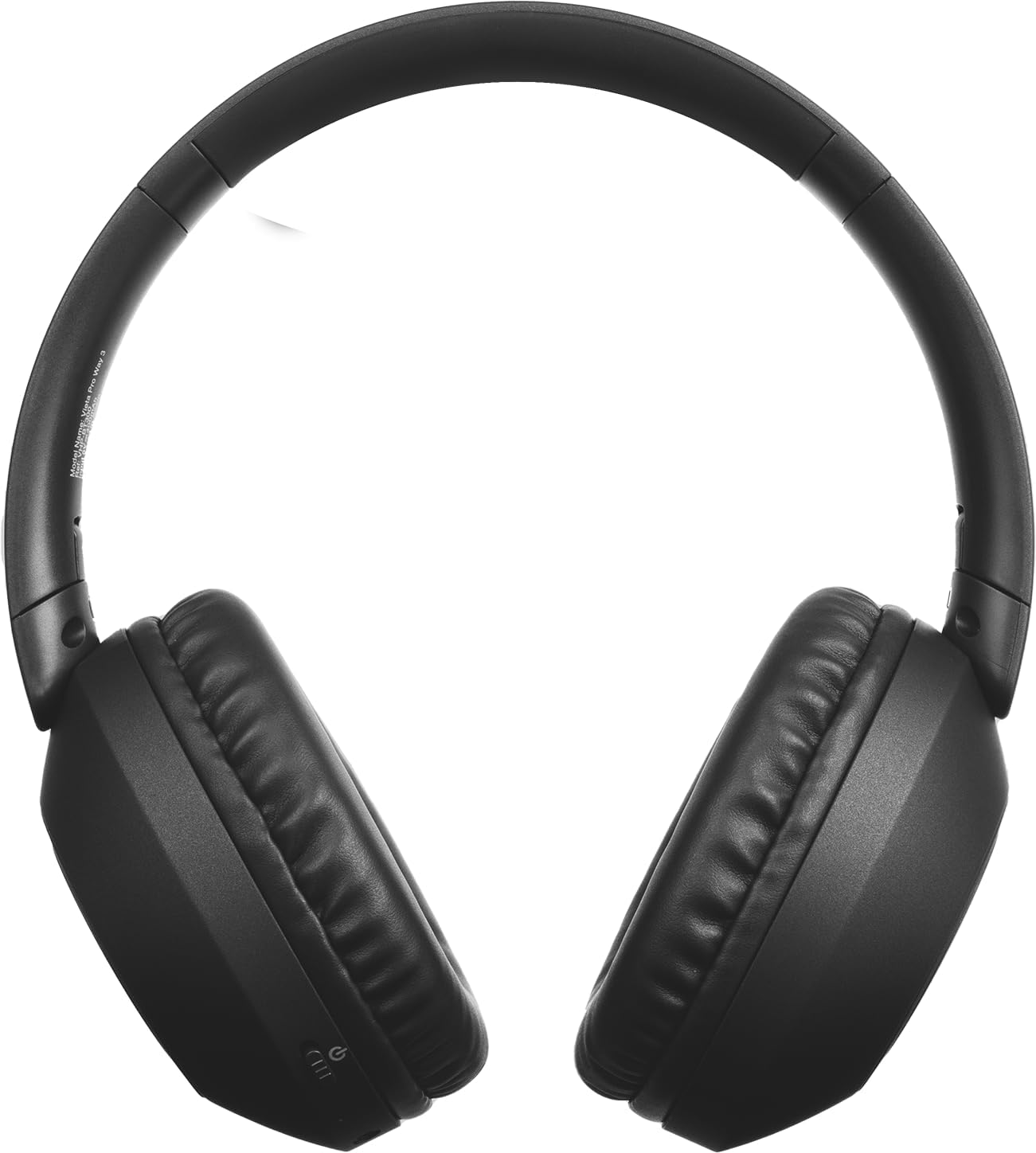
Slika: spredaj view of the Vieta Pro Way 3 headphones, showing the earcups and headband.
Navodila za uporabo
1. Predvajanje glasbe
When connected via Bluetooth or Aux-in, you can control your music:
- Predvajanje/pavza: Enkrat pritisnite večfunkcijski gumb.
- Naslednja skladba: Pritisnite in držite gumb za povečanje glasnosti.
- Prejšnja skladba: Pritisnite in držite gumb za zmanjšanje glasnosti.
- Povečaj glasnost: Na kratko pritisnite gumb za povečanje glasnosti.
- Znižaj glasnost: Na kratko pritisnite gumb za zmanjšanje glasnosti.
2. Upravljanje klicev
The integrated microphone allows for hands-free calls when connected via Bluetooth:
- Sprejmi/končaj klic: Enkrat pritisnite večfunkcijski gumb.
- Zavrni klic: Pritisnite in držite večfunkcijski gumb 2 sekundi.
- Glasovni asistent: Dvakrat pritisnite večfunkcijski gumb, da aktivirate glasovnega pomočnika naprave.
3. Igralni način
Activate the dedicated gaming mode for optimized audio performance during gameplay, reducing latency and enhancing sound effects.
- Aktivirajte igralni način: Refer to the specific button or gesture indicated in the quick start guide for your model. (Typically a dedicated button or a long press on a volume button).
4. Dvojno združevanje
The Dual Pairing feature allows the Vieta Pro Way 3 headphones to connect to two different Bluetooth devices simultaneously. This enables seamless switching between audio sources without the need to disconnect and re-pair.
- Pair the headphones with your first device following the Bluetooth Pairing instructions.
- Začasno prekinite povezavo Bluetooth na prvi napravi.
- Slušalke seznanite z drugo napravo.
- Ponovno omogočite Bluetooth na prvi napravi. Slušalke bi morale biti zdaj povezane z obema napravama.
- Audio will play from the active source, and you can switch by pausing one and playing the other.

Image: A person wearing the Vieta Pro Way 3 headphones, demonstrating comfortable use.
Vzdrževanje
1. Čiščenje
- Slušalke obrišite z mehko, suho krpo, ki ne pušča vlaken.
- Do not use abrasive cleaners, solvents, or strong chemicals, as these may damage the surface or internal components.
- Izogibajte se vdoru vlage v morebitne odprtine.
2. Shranjevanje
- Slušalke shranjujte na hladnem in suhem mestu, stran od neposredne sončne svetlobe in ekstremnih temperatur.
- When not in use for extended periods, store them in their protective case (if included) to prevent dust and damage.
3. Skrb za baterijo
- To prolong the lifespan of the battery, avoid fully discharging the headphones frequently.
- Charge the headphones regularly, even if not in frequent use.
Odpravljanje težav
1. Ni zvoka
- Prepričajte se, da so slušalke vklopljene in napolnjene.
- Preverite glasnost tako na slušalkah kot na priključeni napravi.
- Verify that the headphones are properly paired via Bluetooth or securely connected via the Aux-in cable.
- Poskusite znova zagnati slušalke in napravo, ki predvaja zvok.
2. Težave s seznanjanjem
- Ensure the headphones are in Bluetooth pairing mode (indicator light flashing rapidly).
- Onemogočite in ponovno omogočite Bluetooth v napravi.
- Move the headphones closer to your device to ensure a strong signal.
- Clear previous Bluetooth connections from your device's Bluetooth settings and try pairing again.
3. Težave s polnjenjem
- Verify that the charging cable is securely connected to both the headphones and the power source, or that the headphones are correctly placed on the wireless charging pad.
- Ensure the power source (USB adapter, computer port, wireless charger) is functional.
- Check the charging port on the headphones for any debris that might obstruct the connection.
Specifikacije
| Znamka | Vieta Pro |
| Model | 3. način |
| Faktor oblike | Over-ear (Headband) |
| Tehnologija povezljivosti | Wireless (Bluetooth), Wired (Aux-in) |
| Brezžična komunikacija | Bluetooth |
| Življenjska doba baterije | Do 50 ur (predvajanje) |
| Posebne lastnosti | Wireless Charging, Built-in Microphone, Gaming Mode, Dual Pairing |
| Proizvajalec | FRAMASON AUDIO SA |
| ASIN | B0CRL99NBD |
Opomba: Specifikacije se lahko spremenijo brez predhodnega obvestila.
Garancija in podpora
For detailed warranty information, product registration, or technical assistance, please refer to the official Vieta Pro website or contact their customer support directly. It is recommended to retain your purchase receipt as proof of purchase for any warranty claims.
- Uradno Webspletno mesto: Obisk www.vietapro.com (or relevant regional site) for support resources.
- Storitev za stranke: Contact information can typically be found on the official webmesto.