
Deeyaple S207
Deeyaple S207 Cell Phone Stand with Wireless Bluetooth Speaker and 12H Time Display User Manual
Uvod
This manual provides comprehensive instructions for the Deeyaple S207 Cell Phone Stand with Wireless Bluetooth Speaker and 12H Time Display. Please read this manual thoroughly before using the product to ensure proper operation and to maximize its features. Keep this manual for future reference.
Slika 1: The Deeyaple S207 multi-functional device.
Konec izdelkaview
The Deeyaple S207 is a versatile device combining a cell phone stand, a wireless Bluetooth speaker, and a 12-hour time display. It is designed for convenience and enhanced audio experience.

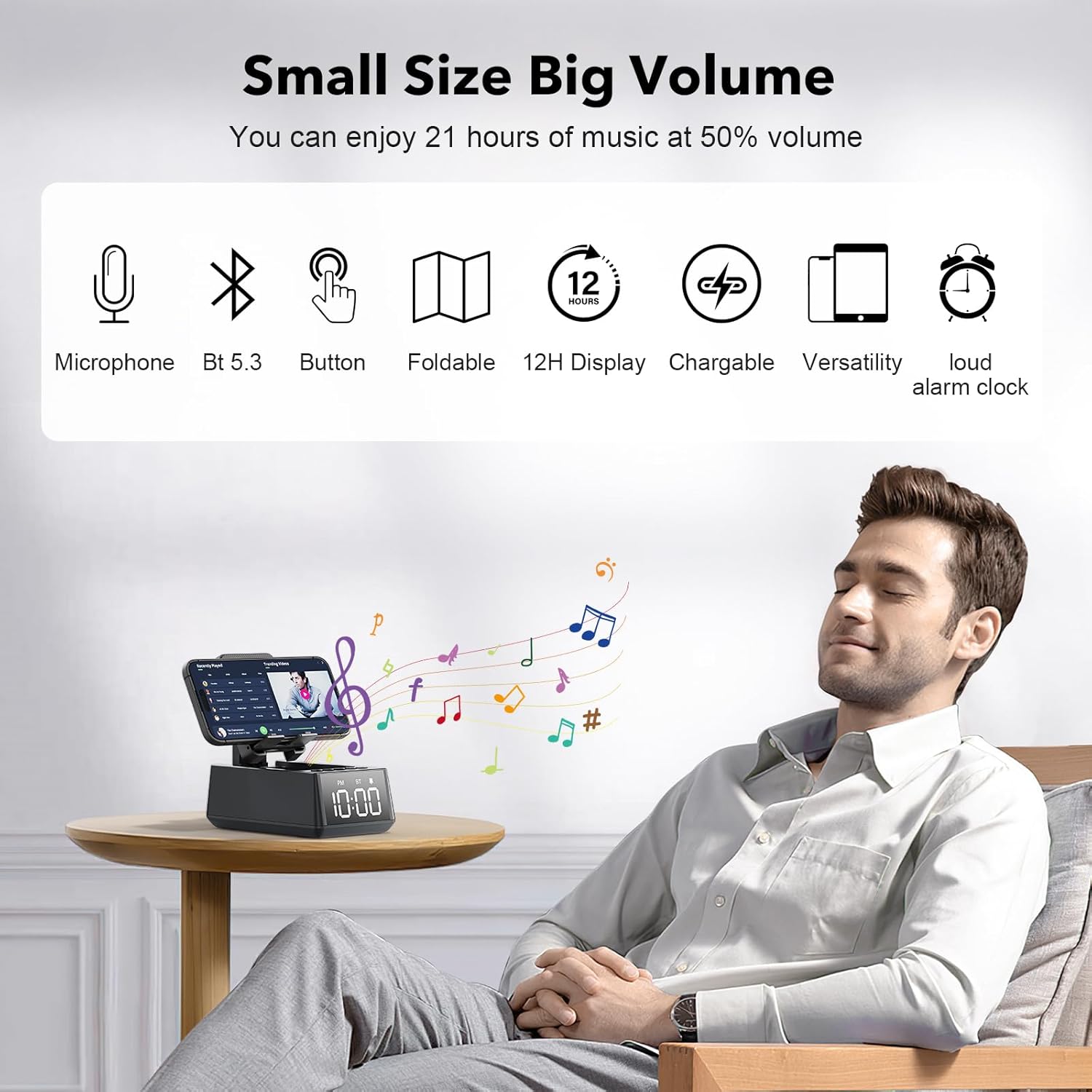
Slika 2: The Deeyaple S207 functions as a stand, speaker, and digital clock.
Ključne značilnosti:
- Večnamenska zasnova: Integrates a Bluetooth speaker, phone stand, and time display.
- Povezljivost Bluetooth 5.3: Ensures quick and stable connection to smartphones, tablets, and laptops.
- HD Surround Sound: Delivers clear and powerful audio with low distortion across all frequencies.
- Zložljivo stojalo: Nastavljiv kot za optimalno viewing of mobile phones and tablets.
- 12H Time Display: Clear LED digital display.
- Vgrajen mikrofon: Podpira prostoročno klicanje.
- Čitalnik kartic TF: Za predvajanje glasbe neposredno s pomnilniške kartice.
- Loud Alarm Clock: Gradually increases volume up to 100 decibels.
- Akumulatorska baterija: 1200mAh battery provides 12-21 hours of use at 50% volume.
- Vrata za polnjenje Type-C: Convenient charging for the device.
- USB izhodna vrata: Allows charging of external devices like mobile phones.

Slika 3: konecview of Deeyaple S207 features, including battery capacity, charging ports, audio capabilities, and stand design.
Vsebina paketa
Prosimo, preverite paket za naslednje artikle:
- Deeyaple S207 Cell Phone Stand with Wireless Bluetooth Speaker
- USB polnilni kabel
- Uporabniški priročnik
Kontrole in indikatorji
Familiarize yourself with the device's buttons and display:

Slika 4: Podrobno view of the device's adjustable bracket, base, and non-slip mat.
- Gumb za vklop: Pritisnite in držite za vklop/izklop. Kratek pritisk za preklop med načini.
- Zmanjšanje glasnosti/prejšnja skladba: Kratek pritisk za zmanjšanje glasnosti, dolg pritisk za prejšnjo skladbo.
- Play/Pause / Answer Call: Short press to play/pause, short press to answer/end call.
- Glasnost / Naslednja skladba: Kratek pritisk za povečanje glasnosti, dolg pritisk za naslednjo skladbo.
- Gumb za način: Short press to cycle through Bluetooth, TF Card, and AUX modes.
- Prikaz časa: LED screen shows current time and mode indicators (PM, BT).
Nastavitev
Polnjenje naprave:
- Connect the provided USB charging cable to the Type-C port on the side of the Deeyaple S207.
- Drugi konec kabla USB priključite na združljiv napajalnik USB (ni priložen) ali vrata USB računalnika.
- LED zaslon bo prikazoval stanje polnjenja. Popolno polnjenje običajno traja približno 2–3 ur.
Posnetek 1: Demonstration of the Deeyaple S207 speaker's display and basic operation, including volume adjustment and mode switching.
Delovanje
Bluetooth seznanjanje:
- Turn on the Deeyaple S207 by pressing and holding the Power button. The device will enter Bluetooth pairing mode, indicated by a flashing "BT" on the display.
- Na pametnem telefonu, tabličnem računalniku ali prenosnem računalniku omogočite Bluetooth in poiščite razpoložljive naprave.
- Select "Deeyaple S207" from the list of devices.
- Once paired, the "BT" indicator will stop flashing and remain solid. You can now play audio through the speaker.

Slika 5: Bluetooth 5.3 technology allows quick and easy connection to smart devices.
Nastavitev časa in alarma:
- The device features a 12-hour time display. For iPhone users, the clock will automatically sync with your phone's time upon Bluetooth connection.
- To manually adjust the time or set an alarm, refer to the specific button functions described in the "Controls and Indicators" section. (Note: Detailed manual time setting steps are not provided in the product data.)

Slika 6: The LED digital display shows the current time.
Using as a Phone/Tablet Stand:
- The integrated stand is foldable and adjustable. Gently pull the stand upwards to deploy it.
- Place your smartphone or tablet (4-13 inches) onto the stand.
- Adjust the angle of the stand for optimal viewing.
- A small hole at the bottom of the phone holder allows for charging your device while it is on the stand.

Slika 7: The stand is highly adaptable for various mobile phones and tablets.

Slika 8: A small hole at the base of the stand allows for charging your phone while in use.
Predvajanje kartice TF:
- Vstavite kartico TF (MicroSD) z glasbo filev predvideno režo.
- Press the Mode button to switch to TF Card mode. The device will automatically begin playing music from the card.
- Use the Volume/Track buttons to control playback.
Prostoročno telefoniranje:
- When connected via Bluetooth to your phone, incoming calls can be answered by pressing the Play/Pause button.
- Speak into the built-in microphone for your conversation.
- Za končanje klica ponovno pritisnite gumb Predvajaj/Pavza.
Specifikacije
| Funkcija | Podrobnost |
|---|---|
| Ime modela | S207 |
| Znamka | Deeyaple |
| Tehnologija povezljivosti | Bluetooth 5.3 |
| Vrsta zvočnika | Prostorski zvok |
| Posebna funkcija | Built-in Microphone, 12H Time Display, Foldable Stand, TF Card Reader |
| Dimenzije izdelka | 6.61"D x 2.46"Š x 3.54"V |
| Teža predmeta | 15.8 unč (0.45 kilograma) |
| Baterija | 1 litij-ionska baterija (priložena), 1200 mAh |
| Življenjska doba baterije | 12-21 ur pri 50% glasnosti |
| Združljive naprave | Smartphones (iPhone 4S to 15 Pro Max), Tablets (iPad, iPad Air, iPad Mini, iPad Pro, Microsoft Surface series), e-readers (Kindle) |
| UPC | 728990656310 |
Odpravljanje težav
| Težava | Možna rešitev |
|---|---|
| Naprava se ne vklopi. | Ensure the device is fully charged. Connect to a power source using the USB charging cable. |
| Seznanitev prek Bluetootha ni mogoča. | Make sure the device is in Bluetooth pairing mode (flashing "BT"). Ensure your phone's Bluetooth is enabled and within range. Forget previous pairings on your phone and try again. |
| Ni zvoka ali nizka glasnost. | Check the volume levels on both the Deeyaple S207 and your connected device. Ensure the device is not muted. |
| Prikaz časa je napačen. | For iPhones, ensure Bluetooth is connected for automatic sync. Manual adjustment steps are not detailed in product information, refer to device buttons for potential setting options. |
| Povezava Bluetooth se pogosto prekine. | Ensure there are no obstructions between the speaker and your device. Move closer to the speaker. Reduce interference from other wireless devices. |
Vzdrževanje
- Napravo očistite z mehko, suho krpo. Ne uporabljajte abrazivnih čistil ali topil.
- Napravo hranite ločeno od vode, vlage in ekstremnih temperatur.
- Če ga dlje časa ne uporabljate, ga hranite na hladnem in suhem mestu.
- Izogibajte se padcem naprave in je ne izpostavljajte močnim udarcem.
Garancija in podpora
For warranty information or technical support, please contact Deeyaple customer service through the retailer where the product was purchased. Please retain your proof of purchase for warranty claims.
Ask a question about this manual
Ask about setup, troubleshooting, compatibility, parts, safety, or missing instructions. Manuals+ will review the question and use this page’s manual context to help answer it.