
1. Izdelek je končanview
The ROCAM 11.5-inch Large Display Digital Calendar Clock (Model ROCAM-CR1005) is designed for clear readability, displaying time, period of the day, full day of the week, month, date, and indoor temperature. It features multiple alarm settings, a 5-level adjustable dimmer, and dual USB charging ports for convenience.
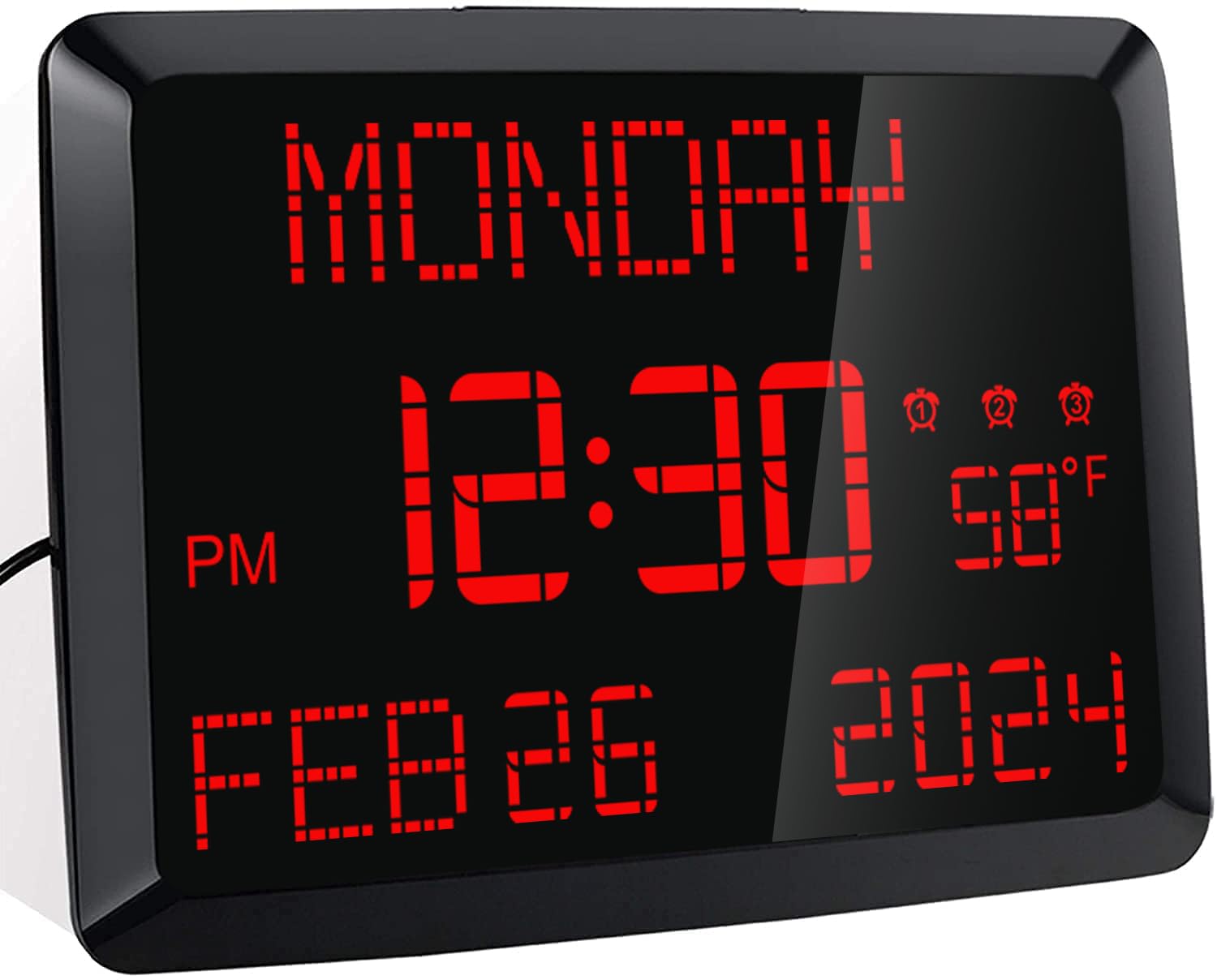
Slika: spredaj view of the ROCAM 11.5-inch Digital Calendar Clock displaying time, date, day of the week, and temperature.
2. Vsebina paketa
Preverite, ali so v paketu prisotni vsi elementi:
- ROCAM 11.5" Digital Calendar Clock
- Napajalni adapter
- USB napajalni kabel
- CR2032 Backup Battery (pre-installed or included separately)
- Uporabniški priročnik
- Desk Stand Bracket
- Wall Mounting Hardware (if applicable)
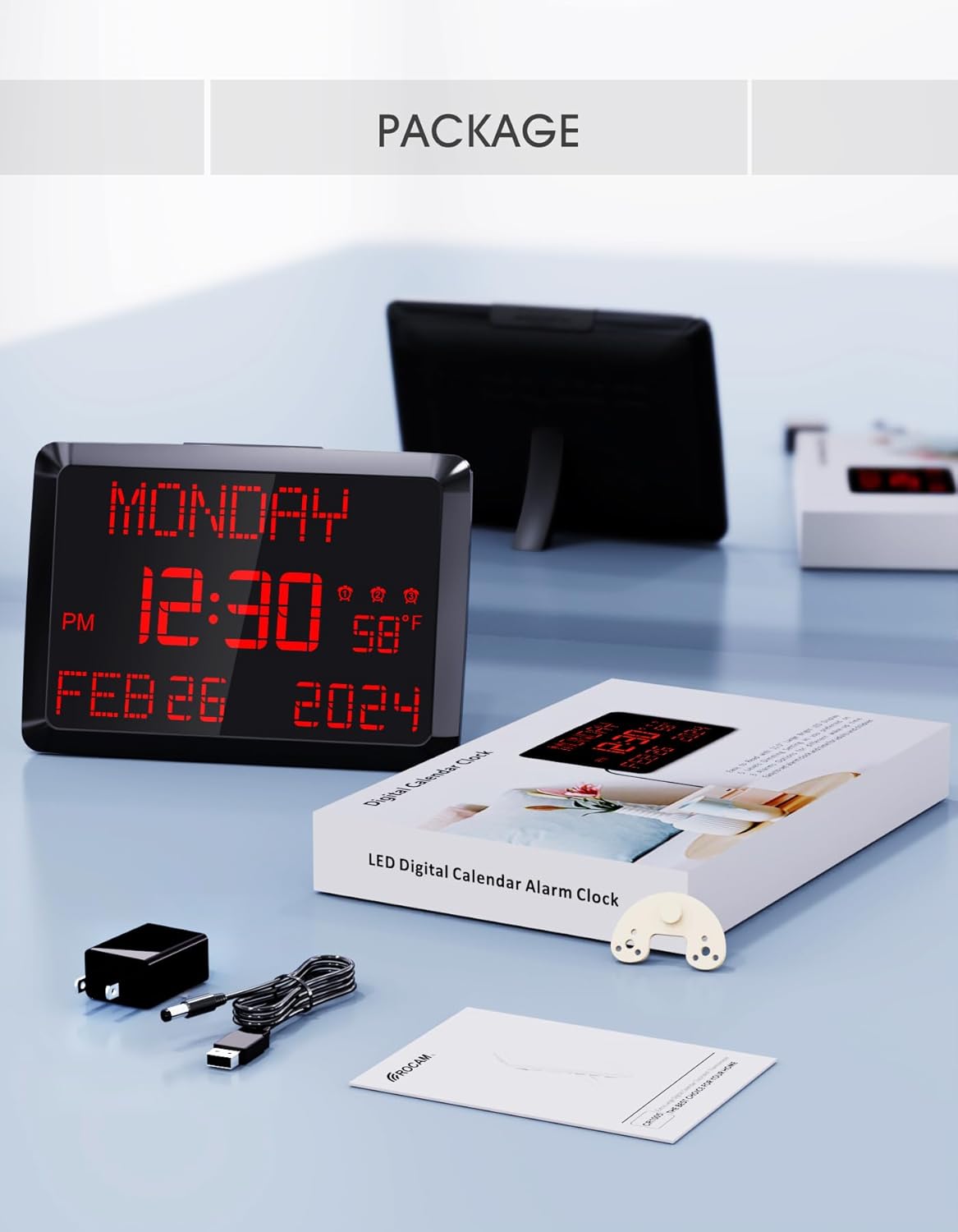
Image: The ROCAM Digital Calendar Clock and its accessories, including the power adapter, USB cable, and user manual.
3. Navodila za nastavitev
3.1 Napajalni priključek
- Connect the USB power cable to the clock's DC 5V input port.
- Priključite napajalnik v standardno električno vtičnico.
- Prikaz ure se bo prižgal.
Video: Demonstrates plugging in the power cord and connecting it to the clock, showing the clock's display activating. This video also shows the dual USB charging ports in use.
3.2 Backup Battery Installation (if not pre-installed)
The clock includes a CR2032 backup battery to retain time and settings during power outages. If not already installed, locate the battery compartment on the back of the clock and insert the CR2032 battery with the positive (+) side facing up.

Image: Detail of the CR2032 backup battery slot on the rear of the clock, indicating its location for power failure memory.
3.3 Možnosti namestitve
The clock can be placed on a desk or mounted on a wall.
- Postavitev mize: Attach the provided stand bracket to the back of the clock.
- Montaža na steno: Use the keyhole slot on the back of the clock to hang it on a screw or nail. Ensure the clock is securely mounted and level.

Slika: Zadaj view of the clock illustrating both the desk stand and the wall hanging hole. Dual USB charging ports are also visible.
4. Navodila za uporabo
4.1 Nastavitev časa in datuma
Use the buttons on the back of the clock to adjust the time and date. Specific buttons are provided for DAN, MESEC, LETO, URA, in MINUTA adjustments. Refer to the labels on the back panel for precise control.
- 12/24-urni način: Use the dedicated switch button on the back to toggle between 12-hour and 24-hour time formats.
- Poletni čas (DST): Pritisnite gumb 'poletni čas' button to activate or deactivate Daylight Saving Time.

Image: The clock showing both 12-hour and 24-hour display options, highlighting the switch for changing modes.
4.2 Nastavitev alarmov
The clock supports up to three independent alarms. Use the alarm setting buttons on the back to configure each alarm.
- Pritisnite ustrezni gumb za alarm (1, 2, oz 3) za vstop v način nastavitve alarma.
- Uporabite '+' in '-' buttons to adjust the alarm time.
- Pritisnite 'OK' to confirm the time.
- Select the alarm frequency: Everyday, Weekdays Only (Mon-Fri), or Weekend Only (Sat-Sun).
- To turn off an alarm for 24 hours or permanently, use the 'Alarm IZKLOPLJEN' button.
- Funkcija dremeža: Press the large 'DREMŽAJ/ZATEMNILO' button on top of the clock to activate a 9-minute snooze.
- Glasnost alarma: The alarm volume is adjustable with 15 levels (60dB-108dB). Adjust using the volume controls during alarm setup.

Image: Visual guide to setting the three alarms, including options for daily, weekday, or weekend activation, and volume adjustment.
Video: Demonstrates setting the alarm time, adjusting volume, and selecting alarm frequency (Mon-Fri, Mon-Sun, Sat-Sun).
4.3 Svetlost zaslona (zatemnitev)
The clock features a 5-level adjustable dimmer. Press the 'DREMŽAJ/ZATEMNILO' button on the top of the clock to cycle through the brightness levels to suit your preference.

Image: The clock display at five different brightness settings, illustrating the dimmer function controlled by the top button.
4.4 vrata za polnjenje USB
The clock includes two USB charging ports (5V 1A) on the side, allowing you to charge compatible devices such as smartphones or tablets.

Image: The clock with two devices charging simultaneously via its dual USB ports.
5. Vzdrževanje
To ensure optimal performance and longevity of your ROCAM Digital Calendar Clock, follow these simple maintenance guidelines:
- Čiščenje: Gently wipe the clock's surface with a soft, dry cloth. Avoid using abrasive cleaners, solvents, or chemical sprays, as these can damage the display or casing.
- Napajalni kabel: Periodically check the power cord for any signs of damage. If the cord is damaged, discontinue use and contact customer support.
- Umestitev: Place the clock in a stable location, away from direct sunlight, excessive heat, or moisture.
6. Odpravljanje težav
If you encounter issues with your ROCAM Digital Calendar Clock, refer to the following common solutions:
| Težava | Možna rešitev |
|---|---|
| Prikaz ure je izklopljen. |
|
| Čas/nastavitve se izgubijo po izpadu električne energijetage. |
|
| Alarm se ne oglasi ali pa je pretih. |
|
| Zaslon je presvetel ali pretemnejši. |
|
| Vrata za polnjenje USB ne delujejo. |
|
7. Specifikacije izdelka
| Funkcija | Podrobnost |
|---|---|
| Številka modela | ROCAM-CR1005 |
| Vrsta zaslona | Digitalna LED |
| Velikost zaslona | 11.5 palcev (diagonala) |
| Dimenzije izdelka | 9.96 cm Š x 7 cm V |
| Vir napajanja | Corded Electric, Outlet Powered (DC 5V) |
| Rezervna baterija | 1 x CR2032 (included, for memory retention only) |
| Alarmi | 3 independent alarms with 7-5-2 setting modes (Everyday, Weekdays, Weekends) |
| Funkcija dremeža | 9 minut |
| Dimmer Levels | 5 levels (manual adjustment) |
| Vrata za polnjenje USB | 2 ports, 5V 1A output each |
| Prikaz temperature | °F / °C switchable |
| Format časa | 12H / 24H switchable |
| Vrsta namestitve | Stenski in namizni nosilec |
| Material | Plastika |
| Teža predmeta | 16 unč (1 funt) |
8. Garancija in podpora
ROCAM provides an 18-month warranty for this product. For any questions, technical assistance, or warranty claims, please contact ROCAM customer support. Lifetime free user support is available.
Contact information can typically be found on the product packaging or the official ROCAM webmesto.


