
1. Izdelek je končanview
The POLONO P31S is a compact and portable thermal label printer designed for various labeling needs in home, office, and school environments. It connects wirelessly via Bluetooth to your smartphone or tablet, allowing you to design and print labels using the dedicated mobile application. This device features a built-in cutter and operates without ink, utilizing thermal printing technology for clear, durable labels.
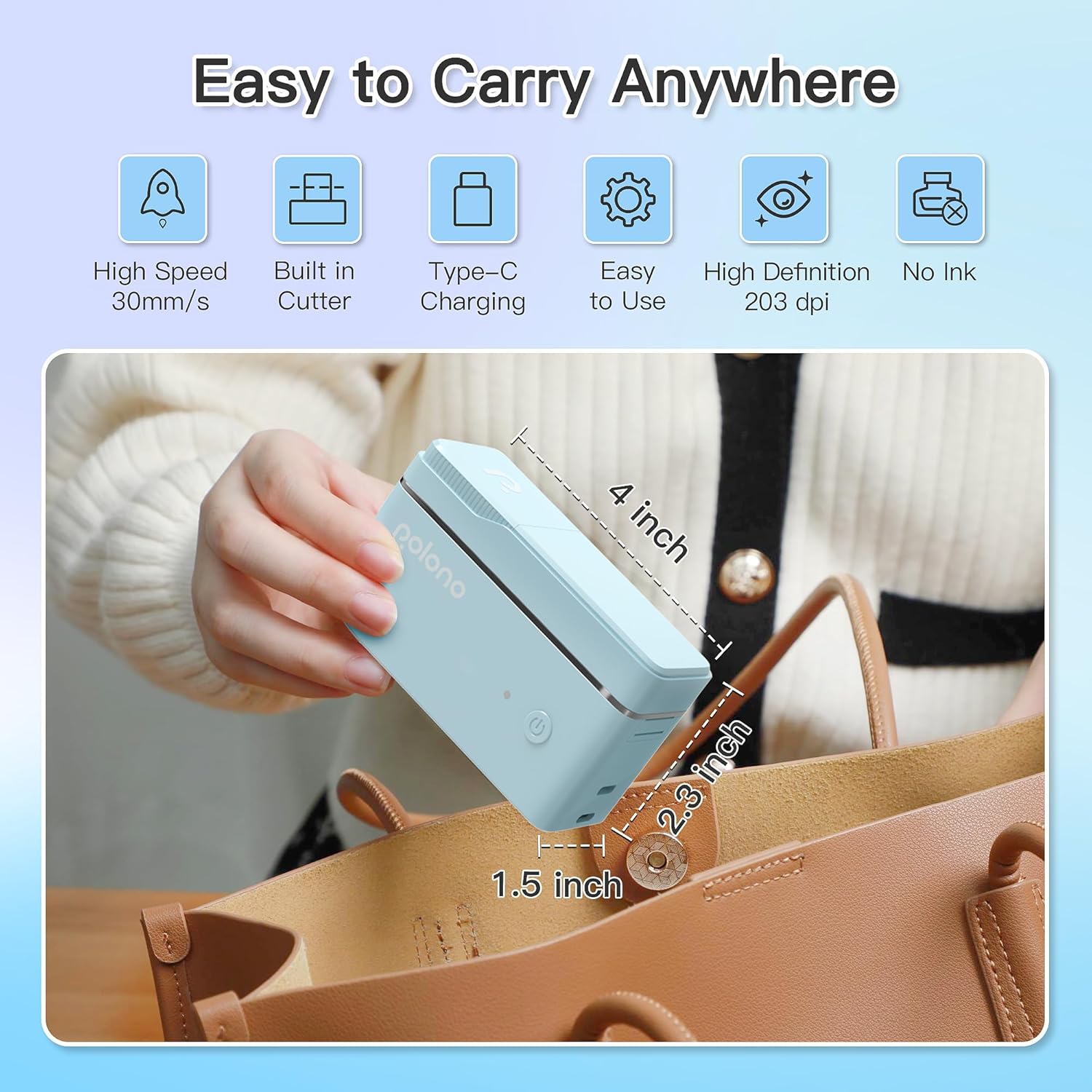
Slika 1: POLONO P31S Label Printer highlighting its compact design and dimensions (approximately 4 inches long, 2.3 inches high, 1.5 inches wide).
Ključne značilnosti:
- Prenosna in lahka oblika.
- Bluetooth connectivity for wireless printing.
- Thermal printing technology (no ink required).
- Built-in label cutter.
- Supports various label types including text, QR codes, barcodes, and images.
- Polnilna baterija.
2. Varnostne informacije
Please read and understand all safety instructions before using the POLONO P31S label printer to prevent injury or damage to the device.
- Naprave ne razstavljajte, popravljajte ali spreminjajte.
- Napravo hranite ločeno od vode, vlage in ekstremnih temperatur.
- Use only POLONO-approved label tapes to ensure optimal performance and prevent damage.
- Tiskalne glave se ne dotikajte takoj po tiskanju, saj je lahko vroča.
- Hraniti izven dosega otrok.
- Use the provided charging cable or a certified equivalent.
3. Vsebina paketa
Preverite, ali so v paketu prisotni vsi elementi:
- POLONO P31S Label Printer
- Label Tape Roll (starter roll)
- USB polnilni kabel
- Uporabniški priročnik (ta dokument)
4. Nastavitev
4.1 Polnjenje naprave
Before first use, fully charge the label printer. Connect the provided USB charging cable to the printer's charging port and to a USB power adapter (not included) or a computer's USB port. The indicator light will show charging status.
4.2 Namestitev etiketnega traku
- Odprite pokrov predala za nalepke.
- Insert the label tape roll with the printing surface facing up, ensuring it is properly seated.
- Pull a small portion of the label tape out, extending it past the cutter blade.
- Pokrov predala za nalepke trdno zaprite.

Slika 2: Proper installation of POLONO P31S label tape. Ensure the green sticker on the tape is not removed or damaged, as it contains chip technology for optimal performance. Do not pull the label out directly; use the cutting blade.
4.3 Prenos aplikacije in povezava Bluetooth
- Download the "Labelnize" app from the Apple App Store or Google Play Store.
- Turn on the POLONO P31S label printer by pressing and holding the power button.
- Omogočite Bluetooth na pametnem telefonu ali tabličnem računalniku.
- Open the "Labelnize" app. The app will prompt you to allow Bluetooth access. Grant permission.
- Within the app, search for available devices and select "P31S" to connect.
- Once connected, the app will indicate a successful connection, and you are ready to create labels.
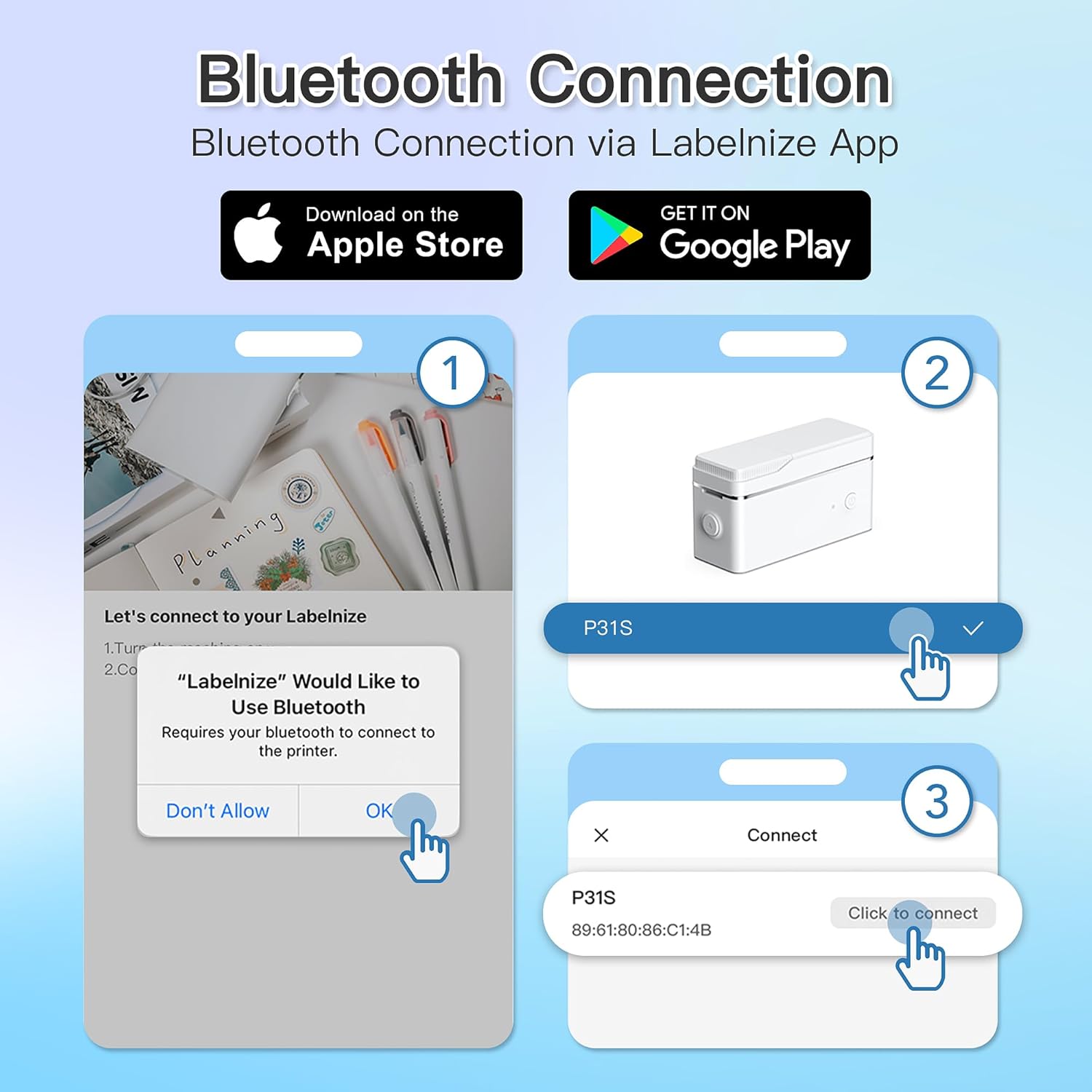
Slika 3: Steps for Bluetooth connection via the Labelnize App. Download the app, allow Bluetooth access, select "P31S" from the device list, and click "Connect".
5. Navodila za uporabo
5.1 Creating Labels with the Labelnize App
The Labelnize app offers a variety of tools to design your labels:
- Besedilo: Enter custom text, choose from over 90 fonts, adjust size, style (bold, italic), and alignment.
- Meje: Select from over 95 border designs to frame your labels.
- Icons/Graphics: Access a library of over 670 tab icons and other graphics to enhance your labels.
- QR Code/Barcode: Generate QR codes or barcodes for various applications.
- Slike: Vstavite slike iz galerije vaše naprave.
- Predloge: Utilize pre-designed templates for common labeling tasks.

Slika 4: The Labelnize app interface for creating labels, offering extensive customization options including borders, fonts, and icons. The app supports multiple languages.
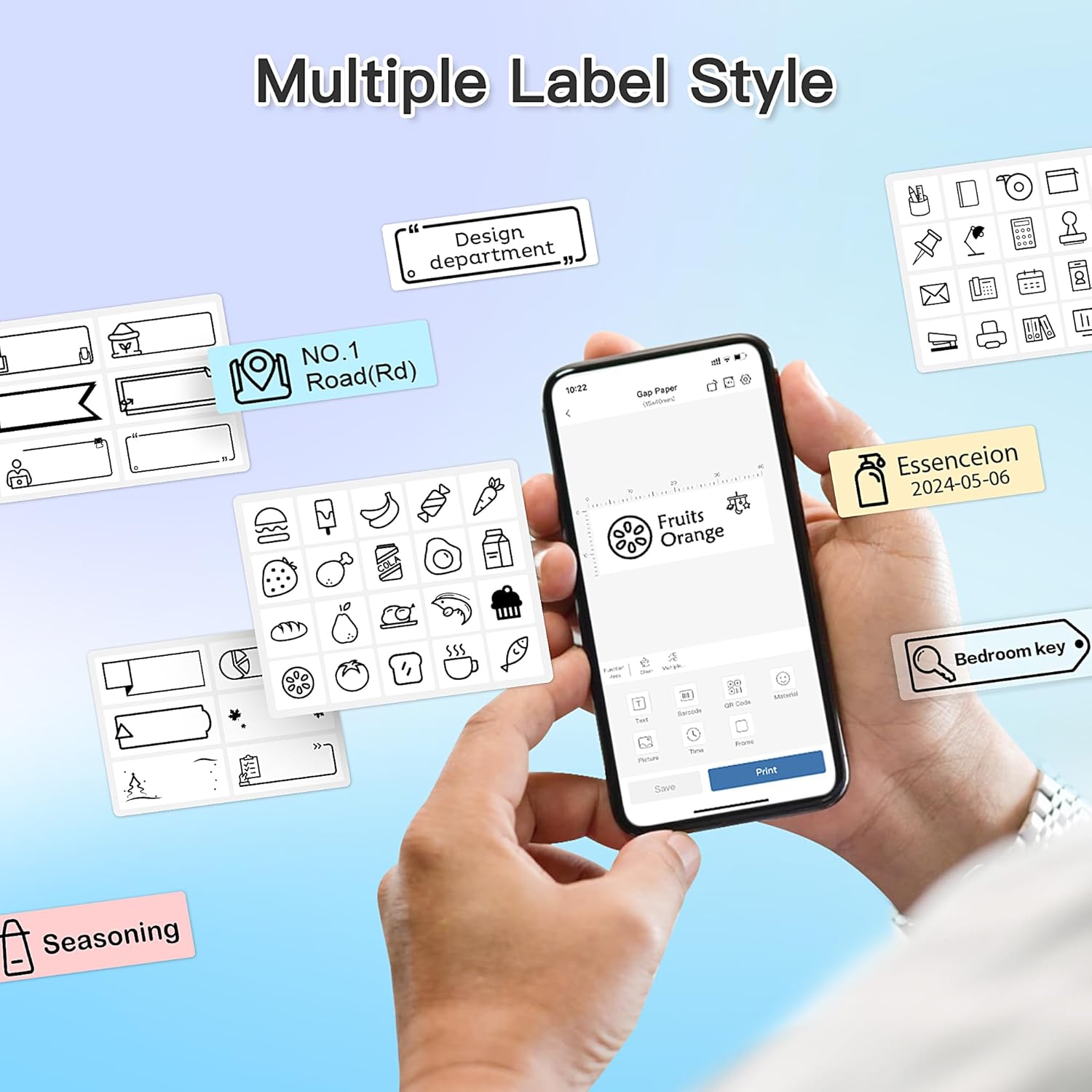
Slika 5: Examples of diverse label styles achievable with the POLONO P31S, demonstrating the flexibility in design for different organizational needs.
5.2 Tiskanje etiket
After designing your label in the Labelnize app:
- Review oblikovanje etikete na zaslonu aplikacije.
- V aplikaciji tapnite gumb »Natisni«.
- Confirm print settings (e.g., number of copies) if prompted.
- The printer will automatically feed and print the label.
5.3 Uporaba vgrajenega rezalnika
The POLONO P31S features a built-in cutter for clean and precise label separation. After printing, gently press the cutter button or lever (depending on model variation) to cut the label. Do not pull the label manually to tear it, as this may damage the printer or result in uneven cuts.
6. Vzdrževanje
6.1 Čiščenje tiskalne glave
To maintain print quality, clean the print head periodically:
- Izklopite tiskalnik in odklopite napajalni kabel.
- Odprite pokrov predala za nalepke.
- Tiskalno glavo nežno obrišite z vatirano palčko, rahlo dampz izopropilnim alkoholom.
- Preden zaprete pokrov in vklopite tiskalnik, pustite, da se tiskalna glava popolnoma posuši.
6.2 Skrb za baterije
- Charge the battery regularly, even if the printer is not used frequently, to prolong its lifespan.
- Izogibajte se popolnemu praznjenju baterije dlje časa.
- Ko tiskalnika ne uporabljate, ga hranite na hladnem in suhem mestu.
7. Odpravljanje težav
| Težava | Možen vzrok | rešitev |
|---|---|---|
| Tiskalnik se ne vklopi. | Prazna baterija ali brez napajanja. | Napolnite tiskalnik s priloženim kablom USB. |
| Povezave ni mogoče vzpostaviti prek Bluetootha. | Bluetooth is off, printer is off, or app issue. | Ensure printer is on, Bluetooth is enabled on your device, and restart the Labelnize app. Try re-pairing. |
| Slaba kakovost tiskanja. | Dirty print head, incorrect label tape, or low battery. | Clean the print head (Section 6.1). Ensure you are using POLONO P31S compatible label tape. Charge the printer. |
| Label jam. | Improper tape installation or foreign object. | Turn off the printer, open the cover, carefully remove any jammed tape. Reinstall tape correctly. |
| Tiskalnik se ne odziva. | Začasna programska napaka. | Restart the printer and the Labelnize app. |
8. Specifikacije
| Funkcija | Podrobnost |
|---|---|
| Model | P31S |
| Tehnologija tiskanja | Toplotna |
| Povezljivost | Bluetooth |
| Ločljivost tiskanja | 203 x 203 DPI |
| Največja hitrost tiskanja (enobarvno) | 15 ppm |
| Največja velikost medija | Label rolls (2 inches / 24 millimeters) |
| Barva črnila | Black (thermal print) |
| Vir napajanja | 1 litijeva polimerna baterija (priložena) |
| Dimenzije izdelka | 7.2 x 7.4 x 12.7 cm; 260 g |
| Vključene komponente | Etikete |
9. Garancija in podpora
For warranty information and technical support, please refer to the official POLONO webspletno mesto ali se obrnite na njihovo službo za stranke. Račun shranite kot dokazilo o nakupu za uveljavljanje garancije.
Uradno Webspletno mesto: www.polono.com (Opomba: To je nadomestno besedilo URL, prosim preverite dejanskega uradnika website for POLONO products.)