
Uvod
Thank you for choosing the Hecate G3m Pro Wireless Bluetooth Gaming Mouse. This manual provides detailed instructions for setting up, operating, and maintaining your new gaming mouse. Designed for performance and versatility, the G3m Pro offers three-mode connectivity, a high-precision sensor, and a lightweight, silent design to enhance your gaming experience.
Konec izdelkaview
The Hecate G3m Pro features a robust design with multiple buttons and connectivity options. Familiarize yourself with the mouse components before use.
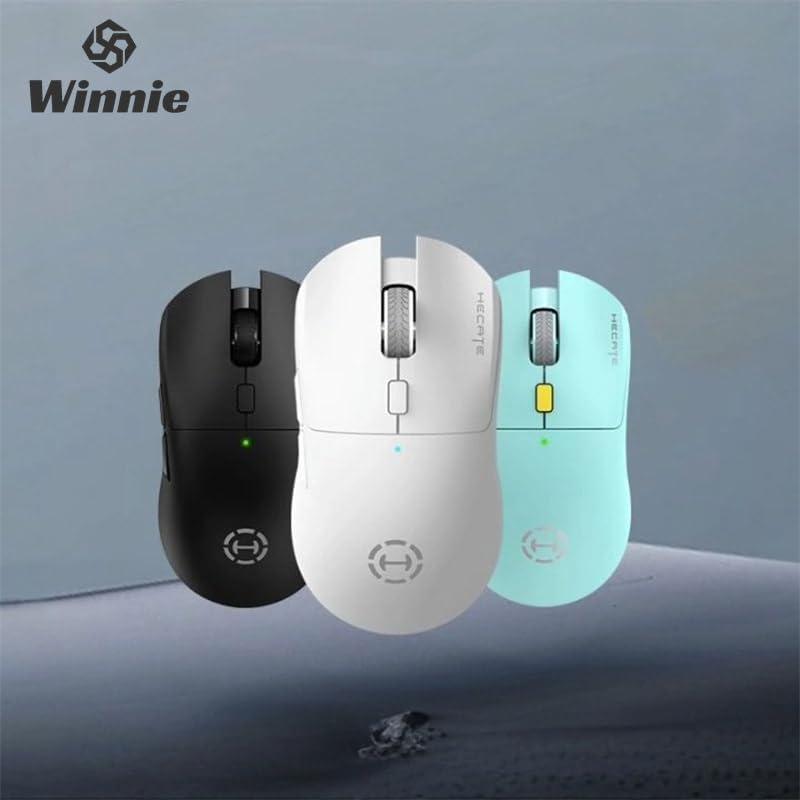
Figure 1: Hecate G3m Pro Wireless Gaming Mouse (Black)
- Levi/desni gumb za klik: Standardne funkcije miške.
- Kolesce za pomikanje: For scrolling and middle-click functionality.
- Gumb za preklop DPI: Adjusts the mouse sensitivity (DPI) on the fly.
- Stranski gumbi: Programmable for various in-game actions or navigation.
- Connectivity Mode Switch: Located on the underside, allows switching between 2.4GHz, Bluetooth, and Wired modes.
- Vrata USB-C: Za žično povezavo in polnjenje.
Nastavitev
Follow these steps to set up your Hecate G3m Pro mouse.
1. Polnjenje miške
Before first use, ensure the mouse is fully charged. Connect the provided USB-C cable to the mouse's USB-C port and the other end to a USB power source (e.g., computer, wall adapter). The LED indicator will show charging status.
2. Povezovanje prek 2.4 GHz brezžične povezave (USB ključek)
- Locate the USB 2.4GHz receiver (dongle) usually stored in a compartment on the underside of the mouse.
- USB-sprejemnik priključite v razpoložljiva vrata USB na vašem računalniku.
- Switch the connectivity mode selector on the mouse to the '2.4G' position.
- The mouse should automatically connect to your computer. The LED indicator may flash briefly and then become solid to indicate a successful connection.
3. Povezava prek Bluetooth
- Switch the connectivity mode selector on the mouse to the 'BT' (Bluetooth) position.
- V računalniku ali napravi pojdite v nastavitve Bluetooth in omogočite Bluetooth.
- The mouse LED indicator will start flashing, indicating it is in pairing mode.
- Select 'Hecate G3m Pro' from the list of available Bluetooth devices on your computer/device to pair.
- Once paired, the LED indicator will become solid.
4. Connecting via Wired Mode
- Priloženi kabel USB-C priključite na vrata USB-C na miški.
- Drugi konec kabla USB-C priključite na prosta vrata USB na računalniku.
- Switch the connectivity mode selector on the mouse to the 'Wired' position.
- Miška bo delovala kot žična miška in bo polnila tudi svojo notranjo baterijo.
Navodila za uporabo
Understand the functions of your mouse for optimal use.
Prilagoditev DPI
Press the DPI cycle button (usually located behind the scroll wheel) to cycle through different DPI settings. Each press will change the sensitivity, often indicated by a change in the LED color or a specific number of flashes. The mouse supports up to 26000 DPI.
Preklop načina
Use the switch on the underside of the mouse to select your preferred connection mode: 2.4GHz, Bluetooth, or Wired. Switch modes according to your device and usage scenario.
Prilagajanje gumbov
For advanced customization of buttons and macros, it is recommended to download the official Hecate software (if available) from the manufacturer's website. This software allows you to reassign button functions, create profiles, and fine-tune performance settings.
Vzdrževanje
Proper maintenance ensures the longevity and performance of your mouse.
Čiščenje
- Za brisanje površine miške uporabite mehko, suho krpo.
- Za trdovratno umazanijo rahlo dampKrpo obrišite z vodo ali blago čistilno raztopino. Izogibajte se agresivnim kemikalijam.
- Ne dovolite, da tekočine pridejo v notranje komponente miške.
- Clean the optical sensor on the underside periodically with a cotton swab to ensure accurate tracking.
Skrb za baterijo
- Izogibajte se pogostemu popolnemu praznjenju baterije.
- Miško napolnite, ko indikator baterije kaže nizko raven napolnjenosti.
- Če miško shranjujete dlje časa, jo napolnite do približno 50 % in jo shranite na hladnem in suhem mestu.
Shranjevanje
Store the mouse in a clean, dry environment away from extreme temperatures and direct sunlight. Keep it away from dust and moisture.
Odpravljanje težav
If you encounter issues with your Hecate G3m Pro mouse, refer to the following common solutions.
Miška se ne odziva
- Preverite baterijo: Prepričajte se, da je miška napolnjena. Priključite jo s kablom USB-C, da se napolni.
- Preverite način povezave: Verify that the mode switch on the underside of the mouse is set to the correct mode (2.4G, BT, or Wired) for your connection type.
- Povezava 2.4 GHz: Prepričajte se, da je USB-sprejemnik varno priključen v delujoča USB-vrata. Poskusite z drugimi USB-vhodi.
- Povezava Bluetooth: Re-pair the mouse with your device. Go to Bluetooth settings, remove the mouse, and then add it again. Ensure your device's Bluetooth is enabled.
- Žična povezava: Ensure the USB-C cable is securely connected to both the mouse and the computer. Try a different USB port or cable.
Inconsistent Tracking or Cursor Movement
- Čisti senzor: Očistite optični senzor na spodnji strani miške.
- Podloga za miško: Use the mouse on a clean, uniform surface or a high-quality mouse pad. Avoid reflective or glass surfaces.
- Nastavitev DPI: Adjust the DPI setting using the DPI cycle button to find a comfortable sensitivity.
Gumbi ne delujejo
- Motnje programske opreme: Če uporabljate programsko opremo po meri, poskusite ponastaviti dodelitve gumbov na privzete.
- Test na drugi napravi: Connect the mouse to another computer to determine if the issue is with the mouse or the original device's settings.
Specifikacije
Detailed technical specifications for the Hecate G3m Pro Wireless Bluetooth Gaming Mouse.
| Funkcija | Opis |
|---|---|
| Model | G3m Pro |
| Znamka | Hecate |
| Tehnologija povezljivosti | 2.4 GHz brezžično, Bluetooth, žično (USB-C) |
| Zaznavanje gibanja | Optical (Paw3395 Sensor) |
| DPI (pik na palec) | Do 26000 DPI |
| Pospešek | 50G |
| IPS (palci na sekundo) | 600 |
| Število gumbov | 6 |
| Število valjev | 1 (kolesce za pomikanje) |
| Ročna orientacija | Obojepravni |
| Posebna funkcija | Lightweight (Approx. 63g) |
| Vrsta napajanja | Akumulatorska baterija |
| Priporočena uporaba | Igranje |
| Združljive naprave | Personal Computer, Laptop, Game Console |
| Operacijski sistemi | Linux, Windows XP (in novejše različice) |
Garancija in podpora
Your Hecate G3m Pro Wireless Bluetooth Gaming Mouse comes with a warranty and dedicated support.
Informacije o garanciji
All products are covered by a 12-mesečna garancija od datuma nakupa. Ta garancija krije proizvodne napake in težave, ki nastanejo zaradi normalne uporabe.
Podpora uporabnikom
If you encounter any problems with your product, such as defective or incorrect items, please do not hesitate to contact us. We are committed to providing prompt assistance and will respond to your inquiries within 24 hours. Please refer to your purchase documentation for specific contact details or visit the official Hecate support webmesto.