
1. Uvod
This manual provides instructions for the iTOMA Model CKS507 Clock Radio. This device combines an alarm clock with a large LED display, FM radio, dual alarms, two USB charging ports, a night light, and both automatic and manual dimmer functions. It also features APP control for enhanced functionality and ease of use.

Figure 1: iTOMA CKS507 Clock Radio overview.
2. Ključne značilnosti
- Ultra Clear 1.4-inch White LED Display: Large numbers for easy readability from any angle, with 4-level manual and auto brightness adjustment.
- Nadzor APP: Manage alarms, radio, and other settings via the dedicated iTOMA App for iOS and Android.
- Dvojni alarmi: Set two independent alarms with customizable wake-up modes (radio or buzzer) and 4 alarm week modes (Every day, single day, weekdays, weekends).
- FM radio: Digital tuning with memory storage for up to 20 programmable stations (87.5-108MHz). Features a sleep-to-music timer (10-90 minutes).
- Bluetooth povezljivost: Brezžično pretakajte zvok iz naprav, ki podpirajo Bluetooth.
- Two USB Charging Ports: Includes one USB Type-A and one USB Type-C port (2.1A 5V) for charging mobile devices.
- Nočna luč: Two-level night light for ambient illumination.
- Funkcija dremeža: 9-minute snooze, up to 6 times.
- Crescendo Wake-up Control: Glasnost alarma se postopoma povečuje.
3. Vsebina paketa
Preverite, ali so v paketu prisotni vsi elementi:
- 1 x iTOMA CKS507 Clock Radio
- 1 x napajalnik
- 1 x Uporabniški priročnik (šest jezikov)
4. Nastavitev
4.1 Napajalni priključek
- Unpack the iTOMA CKS507 Clock Radio and its power adapter.
- Connect the power adapter to the DC input port on the back of the clock radio.
- Plug the power adapter into a standard electrical outlet. The clock will automatically set itself to the correct year, month, date, day, and time upon initial power-up and after any power interruption.
4.2 Nastavitev nadzora aplikacij
The iTOMA App provides convenient control over various clock functions.
- Prenesite aplikacijo: Iskanje "iTOMA" in the App Store (iOS) or Google Play Store (Android) and download the application.
- Power On and Bluetooth Activation: Ensure the clock radio is powered on. Press the BT button on the clock. The Bluetooth indicator on the clock display should flash, indicating it is in pairing mode.
- Povežite se prek aplikacije:
- Open the iTOMA App on your mobile device.
- Tap "Connect" within the App.
- In the pop-up interface, select "Settings" and then connect to the Bluetooth device named "507".
- Potrditev: A successful connection will be indicated by an audible tone from the clock. The App and Bluetooth indicator lights on the clock will remain steadily on.
- Odpravljanje težav s povezavo: If the App cannot connect, ensure your mobile device's Bluetooth is enabled and the clock's Bluetooth is active (indicator flashing or steady).

Figure 2: Steps for connecting the iTOMA App.
5. Navodila za uporabo
5.1 Nastavitev časa in datuma
The clock automatically sets the time upon power-up. Manual adjustment is also possible.
- Ročna nastavitev časa: Uporabite ČAS NAST button to adjust the year, date, day of the week, and time. Refer to the detailed instructions in the included multi-language manual for specific button sequences.
- Časovni pas: Prilagodite časovni pas glede na svojo lokacijo.
- 12/24-urni format: Izberite želeno obliko prikaza časa.
5.2 funkcij alarma
The clock radio features two independent alarms.

Figure 3: Dual alarm clock functionality.
- Nastavitev alarmov: Use the dedicated alarm buttons or the iTOMA App to set Alarm 1 and Alarm 2.
- Wake-up Modes: Choose to wake up to the FM radio or a buzzer sound.
- Alarm Week Modes: Select from four options: Every day, single day only, weekdays only, or weekends only.
- Glasnost alarma: Adjust the alarm volume (16 levels). The alarm sound will gradually increase (crescendo wake-up).
- Preložitev: Ko se oglasi alarm, pritisnite DREMEŽ button to temporarily silence it for 9 minutes. This can be repeated up to 6 times.
- Onemogočanje alarma: To turn off an alarm, use the physical alarm switch on the back of the unit or disable it via the App. Remember to re-enable it for the next day if needed.
5.3 FM radio
Uživajte v svojih najljubših radijskih postajah z digitalnim iskanjem.

Figure 4: FM Radio tuning and presets via App.
- tuning: Use the tuning controls on the unit or the App to find FM stations (87.5-108MHz).
- Prednastavitve: Store up to 20 favorite radio stations for quick access.
- obseg: Adjust the radio volume from 0-16 levels.
- Antena: Ensure the external cable antenna is properly extended for optimal reception.
- Časovnik spanja: Set a programmable sleep-to-music timer (10-90 minutes) to fall asleep to your chosen radio station. The radio will automatically turn off after the set duration.
5.4 Pretakanje zvoka prek Bluetootha
Connect your mobile device to stream music wirelessly.

Figure 5: Bluetooth music streaming.
- Pritisnite BT button on the clock radio to enter Bluetooth pairing mode. The Bluetooth indicator will flash.
- On your mobile device, go to Bluetooth settings and select "507" from the list of available devices to pair.
- Once paired, the Bluetooth indicator on the clock will stop flashing and remain steady. You can now stream audio from your device to the clock radio.
5.5 Zatemnitev zaslona
Za udobje prilagodite svetlost zaslona.

Figure 6: Display brightness levels and auto dimmer.
- Manual Dimmer: Uporabite DIMMER button to cycle through 4 brightness levels (L-1, L-2, L-3, OFF).
- Samodejna zatemnitev: The clock features an auto-dimmer function that adjusts the display brightness based on ambient light conditions, reducing brightness for uninterrupted sleep.
5.6 Nočna lučka
Vgrajena nočna lučka zagotavlja mehko osvetlitev.
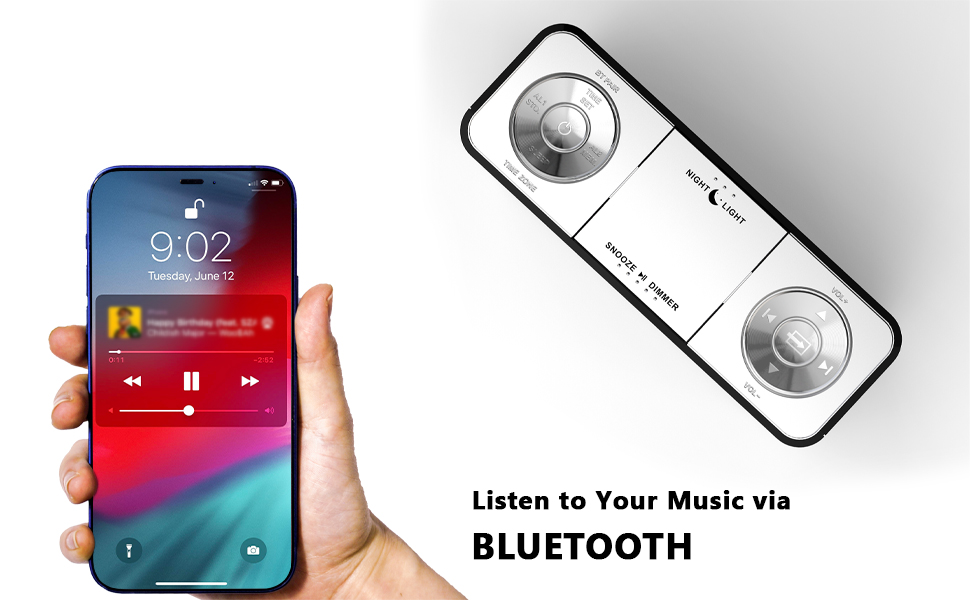
Figure 7: Night light feature.
- Pritisnite NOČNA LUČ button to activate or adjust the two-level night light.
5.7 vrata za polnjenje USB
Charge your mobile devices conveniently.
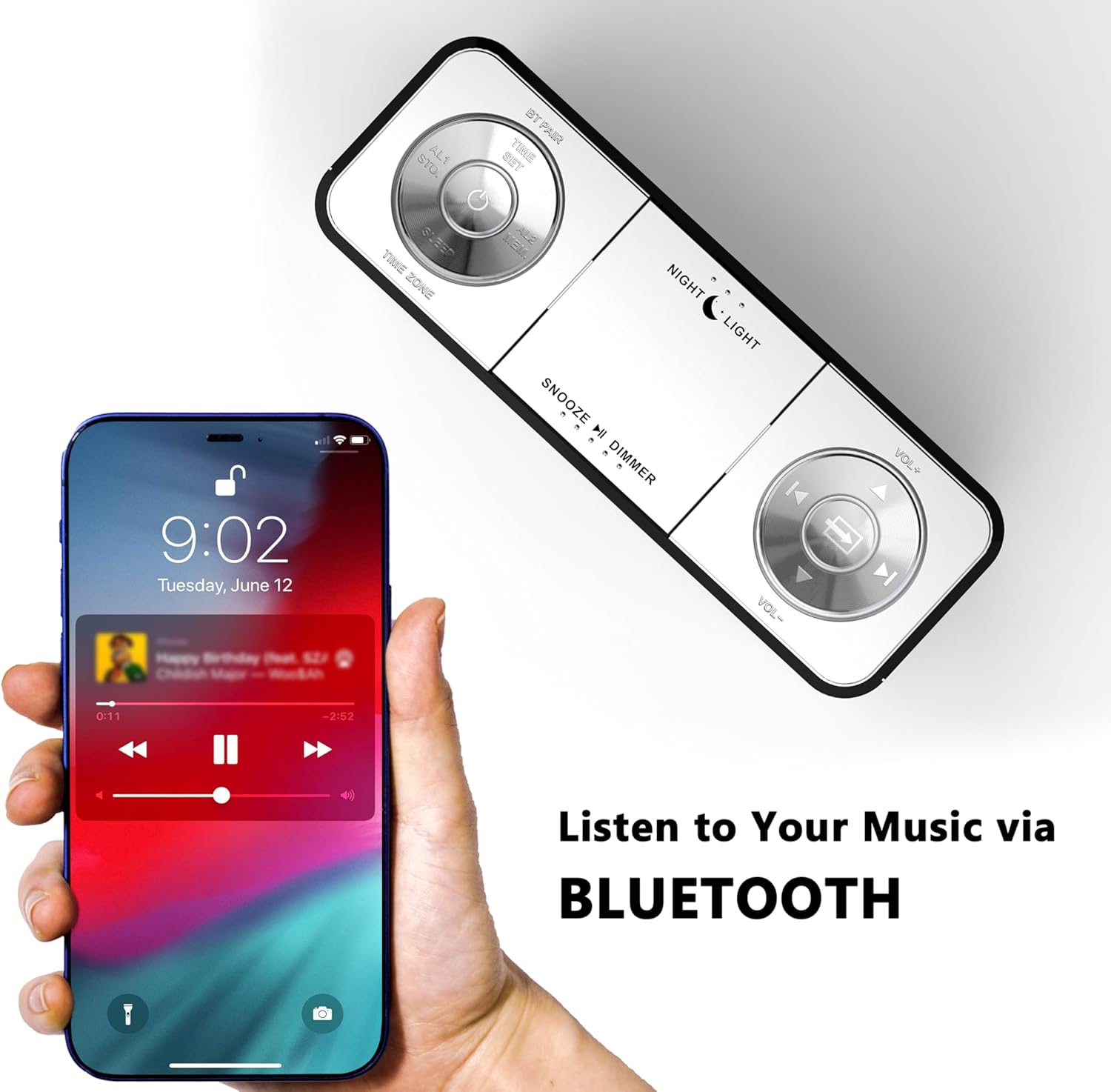
Figure 8: USB charging ports in use.
- The clock radio includes one USB Type-A and one USB Type-C charging port (2.1A 5V total output).
- Connect your mobile phone, tablet, or other USB-powered devices to these ports for charging.
6. Vzdrževanje
- Čiščenje: Napravo obrišite z mehko, suho krpo. Ne uporabljajte abrazivnih čistil ali topil.
- Odklop napajanja: Če enote dalj časa ne boste uporabljali, izključite napajalnik iz stenske vtičnice.
- Umestitev: Place the clock radio on a stable, flat surface away from direct sunlight, heat sources, and moisture.
7. Odpravljanje težav
| Težava | Možen vzrok | rešitev |
|---|---|---|
| Clock display is blank or not working. | Brez elektrike ali prekinitve elektrike. | Ensure the power adapter is securely plugged into the clock and a working electrical outlet. |
| Time/Date is incorrect after power interruption. | No battery backup for settings. | The clock automatically resets time upon power restoration. If manual settings were lost, re-enter them using the TIME SET button or App. |
| Cannot connect to the iTOMA App. | Bluetooth is off on the clock or mobile device; incorrect pairing process. | Ensure Bluetooth is enabled on your mobile device. Press the BT button on the clock to activate pairing mode. Follow App connection steps carefully. |
| Slab sprejem FM radia. | Antena ni iztegnjena ali pa je signal slab. | Fully extend the external cable antenna. Try repositioning the antenna or the clock radio for better signal. |
| Alarm se ne oglasi. | Alarm is not set, turned off, or volume is too low. | Verify alarm settings (time, mode, active days) via the clock or App. Ensure alarm volume is set to an audible level. Check the physical alarm switch on the back. |
| Polnjenje prek USB-ja ne deluje. | Naprava ni združljiva ali pa je kabel pokvarjen. | Ensure your device is compatible with 5V USB charging. Try a different USB cable. Confirm the clock radio is powered on. |
8. Specifikacije
| Znamka | iTOMA |
| Številka modela | CKS507 |
| barva | Bela LED |
| Vrsta zaslona | Digitalna LED |
| Dimenzije izdelka | 158 mm x 90 mm (Š x V) |
| Vir napajanja | Električni na kabel |
| Material okvirja | Plastika |
| Teža predmeta | 1.19 funtov |
| FM frekvenčno območje | 87.5-108 MHz |
| USB izhod za polnjenje | 2.1A 5V (Type-A and Type-C ports) |

Slika 9: Dimenzije izdelka.
9. Podpora strankam
For further assistance, troubleshooting, or warranty information, please contact iTOMA customer support.
- Proizvajalec: iTOMA
- Spletna podpora: Refer to the official iTOMA webZa najnovejše kanale podpore obiščite spletno mesto ali kontaktne podatke, ki so navedeni v embalaži izdelka.