1. Izdelek je končanview
The XY-AP100L is a high-performance Bluetooth 5.0 stereo amplifier board designed for various audio applications. It features a 100W x 2 output, supporting multiple audio input methods including Bluetooth, AUX, and USB sound card functionality. This manual provides essential information for the proper setup, operation, and maintenance of your amplifier deska.
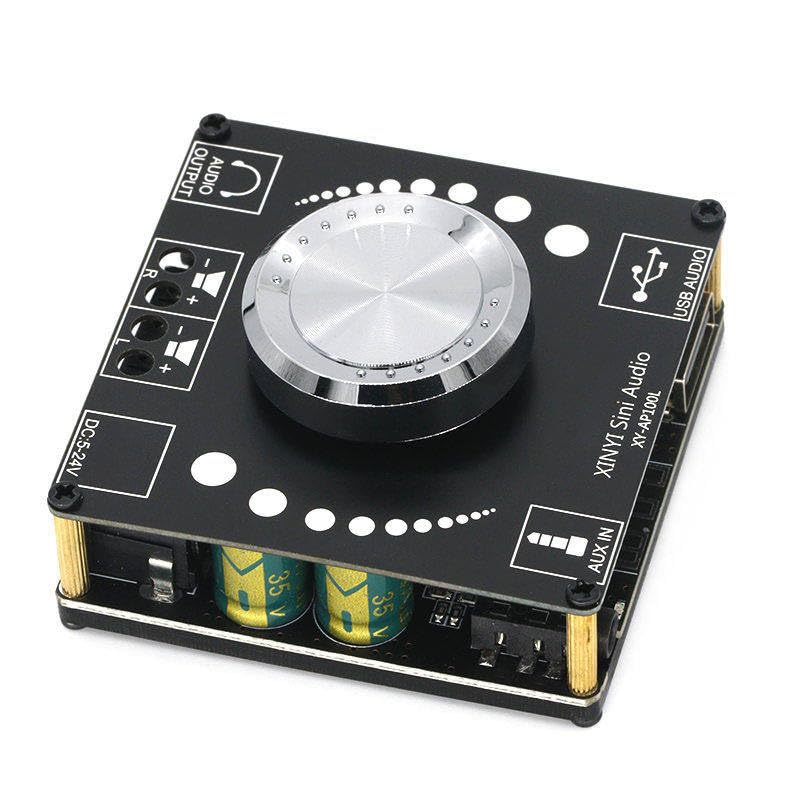
Slika 1: Spredaj view of the XY-AP100L amplifier board, showing the main controls and connection ports including Audio Output, DC power input, AUX IN, and USB Audio input.
2. Specifikacije
| Funkcija | Opis |
|---|---|
| Številka modela | XY-AP100L |
| Izhodna moč | 200 Watts (100W x 2 Channels) |
| Število kanalov | 2 (stereo) |
| voltage Vhod | DC 12 V - 24 V |
| Največja dobava Voltage | 24 volta |
| Različica Bluetooth | 5.0 |
| Avdio vhodi | Bluetooth, AUX (3.5mm), USB Audio (Sound Card) |
| Vrsta namestitve | Samostoječ |
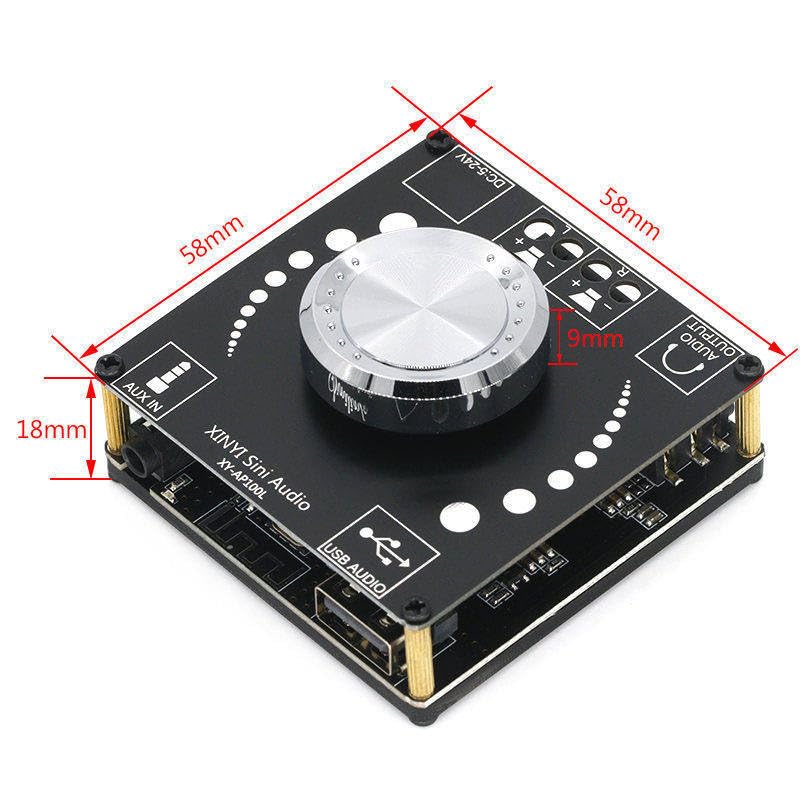
Slika 2: Dimensions of the XY-AP100L amplifier board, indicating its compact size for integration into various projects.
3. Navodila za nastavitev
Follow these steps to correctly set up your XY-AP100L amprešilna plošča:
- Napajalni priključek: Connect a DC power supply (12V-24V) to the 'DC 5-24V' input terminal. Ensure correct polarity. A 24V power supply is recommended for optimal 100W x 2 output.
- Povezava zvočnikov: Connect your passive speakers to the 'AUDIO OUTPUT' terminals. The 'L' terminal is for the left channel speaker, and 'R' for the right channel speaker. Ensure positive (+) and negative (-) terminals are matched correctly.
- Izbira avdio vhoda: The board supports three input modes: Bluetooth, AUX IN, and USB Audio. The board will automatically switch modes or you can manually select via the rotary encoder (if applicable, refer to operating instructions).
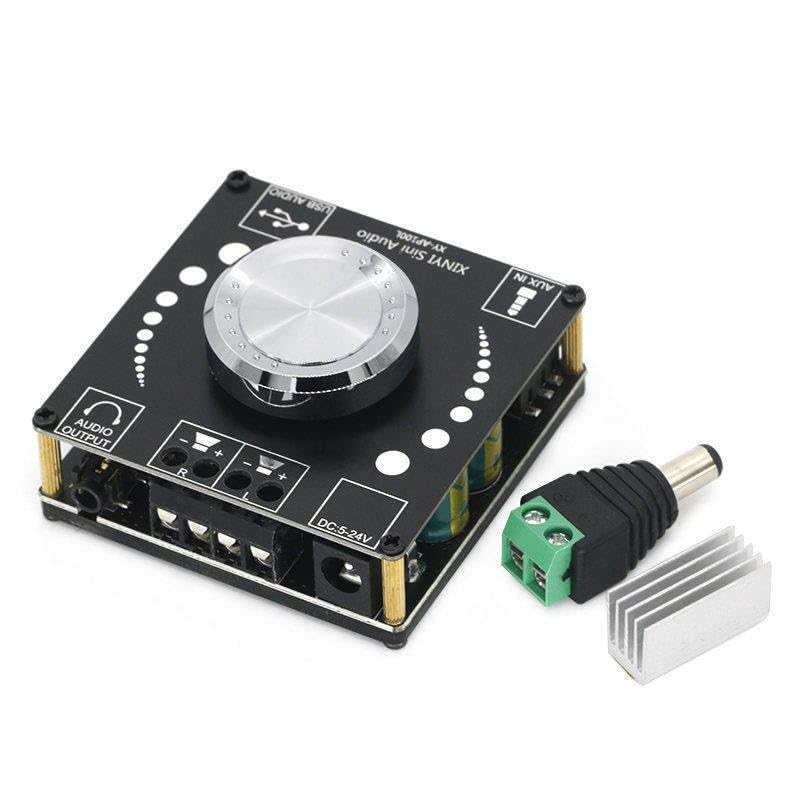
Slika 3: The XY-AP100L amplifier board shown with a heatsink and power adapter, illustrating typical setup components.
4. Navodila za uporabo
Ko je amplifier board is set up, follow these steps for operation:
- Vklop: Apply power to the DC input. The board will power on automatically.
- Nadzor glasnosti: Use the central rotary knob to adjust the output volume. Rotate clockwise to increase volume, counter-clockwise to decrease.
- Bluetooth seznanjanje:
- Ensure the board is in Bluetooth mode (indicated by an LED or voice prompt).
- On your mobile device, search for Bluetooth devices and select 'XY-AP100L'.
- Ko sta seznanjena, lahko brezžično pretakate zvok.
- AUX vhod: Connect an audio source (e.g., smartphone, MP3 player) to the 'AUX IN' 3.5mm jack using an audio cable. The board should automatically switch to AUX mode.
- USB Audio (Sound Card): Connect the 'USB AUDIO' port to a computer using a USB cable. The computer should recognize the board as an audio output device. Select it as your playback device to use the board as an external sound card.
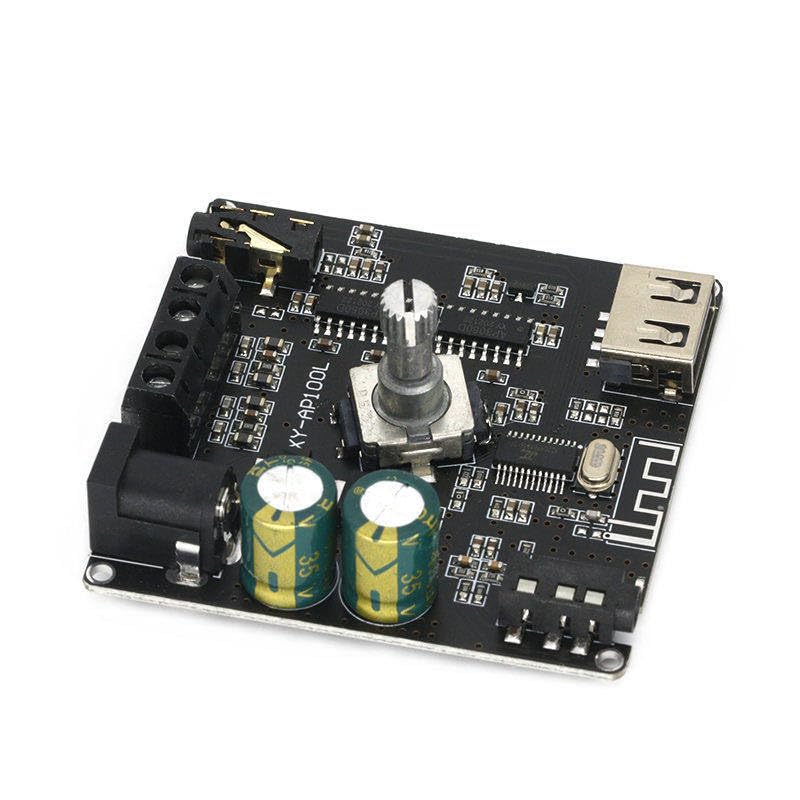
Slika 4: Stran view of the XY-AP100L amplifier board, showing various components and connection points from a different angle.
5. Vzdrževanje
Da zagotovite dolgo življenjsko dobo in optimalno delovanje vašega ampploščo za dvigovanje motorja, upoštevajte ta navodila za vzdrževanje:
- Čiščenje: Use a soft, dry cloth to clean the board. Avoid using liquid cleaners or solvents.
- Prezračevanje: Ensure the board is placed in a well-ventilated area to prevent overheating, especially during prolonged use at high volumes.
- Shranjevanje: When not in use for extended periods, store the board in a cool, dry place away from direct sunlight and moisture.
- Ravnanje: Handle the board with care to avoid damaging components. Avoid static discharge.
6. Odpravljanje težav
If you encounter issues with your XY-AP100L ampploščo za reševanje, glejte naslednje pogoste težave in rešitve:
- Brez napajanja:
- Check if the DC power supply is correctly connected and providing the specified voltage (12V-24V).
- Ensure the power adapter is functional.
- Ni zvoka:
- Verify speaker connections are secure and correct polarity is observed.
- Check the volume level on both the amplifier board and the audio source.
- Ensure the correct input mode (Bluetooth, AUX, USB) is selected and the audio source is playing.
- Preizkusite z drugim virom zvoka ali zvočniki, da ugotovite vzrok težave.
- Bluetooth Disconnection/Pairing Issues:
- Prepričajte se, da nobena druga naprava ni aktivno povezana z amplifier board via Bluetooth.
- Premaknite napravo Bluetooth bližje amplifier deska.
- Try forgetting the device on your phone/computer and re-pairing.
- Popačen zvok:
- Zmanjšajte glasnost na obeh amppredvajalnik in vir zvoka.
- Ensure the power supply is adequate for the desired output level. A weak power supply can cause distortion at higher volumes.
- Preverite združljivost impedance zvočnikov.
7. Garancija in podpora
This product is manufactured by Generic. For specific warranty information or technical support, please refer to the retailer or manufacturer's official webspletno mesto, kjer je bil izdelek kupljen. Račun shranite kot dokazilo o nakupu.


