
Uvod
Thank you for choosing the LEXIP Madara Design Headset. This manual provides detailed instructions for setting up, operating, and maintaining your headset. Please read this manual thoroughly before use to ensure optimal performance and longevity of your device.
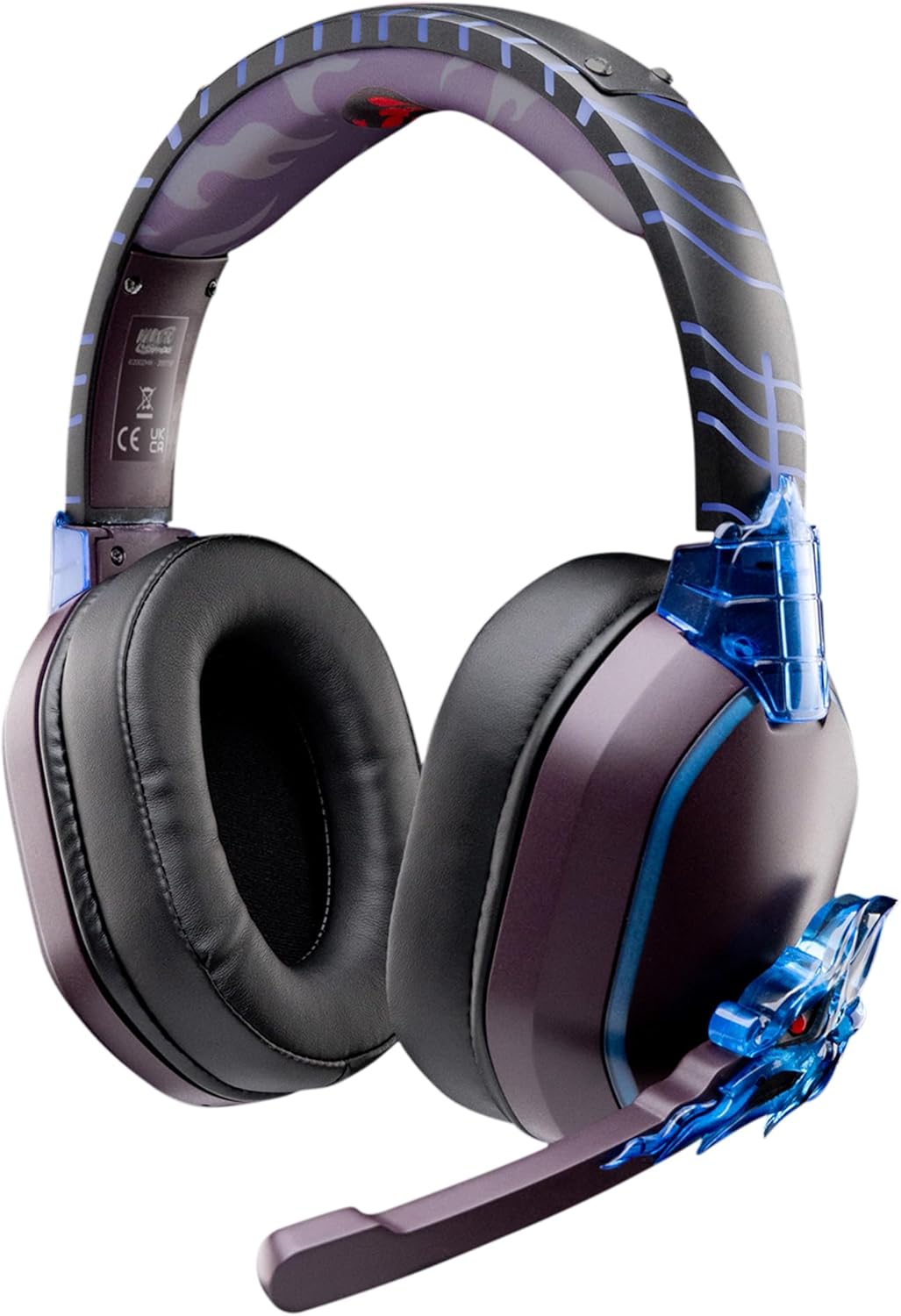
Image: The LEXIP Madara Design Headset, featuring a distinctive purple and blue color scheme with intricate design elements inspired by Madara.
Vsebina paketa
Prepričajte se, da so v paketu prisotni vsi elementi:
- LEXIP Madara Design Headset
- Snemljiv mikrofon
- 3.5 mm avdio kabel
- USB polnilni kabel
- Uporabniški priročnik
Konec izdelkaview
Familiarize yourself with the components and design features of your headset.

Image: Close-up of the headset's ear cup, highlighting the intricate blue dragon design element.

Slika: View of the soft earcups and adjustable headband, designed for comfort during extended use.
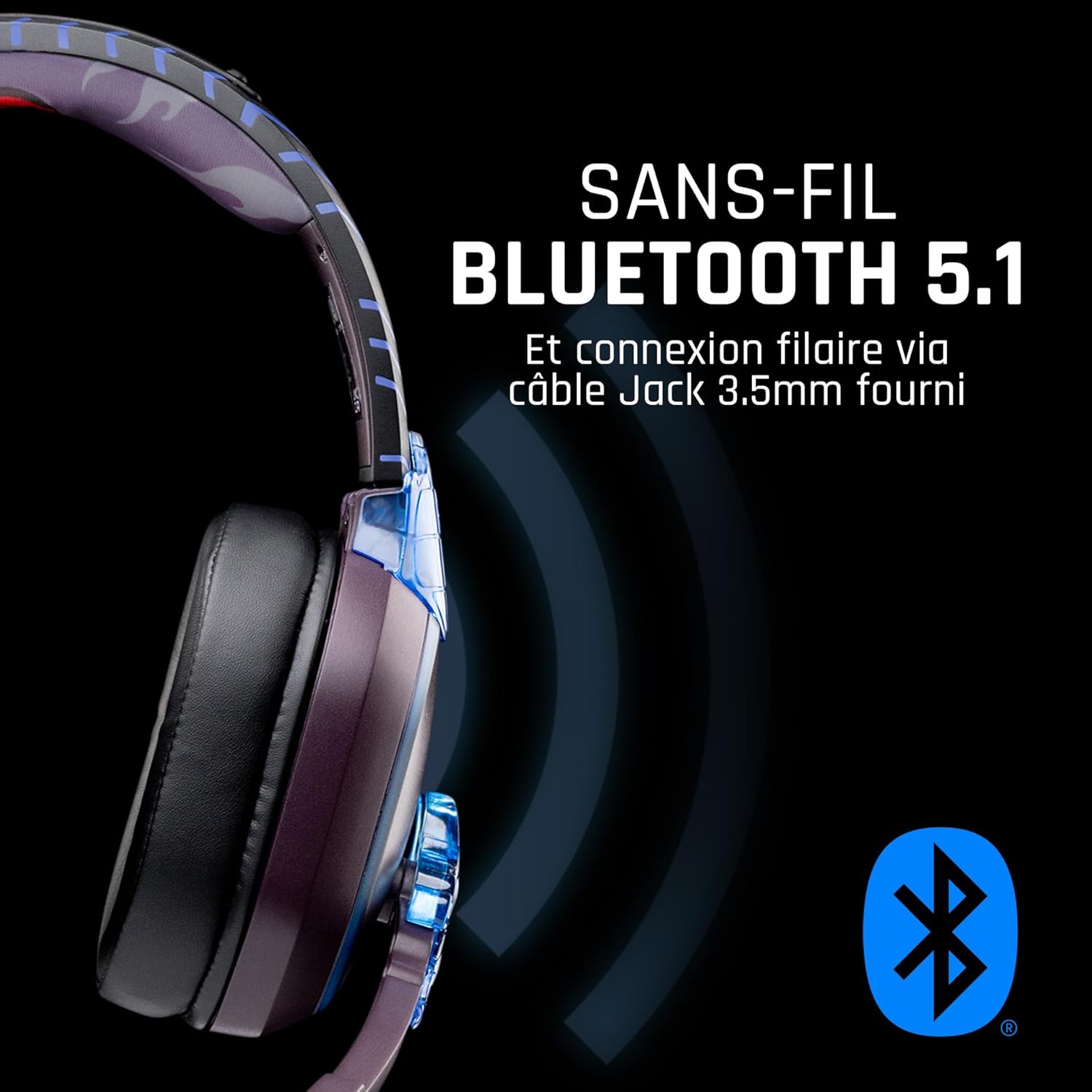
Slika: Stran view of the headset, illustrating its wireless Bluetooth 5.1 capability and connection points.

Image: The headset displayed on a stand, alongside a matching game controller, showcasing its gaming application.
Ključne značilnosti:
- Brezžični Bluetooth 5.1: For seamless wireless audio.
- Žična povezava: Via the included 3.5mm Jack cable.
- Snemljiv mikrofon: For clear communication and versatility.
- Nadzor glasnosti: Integrated controls for easy audio adjustment.
- Izolacija hrupa: Passive noise reduction for an immersive experience.
- Udoben dizajn: Adjustable headband and over-ear form factor.
Nastavitev
1. Polnjenje slušalk
- Connect the USB charging cable to the charging port on the headset.
- Drugi konec kabla USB priključite na združljiv vir napajanja USB (npr. vrata USB računalnika, stenski adapter USB).
- The LED indicator on the headset will show the charging status. A full charge typically takes approximately 2-3 hours.
2. Pritrditev mikrofona
- Locate the microphone input port on the headset, usually on the left earcup.
- Align the detachable microphone connector with the port and gently push it in until it clicks into place.
- Prilagodite položaj mikrofona za optimalen zajem glasu.
Navodila za uporabo
1. Vklop/izklop
- Za vklop: Pritisnite in držite gumb za vklop približno 3 sekundi, dokler se ne prižge LED indikator.
- Za izklop: Pritisnite in držite gumb za vklop približno 5 sekunde, dokler se LED indikator ne izklopi.
2. Združevanje prek Bluetootha (brezžični način)
- Prepričajte se, da so slušalke izključene.
- Pritisnite in držite gumb za vklop približno 5–7 sekund, dokler LED indikator ne začne hitro utripati, kar označuje način seznanjanja.
- On your device (Windows 10/11, Mac, PS5, PS4, Xbox Series X/S, Xbox One, Nintendo Switch, Android, iOS, tablets), navigate to Bluetooth settings.
- Iskanje available devices and select "LEXIP Madara Headset" (or similar name).
- Po seznanitvi LED indikator preneha utripati in ostane moder.
3. Žična povezava (3.5 mm vtičnica)
- Insert one end of the 3.5mm audio cable into the headset's audio jack.
- Insert the other end into the 3.5mm audio port of your desired device.
- The headset will operate in passive wired mode, even if the power is off.
4. Nadzor glasnosti
- Use the volume control dial or buttons located on the headset to adjust the audio level.
Vzdrževanje
- Čiščenje: Za čiščenje slušalk uporabite mehko, suho krpo. Ne uporabljajte abrazivnih čistil ali topil.
- Shranjevanje: Slušalke shranjujte na hladnem in suhem mestu, stran od neposredne sončne svetlobe in ekstremnih temperatur.
- Vzdrževanje baterije: Za optimalno življenjsko dobo baterije se izogibajte pogostemu popolnemu praznjenju slušalk. Redno jih polnite.
- Vodoodpornost: Slušalke niso vodoodporne. Izogibajte se stiku s tekočinami.
Odpravljanje težav
| Težava | Možen vzrok | rešitev |
|---|---|---|
| Ni zvoka iz slušalk | Headset not powered on; Volume too low; Not paired/connected; Incorrect audio output selected on device. | Ensure headset is powered on and charged. Increase volume. Re-pair Bluetooth or check 3.5mm cable connection. Select headset as audio output on your device. |
| Seznanitev prek Bluetootha ni mogoča | Headset not in pairing mode; Device Bluetooth off; Too far from device; Interference. | Ensure headset is in pairing mode (flashing LED). Turn device Bluetooth off and on again. Move headset closer to device. Avoid strong Wi-Fi signals or other Bluetooth devices. |
| Mikrofon ne deluje | Microphone not properly attached; Muted on headset/device; Incorrect input selected on device. | Ensure microphone is securely attached. Check if microphone is muted. Select headset microphone as input device in your device's sound settings. |
| Kratka življenjska doba baterije | Headset not fully charged; Old battery. | Ensure headset is fully charged before use. Battery performance may degrade over time. |
Specifikacije
| Številka modela | TSXLXHS0003 |
| Znamka | Lexip |
| Tehnologija povezljivosti | Brezžično (Bluetooth 5.1), Žično (3.5 mm vtičnica) |
| Frekvenčno območje | 20 Hz - 20,000 Hz |
| Impedanca | 3 ohme |
| Občutljivost | 116 dB |
| Izolacija hrupa | Pasivno zmanjšanje hrupa |
| Mikrofon | Snemljiv |
| Kontrole | Volume Control, Remote Control |
| Združljive naprave | Windows 10/11, Mac, PS5, PS4, Xbox Series X/S, Xbox One, Nintendo Switch, Android, iOS, tablets |
| Faktor oblike | Over-ear, Extra-aural |
| Material | Mešani materiali |
| Starostni razpon | Odrasel |
| Stopnja vodoodpornosti | Ni vodoodporen |
| Baterija | 1 nestandardna baterija (priložena) |
Garancija in podpora
The LEXIP Madara Design Headset comes with a 2-letna garancija proizvajalca od datuma nakupa. Ta garancija pokriva napake v materialu in izdelavi pri normalni uporabi.
For warranty claims, technical support, or further assistance, please contact LEXIP customer service through their official website or the retailer where the product was purchased. Please have your proof of purchase and model number (TSXLXHS0003) ready when contacting support.
Opomba: Informacije o razpoložljivosti rezervnih delov in posodobitvah programske opreme trenutno niso na voljo.