
Uvod
This manual provides instructions for the Akasa AK-CR-12 2-in-1 USB 3.2 Dual Card Reader. This device offers expanded connectivity for common memory cards, including SD, SDHC, SDXC, microSD, microSDHC, and microSDXC, in a compact aluminum housing. It is designed for compatibility with various devices featuring either USB Type-C or USB Type-A connectors.
Lastnosti izdelka
- Zasnova z dvojnimi vrati: Features both USB Type-A and Type-C connectors for versatile device compatibility.
- Visokohitrostni prenos podatkov: Supports USB 3.2 Gen 1, providing data transfer rates up to 5Gbps.
- Dvojne reže za kartice: Simultaneously reads and writes SD and microSD cards.
- Združljivost z operacijskimi sistemi: Works with macOS, Windows, Linux, and Android systems.
- Vzdržljiva konstrukcija: Premium aluminum housing enhances heat dissipation and protection.
- Plug & Play: Za večino operacijskih sistemov niso potrebni gonilniki.
- Vroča zamenjava: Allows for connection and disconnection without restarting the device.
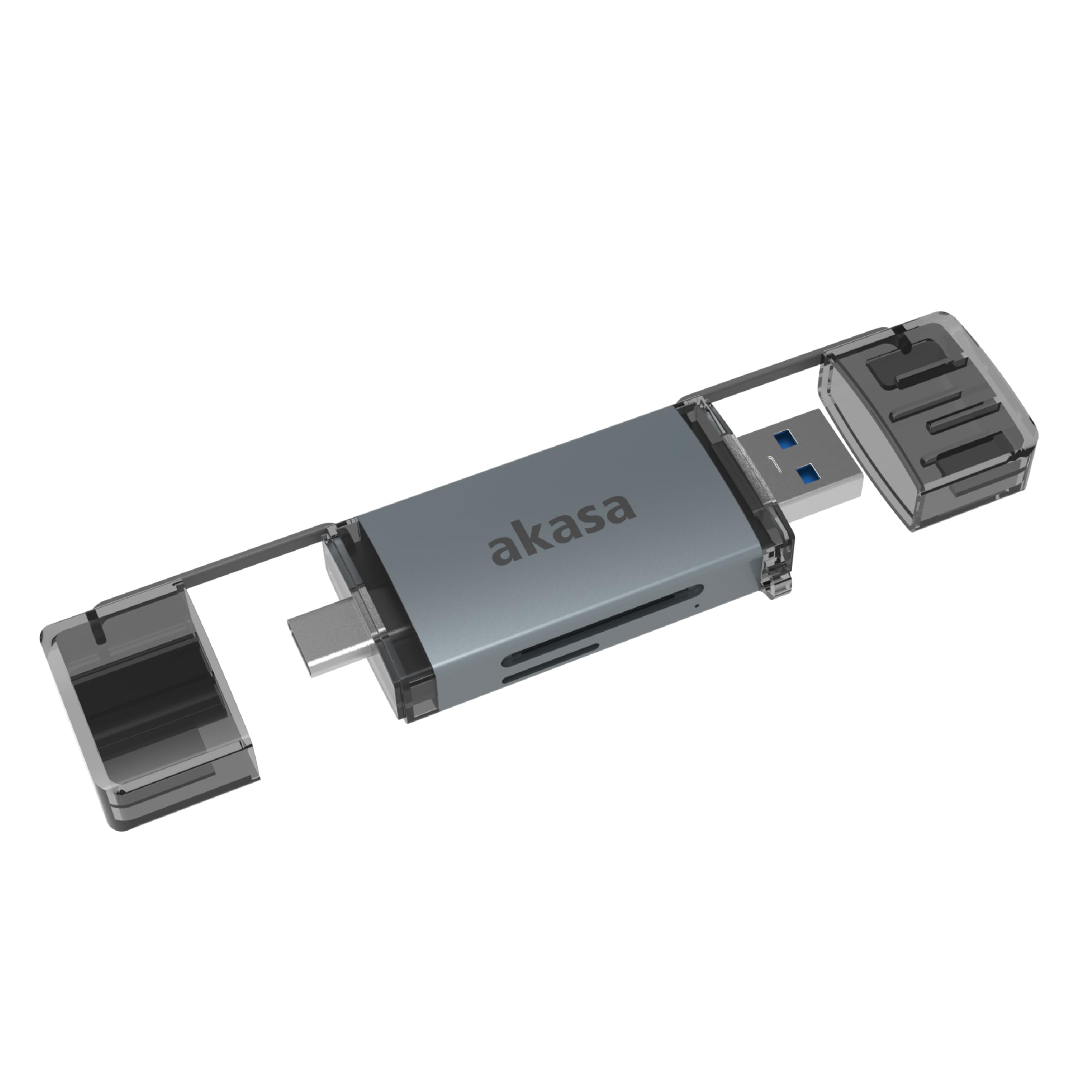
Image: The Akasa AK-CR-12 connected to a laptop, highlighting its USB 3.2 Gen 1 high-speed data transmission capability of up to 5Gbps, compared to USB 2.0's 480Mbps.

Slika: Bližnji posnetek view of the Akasa AK-CR-12, emphasizing its aluminum housing designed for enhanced heat dissipation and protection, and its ease of plugging into various devices.
Nastavitev in delovanje
- Vstavite pomnilniško kartico: Gently insert your SD or microSD card into the corresponding slot on the Akasa AK-CR-12. Ensure the card is inserted correctly with the contacts facing down.
- Povežite se z napravo:
- For devices with a USB Type-C port (e.g., modern laptops, smartphones, tablets), connect the USB Type-C end of the card reader.
- For devices with a USB Type-A port (e.g., older laptops, desktop PCs), connect the USB Type-A end of the card reader.
- Dostop do podatkov: Once connected, your operating system should automatically detect the card reader and the inserted memory card. The memory card will appear as a removable drive. You can then access, transfer, and manage filetako kot bi to storili s katero koli drugo napravo za shranjevanje.
- Varno izvrženje: Before disconnecting the card reader, always safely eject the removable drive through your operating system's interface to prevent data corruption.
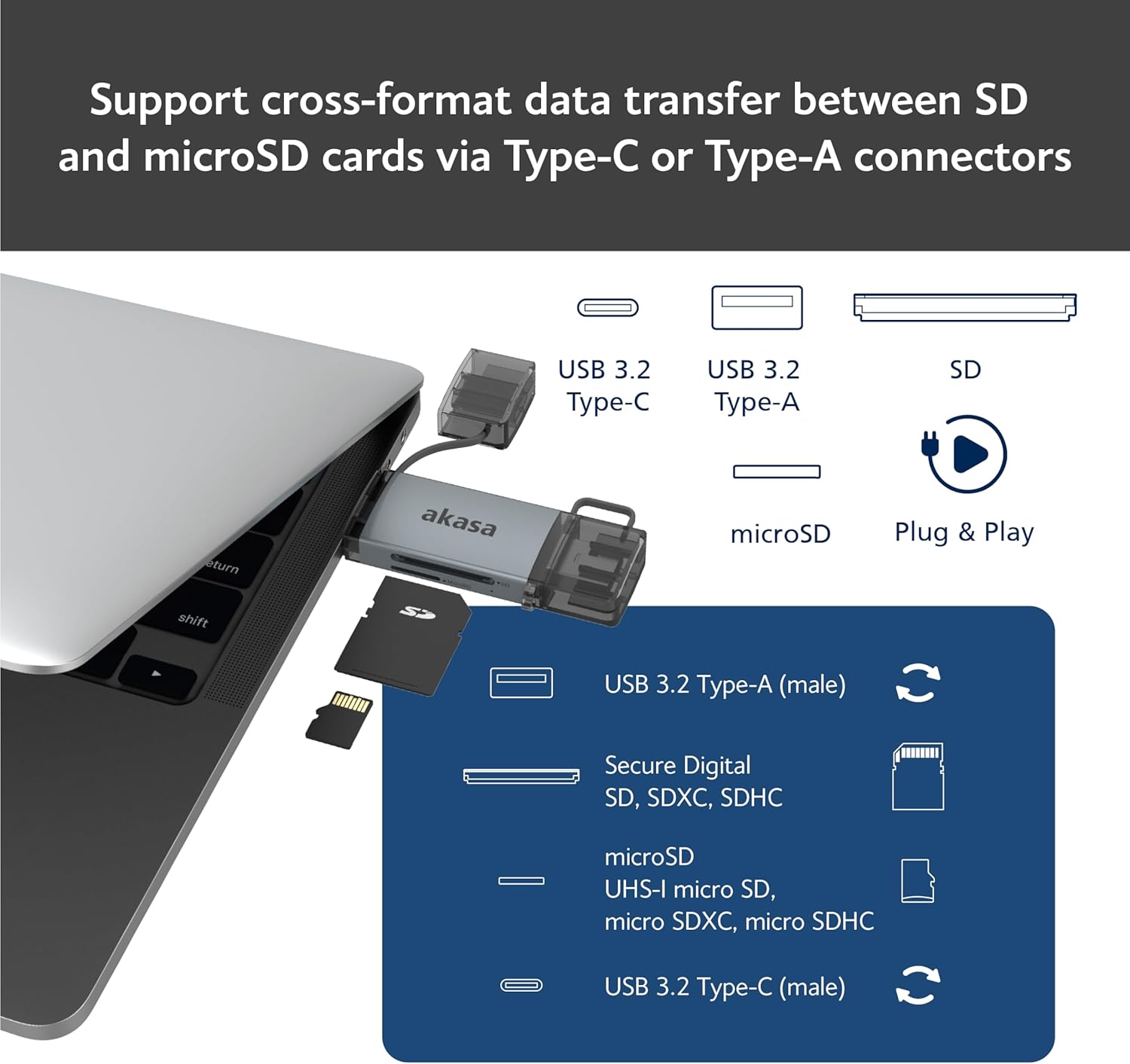
Image: An illustration demonstrating how to support cross-format data transfer between SD and microSD cards using the Type-C or Type-A connectors of the Akasa AK-CR-12, showing the different connector types and card slots.
Združljivost
The Akasa AK-CR-12 is designed for broad compatibility with various operating systems and devices:
- Operacijski sistemi:
- macOS 10.6.2 ali novejši
- Windows XP/7/8/10/11
- Linux Fedora FC8 or higher
- Sistem Android
- Združljive naprave: Personal Computers, Laptops, Smartphones, Tablets.
- Memory Card Types: Secure Digital (SD, SDHC, SDXC, UHS-I), microSD (microSD, microSDHC, microSDXC).
Note for Smartphone/Tablet Devices:
If an adapter is needed for smartphone/tablet devices, the device must have USB OTG (On-The-Go) functionality to utilize the card reader feature.
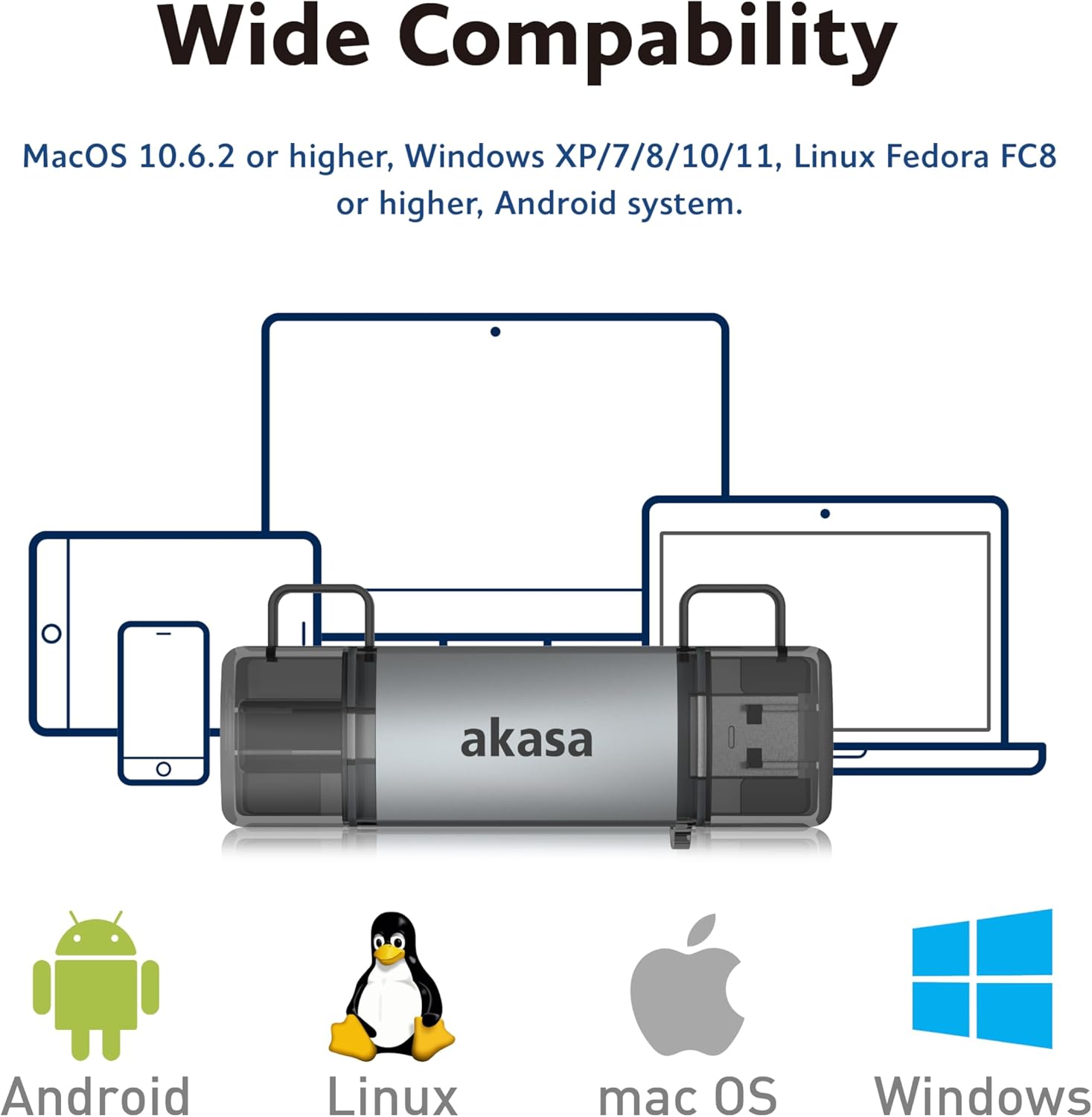
Image: The Akasa AK-CR-12 positioned centrally with logos for Android, Linux, macOS, and Windows operating systems, illustrating its wide compatibility across different platforms.
Specifikacije
| Funkcija | Podrobnost |
|---|---|
| Aplikacija | External USB 3.2 Gen 1 Card Reader |
| Dimenzije | 84.5 x 25.35 x 11.4 mm |
| Gornja vrata | USB 3.2 Type-C (male) & USB 3.2 Type-A (male) |
| Memory Card Types | Secure Digital (UHS-I micro SD, micro SDXC, micro SDHC), microSD (micro SD, micro SDXC, micro SDHC) |
| Največja hitrost prenosa podatkov | 5Gb/s (USB 3.2 Gen 1 / USB 3.0), 480Mb/s (USB 2.0) |
| Združljivost OS | macOS 10.6.2 or higher, Windows XP/7/8/10/11, Linux Fedora FC8 or higher, Android System |
| Plug & Play | Podprto |
| Možnost vroče zamenjave | Podprto |
| Koda izdelka | AK-CR-12 |
| Teža predmeta | 20 gramov |

Image: A detailed diagram illustrating the physical dimensions of the Akasa AK-CR-12, including its length (84.5mm), width (25.35mm), and thickness (11.4mm).
Odpravljanje težav
- Naprava ni bila zaznana:
- Ensure the card reader is firmly connected to your device's USB port.
- Try a different USB port on your computer or device.
- Verify that the memory card is correctly inserted into the card reader.
- Test the card reader on another compatible device to rule out a port issue.
- Počasen prenos podatkov:
- Ensure you are connected to a USB 3.0/3.2 port for optimal speeds. Connecting to a USB 2.0 port will result in lower transfer rates (up to 480Mb/s).
- Check the speed class of your memory card; slower cards will limit transfer speeds.
- Izogibajte se prenosu veliko majhnih filehkrati, saj lahko to zmanjša skupno hitrost.
- Dostop ni mogoč Files:
- Ensure the memory card is not write-protected (check for a physical lock switch on SD cards).
- Verify the memory card is formatted correctly for your operating system.
- Try accessing the card directly if your device has a built-in card reader to confirm the card itself is functional.
- Smartphone/Tablet Compatibility:
- Confirm your smartphone or tablet supports USB OTG (On-The-Go) functionality. This is essential for the device to recognize external USB storage.
- Some devices may require enabling OTG in their settings.
Vzdrževanje
- Čiščenje: Za čiščenje zunanjosti bralnika kartic uporabite mehko, suho krpo. Izogibajte se tekočim čistilom ali topilom.
- Shranjevanje: Čitalnik kartic shranjujte na hladnem in suhem mestu, stran od neposredne sončne svetlobe in ekstremnih temperatur.
- Zaščita: Keep the protective caps on the USB connectors when not in use to prevent dust and damage.
- Ravnanje: Izogibajte se padcem naprave in je ne izpostavljajte močnim udarcem.
Garancija in podpora
For warranty information and technical support, please refer to the official Akasa webspletno mesto ali se obrnite na lokalnega prodajalca. Račun shranite kot dokazilo o nakupu.
Akasa Official Webspletno mesto: www.akasa.com.tw