
Uvod
Thank you for choosing the KIVI 43U750NB 43-inch UHD 4K Smart TV. This television combines advanced display technology with the versatility of Android 11, offering a superior entertainment experience. This manual provides essential information for setting up, operating, and maintaining your new TV. Please read it thoroughly before use and keep it for future reference.
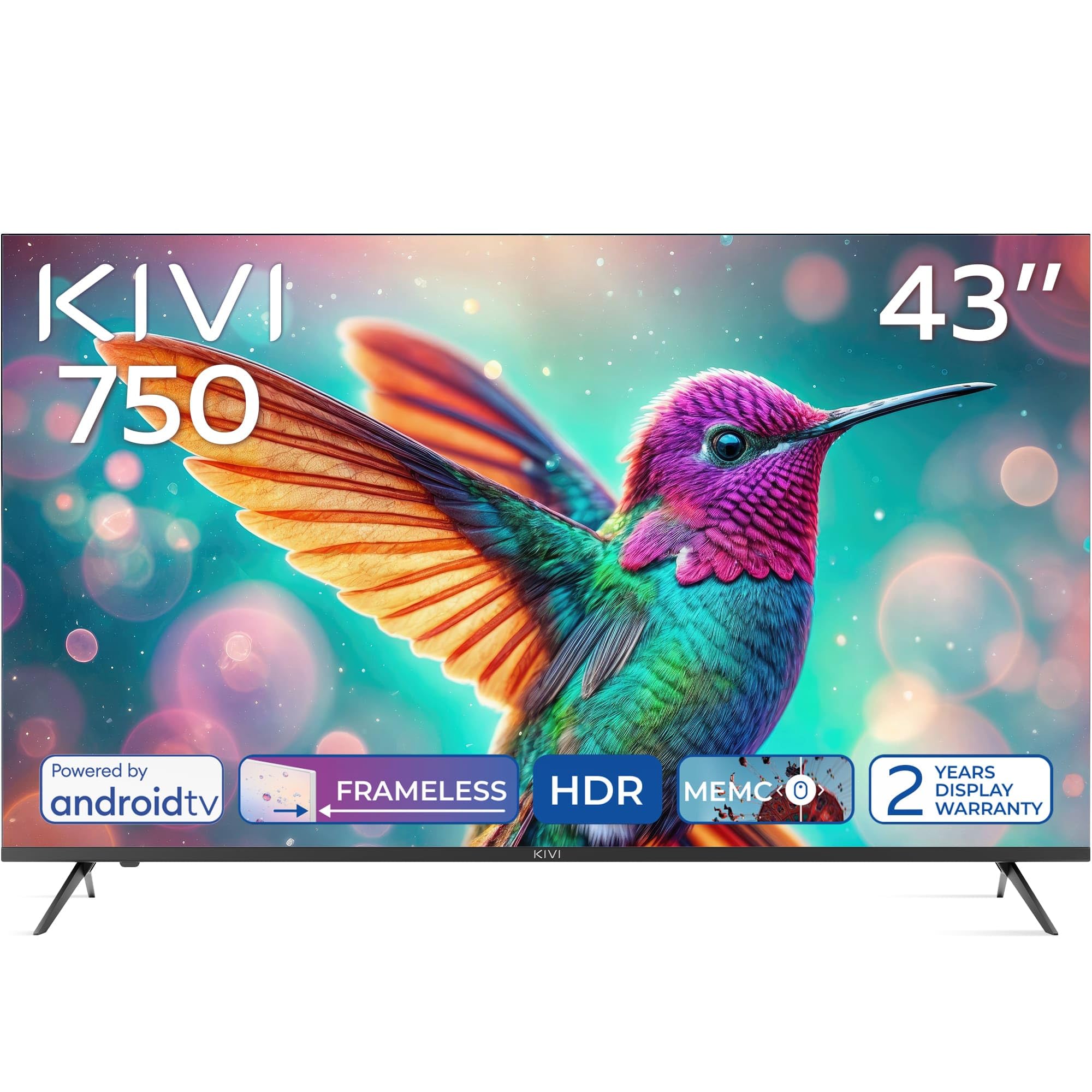
Spredaj view of the KIVI 43U750NB 43-inch UHD 4K Smart TV.
Varnostne informacije
Za zagotovitev varnega delovanja in preprečevanje poškodb upoštevajte naslednje varnostne ukrepe:
- Televizorja ne izpostavljajte dežju ali vlagi.
- Ne odpirajte televizorja casing; vsa servisna dela prepustite usposobljenemu osebju.
- Poskrbite za ustrezno prezračevanje okoli televizorja.
- Televizorja ne postavljajte v bližino virov toplote ali na neposredno sončno svetlobo.
- Uporabljajte samo napajalni kabel, ki je priložen televizorju.
- Baterije hranite izven dosega otrok.
- Med nevihtami ali če naprave dalj časa ne uporabljate, izključite napajalni kabel iz električne vtičnice.
Vsebina paketa
Preverite, ali so v paketu prisotni vsi elementi:
- KIVI 43U750NB 43-inch UHD 4K Smart TV
- Daljinski upravljalnik
- 2 x AAA bateriji (za daljinski upravljalnik)
- Napajalni kabel
- Uporabniški priročnik (ta dokument)
- TV Stands (if included for tabletop setup)
- Vijaki za TV stojala
Nastavitev
1. Namestitev TV stojal
If you are placing the TV on a flat surface, attach the included stands to the bottom of the TV using the provided screws. Ensure the stands are securely fastened before placing the TV upright.
2. Namestitev na steno
For wall mounting, use a VESA-compatible wall mount (not included) that supports a 200 x 200 mm pattern. Follow the instructions provided with your wall mount. Ensure the wall can support the weight of the TV.
3. Priključitev zunanjih naprav
Connect your external devices such as Blu-ray players, game consoles, or sound systems to the TV's ports.
- Vrata HDMI (x3): For high-definition audio and video. Supports HDMI (eARC) for enhanced audio return channel.
- Vrata USB 2.0 (x2): Za priključitev USB-naprav za predvajanje medijev ali za servisiranje.
- Ethernet vrata: Za žično internetno povezavo.
- Antenna (75Ω) Input: Za priključitev zemeljske ali kabelske antene.
- Optični avdio izhod: Za priklop na zunanji avdio sprejemnik ali zvočno vrstico.
- Priključek za slušalke: Za priklop slušalk.
- Mini RCA: Za priklop starejših analognih naprav.

Zadaj view of the KIVI 43U750NB TV, illustrating the various connection ports including HDMI, USB, Ethernet, and audio outputs.
4. Napajalni priključek
After all connections are made, plug the power cord into the TV and then into a wall outlet (220 VAC, 50 Hz).
Navodila za uporabo
1. Daljinski upravljalnik
Insert the two AAA batteries into the remote control. The remote uses Bluetooth technology for enhanced control.

The KIVI Smart TV remote control, powered by two AAA batteries.
2. Initial Setup (Android TV 11)
Ob prvem vklopu vas bo televizor vodil skozi postopek začetne nastavitve.
- Izbira jezika: Izberite želeni jezik.
- Omrežna povezava: Connect to your Wi-Fi network or use the Ethernet cable.
- Prijava v Google Račun: Sign in with your Google account to access Android TV features, apps, and voice control.
- Skeniranje kanalov: Scan for available TV channels (DVB-T2 tuner).
- Nastavitve zasebnosti: Konfigurirajte nastavitve zasebnosti.

The Android TV 11 interface, providing access to a wide range of applications and services.
3. Funkcije pametnega televizorja
- Aplikacije: Access popular streaming services like Netflix and HBO directly from the Android TV home screen. Download more apps from the Google Play Store.
- Glasovni nadzor: Use the built-in voice control feature (via the remote) to search for content, control playback, and manage TV settings.
- Google Cast: Wirelessly cast content from your compatible smartphone, tablet, or computer to the TV screen.
4. Nastavitve slike
Prilagodite nastavitve slike, da optimizirate viewizkušnje.
- HDR10 & HLG: The TV supports HDR10 and HLG for enhanced contrast and color reproduction with compatible content.
- MEMC: Motion Estimation, Motion Compensation technology reduces motion blur in fast-moving scenes.
- Načini slike: Select from various preset picture modes (e.g., Standard, Vivid, Movie, Game) or customize your own.

Visual representation of KIVI TV's picture quality features, including Max Vivid, Super Contrast Control, Ultra Clear, and ALLM & Game Mode.
5. Nastavitve zvoka
Customize audio output for optimal sound quality.
- Dolby Audio: The TV features Dolby Audio for clear and powerful sound.
- Zvočni načini: Izberite med prednastavljenimi zvočnimi načini (npr. Standardno, Glasba, Film, Govor) ali prilagodite nastavitve izenačevalnika.
- Avdio izhod: Select between TV speakers, optical output, or Bluetooth audio devices.
Vzdrževanje
Regular maintenance helps prolong the life of your TV.
- Čiščenje zaslona: Gently wipe the screen with a soft, lint-free cloth. For stubborn marks, use a screen-cleaning solution specifically designed for TVs, applied to the cloth, not directly to the screen.
- Čiščenje C-jaasing: Za brisanje televizorja uporabite mehko, suho krpoasing. Ne uporabljajte abrazivnih čistil ali topil.
- Prezračevanje: Prepričajte se, da prezračevalne odprtine na zadnji strani televizorja niso blokirane, da preprečite pregrevanje.
Odpravljanje težav
Če imate težave s televizorjem, si oglejte naslednje pogoste težave in rešitve:
| Težava | Možen vzrok/rešitev |
|---|---|
| Brez moči | Preverite, ali je napajalni kabel varno priključen v televizor in stensko vtičnico. Prepričajte se, da stenska vtičnica deluje. |
| Ni slike, vendar je zvok prisoten | Preverite vhodni vir. Prepričajte se, da je priključena naprava vklopljena in deluje pravilno. Poskusite z drugim kablom HDMI. |
| Ni zvoka, vendar je slika prisotna | Check the volume level. Ensure the TV is not muted. Verify audio output settings (TV speakers, optical, etc.). |
| Daljinski upravljalnik ne deluje | Replace the AAA batteries. Ensure there are no obstructions between the remote and the TV. Re-pair the Bluetooth remote if necessary. |
| Ni mogoče vzpostaviti povezave z omrežjem Wi-Fi | Ensure your Wi-Fi router is on and working. Re-enter the Wi-Fi password. Try restarting the TV and your router. |
| Aplikacije se ne nalagajo / delovanje je počasno | Check your internet connection speed. Clear app cache or data. Restart the TV. Ensure sufficient storage space. |
Specifikacije
| Funkcija | Podrobnost |
|---|---|
| Številka modela | 43U750NB |
| Velikost zaslona | 43 palcev |
| Resolucija | UHD 4K (3840 x 2160) |
| Tehnologija zaslona | LED (Direct LED backlight, VA-panel) |
| Hitrost osveževanja | 60 Hz |
| Podpora za HDR | HDR10, HLG |
| Operacijski sistem | Android 11.0 |
| Avdio tehnologija | Dolby Audio (2.0 channels) |
| Vrata HDMI | 3 (including eARC) |
| Vrata USB | 2 (USB 2.0) |
| Povezljivost | Wi-Fi, Bluetooth 5.1, Ethernet |
| Posebne lastnosti | Voice Control, Google Cast, MEMC |
| Poraba energije | 53 vatov |
| Napajalnik | 220 V AC 50 Hz |
| Dimenzije izdelka (DxŠxV) | 6.4 x 96 x 55.6 cm |
| Teža izdelka | 9.7 kg |
| Montažni standard VESA | 200 x 200 mm |

Energy label for KIVI 43U750NB, indicating energy efficiency class G and power consumption.
For detailed energy information, visit: https://eprel.ec.europa.eu/qr/1326921
Garancija in podpora
Your KIVI 43U750NB Smart TV comes with a limited warranty. KIVI offers a 3-year display warranty. Please retain your proof of purchase for warranty claims.
For technical support, troubleshooting assistance, or warranty inquiries, please contact KIVI customer service through their official webspletno mesto ali kontaktne podatke, ki ste jih prejeli ob nakupu.