
FREEWOLF RK-K8
Uporabniški priročnik za brezžično mehansko igralno tipkovnico FREEWOLF RK-K8
Model: RK-K8
1. Uvod
This manual provides detailed instructions for the FREEWOLF RK-K8 Wireless Mechanical Gaming Keyboard. Please read this manual thoroughly before using the product to ensure proper operation and to maximize your user experience.
Ključne značilnosti:
- Triple-Mode Connectivity: Supports Type-C wired, 2.4GHz wireless, and Bluetooth 5.0 connections.
- Hot-Swappable Switches: Compatible with most 3-pin mechanical switches for customization.
- Gasket Mounted Structure: Enhances typing feel and reduces hollow sound.
- Customizable Rainbow Backlight: Features 18 backlight effects.
- Long-Lasting Battery: Equipped with a 4000mAh battery.
- 96% Layout: 100-key design that saves space while retaining essential keys.
- Wide Compatibility: Supports Windows and Mac operating systems.
2. Vsebina paketa
Prosimo, preverite, ali so v vašem paketu vsi elementi:
- 1 x FREEWOLF RK-K8 Mechanical Keyboard
- 1 x USB Receiver (2.4Ghz)
- 1 x Type-C to USB-A Braided Coiled Cable
- 1 x snemalnik ključev
- 1 x snemalec stikala
- 2 x Original Switches (spare)
- 1 x Uporabniški priročnik (ta dokument)

Image 2.1: Contents of the FREEWOLF RK-K8 package, showing the keyboard, coiled USB-C cable, USB 2.4G receiver, keycap puller, switch puller, and two spare switches.
3. Nastavitev in povezava
3.1 Polnjenje tipkovnice
Before first use, it is recommended to fully charge the keyboard. Connect the provided Type-C cable to the keyboard's Type-C port and the USB-A end to a power source (e.g., computer USB port, USB wall adapter). The keyboard features a 4000mAh battery.
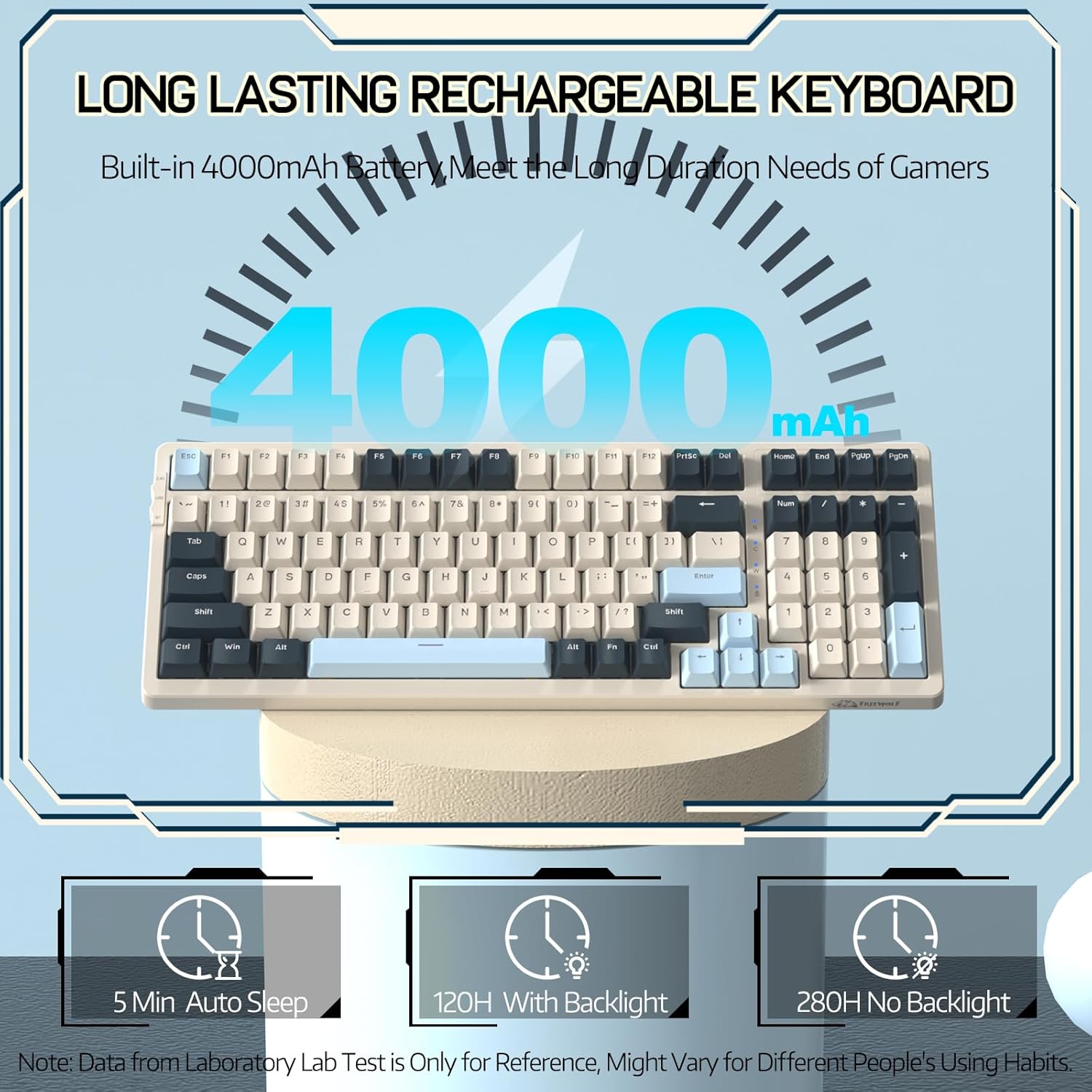
Image 3.1: The keyboard's 4000mAh battery capacity, indicating extended usage time.
3.2 Načini povezave
The RK-K8 keyboard supports three connection modes: Wired, 2.4GHz Wireless, and Bluetooth 5.0.

Image 3.2: Visual guide for switching between 2.4G wireless, wired, and Bluetooth connection modes.
3.2.1 Žični način
- Connect the provided Type-C coiled cable to the keyboard's Type-C port.
- Priključite konec kabla USB-A v vrata USB na računalniku.
- Prepričajte se, da je stikalo za način na tipkovnici nastavljeno na »USB« (ali indikator žičnega načina).
- Vaš sistem bo tipkovnico samodejno prepoznal.

Image 3.3: The Type-C to USB-A braided coiled cable, featuring a metal aviation connector for wired connection.
3.2.2 Brezžični način 2.4 GHz
- Locate the 2.4GHz USB receiver, typically stored in a slot on the keyboard.
- USB-sprejemnik priključite v razpoložljiva vrata USB na vašem računalniku.
- Toggle the mode switch on the keyboard to "2.4G".
- Tipkovnica bi se morala povezati samodejno.
3.2.3 Način Bluetooth 5.0
Tipkovnica podpira povezavo z do tremi napravami Bluetooth.
- Toggle the mode switch on the keyboard to "BT".
- Za vstop v način seznanjanja pritisnite in držite FN + Q, FN + W, oz FN + E for 3-5 seconds. The corresponding key's backlight will flash rapidly, indicating it's ready to pair.
- On your device (PC, Mac, tablet, phone), open Bluetooth settings and search for "RK-K8" or a similar device name.
- Select the keyboard to pair. Once connected, the backlight on the chosen key (Q, W, or E) will stop flashing and remain steadily lit.
- Za preklapljanje med seznanjenimi napravami Bluetooth preprosto pritisnite FN + Q, FN + W, oz FN + E.
3.3 Združljivost sistema
The RK-K8 keyboard is compatible with both Windows and Mac operating systems. Use the appropriate FN key combinations for specific functions on each system.
Video 3.1: Overview of the FREEWOLF K8 mechanical keyboard, showcasing its features including customizable keycaps, lighting effects, hot-swappable design, compact layout, and multi-device compatibility across Windows, Mac, and mobile devices.
4. Delovanje
4.1 Nadzor osvetlitve ozadja
The RK-K8 features 18 customizable rainbow backlight effects.
- FN + |: Switch between 18 backlight effects.
- FN + ↑ / ↓: Prilagodi svetlost osvetlitve ozadja.
- FN + ← / →: Adjust the flowing speed of dynamic backlight effects.
- FN + X: Turn on/off backlight.
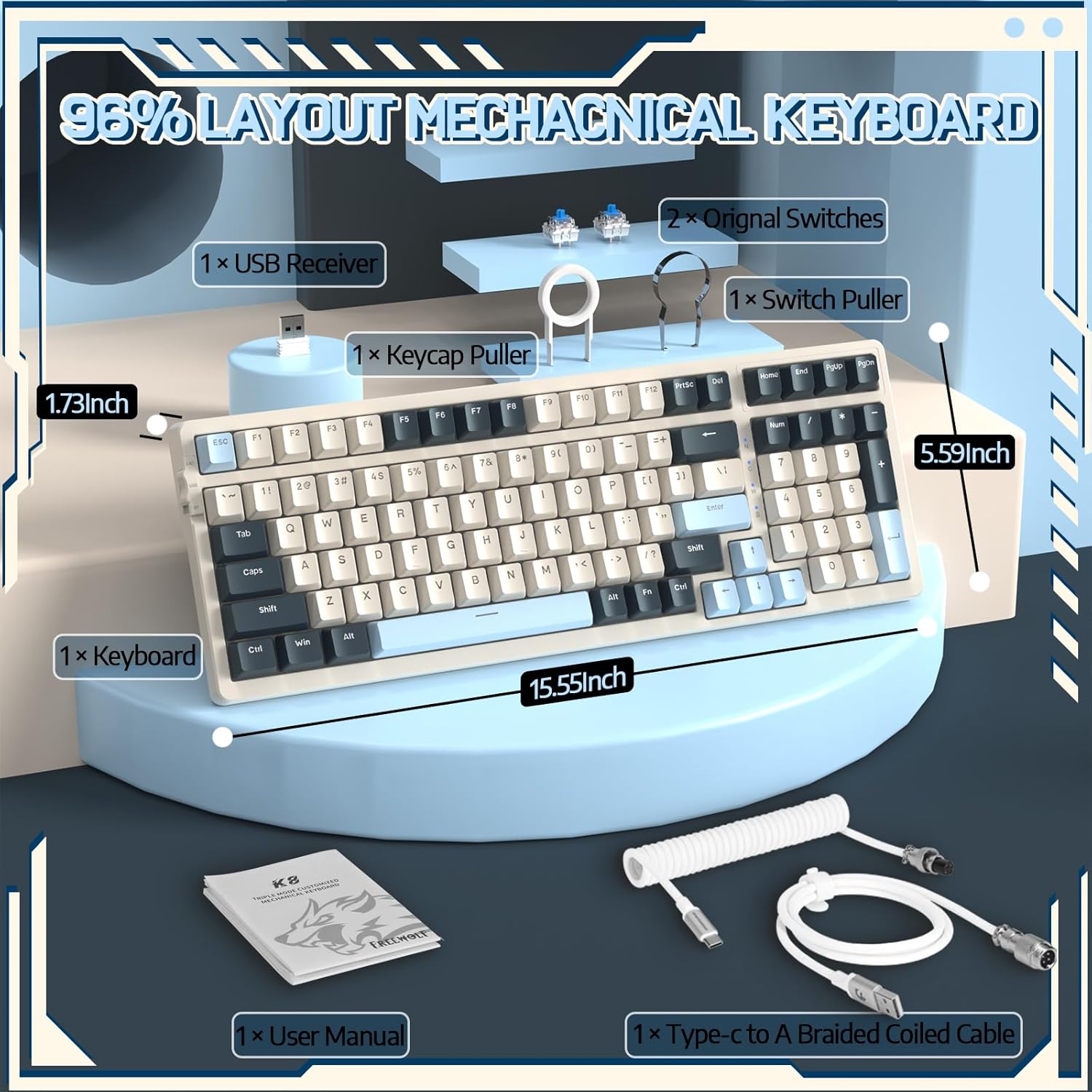
Image 4.1: The RK-K8 keyboard displaying various customizable rainbow backlight patterns.
4.2 Stikala z možnostjo vroče menjave
The keyboard is equipped with a hot-swappable PCB, allowing you to change switches without soldering. It is compatible with most 3-pin mechanical switches (e.g., Cherry MX, Gateron, Kailh Box, AKKO, Epomaker, Glorious switches).
- Use the provided switch puller to carefully remove the existing switch. Grip the switch firmly and pull straight up.
- Align the pins of the new 3-pin switch with the holes on the PCB.
- Gently press the new switch into place until it clicks. Ensure the switch is seated properly and the pins are not bent.
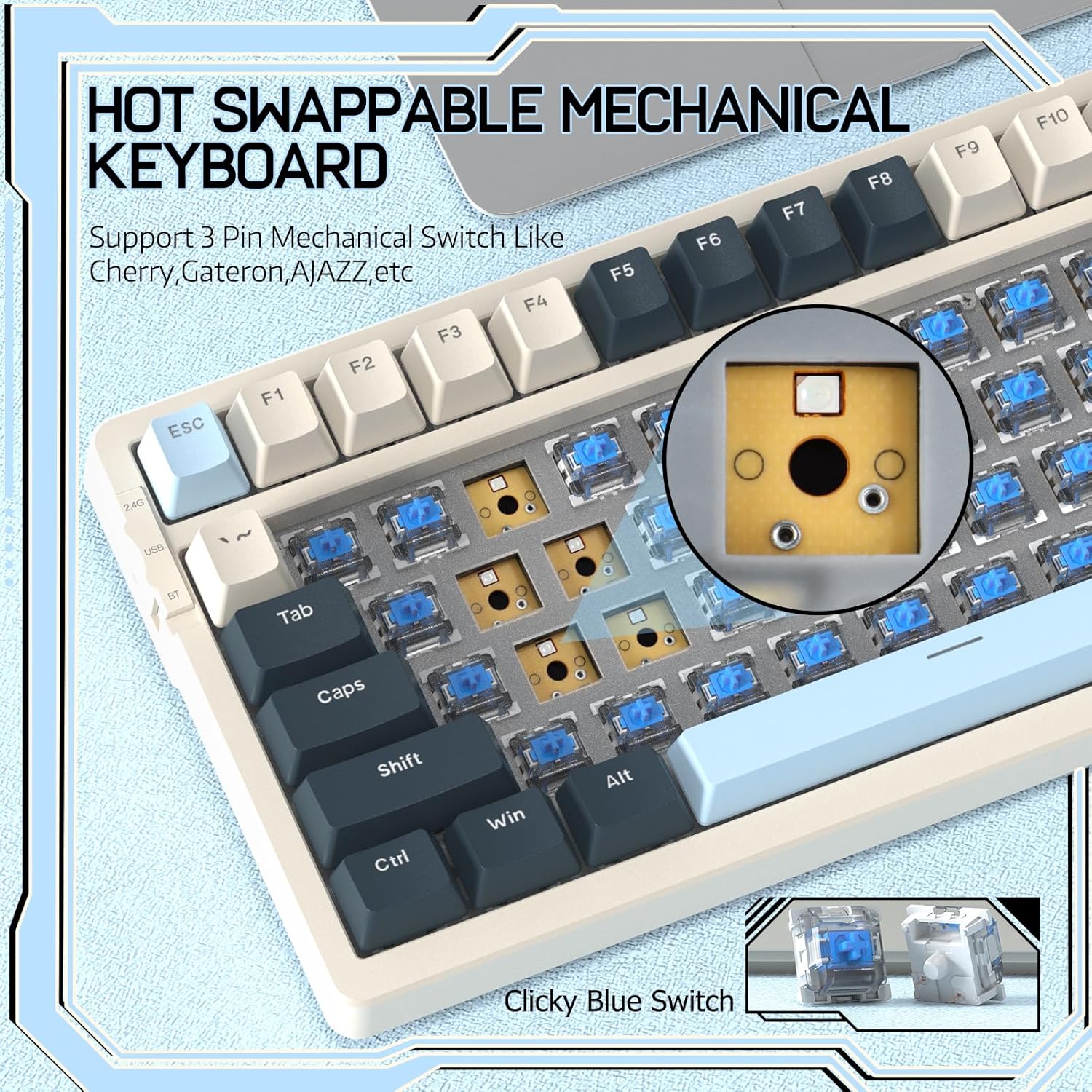
Image 4.2: Demonstrating the hot-swappable feature, showing a switch being removed from the keyboard.
4.3 Gasket Mounted Structure
The keyboard features a gasket-mounted design with sound-dampening materials between the plate and the housing. This construction reduces hollow sounds and provides a more consistent and comfortable typing experience.

Image 4.3: Diagram illustrating the internal layers of the gasket-mounted keyboard structure, designed for improved acoustics and feel.
4.4 Ključne funkcije in razporeditev
The RK-K8 utilizes a 96% layout with 100 keys, retaining essential modifiers, arrow keys, a separate numpad, and function row while maintaining a compact form factor.
Refer to the keyboard layout for specific key placements. Many keys have secondary functions accessible via the FN ključ.
- FN + F1–F12: Multimedia and system control functions (e.g., volume, play/pause).
- FN + Win: Lock/unlock Windows key.
- FN + A: Switch to Windows layout.
- FN + S: Switch to Mac layout.
5. Vzdrževanje
5.1 Čiščenje
Za ohranitev videza in funkcionalnosti tipkovnice:
- Pred čiščenjem tipkovnico odklopite iz računalnika.
- Uporabite mehko krpo, ki ne pušča vlaken, dampz vodo ali blago čistilno raztopino obrišite tipke in ohišje.
- For dust and debris between keycaps, use compressed air or the provided keycap puller to remove keycaps and clean underneath.
- Izogibajte se uporabi agresivnih kemikalij, abrazivov ali topil.
5.2 Zamenjava tipk in stikal
The provided keycap and switch pullers facilitate easy replacement of keycaps and switches. Refer to section 4.2 for switch replacement instructions.
6. Odpravljanje težav
If you encounter issues with your FREEWOLF RK-K8 keyboard, please refer to the following common solutions:
- Tipkovnica se ne odziva:
- Prepričajte se, da je tipkovnica napolnjena.
- Preverite, ali stikalo za način povezave (Žično, 2.4 G, BT) ustreza vaši želeni povezavi.
- For wired mode, ensure the cable is securely connected to both the keyboard and the computer.
- For 2.4G wireless, ensure the USB receiver is plugged in and the keyboard is in 2.4G mode.
- For Bluetooth, re-pair the device if necessary (see section 3.2.3).
- Keys repeating or not registering:
- This can sometimes occur with wireless connections. Try switching to wired mode to see if the issue persists.
- Ensure the switches are properly seated. If a switch is loose, carefully remove and re-insert it.
- Clean any debris around the affected key.
- Osvetlitev ozadja ne deluje ali je zataknjena:
- Ensure the backlight is not turned off (press FN + X).
- Prilagodite svetlost z uporabo FN + ↑ / ↓.
- Try cycling through backlight effects with FN + |.
- Težave s povezavo Bluetooth:
- Ensure the keyboard is in Bluetooth mode and sufficient battery.
- Forget the device on your computer/phone and re-pair it.
- Ensure your device's Bluetooth is enabled and working correctly.
7. Specifikacije
| Funkcija | Podrobnost |
|---|---|
| Znamka | BREZPLAČNI VOLK |
| Model | RK-K8 |
| Tehnologija povezljivosti | Bluetooth 5.0 / 2.4GHz Wireless / Wired (Type-C) |
| Opis tipkovnice | Mehanski |
| Tip stikala | Tactile Blue Switch (Hot-Swappable 3-pin) |
| Kapaciteta baterije | 4000 mAh |
| Osvetlitev ozadja | Rainbow Backlit (18 effects) |
| Postavitev | 96 % (100 tipk) |
| Združljive naprave | PC, Mac, PS4 (via USB) |
| Material | Akrilonitril butadien stiren (ABS) |
| Teža predmeta | 2.25 funta (približno 1.02 kg) |
| Dimenzije paketa | 16.14 x 6.69 x 2.01 palcev |
8. Garancija in podpora
For warranty information or technical support, please refer to the contact details provided with your purchase or visit the official FREEWOLF webmesto. Shranite račun za garancijske zahtevke.
Ask a question about this manual
Ask about setup, troubleshooting, compatibility, parts, safety, or missing instructions. Manuals+ will review the question and use this page’s manual context to help answer it.