
1. Izdelek je končanview
The NONSTOP Station A is a versatile alarm clock designed for modern living spaces. It integrates a digital alarm clock, a white noise machine, Qi wireless charging capabilities, dual USB charging outlets, and a Bluetooth speaker into a single, compact unit. This device is ideal for bedside tables, offering convenience and multiple functionalities.
Ključne značilnosti:
- Qi Certified Fast 10W Wireless Charging: Conveniently charge compatible smartphones by simply placing them on the top surface.
- Dual USB Charging Outlets: Includes two USB ports, one standard USB-A and one USB-C, with a 2.4A fast charging capability for wired device charging.
- Zvočnik Bluetooth: Connect your devices wirelessly to stream audio.
- Relaxation Sounds: Features a selection of soothing sounds including Ocean Waves, Soothing Rain, and Ambient Sounds to aid relaxation or sleep.
- Simple Set, Single Use Alarm: Easy-to-set alarm function for daily use.
- Zatemnjen zaslon: Adjustable display brightness for comfortable viewv vseh svetlobnih pogojih.
2. Nastavitev
2.1 Razpakiranje
- Carefully remove the NONSTOP Station A from its packaging.
- Ensure all components are present: the alarm clock unit and power adapter.
2.2 Napajalni priključek
- Priključite napajalnik na vhod za enosmerni tok na zadnji strani budilke.
- Priključite napajalnik v standardno električno vtičnico. Zaslon se bo osvetlil.
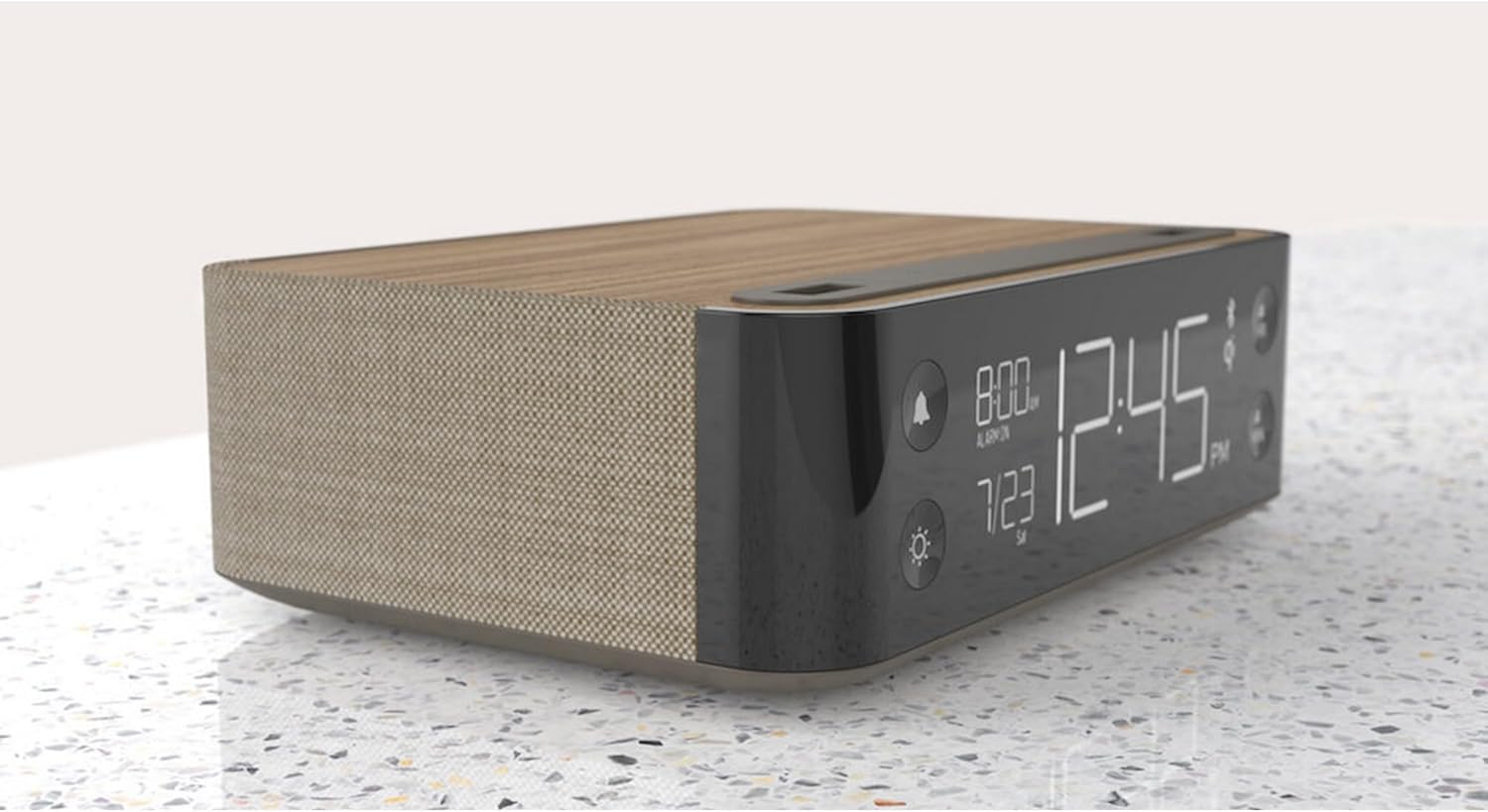
Slika: Stran view of the NONSTOP Station A, displaying the digital clock and its compact form factor.
2.3 Začetna nastavitev časa
- Upon initial power-up, the clock may display a default time or flash.
- Press and hold the 'HR' button to adjust the hour.
- Press and hold the 'MIN' button to adjust the minute.
- Release the buttons once the desired time is set. The clock will automatically save the time.
3. Navodila za uporabo
3.1 Nastavitev alarma
- Press the 'Alarm' button (bell icon) to enter alarm setting mode.
- Use the 'HR' and 'MIN' buttons to set the desired alarm time.
- Press the 'Alarm' button again to confirm and activate the alarm. An alarm icon will appear on the display.
- To deactivate the alarm, press the 'Alarm' button until the alarm icon disappears.
- To snooze, press the 'SNOOZE' button when the alarm sounds. The alarm will pause for a short period and sound again.
3.2 Uporaba brezžične polnilne blazinice
- Place your Qi-compatible smartphone centrally on the wireless charging tray located on the top surface of the alarm clock.
- Ensure the phone is properly aligned for optimal charging. A charging indicator (if available) will light up on the display or unit.
- Remove your phone once fully charged.
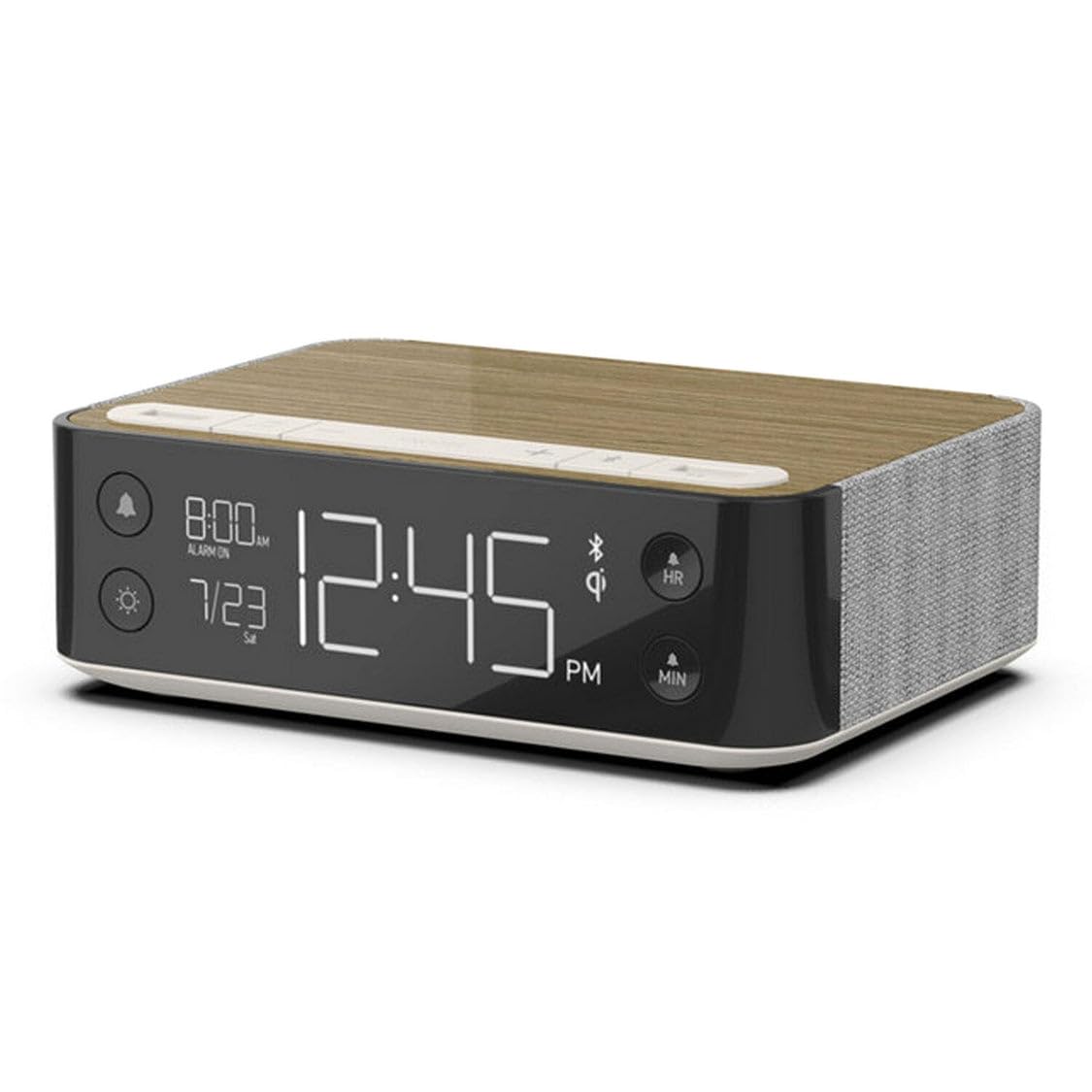
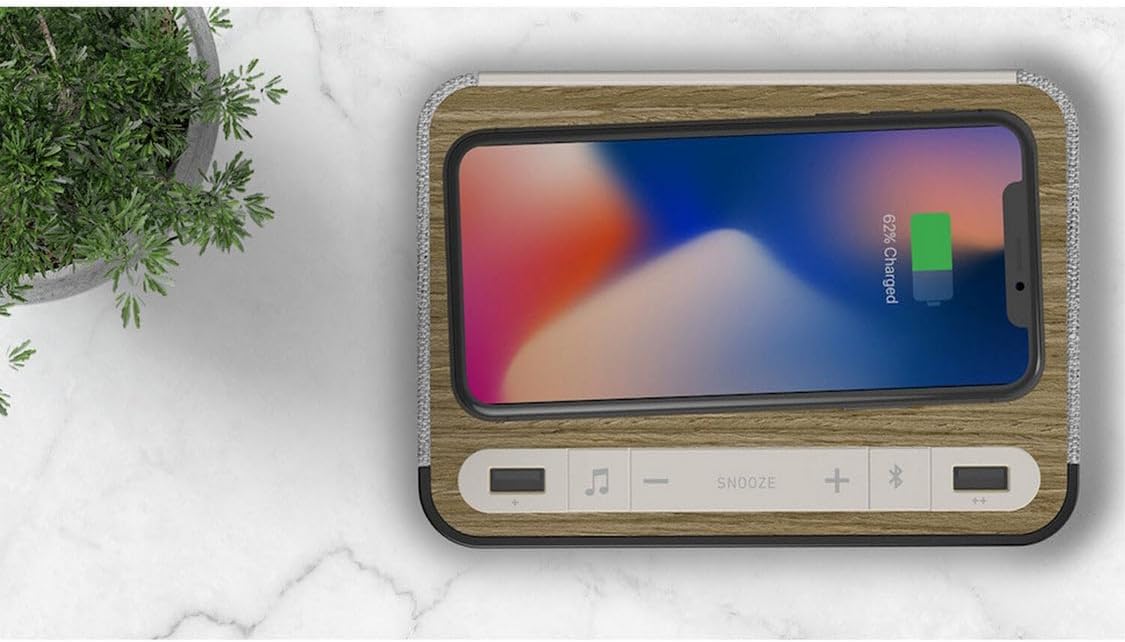
Image: A smartphone wirelessly charging on the NONSTOP Station A's top surface.
3.3 Uporaba polnilnih vrat USB
- Locate the USB-A and USB-C ports on the top surface of the unit.
- Connect your device's charging cable to the appropriate USB port.
- Plug the other end of the cable into your device to begin charging.
Slika: Zgoraj view of the NONSTOP Station A, showing the USB-A and USB-C charging ports.
3.4 Združevanje Bluetooth zvočnikov
- Press the 'Bluetooth Speaker' button (Bluetooth icon) to activate Bluetooth pairing mode. The Bluetooth indicator on the display will flash.
- Na pametnem telefonu ali zvočni napravi omogočite Bluetooth in poiščite razpoložljive naprave.
- Select "NONSTOP Station A" from the list of devices.
- Once paired, the Bluetooth indicator will stop flashing and remain solid. You can now stream audio through the alarm clock's speaker.
3.5 Relaxation Sounds
- Press the 'Relaxation Sounds' button (wave icon) to cycle through the available sound options (Ocean Waves, Soothing Rain, Ambient Sounds).
- Use the '+' and '-' buttons to adjust the volume of the relaxation sound.
- Press the 'Relaxation Sounds' button again to turn off the sound.
3.6 Prilagoditev svetlosti zaslona
- Press the 'Light' button (sun icon) to cycle through different display brightness levels.
- Select the brightness level that is most comfortable for your environment.
4. Vzdrževanje
- Čiščenje: Disconnect the power before cleaning. Use a soft, dry cloth to wipe the surface of the unit. Avoid using abrasive cleaners, solvents, or harsh chemicals, as these may damage the finish.
- Umestitev: Place the unit on a stable, flat surface away from direct sunlight, heat sources, and moisture. Ensure adequate ventilation around the unit.
- Brezžična polnilna podloga: Keep the wireless charging pad free from dust and debris to ensure efficient charging.
5. Odpravljanje težav
| Izdaja | Možen vzrok | rešitev |
|---|---|---|
| Prikaz ure je izklopljen ali ne deluje. | Ni priključka za napajanje. | Ensure the power adapter is securely plugged into the unit and a working electrical outlet. |
| Brezžično polnjenje ne deluje. | Phone not Qi-compatible or misaligned. Obstruction on charging pad. | Verify your phone supports Qi wireless charging. Reposition the phone centrally on the pad. Remove any foreign objects or thick cases. |
| Polnjenje prek USB-ja ne deluje. | Težava s kablom ali nezdružljivostjo naprav. | Try a different USB cable. Ensure the device is compatible with USB charging. |
| Zvočnik Bluetooth se ne seznani. | Bluetooth not enabled on device or unit. Device too far. | Ensure Bluetooth is active on both the alarm clock and your audio device. Keep devices within close range (approx. 10 meters). |
| Alarm se ne oglasi. | Alarm ni nastavljen ali deaktiviran. Glasnost je prenizka. | Verify the alarm is set and the alarm icon is visible on the display. Increase the alarm volume. |
6. Specifikacije
| Znamka | NONSTOP |
| Model | postaja A |
| barva | Walnut (Brown) |
| Vrsta zaslona | Digitalno |
| Posebne lastnosti | Qi Wireless Charging, Dual USB (USB-A & USB-C), Bluetooth Speaker, Relaxation Sounds, Dimmable Display |
| Dimenzije izdelka | 6.3 cm Š x 2 cm V |
| Vir napajanja | USB (prek napajalnika) |
| Tehnologija povezljivosti | USB, Bluetooth |
| Teža predmeta | 3 funtov |
| Vrsta namestitve | Namizna |
| Baterije priložene | št |
7. Informacije o garanciji
NONSTOP products are manufactured with quality and reliability in mind. This product typically comes with a limited manufacturer's warranty covering defects in materials and workmanship. Please refer to the warranty card included with your purchase or visit the official NONSTOP website for detailed warranty terms and conditions, including duration and coverage specifics.
8. Podpora strankam
For technical assistance, troubleshooting, or any questions regarding your NONSTOP Station A, please contact our customer support team. Contact information, including phone numbers and email addresses, can typically be found on the product packaging, the official NONSTOP webspletnem mestu ali v garancijski dokumentaciji.