
Zenwire A10
Uporabniški priročnik za mini prenosni projektor Zenwire A10
Model: A10
1. Uvod
Hvala za nakupasing the Zenwire A10 Mini Portable Projector. This device is designed to provide a versatile and convenient projection experience, allowing you to display content from various sources, including smartphones, tablets, and computers. Please read this manual carefully before using the projector to ensure proper operation and to maximize its lifespan.
2. Pomembna varnostna navodila
- Ne glejte neposredno v lečo projektorja, ko jeamp je vklopljen.
- Zagotovite ustrezno prezračevanje okoli projektorja, da preprečite pregrevanje. Ne blokirajte prezračevalnih odprtin.
- Uporabljajte samo napajalnik, ki je priložen projektorju.
- Projektor hranite stran od vode, vlage in vnetljivih materialov.
- Projektorja ne poskušajte razstavljati ali popravljati sami. Za pomoč se obrnite na usposobljeno servisno osebje.
- Projektor postavite na stabilno, ravno površino.
- Med nevihtami ali če projektorja dalj časa ne uporabljate, ga izključite iz električnega omrežja.
3. Vsebina paketa
Po razpakiranju preverite vsebino paketa. Če kateri koli predmet manjka ali je poškodovan, se obrnite na prodajalca.
- Zenwire A10 Mini Portable Projector
- Daljinski upravljalnik
- Napajalni adapter
- Uporabniški priročnik
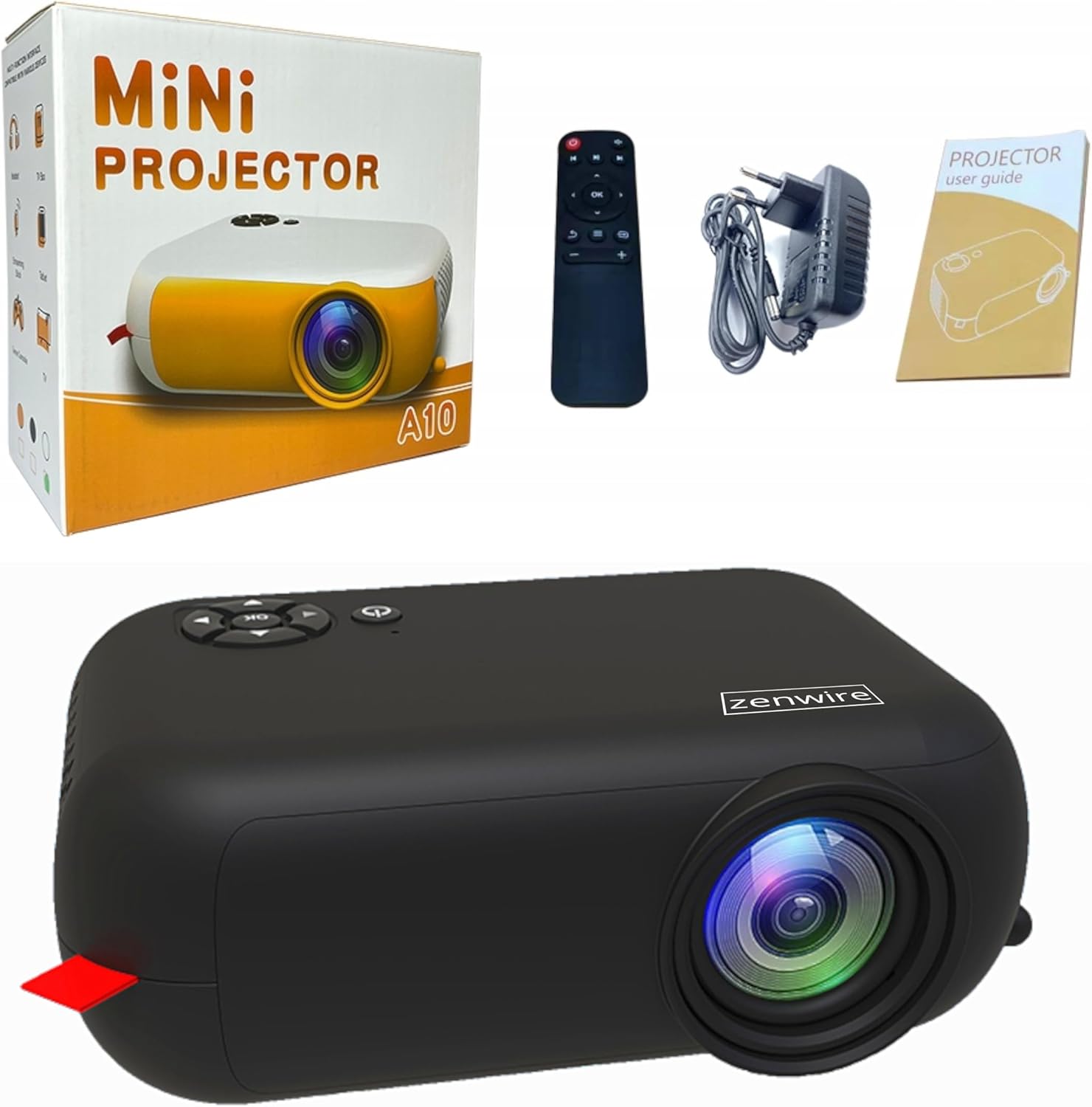
Image: Contents of the Zenwire A10 Mini Projector package, including the projector, remote control, power adapter, and user manual.
4. Izdelek je končanview
4.1 Projector Dimensions and Design
The Zenwire A10 is designed for portability, featuring a compact and lightweight form factor. Its dimensions are approximately 14cm x 10cm x 5.5cm, making it easy to carry and set up in various locations.

Image: The Zenwire A10 Mini Projector held in a hand, illustrating its compact size and portability.
4.2 Vrata in krmilniki
The projector features a range of input and output ports for versatile connectivity, along with intuitive controls.

Image: Rear panel of the Zenwire A10 Mini Projector, showing the 5V-IN DC power input, IR receiver, USB port, 3.5mm audio jack, HDMI port, and SD card slot.
- 5V-IN DC: Vhodna moč za projektor.
- IR: Infrardeči sprejemnik za daljinski upravljalnik.
- USB: Za predvajanje medijev priključite pomnilniške naprave USB.
- Vhod za slušalke (3.5 mm): Priključite zunanje zvočnike ali slušalke.
- HDMI: Connect devices such as laptops, gaming consoles, or streaming sticks.
- SD: Insert Micro SD cards for media playback.
- Kolo za ostrenje: Adjust image sharpness (located on the side).
- Nadzorna plošča: Buttons on top for navigation and selection.
5. Nastavitev
5.1 Napajalni priključek
- Priloženi napajalnik priključite na 5V-IN DC vrata na projektorju.
- Priključite napajalnik v stensko vtičnico.
- Pritisnite gumb za vklop na projektorju ali daljinskem upravljalniku, da ga vklopite.
5.2 Placement and Focus Adjustment
- Place the projector on a stable surface or mount it according to your preference. Ensure the projector lens is facing the projection surface (wall or screen).
- Adjust the distance between the projector and the screen to achieve your desired image size. The projector supports screen sizes up to 100 inches.
- Rotate the focus wheel (typically located near the lens) until the projected image appears clear and sharp.

Image: Diagram illustrating the Zenwire A10 Mini Projector's capability to project various screen sizes, from 13 inches up to 100 inches, depending on the projection distance.
6. Upravljanje projektorja
6.1 Wireless Connection (Miracast & Airplay)
The Zenwire A10 supports wireless screen mirroring via 2.4/5GHz WiFi, compatible with Android (Miracast) and iOS (Airplay) devices.
- Ensure your projector and mobile device are connected to the same Wi-Fi network.
- On the projector's main menu, select the 'Screen Mirroring' or 'Wireless Display' option.
- Za Android: On your Android phone/tablet, enable 'Wireless Display', 'Screen Mirroring', 'Smart View', or similar function (names may vary by device). Select the projector from the list of available devices.
- Za iOS: On your iPhone/iPad, open Control Center and tap 'Screen Mirroring'. Select the projector from the list of available devices.
- The content from your mobile device should now be mirrored on the projector screen.
6.2 Žične povezave
The projector offers multiple wired input options for various devices.

Image: The Zenwire A10 Mini Projector connected to various devices such as smartphones, tablets, laptops, desktop computers, gaming consoles, and media players, highlighting its versatile connectivity.
- HDMI: Connect a laptop, PC, gaming console (e.g., Xbox, PlayStation), or streaming device (e.g., Amazon Fire TV Stick, Google Chromecast) using an HDMI cable. Select the HDMI input source on the projector.
- USB: Insert a USB flash drive or external hard drive into the USB port. The projector's media player will allow you to browse and play supported video, audio, and image files.
- Micro SD: Insert a Micro SD card into the SD card slot. Similar to USB, you can access media files through the projector's interface.
- Zvočni izhod (3.5 mm vtičnica): Connect external speakers or headphones to enhance the audio experience.
6.3 Navigacija po meniju
Use the remote control or the buttons on the projector to navigate through the on-screen menu. Select input sources, adjust picture settings (brightness, contrast, color), sound settings, and other system preferences.
7. Vzdrževanje
- Čiščenje leč: Za nežno brisanje leče projektorja uporabite mehko krpo, ki ne pušča vlaken in je posebej zasnovana za optične leče. Izogibajte se uporabi abrazivnih čistil ali prekomerne sile.
- Odstranjevanje prahu: Regularly clean the projector's exterior with a soft, dry cloth. Use a small brush or compressed air to clear dust from the ventilation openings to ensure proper airflow.
- Shranjevanje: When not in use, store the projector in a cool, dry place, away from direct sunlight and extreme temperatures. Use the original packaging or a protective case to prevent dust accumulation and damage.
8. Odpravljanje težav
If you encounter issues with your Zenwire A10 projector, refer to the following common problems and solutions:
| Težava | Možen vzrok | rešitev |
|---|---|---|
| Na zaslonu ni slike | Power not connected; Incorrect input source; Device not connected properly. | Check power cable; Select correct input source (HDMI, USB, etc.); Reconnect source device. |
| Slika je zamegljena | Fokus ni nastavljen; Projektor je preblizu/predaleč od platna. | Adjust the focus wheel; Adjust projection distance. |
| Brez zvoka | Glasnost je prenizka; Zvok je izklopljen; Zunanja avdio naprava ni priključena/izbrana. | Increase volume; Unmute; Check external speaker connection or select internal speaker. |
| Težave z brezžično povezavo | Not on same Wi-Fi network; Device not compatible; Interference. | Ensure both devices are on the same Wi-Fi; Verify device compatibility; Try moving closer to Wi-Fi router. |
9. Specifikacije
| Funkcija | Podrobnost |
|---|---|
| Znamka | Zenwire |
| Številka modela | A10 |
| Vrsta izdelka | Compact and Portable Projector |
| Izvorna ločljivost | 480 x 360p |
| Največja ločljivost zaslona | 1920 x 1080 (Full HD) |
| Svetlost | 1800lm / 60 ANSI |
| Kontrastno razmerje | 2000:1 |
| Vrsta zaslona | LED |
| Tehnologija povezljivosti | Wi-Fi (2.4/5GHz), HDMI, USB, Micro SD, 3.5mm Audio Jack |
| Brezžične funkcije | Miracast, Airplay |
| Združljive naprave | Smartphones (Android, iOS), Tablets, Laptops, PCs, Gaming Consoles |
| Priporočene uporabe | Domači kino |
| Mere (pribl.) | 14cm x 10cm x 5.5cm |
10. Garancija in podpora
The Zenwire A10 Mini Portable Projector comes with a standard manufacturer's warranty. For specific warranty terms and conditions, please refer to the documentation provided at the time of purchase or contact your retailer. For technical support or service inquiries, please reach out to Zenwire customer service through their official webspletnega mesta ali kontaktnih podatkov, ki so navedeni z vašim izdelkom.
Ask a question about this manual
Ask about setup, troubleshooting, compatibility, parts, safety, or missing instructions. Manuals+ will review the question and use this page’s manual context to help answer it.