
1. Uvod
The BOXPUT Remoter ATV3 Mini is a Bluetooth voice remote control designed for enhanced navigation and interaction with compatible TV boxes. It features Bluetooth connectivity for strong signal transmission without direct line-of-sight, integrated voice control for convenient command input, and dedicated shortcut buttons for popular streaming services.

Figure 1: The BOXPUT Remoter ATV3 Mini remote control.
2. Ključne značilnosti
- Bluetooth povezljivost: Utilizes Bluetooth for a stable and responsive connection, eliminating the need to point the remote directly at the device.
- Glasovni nadzor: Supports voice input for searching, navigating, and controlling your TV box with ease.
- Dedicated Shortcut Buttons: Quick access buttons for Netflix and YouTube for immediate streaming.
- Široka združljivost: Primarily designed for iATV Q5 and Q5 Plus TV Boxes, with potential compatibility for Xiaomi devices via firmware flashing.
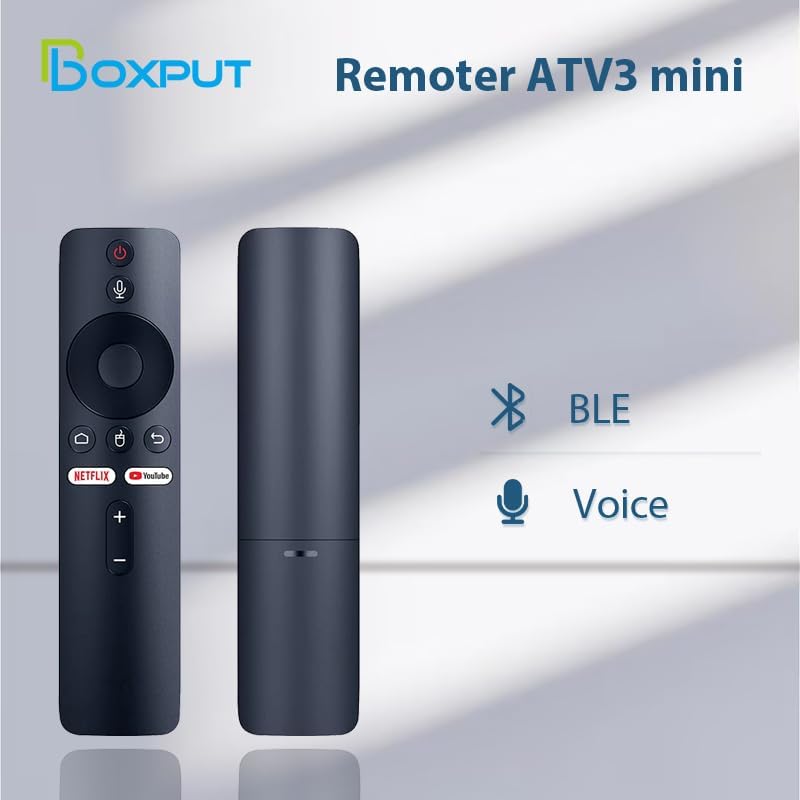
Figure 2: Bluetooth and Voice Control capabilities of the remote.
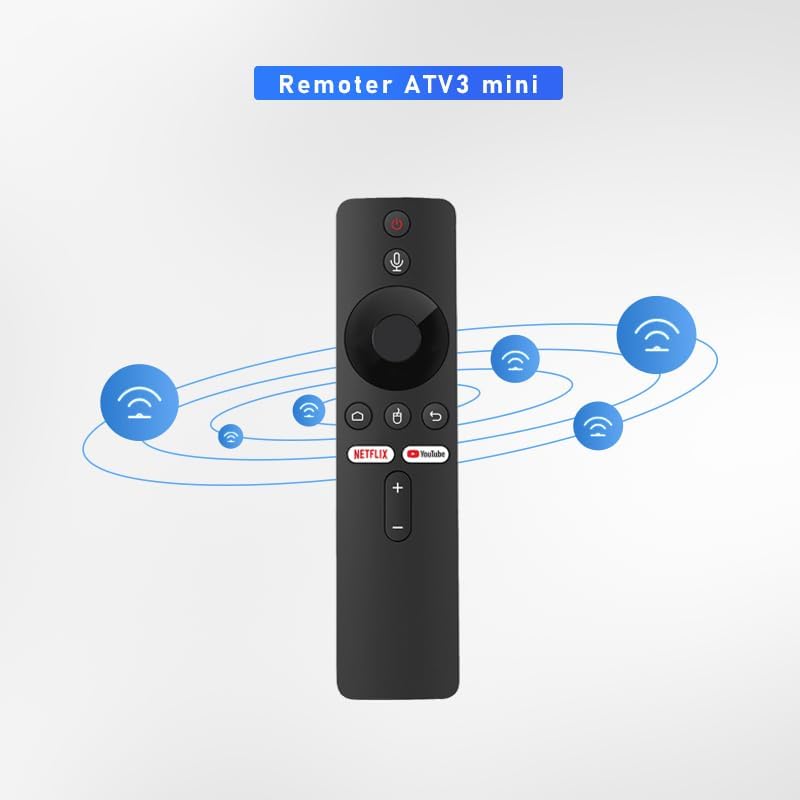
Figure 3: Illustration of the remote's Bluetooth signal range.

Figure 4: Software shortcut buttons for quick access to applications.
3. Razporeditev in funkcije gumbov
Familiarize yourself with the buttons on your BOXPUT Remoter ATV3 Mini for optimal use.
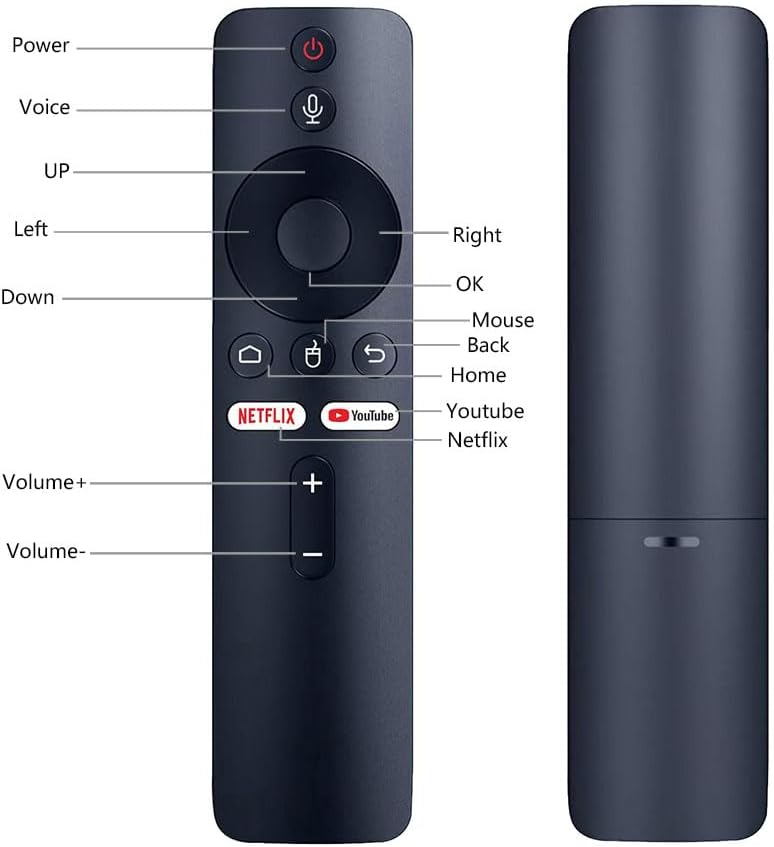
Slika 5: Sprednji in stranski view of the remote with labeled buttons.
| Gumb | funkcija |
|---|---|
| Moč | Vklopi ali izklopi povezano napravo. |
| Glas | Aktivira glasovno upravljanje za ukaze in iskanja. |
| Navigacijska ploščica (gor, dol, levo, desno) | Navigacija po menijih in vsebini. |
| OK | Potrjuje izbire. |
| Miška | Activates mouse pointer mode (if supported by device). |
| Nazaj | Vrne se na prejšnji zaslon ali meni. |
| domov | Vrne se na glavni začetni zaslon. |
| Netflix | Launches the Netflix application directly. |
| YouTube | Launches the YouTube application directly. |
| Glasnost + | Poveča glasnost. |
| Prostornina - | Zmanjša glasnost. |
4. Nastavitev
4.1 Namestitev baterije
- Poiščite predal za baterije na zadnji strani daljinskega upravljalnika.
- Odprite pokrov prostora za baterije.
- Vstavite dve bateriji AAA (nista priloženi) in pazite na pravilno polarnost (+/-).
- Trdno zaprite pokrov prostora za baterije.
4.2 Seznanjanje daljinskega upravljalnika
The ATV3 Mini uses Bluetooth for connection. Follow these general steps to pair it with your compatible TV box:
- Ensure your TV box is powered on and within range of the remote.
- Navigate to the Bluetooth settings menu on your TV box. (Specific steps may vary by device model).
- Na daljinskem upravljalniku pritisnite in držite OK gumb in Nazaj button simultaneously for a few seconds until an indicator light on the remote begins to flash, signaling it is in pairing mode.
- On your TV box, search for new Bluetooth devices. The remote should appear as "ATV3 Mini" or a similar name.
- Select the remote control from the list on your TV box to complete the pairing process. The indicator light on the remote should stop flashing and remain solid or turn off, indicating a successful connection.
Note for Xiaomi Devices: For Xiaomi devices, manual connection and use may require flashing specific Xiaomi firmware. Please refer to Xiaomi's official support or community forums for detailed instructions on this advanced procedure.
5. Navodila za uporabo
5.1 Osnovna navigacija
- Uporabite Navigacijska ploščica (Up, Down, Left, Right) to move through menus and select items on your screen.
- Pritisnite OK button to confirm a selection or open an application.
- Pritisnite Nazaj gumb za vrnitev na prejšnji zaslon.
- Pritisnite domov button to quickly return to the main home screen of your TV box.
5.2 Uporaba glasovnega upravljanja
- Pritisnite in držite Glas gumb (ikona mikrofona).
- Govorite jasno v mikrofon, ki se nahaja na daljinskem upravljalniku.
- Spustite Glas button when you have finished speaking. Your command or search query will be processed by the TV box.
5.3 Using Shortcut Buttons
- Pritisnite Netflix button to launch the Netflix application directly.
- Pritisnite YouTube button to launch the YouTube application directly.

Figure 6: The remote is designed for simple and intuitive operation.
6. Vzdrževanje
- Čiščenje: Daljinski upravljalnik obrišite z mehko, suho krpo. Ne uporabljajte tekočih čistil ali abrazivnih materialov.
- Zamenjava baterije: Replace batteries when the remote's performance degrades or it becomes unresponsive. Always use new AAA batteries and dispose of old batteries responsibly.
- Shranjevanje: Daljinski upravljalnik shranjujte na hladnem in suhem mestu, stran od neposredne sončne svetlobe in ekstremnih temperatur.
7. Odpravljanje težav
- Daljinec se ne odziva:
- Preverite, ali so baterije pravilno vstavljene in ali so dovolj napolnjene. Po potrebi jih zamenjajte.
- Ensure the remote is paired with your TV box. If not, follow the pairing instructions in Section 4.2.
- Verify that there are no obstructions between the remote and the TV box, although Bluetooth reduces this concern.
- Glasovno upravljanje ne deluje:
- Prepričajte se, da je daljinski upravljalnik pravilno seznanjen prek Bluetootha.
- Check the TV box's settings to ensure voice input is enabled and configured correctly.
- Speak clearly and hold the voice button while speaking.
- Shortcut buttons not launching apps:
- Ensure the respective applications (Netflix, YouTube) are installed and updated on your TV box.
- Verify the remote is correctly paired.
8. Specifikacije
| Funkcija | Podrobnost |
|---|---|
| Dimenzije izdelka | 6.05 x 1.48 x 0.59 palcev |
| Teža predmeta | 1.44 unč |
| Posebna funkcija | Glasovno iskanje |
| Največje število podprtih naprav | 5 |
| Združljive naprave | Home Theater, Set Top Box, Television |
| Povezljivost | Bluetooth (BT) |
| Vir napajanja | 2 x AAA baterije (niso vključene) |
9. Podpora in garancija
BOXPUT is committed to providing excellent customer support. If you encounter any operational or usage issues that cannot be resolved using this manual, please contact BOXPUT Official Support.
When contacting support, please be prepared to provide details about your product and, if applicable, your device's MAC address for TV box-related issues. Our technical team aims to assist you within 24 hours to help resolve any problems.
For the latest support information and contact details, please visit the official BOXPUT webspletno mesto ali glejte embalažo izdelka.