
Uvod
Hvala za nakupasing the Mesqool Vibrating Alarm Clock. This device is designed to provide a reliable and discreet wake-up experience through powerful vibration, sound, or a combination of both. Its compact, cordless design and long-lasting battery make it ideal for various settings, including bedrooms, living rooms, and offices. This manual provides detailed instructions for setup, operation, and maintenance to ensure optimal performance.
Varnostne informacije
- Napravo hranite stran od vode in visoke vlažnosti.
- Ne izpostavljajte ekstremnim temperaturam ali neposredni sončni svetlobi.
- Izogibajte se padcem ali izpostavljanju naprave močnim udarcem.
- Uporabljajte samo priloženi polnilni kabel tipa C.
- Naprave ne poskušajte razstaviti ali popraviti sami.
- Keep out of reach of small children to prevent accidental operation or damage.
Vsebina paketa
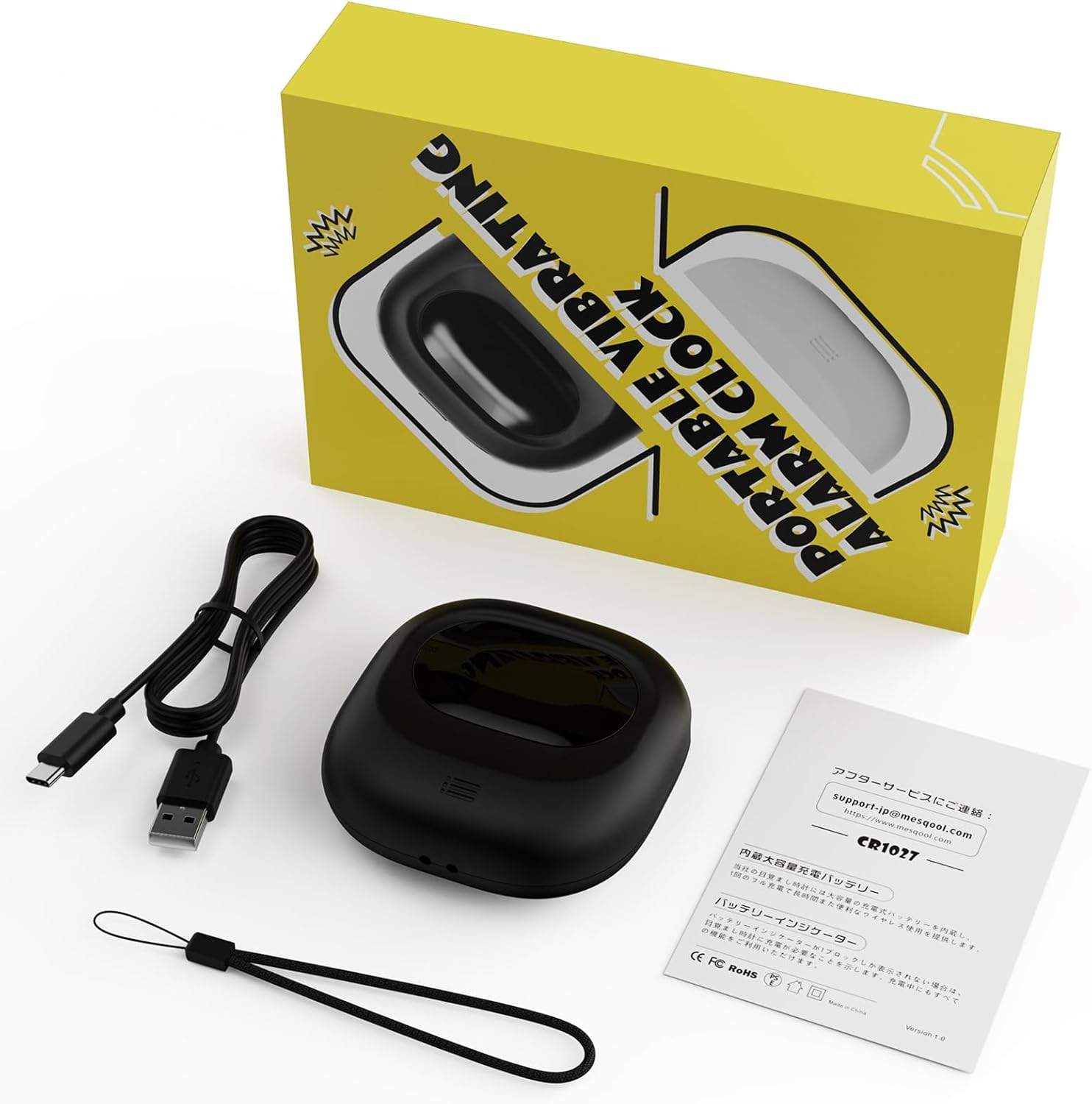
Image: Mesqool Vibrating Alarm Clock package contents, showing the black alarm clock, a Type-C charging cable, and the user manual.
- Mesqool Vibrating Alarm Clock (Model: CR1027)
- Polnilni kabel USB tipa C
- Uporabniški priročnik
Konec izdelkaview
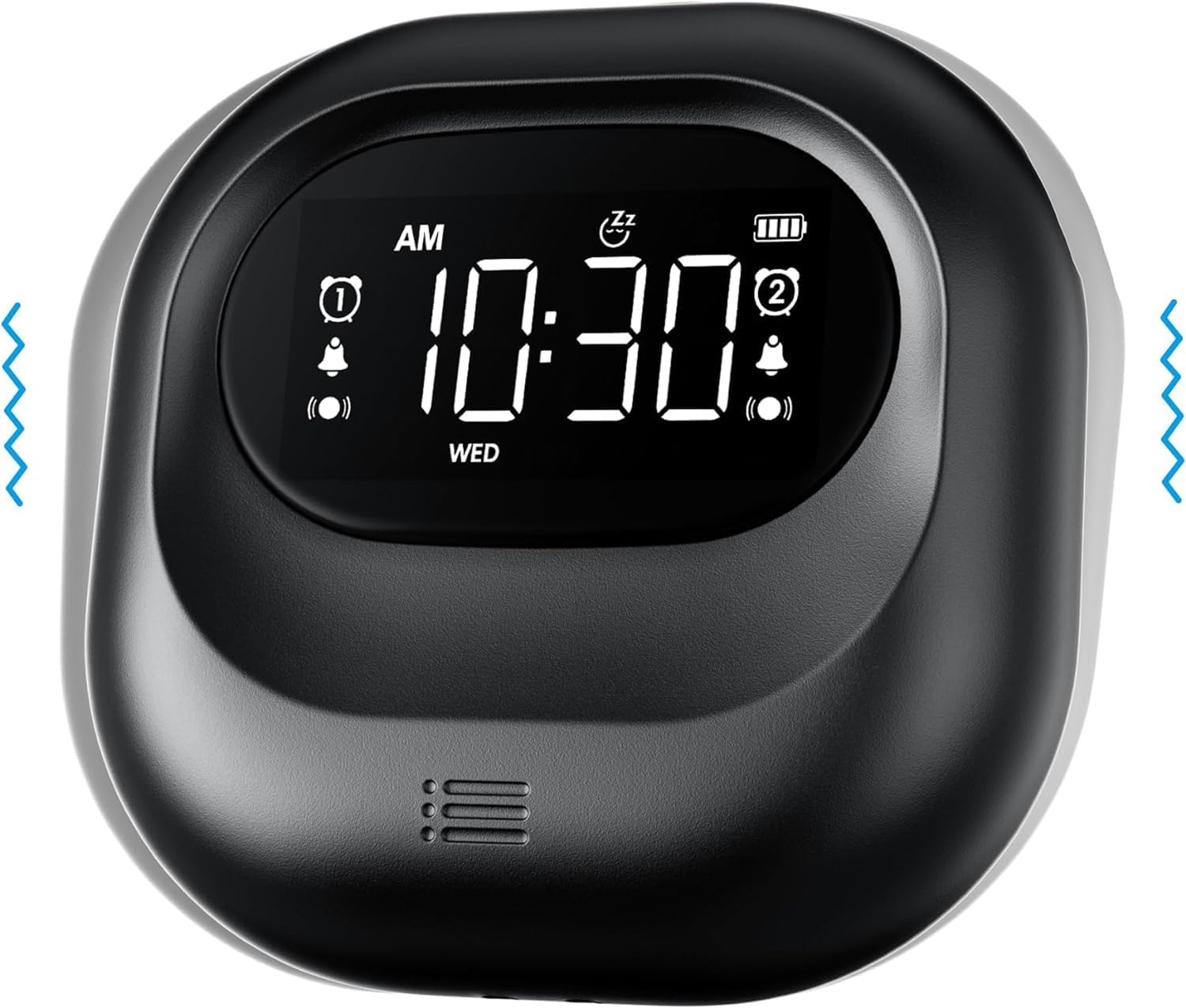
Slika: spredaj view of the Mesqool Vibrating Alarm Clock, highlighting the digital display with time, alarm indicators, and battery level.
Kontrole in zaslon:
- Digitalni LCD zaslon: Shows time, alarm status, day of the week, and battery level. Features a backlight for visibility in the dark.
- Time/Snooze Button: Used to set time and activate snooze.
- Gumbi +/-: Adjust values (time, alarm, volume, vibration intensity).
- Gumba za alarm 1/2: Activate/deactivate and set individual alarms.
- Stikalo načina: Select alarm mode (Buzzer, Vibration, Both).
- Vibration Intensity Switch: Adjust vibration strength (Low, Medium, High).
- Stikalo za zaklepanje: Preprečuje nenamerne pritiske gumbov.
- Vrata za polnjenje Type-C: Za polnjenje notranje baterije.
Nastavitev
1. Začetno polnjenje:
Before first use, fully charge the alarm clock. Connect the provided Type-C USB cable to the charging port on the device and the other end to a USB power adapter (not included), computer, or power bank. The battery indicator on the display will show charging status. A full charge ensures optimal battery life.
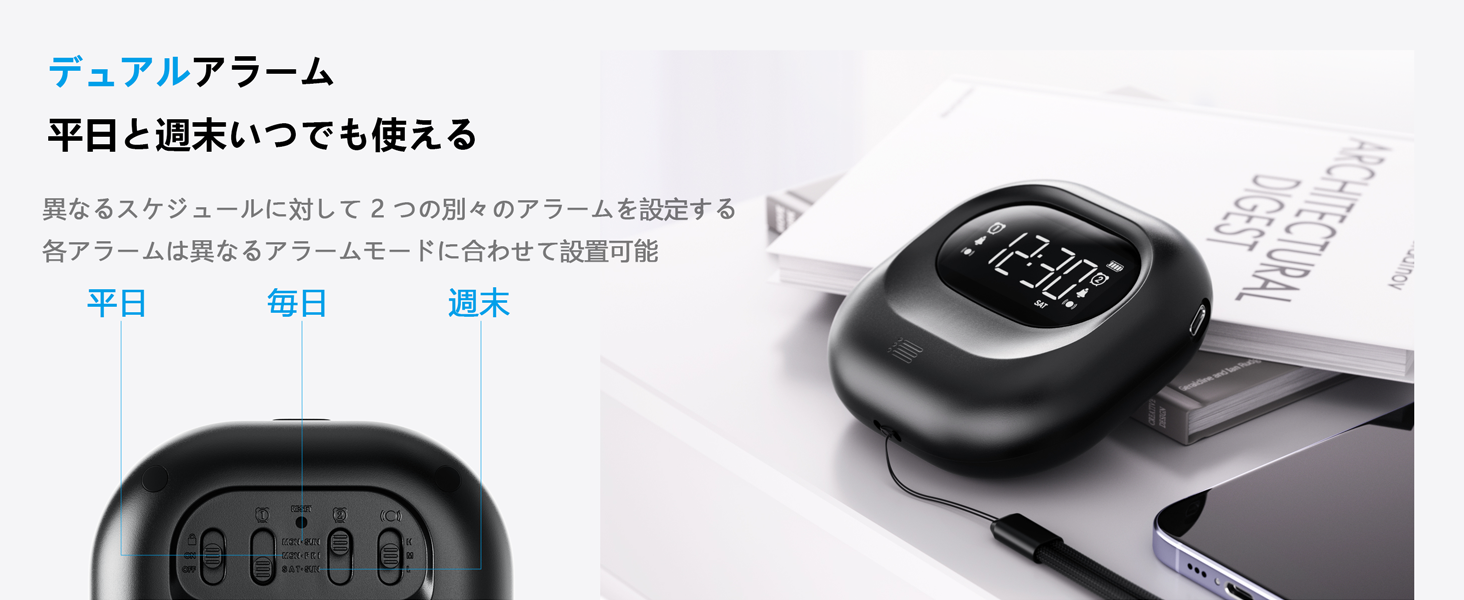
Image: The alarm clock connected to a Type-C charging cable, illustrating the charging process and battery indicator on the display.
2. Vklop/izklop:
The device powers on automatically when charged or a button is pressed. It enters an automatic standby mode after 30 seconds of inactivity to conserve power. To fully power off, use the dedicated power switch if available (refer to product overview for specific button layout).
Navodila za uporabo
1. Nastavitev časa:
- Pritisnite in držite ČAS/DREMEST gumb, dokler ne utripa ura.
- Uporabite +/- gumbi za nastavitev ure.
- Pritisnite ČAS/DREMEST ponovno, da se premaknete na minute, nato pa prilagodite z +/-.
- Repeat for year, month, and day settings.
- Pritisnite ČAS/DREMEST za potrditev in izhod.
- Za preklop med 12-urnim in 24-urnim formatom časa pritisnite ČAS/DREMEST button briefly during normal time display.
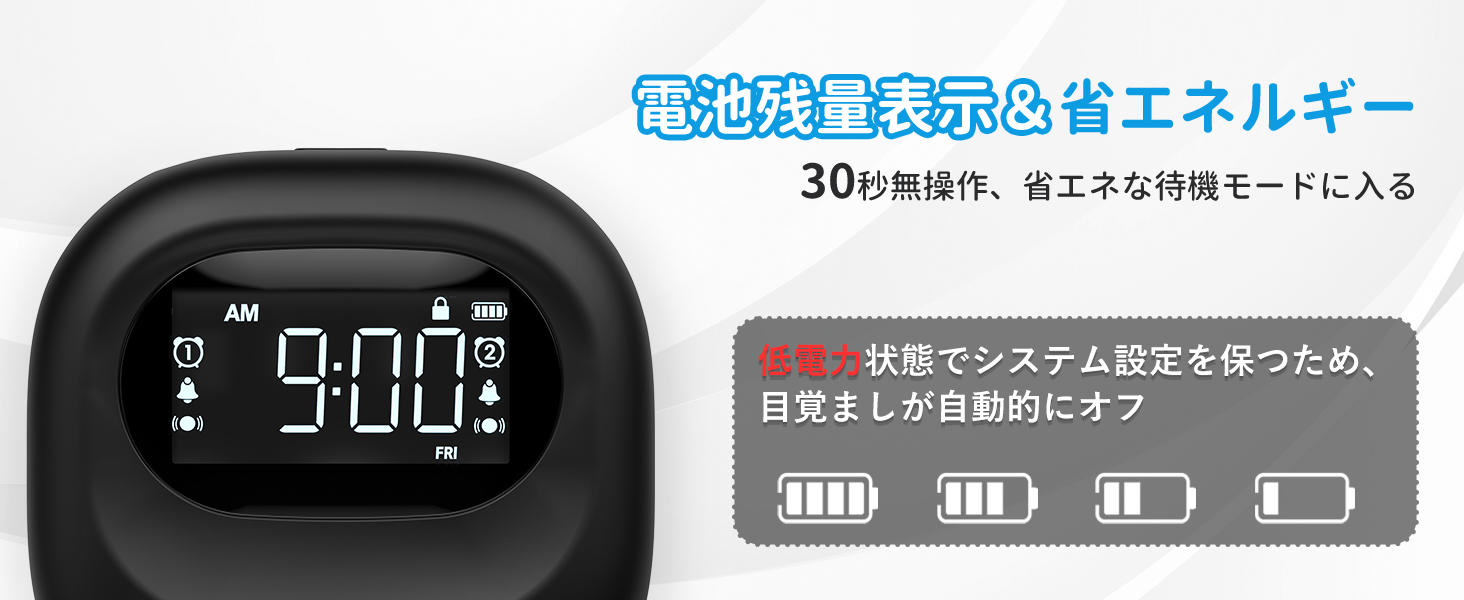
Image: The alarm clock displaying time in both 12-hour and 24-hour formats, demonstrating the adjustable time format feature.
2. Setting Alarms (Alarm 1 & Alarm 2):
The clock features two independent alarms. You can set different times for weekdays, weekends, or every day.
- Pritisnite in držite ALARM 1 or ALARM 2 gumb, dokler ne utripa čas alarma.
- Uporabite +/- gumbe za nastavitev ure budilke.
- Pritisnite ustrezno ALARM button again to move to minutes, then adjust with +/-.
- Pritisnite ALARM button again to select the alarm frequency:
- PON–PET: Alarm activates on weekdays.
- SOB–NED: Alarm activates on weekends.
- VSAK DAN: Alarm activates daily.
- Pritisnite ALARM gumb za potrditev in izhod.
- Za vklop/izklop alarma na kratko pritisnite ustrezno tipko ALARM 1 or ALARM 2 gumb. Na zaslonu se bo prikazala/izginila ikona alarma.
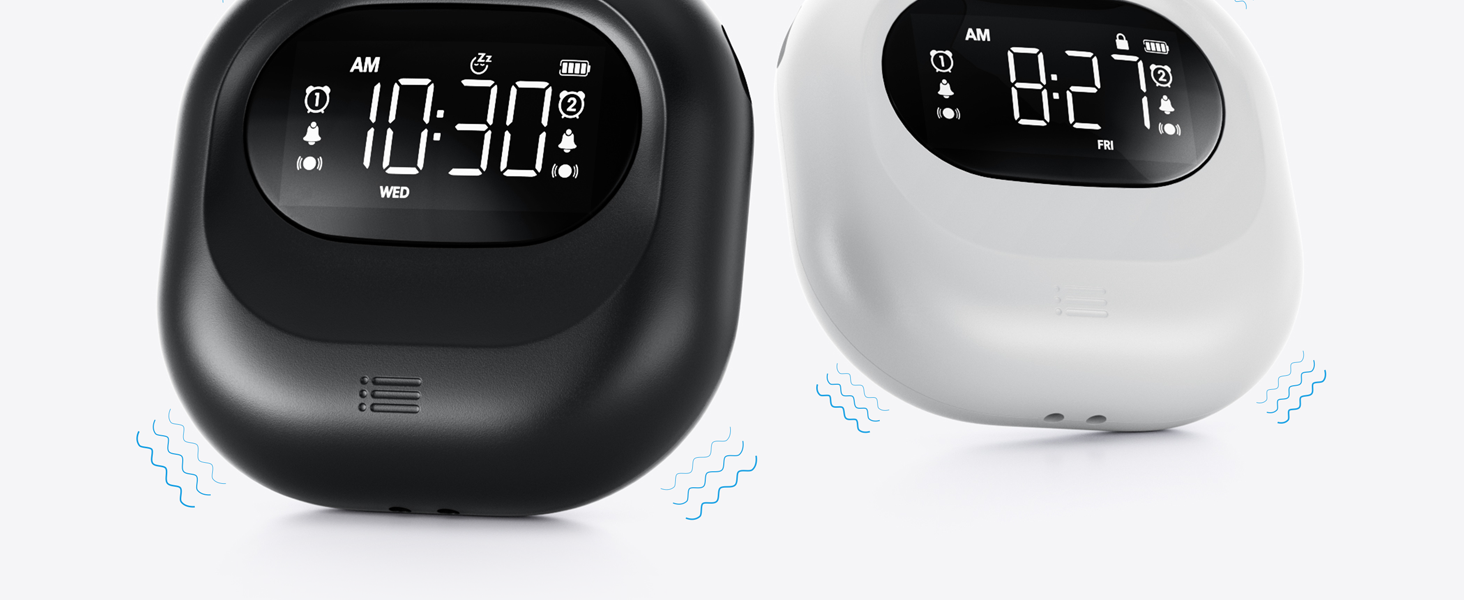
Image: The alarm clock illustrating the dual alarm feature with options for weekday, weekend, and everyday settings.
3. Alarm Modes:
Choose from three wake-up modes to suit your preference:
- Samo brenčalo: Standardni zvočni alarm.
- Samo vibracije: Silent vibration for discreet wake-up.
- Buzzer + Vibration: Both audible and vibrating alarm for heavy sleepers.
Uporabite NAČIN switch on the side/back of the device to select your desired mode.
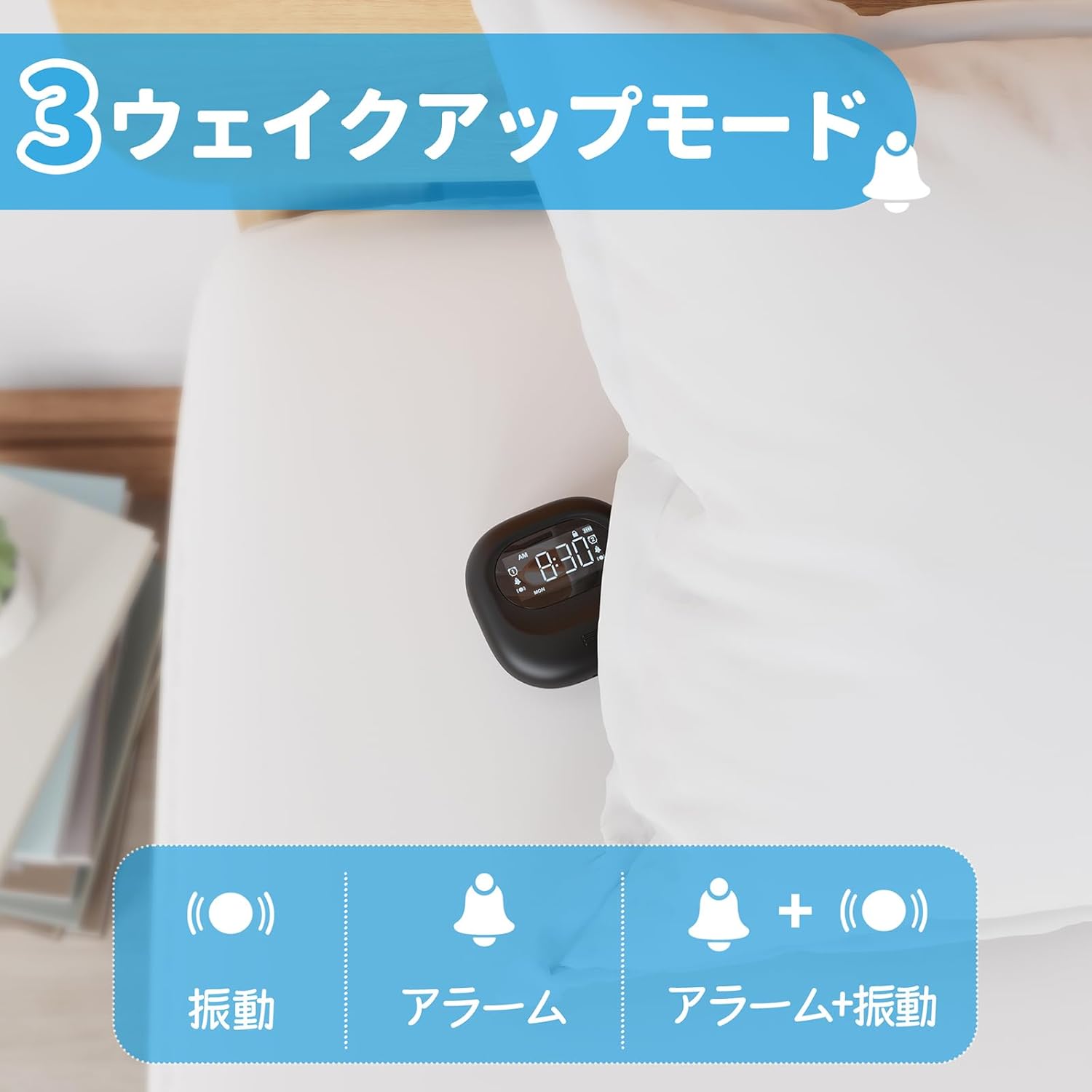
Image: A visual representation of the three alarm modes available on the Mesqool alarm clock: vibration only, buzzer only, and a combination of buzzer and vibration.
4. Vibration Intensity:
Adjust the vibration strength to your comfort level (Low, Medium, High) using the dedicated switch on the device. This is particularly useful for heavy sleepers or those who prefer a gentler wake-up.

Image: The alarm clock demonstrating its three adjustable vibration intensity levels (Low, Medium, High) for personalized wake-up.
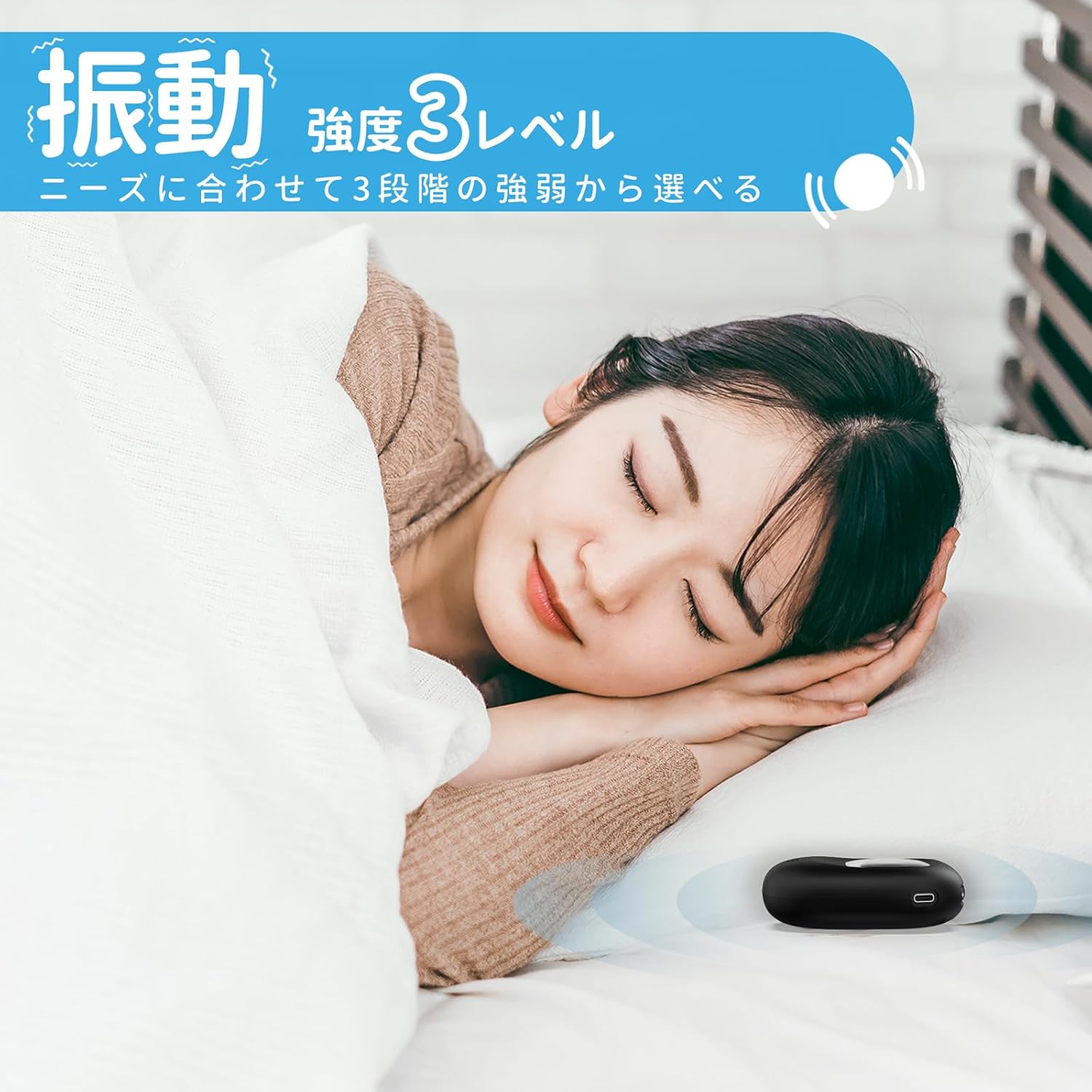
Image: A woman sleeping peacefully with the Mesqool Vibrating Alarm Clock positioned discreetly under her pillow, highlighting its silent wake-up capability.
5. Funkcija dremeža:
Ko se oglasi alarm, pritisnite tipko ČAS/DREMEST gumb za vklop funkcije dremeža. Alarm se bo za 9 minut ustavil in nato znova zazvonil. To se lahko ponovi do 9-krat.
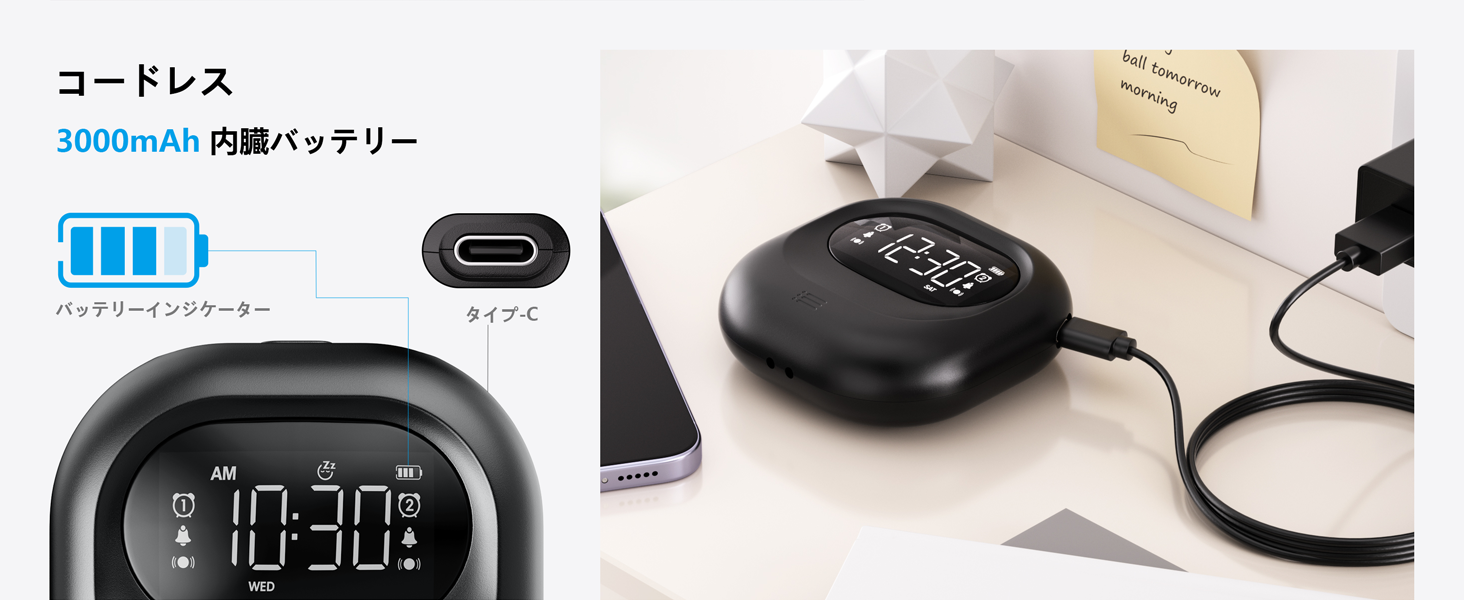
Image: The alarm clock illustrating its snooze feature, which allows for a 9-minute delay before the alarm sounds again.
6. Display Backlight and Lock Mode:
- Osvetlitev ozadja: The LCD display features a backlight for easy viewing in low light conditions. It automatically enters standby mode after 30 seconds of inactivity to save power and prevent sleep disturbance.
- Način zaklepanja: To prevent accidental changes to settings, especially during sleep or when handled by children, activate the lock mode using the KLJUČAVNICA switch. Once locked, buttons will not respond to presses.
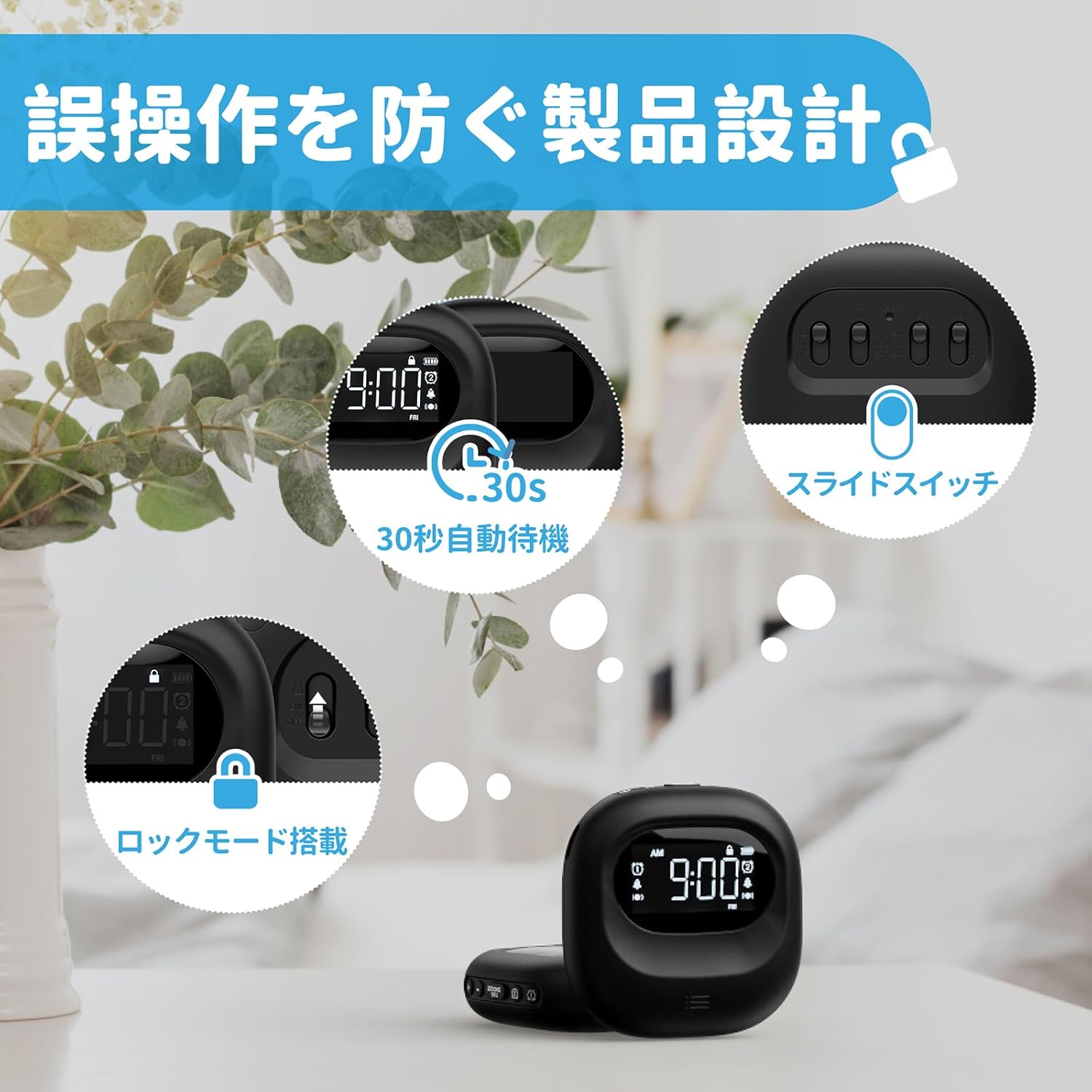
Image: The alarm clock highlighting its lock mode, designed to prevent unintended changes to settings, particularly useful when placed under a pillow or near children.
Vzdrževanje
- Napravo očistite z mehko, suho krpo. Ne uporabljajte abrazivnih čistil ali topil.
- Naprave ne izpostavljajte ekstremnim temperaturam ali neposredni sončni svetlobi za daljša obdobja.
- Ko ni v uporabi, hranite na hladnem in suhem mestu.
Odpravljanje težav
| Težava | Možen vzrok | rešitev |
|---|---|---|
| Naprava se ne vklopi. | Baterija je prazna. | Napravo popolnoma napolnite s kablom tipa C. |
| Alarm se ne oglasi/ne vibrira. | Alarm is not activated or mode is incorrect. | Ensure the alarm icon is displayed and the alarm mode switch is set correctly (Buzzer, Vibration, or Both). |
| Gumbi se ne odzivajo. | Lock mode is enabled. | Disable the lock mode using the KLJUČAVNICA stikalo. |
| Zaslon je zatemnjen ali izklopljen. | Device is in power-saving standby mode. | Press any button to reactivate the display. Ensure battery is charged. |
Specifikacije
- Model: CR1027
- Znamka: Mesqool
- Dimenzije: 8.5 cm (širina) x 2.7 cm (višina)
- Velikost paketa: 14.7 x 10.1 x 3.4 cm
- Teža: 0.19 kg
- barva: Črna
- Vrsta zaslona: Digitalni LCD
- vir energije: Baterija (litij-ionska za ponovno polnjenje)
- Kapaciteta baterije: 3000 mAh (notranja)
- Lastnosti: Large Capacity Battery, Vibration, Dual Alarm, Snooze, Backlight, 12/24H Time Format, Lock Mode.
- Material okvirja: Plastika
Uradni videoposnetek izdelka
Video: An official product video demonstrating the features and usage of the Mesqool Vibrating Alarm Clock, including its vibration function and dual alarm capabilities.
Garancija in podpora
Mesqool products are designed for durability and performance. For warranty information, technical support, or any inquiries regarding your device, please refer to the contact information provided on the product packaging or visit the official Mesqool webspletnega mesta. Za uveljavljanje garancije shranite račun.


