
1. Izdelek je končanview
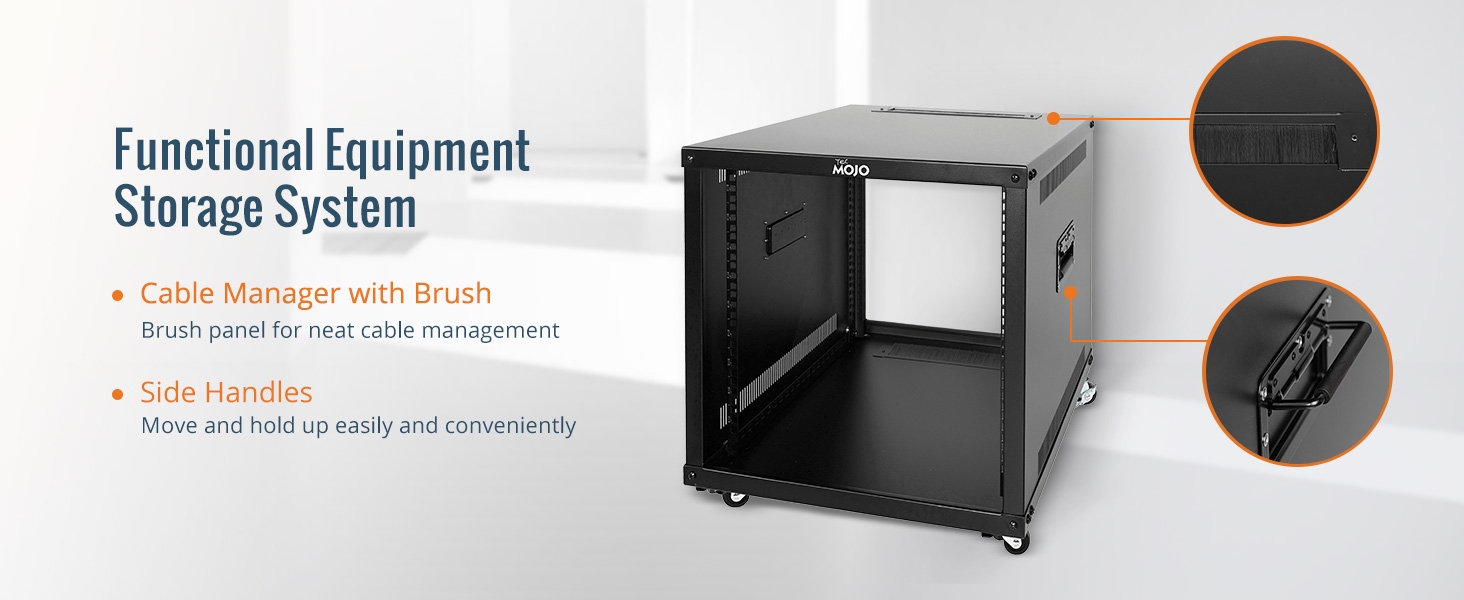
The Tecmojo 9U Portable Rolling Network Rack is a robust and versatile 4-post open frame server cabinet designed for organizing and securing various IT, data, AV, and network equipment. Constructed from premium cold rolled steel, it offers durability and a weight capacity of up to 132 lbs (60 kg). Its mobile design, featuring built-in handles and locking casters, allows for easy transportation and secure placement.
- Vzdržljiva konstrukcija: Made of premium cold rolled steel, capable of holding up to 132 lbs (60 kg). Features an electrostatic powder coat for rust and corrosion prevention.
- User-friendly Mobility: Equipped with built-in handles on both sides for easy transport and roller casters for convenient movement and positioning.
- Dust Prevention & Ventilation: Open frame design with nylon brushed cable managers helps protect against dust and dirt accumulation while increasing heat dissipation.
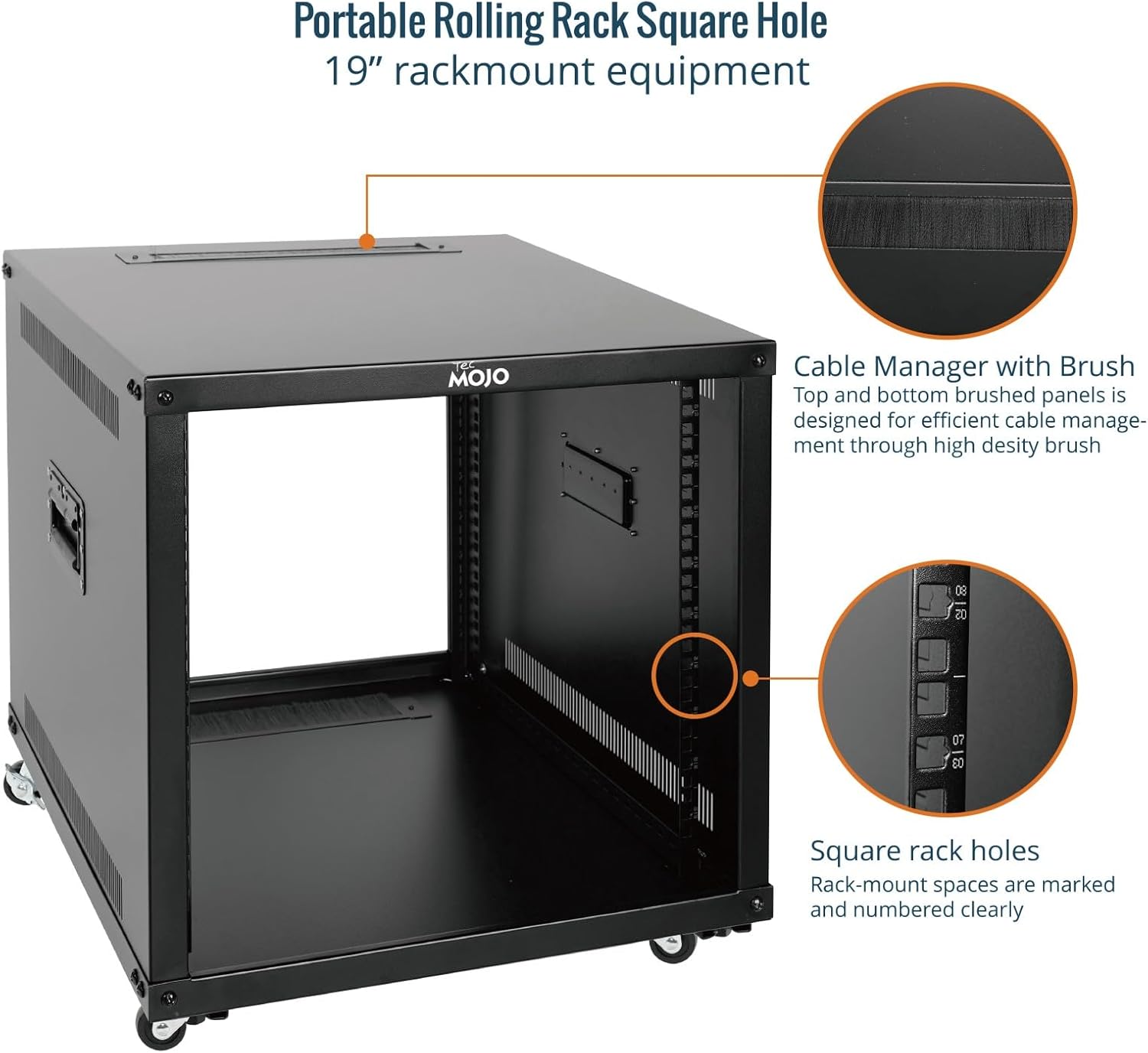
- Široka uporaba: Suitable for 19-inch standard equipment and devices, including networking, AV, and rack mount components.
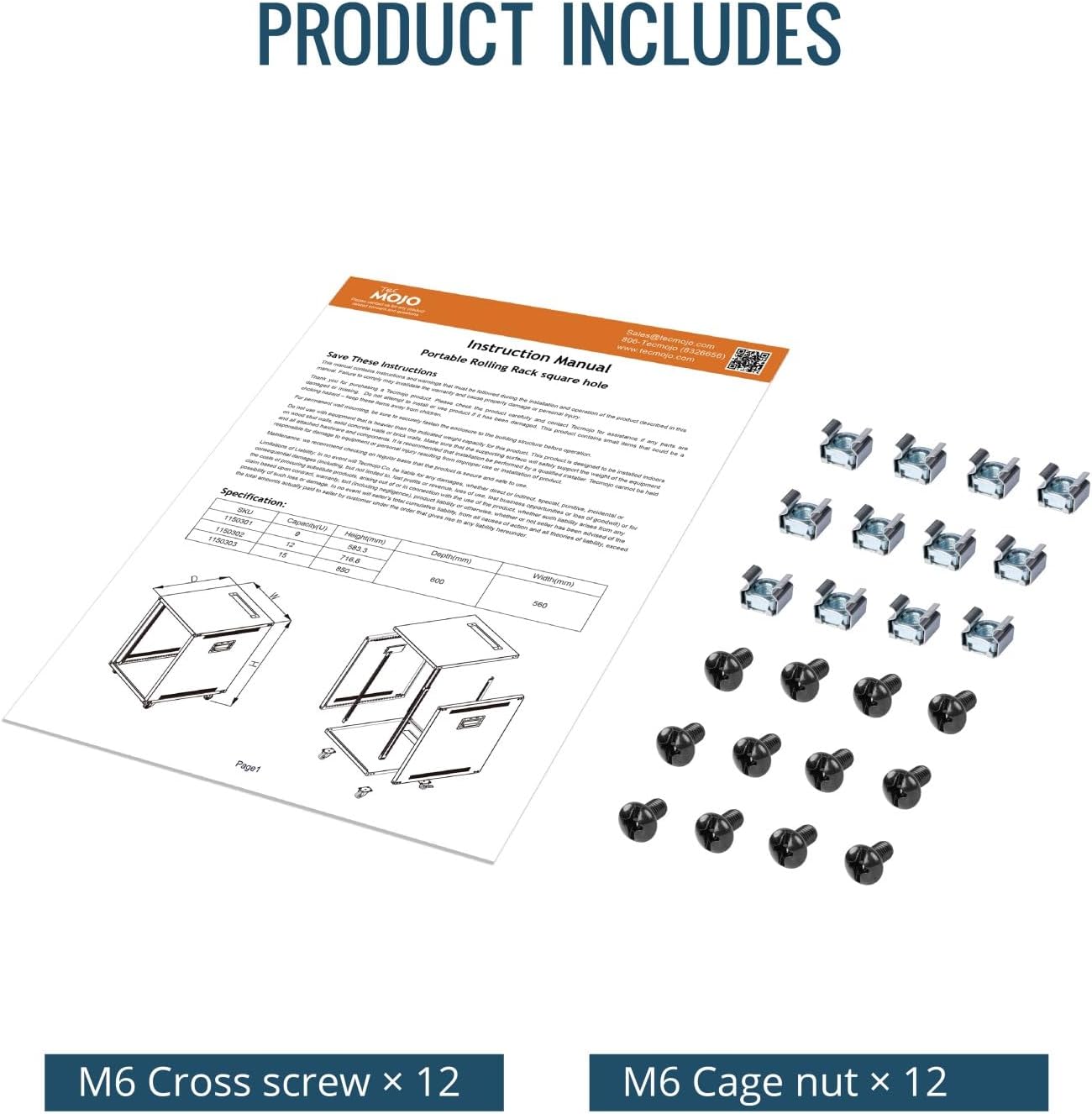
- Univerzalna združljivost: EIA/ECA-310-E compliant. Includes M6 cage nuts and screws for installation. Available in 9U, 12U, and 15U sizes.

2. Varnostne informacije
Please read all safety instructions carefully before assembling or operating the Tecmojo 9U Portable Rolling Network Rack. Failure to follow these instructions may result in injury or damage to the product or connected equipment.
- Zmogljivost teže: Do not exceed the maximum weight capacity of 132 lbs (60 kg). Distribute equipment evenly to maintain stability.
- Montaža: Assemble the rack on a flat, stable surface. Ensure all screws and fasteners are securely tightened before use.
- Premikanje stojala: When moving the rack, ensure all equipment is securely mounted. Use the built-in handles and unlock the casters. Exercise caution on uneven surfaces. Lock casters once the rack is in its desired position.
- Električna varnost: When installing electrical equipment, ensure proper grounding and follow all manufacturer guidelines for power connections. Avoid overloading power strips.
- Prezračevanje: Maintain adequate airflow around the rack to prevent overheating of equipment. The open frame design aids in ventilation.
- Otroci in hišni ljubljenčki: Keep children and pets away from the rack during assembly and operation to prevent accidents.
3. Nastavitev in montaža
Follow these steps to assemble your Tecmojo 9U Portable Rolling Network Rack. It is recommended to have two people for assembly due to the weight and size of the components.
3.1 Razpakiranje in pregled komponent
Carefully unpack all components and verify against the included parts list. Ensure no parts are missing or damaged. If any parts are missing or damaged, contact customer support.
3.2 Video vodnik za montažo
Watch the official assembly video for a visual guide on setting up your network rack.
3.3 Navodila za sestavljanje po korakih
- Pritrdite stranske plošče: Place the bottom plate on a stable surface. Fix the two side panels symmetrically onto the bottom plate using the provided screws. Ensure they are aligned correctly.
- Varna zgornja plošča: Place the top panel onto the assembled side panels and secure it with screws. Ensure all connections are tight.
- Namestite vodila za stojalo: Insert the four rack rails into their designated slots on the top and bottom panels. Secure them with the appropriate fasteners. Ensure the square holes are facing inwards and are aligned for equipment mounting.
- Namestite koleščke: Carefully tilt the rack or lay it on its side. Attach the four casters to the bottom plate using the provided screws. Ensure two of the casters are locking casters and are positioned for easy access.

4. Navodila za uporabo
Once assembled, the Tecmojo 9U Portable Rolling Network Rack is ready for equipment installation.
4.1 Montažna oprema
- Identify the desired U-height for your equipment. The rack-mount spaces are clearly marked and numbered.
- Use the provided M6 cage nuts and screws to secure your 19-inch standard equipment to the rack rails. Ensure equipment is evenly distributed to maintain balance.
- For heavy equipment, consider using rack shelves (sold separately) for additional support.
4.2 Upravljanje kablov
- Utilize the integrated cable manager with a brush on the top panel to route cables neatly and prevent dust entry.
- Bundle cables using cable ties or Velcro straps to maintain an organized setup and improve airflow.
5. Vzdrževanje
Regular maintenance ensures the longevity and optimal performance of your Tecmojo 9U Portable Rolling Network Rack.
- Čiščenje: Wipe down the rack with a soft, damp cloth to remove dust and dirt. Avoid abrasive cleaners or solvents that could damage the finish.
- Preverjanje pritrdilnih elementov: Občasno preverite vse vijake in pritrdilne elemente, da se prepričate, da so trdno priviti. Po potrebi jih ponovno privijte.
- Pregled kolesc: Check casters for smooth operation and ensure locking mechanisms function correctly. Clean any debris from the wheels.
- Upravljanje kablov: Review cable routing periodically to ensure cables are not pinched or obstructing airflow.
6. Odpravljanje težav
This section addresses common issues you might encounter with your network rack.
| Težava | Možen vzrok | rešitev |
|---|---|---|
| Stojalo je nestabilno ali majavo. | Loose fasteners; uneven weight distribution; uneven floor. | Ensure all assembly screws are tightened. Redistribute equipment weight evenly. Move the rack to a level surface or use shims if necessary. |
| Kolesca se ne vrtijo gladko. | Ostanki v kolesih; kolesca so blokirana. | Clean any debris from the caster wheels. Ensure locking mechanisms are disengaged before moving. |
| Difficulty mounting equipment. | Incorrect cage nut placement; misaligned equipment. | Ensure M6 cage nuts are correctly inserted into the square holes. Verify equipment is 19-inch standard and aligned with the rack rails. |
7. Specifikacije
| Funkcija | Podrobnost |
|---|---|
| Znamka | Tecmojo |
| Model | 9U Portable Rolling Network Rack |
| barva | Črna |
| Mere izdelka (D x Š x V) | 600 mm x 560 mm x 583.3 mm (23.62" x 22.04" x 22.96") |
| Material | Alloy Steel (Cold Rolled Steel) |
| Teža predmeta | 44.55 funta |
| Združljive naprave | Server, Networking, AV, IT Equipment |
| Vrsta namestitve | Talni nosilec |
| Material ohišja | Legirano jeklo |
| Zmogljivost teže | 132 lbs (60 kg) |
| Skladnost | EIA/ECA-310-E compliant |

8. Informacije o garanciji
The Tecmojo 9U Portable Rolling Network Rack comes with a 3-letna garancija proizvajalca. This warranty covers defects in materials and workmanship under normal use. Please retain your proof of purchase for warranty claims. For detailed terms and conditions, please refer to the official Tecmojo webspletno mesto ali se obrnite na podporo strankam.
9. Podpora strankam
For any questions, technical assistance, or warranty inquiries, please contact Tecmojo customer support:
- Webspletno mesto: Obiščite Tecmojo Official Store on Amazon za informacije o izdelku in vire podpore.
- E-pošta: Glejte embalažo izdelka ali uradna navodila. webza najnovejši e-poštni naslov za podporo.
- telefon: Glejte embalažo izdelka ali uradna navodila. webza najnovejšo telefonsko številko za podporo.
When contacting support, please have your product model (9U Portable Rolling Network Rack) and purchase information ready.