
Zenwire E520h
Zenwire E520h Projector User Manual
Model: E520h | Brand: Zenwire
1. Uvod
This manual provides detailed instructions for the setup, operation, and maintenance of your Zenwire E520h projector. Please read this manual thoroughly before using the device to ensure proper functionality and to maximize your viewizkušnje.
The Zenwire E520h is a Full HD 1080p projector with 4K support, featuring Android 9.0, dual-band WiFi (2.4/5 GHz), and Bluetooth 5.0 for versatile home theater entertainment.
2. Vsebina paketa
Preverite, ali so v paketu prisotni vsi elementi:
- Zenwire E520h Projector
- Daljinski upravljalnik (baterije niso priložene)
- Napajalni kabel
- HDMI kabel
- AV Cable (stereo)
- Uporabniški priročnik

The image above displays the Zenwire E520h projector along with its standard accessories: a remote control, power cable, HDMI cable, and AV cable. These components are essential for setting up and operating your projector.
3. Izdelek je končanview
Familiarize yourself with the various parts and connections of your Zenwire E520h projector.

Ta slika ponuja celovit view of the projector from different angles, highlighting the lens, control panel, ventilation grilles, and various input/output ports located on the sides and rear of the device.

The Zenwire E520h projector supports a wide range of multimedia devices, including streaming sticks (Roku, Fire TV, Chromecast), external audio systems, USB storage, gaming consoles (Xbox, PlayStation), mobile devices (phones, tablets), DVD players, and computers (laptops, desktops) via its various input ports.
4. Nastavitev
4.1 Namestitev
Position the projector on a stable, flat surface. Ensure adequate ventilation around the device. The optimal projection distance ranges from 1.2 to 6 meters, allowing for screen sizes from 36 to 200 inches.

This image demonstrates how varying the distance between the projector and the screen affects the projected image size, showing examples for 45, 120, and 200-inch displays.
4.2 Napajalni priključek
Connect the power cable to the projector's power input and then plug it into a suitable electrical outlet.
4.3 Začetni vklop
Pritisnite gumb za vklop na projektorju ali daljinskem upravljalniku, da vklopite napravo. Projektor se bo zagnal v operacijski sistem Android 9.0.
5. Navodila za uporabo
5.1 Ostrenje in korekcija trapezne slike
Adjust the focus ring around the lens until the image is clear. Use the 4D keystone correction feature to adjust the image shape if the projector is not perfectly perpendicular to the screen. This can be done via the remote control or on-screen settings.

This image illustrates the process of adjusting the focus ring on the projector lens and demonstrates the effect of keystone correction on the projected image, ensuring a rectangular display even when the projector is angled.
5.2 Android 9.0 Pametni sistem
The projector runs on Android 9.0, allowing direct access to streaming applications like YouTube, Netflix, HBO, and Spotify. Navigate the interface using the remote control.

The image above shows the projector's smart interface, featuring a grid of popular streaming applications, demonstrating the integrated Android 9.0 system's capability to run apps directly.
5.3 Brezžična povezljivost (WiFi in Bluetooth)
WiFi: Connect to your home network using the integrated 2.4/5 GHz WiFi. This enables Miracast and Airplay for wireless screen mirroring from iOS, Android, and Windows devices.

This image illustrates the projector's wireless connectivity, showing it mirroring content from a smartphone and tablet, and highlighting its compatibility with iOS, Android, and Windows 10 devices for screen sharing.
Bluetooth 5.0: Pair with external Bluetooth speakers, soundbars, or headphones for enhanced audio. Go to the settings menu to manage Bluetooth devices.
5.4 Žična povezljivost
The projector features multiple ports for wired connections:
- HDMI (x2): Connect laptops, gaming consoles, Blu-ray players, or streaming devices.
- USB: Predvajajte medije neposredno z USB-ključkov.
- OD: Starejše naprave priključite s priloženim AV kablom.
- Mini-Jack: Za zunanji avdio izhod.
- Micro-SD/TF Card Reader: Za predvajanje medijev s pomnilniških kartic.
6. Vzdrževanje
6.1 Čiščenje leče
Lečo projektorja nežno obrišite z mehko krpo, ki ne pušča vlaken in je posebej zasnovana za optične površine. Ne uporabljajte abrazivnih čistil ali prekomerne sile.
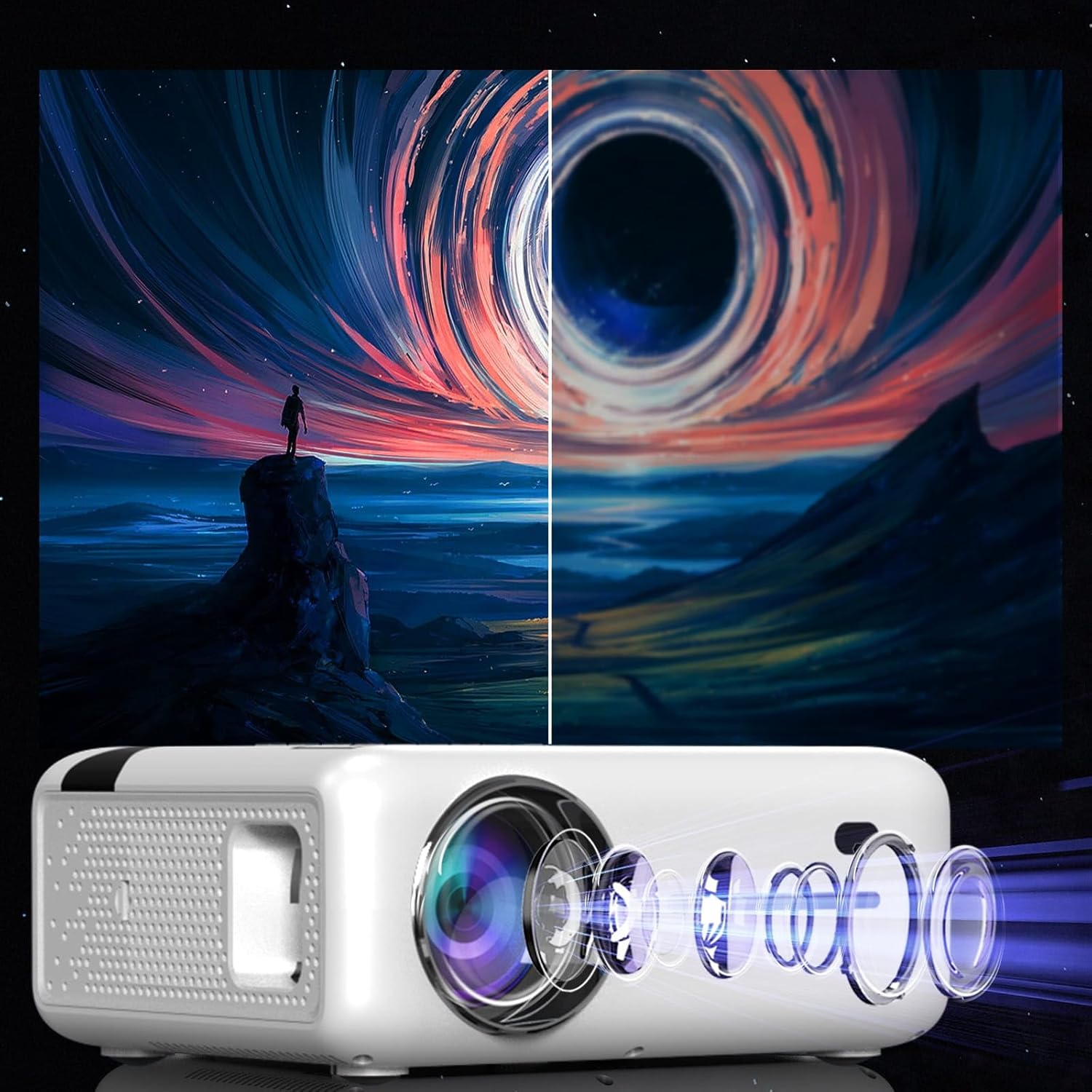
This diagram illustrates the multi-element lens system of the projector, highlighting the precision optics that require careful handling during cleaning to maintain image quality.
6.2 Prezračevanje
Ensure that the projector's ventilation openings are not blocked to prevent overheating. Regularly check for dust accumulation and clean if necessary using compressed air.
6.3 Shranjevanje
When not in use for extended periods, store the projector in a cool, dry place, away from direct sunlight and excessive dust. Use the original packaging or a protective case.
7. Odpravljanje težav
| Težava | Možen vzrok | rešitev |
|---|---|---|
| Nobena slika ni prikazana | Napajalni kabel odklopljen, napačen vhodni vir, nameščen pokrovček objektiva. | Preverite napajalno povezavo, izberite pravilen vhodni vir (HDMI, USB itd.) in odstranite pokrovček objektiva. |
| Zamegljena slika | Focus not adjusted, keystone incorrect. | Adjust the focus ring, use keystone correction. |
| Brez zvoka | Volume too low, incorrect audio output selected, external device muted. | Increase projector volume, check audio settings, ensure external device is not muted. |
| Težave s povezavo Wi-Fi | Incorrect password, router too far, interference. | Verify WiFi password, move projector closer to router, check for other wireless devices. |
8. Specifikacije
| Funkcija | Podrobnost |
|---|---|
| Model | Zenwire E520h |
| Izvorna ločljivost | 1920 x 1080p (Full HD) |
| Podprta ločljivost | Do 4K |
| Svetlost | 9000 lumnov (300 ANSI) |
| Kontrastno razmerje | 2000:1 |
| Operacijski sistem | Android 9.0 |
| WiFi | 2.4/5 GHz (Miracast, Airplay support) |
| Bluetooth | 5.0 |
| Povezljivost | 2x HDMI, USB, AV, Mini-Jack, Micro-SD/TF |
| Velikost projekcije | 36 - 200 palcev |
| Projekcijska razdalja | 1.2 - 6 metrov |
| Popravek Keystone | 4D (manual and auto) |
| voltage | 230 volt |
| Dimenzije (paket) | 23 x 18.5 x 10.5 cm |
| Teža (paket) | 1.2 kg |
9. Garancija in podpora
For warranty information and technical support, please refer to the contact details provided with your purchase documentation or visit the official Zenwire webspletnega mesta. Shranite dokazilo o nakupu za uveljavljanje garancije.
Ask a question about this manual
Ask about setup, troubleshooting, compatibility, parts, safety, or missing instructions. Manuals+ will review the question and use this page’s manual context to help answer it.