
1. Izdelek je končanview
The TP-Link Deco X1500 is a Wi-Fi 6 Mesh System designed to provide seamless, whole-home Wi-Fi coverage. This 3-pack system utilizes advanced Wi-Fi 6 technologies to deliver faster speeds, connect more devices, and reduce latency for a superior network experience. It creates a unified network that automatically selects the best connection as you move throughout your home.

Image: A single TP-Link Deco X1500 Mesh WiFi 6 unit, showcasing its compact white cylindrical design.
Ključne značilnosti:
- Faster Connections: Wi-Fi 6 achieves speeds up to 1,500 Mbps: 1,201 Mbps on 5 GHz and 300 Mbps on 2.4 GHz.
- Povežite več naprav: OFDMA and MU-MIMO technologies quadruple capacity for simultaneous transmission to multiple devices.
- Enhanced Seamless Coverage: Achieve perfect whole-home coverage with a clearer and stronger Wi-Fi signal generated by Wi-Fi 6.
- Izjemno nizka zakasnitev: Reduced latency enables more responsive gaming and video chats.
- Poenoteno omrežje: Multiple units form a whole-home network that automatically selects the best connection as you move around your home.
- Robust Parental Controls: Omejite spletni čas in blokirajte neprimerno websites based on unique profileustvarjen za vsakega družinskega člana.
- Poenostavljena nastavitev: The Deco app guides you step-by-step through the setup process.
2. Vsebina paketa
Preverite, ali so v paketu vsi elementi:
- 3 enoti Deco X1500
- 1 x RJ45 Ethernet kabel
- 3 x napajalnika
- 1 x Navodila za hitro namestitev
3. Navodila za nastavitev
Setting up your Deco X1500 Mesh System is straightforward using the TP-Link Deco app. Follow these steps for initial installation:
- Prenesite aplikacijo Deco: Iskanje 'TP-Link Deco' in the App Store (iOS) or Google Play Store (Android) and download the application.
- Sign Up or Log In: Open the Deco app and sign up for a TP-Link ID. If you already have one, log in.
- Priključite glavno enoto Deco:
- Izklopite modem.
- Povežite eno enoto Deco z modemom s priloženim kablom Ethernet.
- Power on your modem, then power on the Deco unit.
- Sledite navodilom v aplikaciji: The Deco app will automatically detect your Deco unit and guide you through the process of creating your Wi-Fi network name and password.
- Dodajte dodatne deko enote: Once the main Deco is set up, the app will prompt you to add the remaining Deco units. Place them strategically throughout your home for optimal coverage. The app will provide guidance on ideal placement.
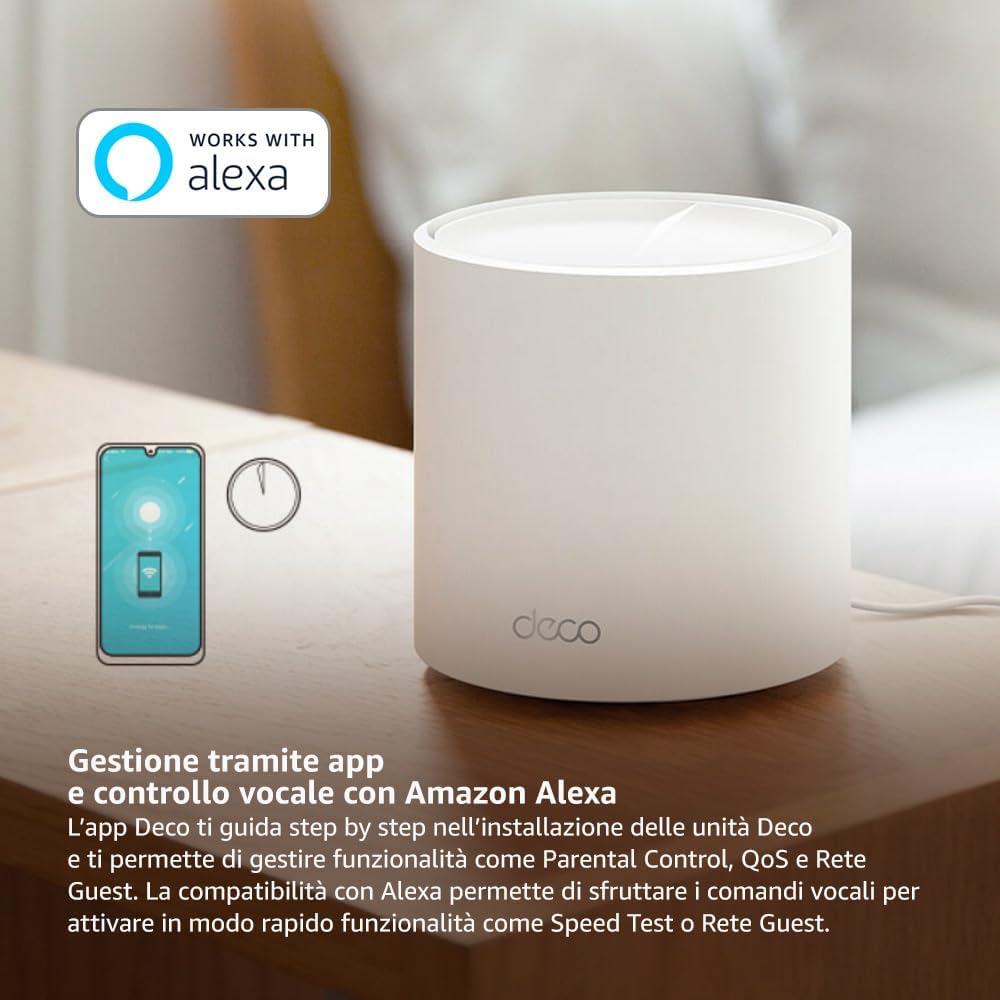
Image: A smartphone screen displaying the TP-Link Deco app, illustrating the step-by-step setup process for the mesh system.
4. Navodila za uporabo
The Deco X1500 system is managed primarily through the TP-Link Deco app, offering various features to control and optimize your home network.
Using the Deco App:
- Upravljanje omrežja: View connected devices, monitor network status, and manage Wi-Fi settings.
- Starševski nadzor: Ustvari profiles for family members, set time limits, and block inappropriate content.
- Kakovost storitve (QoS): Za optimalno delovanje dajte prednost napravam ali dejavnostim.
- Mreža gostov: Ustvarite ločeno omrežje Wi-Fi za goste in tako ohranite varnost glavnega omrežja.
- Antivirus: Utilize built-in HomeShield features for network protection.
Voice Control with Amazon Alexa:
The Deco X1500 is compatible with Amazon Alexa. Link your TP-Link Deco account to your Alexa account to use voice commands for network functions, such as:
- Enabling or disabling the Guest Network.
- Running a speed test.
- Pausing Wi-Fi for specific profiles.

Slika: Zadnji del view of a Deco X1500 unit, showing two Gigabit LAN/WAN auto-sensing Ethernet ports and the power input.
5. Vzdrževanje
Regular maintenance ensures optimal performance and longevity of your Deco X1500 system.
Posodobitve vdelane programske opreme:
- The Deco app will notify you of available firmware updates. It is recommended to keep your Deco units updated to the latest firmware for improved performance, security, and new features.
- Follow the in-app instructions to perform firmware updates. Do not power off the units during an update.
Čiščenje in namestitev:
- Clean the Deco units with a soft, dry cloth. Do not use liquid cleaners or aerosols.
- Place Deco units in open areas, away from obstructions like large metal objects, thick walls, or other electronic devices that may cause interference.
- Ensure adequate ventilation around each unit to prevent overheating.
6. Odpravljanje težav
If you encounter issues with your Deco X1500 system, refer to the following common troubleshooting steps.
Ni internetne povezave:
- Preverite modem: Ensure your modem is powered on and has an active internet connection.
- Kabelske povezave: Verify that the Ethernet cable connecting the main Deco unit to the modem is securely plugged in.
- Znova zaženite naprave: Power cycle your modem and all Deco units. Wait a few minutes for them to restart and re-establish connections.
- Deco App Status: Check the Deco app for network status and any error messages.
Šibek signal Wi-Fi ali mrtva območja:
- Postavitev enote: Adjust the placement of your Deco units. Try to place them equidistant from each other and the main Deco, avoiding physical obstructions.
- Motnje: Move Deco units away from other electronics (microwaves, cordless phones, Bluetooth devices) that might cause wireless interference.
- Dodaj več enot: For very large homes or those with multiple floors, consider adding more Deco units to expand coverage.
Naprava se ne more povezati z omrežjem Wi-Fi:
- Pravilno geslo: Prepričajte se, da vnašate pravilno geslo za Wi-Fi.
- Združljivost naprave: Verify that your device supports the Wi-Fi standards used by the Deco system (802.11ax/ac/n/a/g/b).
- Znova zaženite napravo: Znova zaženite napravo, ki poskuša vzpostaviti povezavo.
- Check Blacklist: Ensure the device has not been accidentally blacklisted in the Deco app.
7. Specifikacije
| Funkcija | Specifikacija |
|---|---|
| Znamka | TP-Link |
| Ime modela | Deco X1500 |
| Posebna funkcija | Wi-Fi 6 |
| Razred frekvenčnega pasu | Dvopasovni |
| Standard brezžične komunikacije | 802.11ax |
| Združljive naprave | Računalnik, pametni telefon, tablični računalnik |
| Priporočena uporaba | domov |
| Tehnologija povezljivosti | RJ45 |
| barva | Bela |
| Varnostni protokol | WPA3 |
| Number of Ports (per unit) | 2 x Gigabit LAN/WAN (auto-sensing) |
| Nadzorna metoda | aplikacija |
| Hitrost prenosa podatkov | 1500 megabitov na sekundo |
| Pasovna širina LAN vrat | 1000 Mbps |
| voltage | 110.0 V |
| Max Upstream Data Transfer Rate | 1201 megabitov na sekundo |
| Število anten | Notranji |
| Združljivost s pametnim domom | ja |
| Generacija Wi-Fi | Wi-Fi 6 |
| Pokritost (paket s 3 kosi) | Do 520 kvadratnih metrov |
| Teža predmeta | 1.8 kilogramov |
8. Informacije o garanciji
The TP-Link Deco X1500 Mesh System comes with a 3-letna garancija na izdelek. This warranty covers defects in materials and workmanship under normal use. For specific terms and conditions, please refer to the warranty card included in your package or visit the official TP-Link webmesto.
9. Podpora
For further assistance, technical support, or to access additional resources, please visit the official TP-Link support webspletno mesto:
You can also find FAQs, updated manuals, and community forums on the support page.