
EBTOOLS EBTOOLSpxvk7fmb38
EBTOOLS LGA 1155 Motherboard User Manual
Model: EBTOOLSpxvk7fmb38
Konec izdelkaview
The EBTOOLS LGA 1155 Motherboard is designed for desktop PC systems, offering robust performance and extensive connectivity. It features a multiphase power chipset for stable CPU performance and supports 2nd/3rd generation LGA1155 Pin Series Processors. This Mini ITX motherboard provides a high-definition visual experience through its VGA and HD Multimedia Interface outputs.
Glavne lastnosti vključujejo:
- LGA 1155 CPU Slot: Designed for stable performance with compatible processors.
- Multiphase Power: Ensures stable and accurate power delivery to the CPU.
- HD Interfaces: Equipped with VGA and HD Multimedia Interface for digital HD video output.
- Channel DDR3: Features a DDR3 memory slot to enhance motherboard performance.
- Obsežna povezljivost: Includes 6 USB2.0 interfaces and 4 SATA2.0 interfaces for various peripherals and storage devices.
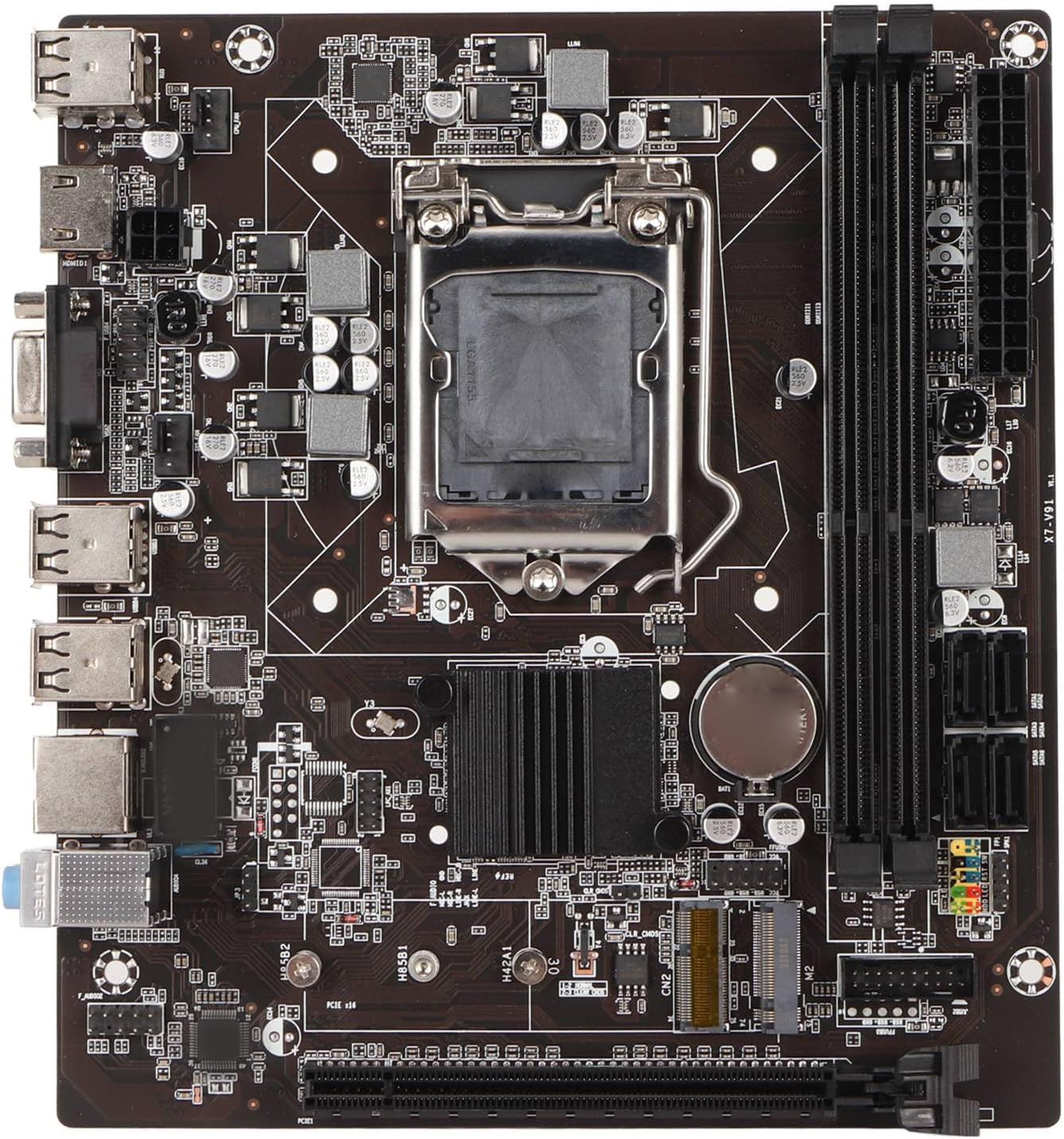
Slika 1: Od zgoraj navzdol view of the EBTOOLS LGA 1155 Motherboard, showing the CPU socket, RAM slots, and various ports.
Nastavitev in namestitev
This section provides instructions for installing your EBTOOLS LGA 1155 Motherboard into a compatible PC case and connecting essential components.
Vsebina paketa
Preden začnete z namestitvijo, se prepričajte, da so v paketu vse spodaj navedene komponente:
- 1 x LGA 1155 Motherboard
- 1 x Metal I/O Plate
- 1 x Connecting Wire (likely SATA data cable)

Figure 2: The motherboard alongside its included metal I/O plate and a connecting wire, typically a SATA data cable.
Koraki namestitve
- Pripravite primer: Ensure your PC case is compatible with Mini ITX motherboards. Install the metal I/O plate into the designated slot at the rear of the case.
- Namestitev procesorja: Carefully open the CPU socket retention arm. Align the triangular marker on your LGA 1155 processor with the corresponding marker on the motherboard's socket. Gently place the CPU into the socket, ensuring it sits flush. Close the retention arm to secure the CPU.
- Namestitev hladilnika procesorja: Apply thermal paste to the CPU (if not pre-applied on the cooler). Mount your compatible LGA 1155 CPU cooler according to its manufacturer's instructions.
- Namestitev RAM-a: Open the clips on the DDR3 memory slots. Align the notch on your DDR3 RAM module with the key in the slot. Press firmly on both ends of the RAM module until the clips snap into place. This motherboard supports 2 x DDR3 slots.
- Namestitev matične plošče: Carefully place the motherboard into the PC case, aligning the screw holes on the motherboard with the standoffs in the case. Secure the motherboard with screws.
- Priključite napajanje: Connect the 24-pin ATX power connector from your power supply to the motherboard. Connect the 4-pin or 8-pin CPU power connector (if applicable) to the motherboard.
- Povežite naprave za shranjevanje: Use the provided connecting wire (SATA cable) to connect your SATA storage devices (HDD/SSD) to the SATA2.0 ports on the motherboard. This motherboard has 4 SATA2.0 interfaces.
- Priključite kable sprednje plošče: Connect the power button, reset button, USB ports, and audio jacks from your PC case's front panel to the corresponding headers on the motherboard. Refer to your case manual for specific pin layouts.
- Namestitev razširitvenih kartic: If using a dedicated graphics card or other expansion cards, insert them into the PCIE X16 slot or other extended interfaces (1 x , 1 x M.2) as needed.
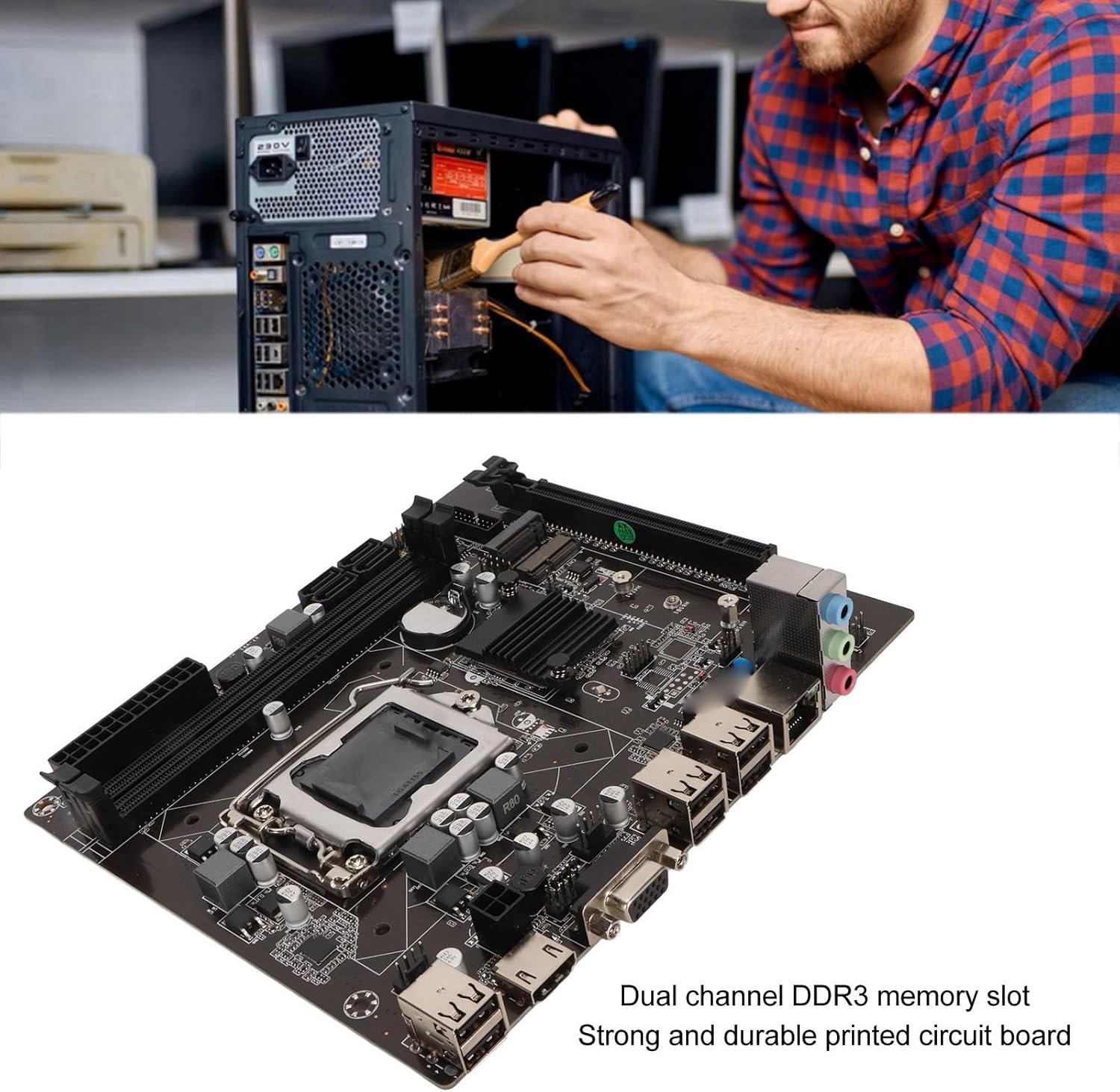
Figure 3: A user performing an installation within a PC case, demonstrating the typical environment for motherboard setup.

Slika 4: Podrobno view of the LGA 1155 CPU socket and adjacent DDR3 memory slots, crucial areas for component installation.
Navodila za delovanje
Once the motherboard and other components are installed, the system is ready for operation. This motherboard supports various operating systems compatible with 2nd/3rd Gen LGA1155 processors.
Konfiguracija BIOS-a/UEFI-ja
Upon first boot, you may need to enter the BIOS/UEFI setup to configure boot order, system time, and other settings. Typically, you can access the BIOS by pressing DEL or F2 during the initial boot screen.
Namestitev gonilnika
After installing your operating system, it is essential to install the necessary drivers for the motherboard's components, including chipset, network card, and integrated graphics (if used). These drivers are usually provided on a CD/DVD with the motherboard or can be downloaded from the manufacturer's webmesto.
Povezljivost
Utilize the available ports for your peripherals:
- Vrata USB 2.0: For connecting keyboards, mice, external drives, and other USB devices.
- VGA/HD Multimedia Interface: Za priklop zaslonov.
- Ethernet vrata: For wired network connectivity (100M Netword Card).
- Avdio priključki: For speakers, headphones, and microphones.
Vzdrževanje
Pravilno vzdrževanje lahko podaljša življenjsko dobo vaše matične plošče in zagotovi stabilno delovanje sistema.
- Naj bo čisto: Regularly clean dust from inside your PC case, especially from the motherboard and CPU cooler fins, using compressed air. Dust accumulation can lead to overheating.
- Zagotovite pravilen pretok zraka: Make sure your PC case has adequate ventilation and that fans are functioning correctly to prevent heat buildup.
- Posodobitve BIOS-a: Občasno preverite proizvajalčeve webspletno mesto za posodobitve BIOS-a/UEFI-ja. Posodobitve lahko izboljšajo združljivost, stabilnost in zmogljivost. Pazljivo upoštevajte navodila za posodobitev.
- Posodobitve gonilnikov: Poskrbite za optimalno delovanje in združljivost z novo programsko in strojno opremo ter posodabljajte gonilnike sistema.
- Baterija CMOS: The motherboard uses a CR2032 battery for CMOS settings. If your system consistently loses time or BIOS settings, the battery may need replacement.
Odpravljanje težav
Ta razdelek obravnava pogoste težave, na katere lahko naletite z matično ploščo.
- Brez napajanja/brez zagona:
- Preverite vse napajalne priključke (24-pinski ATX, napajanje procesorja).
- Ensure the power supply is functional and switched on.
- Preverite povezavo gumba za vklop na sprednji plošči z matično ploščo.
- Brez zaslona:
- Ensure the monitor is connected to the correct video output (VGA or HD Multimedia Interface).
- Reseat RAM modules. Try booting with one RAM stick if you have multiple.
- Reseat the CPU and check for bent pins (handle with extreme care).
- Če uporabljate namensko grafično kartico, se prepričajte, da je pravilno nameščena in ima napajanje.
- Nestabilnost/zrušitve sistema:
- Preverite temperaturo procesorja in grafičnega procesorja. Zagotovite ustrezno hlajenje.
- Za preverjanje morebitnih okvar RAM-a zaženite orodja za diagnostiko pomnilnika.
- Prepričajte se, da so vsi gonilniki pravilno nameščeni in posodobljeni.
- Check for loose connections or components.
- Naprave USB niso prepoznane:
- Ensure USB drivers are installed.
- Poskusite z različnimi vrati USB.
- Check BIOS settings for USB controller enablement.
Specifikacije
Detailed technical specifications for the EBTOOLS LGA 1155 Motherboard:
| Funkcija | Specifikacija |
|---|---|
| Vrsta predmeta | Matična plošča LGA 1155 |
| Material | Printed Circuit Board, Metal |
| Vgrajena baterija | CR2032 x 1 (240mAh) |
| Podpora CPU | 2nd/3rd Gen LGA1155 Pin Series Processors (for Celeron, for , for Core) |
| Čipset | H61 Chipset Series |
| Reža za pomnilnik | 2 x DDR3 |
| Največja kapaciteta pomnilnika | 16 GB |
| USB vmesnik | 6 x USB2.0, USB Pin x 1 |
| Vmesnik SATA | 4 x SATA2.0 |
| Omrežna kartica | 100M Network Card |
| Reža za grafično kartico | 1 x PCIE X16 |
| Razširjen vmesnik | 1 x , 1 x M.2 |
| Dimenzije paketa | 10.2 x 7.83 x 2.05 palcev |
| Teža predmeta | 1.16 funtov |
| Številka modela | EBTOOLSpxvk7fmb38 |
| ASIN | B0CKVL89BD |

Figure 5: An angled perspective of the motherboard, showcasing its compact Mini ITX form factor and port layout.
Garancija in podpora
For warranty information and technical support, please refer to the official EBTOOLS webspletno mesto ali se obrnite na njihovo službo za stranke. Shranite račun kot dokazilo o nakupu.
While specific warranty details are not provided in this manual, general product warranties typically cover manufacturing defects for a limited period from the date of purchase.
For additional protection, consider the available protection plans:
- 3-letni načrt zaščite
- 4-letni načrt zaščite
- Popolna zaščita (mesečni paket)
These plans are offered separately and provide extended coverage beyond the standard manufacturer's warranty.
Proizvajalec: EBTOOLS
Prvič na voljo: 11. oktober 2023
Uradni videoposnetki izdelkov
Trenutno za ta izdelek ni na voljo uradnih videoposnetkov izdelka prodajalca.
Ask a question about this manual
Ask about setup, troubleshooting, compatibility, parts, safety, or missing instructions. Manuals+ will review the question and use this page’s manual context to help answer it.