
1. Izdelek je končanview
The THINKCAR THINKSCAN 641 is a wireless OBD2 diagnostic tool designed for comprehensive vehicle system analysis. It provides diagnostic functions for Engine, Transmission, ABS, and SRS Airbag systems, along with full OBD2 modes and 10 essential maintenance reset services. The device features a touchscreen interface and connects wirelessly via Bluetooth to the vehicle's OBD-II port.
1.1 Vsebina paketa
- THINKCAR THINKSCAN 641 OBD2 Scanner (x1)
- Bluetooth Connector (x1)
- Priročnik za izdelek (x1)
1.2 Komponente naprave
Familiarize yourself with the main components of your THINKSCAN 641 device:

Image: THINKCAR THINKSCAN 641 device layout with labeled buttons and ports.
- 4.8-palčni zaslon na dotik: Main display for navigation and data viewing.
- Gumb za vklop/zaklepanje zaslona: Pritisnite in držite 3 sekundi za vklop ali izklop.
- Gumb za potrditev: Used to select options or confirm actions.
- Up, Down, Left, Right Toggle Key: For navigating menus and options.
- Povratni ključ: To go back to the previous screen or menu.
- Reža za TF kartice: Za razširljiv prostor za shranjevanje.
- Vrata za polnjenje: Za priklop polnilnega kabla.
- OBD Interface: Port for the Bluetooth connector.
2. Nastavitev
2.1 Začetna povezava
To begin using your THINKSCAN 641, follow these steps to establish a connection with your vehicle:
- Poiščite priključek OBD-II v vašem vozilu, ki ga običajno najdete pod armaturno ploščo na voznikovi strani.
- Plug the included Bluetooth 5.0 VCI Dongle into the vehicle's OBD-II port.
- Turn on the vehicle's ignition (engine off, key on).
- Power on the THINKSCAN 641 handheld unit by pressing and holding the Power/Screen Lock Button for 3 seconds.
- The device will automatically attempt to connect via Bluetooth. A stable connection should be established within 3 seconds.
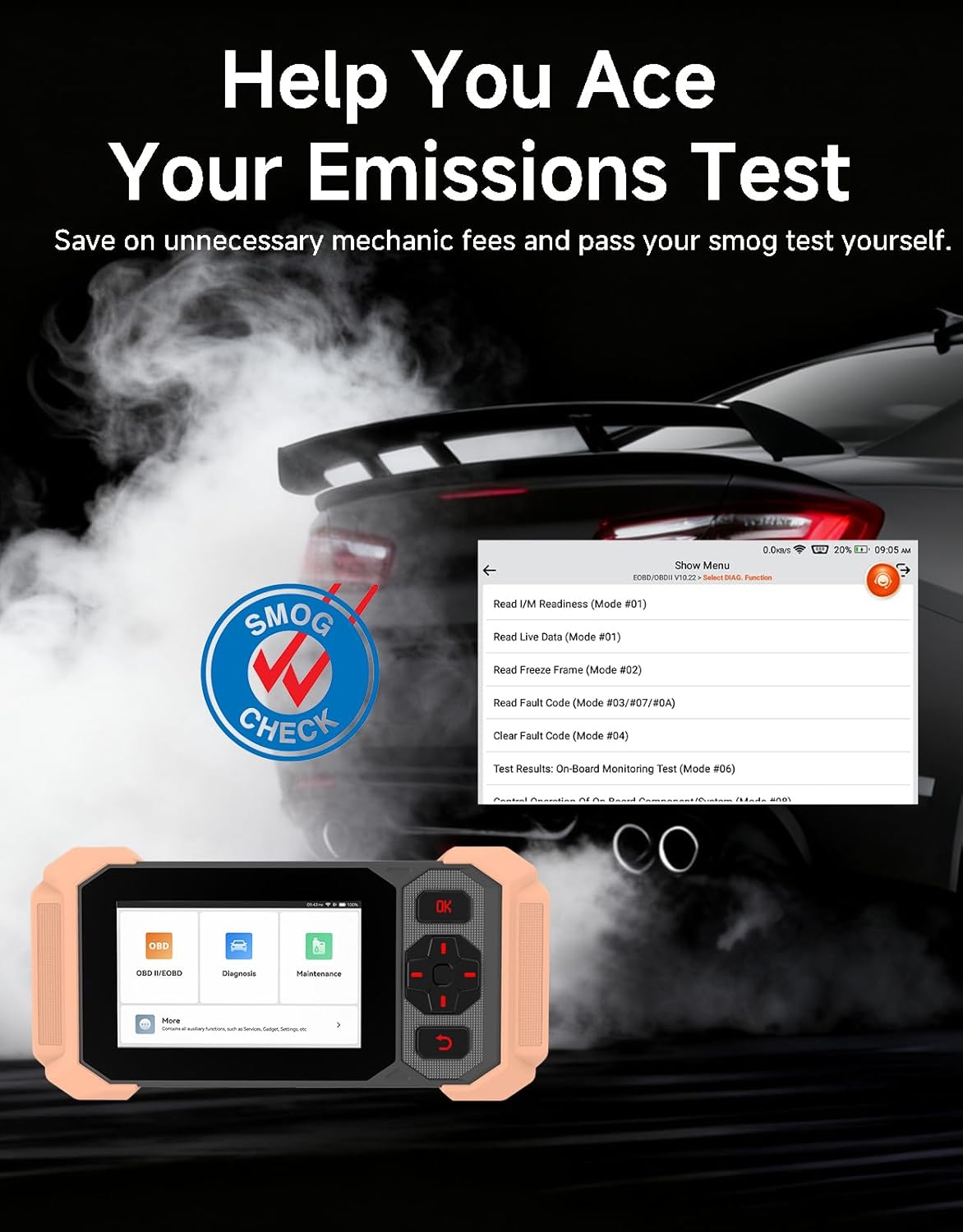
Image: Bluetooth VCI Dongle connected to the vehicle's OBD-II port.
2.2 Automatic Vehicle Identification (AutoVIN)
The THINKSCAN 641 supports AutoVIN functionality, which automatically identifies your vehicle's information upon connection. If AutoVIN fails for your specific vehicle model, you can manually enter the vehicle information to proceed with diagnostics.
2.3 Posodobitve programske opreme
The device supports lifetime free software updates via Wi-Fi. Ensure your device is connected to a stable Wi-Fi network to download and install the latest software versions, which include new vehicle models and improved functionalities.

Image: Lifetime Free Update icon.
2.4 Instructional Video: How to Use
Video: This video demonstrates the basic steps for connecting and using the THINKCAR THINKSCAN 641 diagnostic tool, including menu navigation and initiating a scan.
3. Navodila za uporabo
3.1 4-Diagnostika sistema
The THINKSCAN 641 provides in-depth diagnostics for four core vehicle systems:
- Sistem motorja: Bere in briše kode napak motorja, views live data, and performs various engine-related tests.
- Protiblokirni zavorni sistem (ABS): Diagnosticira težave z ABS-om, bere in briše kode napak ABS-a ter izvaja odzračevanje ABS-a.
- Dodatni zadrževalni sistem (SRS/zračna blazina): Detects and clears airbag system fault codes, and performs SRS resets.
- Prenosni sistem: Analyzes transmission performance, reads and clears transmission fault codes.

Slika: Konecview of 4-System Diagnostic capabilities.
3.2 Full OBD2 Modes
The device supports all 10 OBD2 test modes, offering comprehensive diagnostic capabilities:
- Preberite kode: Prikazuje diagnostične kode napak (DTC).
- Počisti kode: Clears DTCs and resets monitors.
- Podatki v živo: Prikazuje podatkovni tok v realnem času iz senzorjev vozila.
- Zamrzni okvir: Stores a snapshot of vehicle operating conditions when an emission-related fault occurs.
- I/M pripravljenost: Preveri stanje monitorjev, povezanih z emisijami.
- Test senzorja O2: Pridobi rezultate testa monitorja senzorja O2.
- Preizkus vgrajenega monitorja: Pridobi rezultate za komponente in sisteme pogonskega sklopa, povezane z emisijami.
- Preizkus sistema EVAP: Začne preizkus sistema za nadzor emisij izhlapevanja.
- Podatki o vozilu: Retrieves vehicle identification number (VIN), calibration ID, and calibration verification number (CVN).
- Iskanje DTC: Provides detailed explanations for diagnostic trouble codes.

Image: Full OBD2 Modes functions display.
3.3 10 Maintenance Reset Functions
The THINKSCAN 641 includes 10 specialized maintenance and reset functions:
- Krvavitev iz ABS-a: Bleeds air from the brake system.
- Ponastavitev zračne blazine (SRS): Resets the airbag system after repairs.
- Ujemanje baterij: Registers a new battery to the vehicle's ECU.
- Ponastavitev zavornih ploščic: Ponastavi življenjsko dobo zavornih ploščic po zamenjavi.
- Regeneracija DPF-ja: Začne postopek regeneracije filtra trdnih delcev dizelskega motorja.
- Elektronska prilagoditev plina: Ponovno se nauči položaja ohišja dušilne lopute.
- Kodiranje injektorja: Kodira nove številke injektorjev v ECU.
- Ponastavitev servisa olja: Po menjavi olja ponastavi lučko za servis olja.
- Ponastavitev kota krmiljenja: Ponastavi senzor kota krmiljenja.
- Ponastavitev TPMS: Ponastavi sistem za nadzor tlaka v pnevmatikah.

Image: 10 Maintenance Reset Functions.
3.4 Grafi podatkov v živo
The device allows for real-time graphing of multiple sensor readings simultaneously, aiding in the diagnosis of intermittent issues and performance analysis.

Image: Live Data Stream icon.
3.5 Združljivost vozil
The THINKSCAN 641 is compatible with all OBDII-compliant vehicles manufactured in 1996 or later, covering over 118 automotive brands. It also supports the CAN FD protocol and FCA AutoAuth certification. Note that access to FCA AutoAuth requires a separate purchase and is currently supported for Renault, Nissan, and Chrysler brands.

Image: Wide compatibility with various car brands and regions.
4. Vzdrževanje
4.1 Routine Maintenance Resets
Utilize the 10 maintenance reset functions to perform routine service tasks and clear corresponding indicator lights after repairs. This includes tasks such as oil service resets, brake pad replacements, and battery registrations.
4.2 Posodobitve programske opreme
Regularly check for and install software updates via Wi-Fi to ensure your device has the latest vehicle coverage and diagnostic capabilities. Updates are provided free for life.
5. Odpravljanje težav
5.1 Brisanje kod napak
When a fault code is detected, it is crucial to diagnose and fix the underlying issue before clearing the code. Clearing codes without addressing the root cause will likely result in the fault code reappearing.
Image: Reminder to fix vehicle faults before clearing codes.
5.2 AutoVIN Failure
If the AutoVIN feature does not automatically identify your vehicle, proceed by manually entering the vehicle's information (make, model, year) to continue with the diagnostic process.
5.3 Navigacija po uporabniškem vmesniku
While the device is designed for ease of use, some advanced functions may require familiarity with diagnostic procedures. Refer to the built-in DTC Lookup Library for code definitions and consult the online customer service for further assistance if needed.
6. Specifikacije
| Funkcija | Specifikacija |
|---|---|
| Znamka | RAZMIŠLJAJ |
| Številka modela | THINKSCAN 641 |
| Vir napajanja | Napajanje na baterije |
| Operacijski sistem | Android 8.1 |
| Velikost zaslona | 4.3 palcev |
| Jezik | Angleščina (podpira 23 jezikov) |
| Vrsta avtomobilskega prileganja | Univerzalno prileganje |
| Teža predmeta | 0.9 funta |
| Povezljivost | Bluetooth 5.0 (brezžično) |
| Posodobitve | Lifetime Free Updates via Wi-Fi |
| Podprti protokoli | OBDII, CAN FD, FCA AutoAuth (separate purchase for specific brands) |
7. Garancija in podpora
7.1 Garancija proizvajalca
The THINKCAR THINKSCAN 641 comes with a 3-year manufacturer's warranty, ensuring coverage for potential defects or malfunctions.
7.2 Tehnična podpora
Lifetime free technical support is provided for the THINKSCAN 641. For assistance, you can access the built-in online customer service feature directly from the device. This allows for direct communication with professional support staff to resolve any queries or issues.

Image: Timely Online Feedback and Support.