
1. Uvod
The Nonstop NSO2-BK is a versatile hotel alarm clock designed for convenience and functionality. It features a clear digital display, multiple charging options including USB-C, and an intuitive interface for setting time and alarms. This manual provides detailed instructions for setting up and operating your alarm clock.
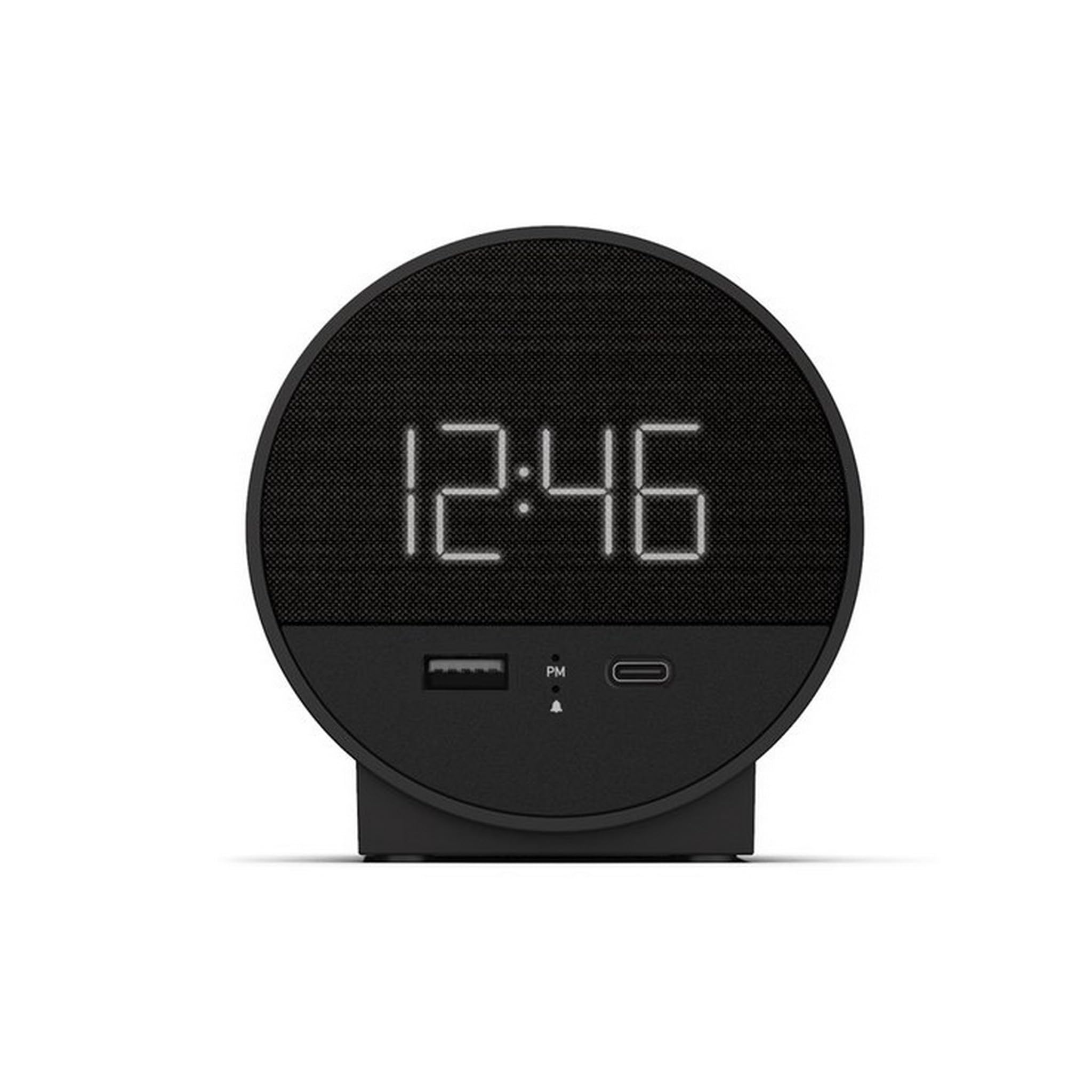
Slika 1: Spredaj view of the Nonstop NSO2-BK USB-C Hotel Alarm Clock.
2. Značilnosti izdelka
- Digital Time Display: Clear and easy-to-read time.
- Dual Alarm Function: Set two independent alarms.
- Snooze Function: Temporarily silence the alarm.
- Display Dimmer: Adjust screen brightness for comfort.
- USB-C Charging Port: Modern charging for compatible devices.
- USB-A Charging Port: Standard USB charging for various devices.
- Bluetooth Speaker: Connect your smartphone or other devices to play audio.
- Relaxation Sounds: Built-in sound machine for sleep or relaxation.

Figure 2: Close-up of the USB-A and USB-C charging ports on the alarm clock.
3. Nastavitev
3.1 Napajalni priključek
- Razpakirajte budilko in vso dodatno opremo.
- Priključite napajalnik na vhod za enosmerni tok na zadnji strani budilke.
- Priključite napajalnik v standardno električno vtičnico. Zaslon se bo prižgal.
3.2 Backup Battery (Not included)
Za neprekinjeno merjenje časa med izpadom električne energijetages, insert 2 AAA batteries (not included) into the battery compartment on the bottom of the unit. The backup battery maintains time settings but does not power the display or alarm functions.
4. Navodila za uporabo
4.1 Nastavitev časa
- Pritisnite in držite ČAS NAST button (often labeled 'M' or a clock icon) for 3 seconds until the hour digits flash.
- Uporabite HR (Ura) in MIN (Minute) za nastavitev časa.
- Pritisnite ČAS NAST ponovno za potrditev in izhod iz načina nastavitve časa.
4.2 Nastavitev alarma
The NSO2-BK supports two independent alarms (Alarm 1 and Alarm 2).
- Pritisnite in držite ALARM 1 or ALARM 2 button (bell icon) for 3 seconds until the hour digits flash.
- Uporabite HR in MIN gumbe za nastavitev želenega časa alarma.
- Pritisnite ustrezno ALARM ponovno pritisnite gumb, da potrdite čas alarma.
- To activate/deactivate an alarm, short press the corresponding ALARM button. An indicator light will appear/disappear on the display.
4.3 Funkcija dremeža
Ko se oglasi alarm, pritisnite veliko DREMEŽ button on top of the unit to temporarily silence the alarm for 9 minutes. The alarm will sound again after the snooze period.
4.4 Display Brightness Control
Pritisnite DREMŽAJ/ZATEMNILO button (or a dedicated dimmer button if available) repeatedly to cycle through different brightness levels for the display. Select the level that is most comfortable for you.
4.5 Polnilne naprave
The NSO2-BK provides convenient charging for your electronic devices:
- Vrata USB-C: Located on the front, plug in your USB-C compatible device for fast charging.
- Vrata USB-A: Located on the front, plug in your standard USB-A compatible device for charging.
4.6 Bluetooth zvočnik
To use the alarm clock as a Bluetooth speaker:
- Pritisnite NAČIN button (labeled 'M') until 'BT' appears on the display.
- V mobilni napravi omogočite Bluetooth in poiščite razpoložljive naprave.
- Select 'A21-B' (or similar model name) from the list to pair.
- Once paired, you can play audio from your device through the alarm clock's speaker.
Video 1: Demonstrates various functions including time setting, alarm setting, snooze, brightness, and charging on a similar multifunctional alarm clock. Note: Specific button labels may vary slightly from your model.
5. Vzdrževanje
- Napravo očistite z mehko, suho krpo. Ne uporabljajte tekočih čistil ali abrazivnih materialov.
- Napravo hranite stran od neposredne sončne svetlobe, virov toplote in vlage.
- Ne poskušajte sami razstaviti ali popraviti enote. Za pomoč se obrnite na podporo strankam.
6. Odpravljanje težav
- Brez napajanja/izklop zaslona: Ensure the power adapter is securely plugged into both the alarm clock and a working electrical outlet. Check if the power outlet is functional.
- Alarm se ne oglasi: Verify that the alarm is activated (indicator light on) and the alarm time is correctly set. Check the alarm volume settings.
- Polnjenje ne deluje: Ensure your device is compatible with USB-C or USB-A charging. Check the charging cable for damage.
- Težave s povezovanjem Bluetooth: Ensure the alarm clock is in Bluetooth pairing mode ('BT' displayed). Turn off and on Bluetooth on your mobile device and try pairing again.
7. Specifikacije
| Specifikacija | Podrobnost |
|---|---|
| Model | NSO2-BK |
| Teža predmeta | 2 funtov |
| ASIN | B0CKCNX688 |
| Prvič na voljo | 29. julij 2024 |
8. Garancija in podpora
This Nonstop NSO2-BK USB-C Hotel Alarm Clock comes with a 365-Day Warranty from the date of purchase. For any product-related inquiries, technical support, or warranty claims, please contact our customer service team.
- Politika vračila: 30-day refund/replacement period.
- Garancijska doba: 365 dni od nakupa.
- E-pošta podpore: Andoservice@outlook.com