
1. Izdelek je končanview
The DAYBETTER Smart WiFi LED Strip Lights (Model DC50722020W-WAUS0) provide versatile and customizable lighting for indoor spaces. These 100ft LED strips offer 16 million colors, multiple scene modes, and can be controlled via a dedicated smartphone app, voice commands through Alexa or Google Assistant, or an included remote control. Designed for easy installation, they enhance the ambiance of bedrooms, kitchens, stairs, dining rooms, ceilings, and large party areas.
Ključne značilnosti:
- Smart APP Control: Control via WiFi and Bluetooth with the Daybetter APP, offering 16 million colors and various scene modes.
- Glasovni nadzor: Compatible with Alexa Echo and Google Assistant for hands-free operation.
- Sinhronizacija glasbe: Activate music mode to synchronize light changes with audio.
- Časovnik in urnik: Program automatic on/off times and countdown timers.
- Enostavna namestitev: Self-adhesive backing allows for simple mounting on clean, dry surfaces. Cuttable design for custom lengths.
2. Nastavitev in namestitev
Follow these steps for proper installation of your DAYBETTER Smart WiFi LED Strip Lights:
- Razpakirajte komponente: Carefully remove all items from the packaging. Ensure you have the LED strip lights, power adapter, and remote control.
- Pripravite površino: Choose a clean, dry, and smooth surface for installation. Wipe down the area to remove any dust or debris.
- Izmerite in izrežite (neobvezno): If a shorter length is desired, cut the LED strip along the designated cut marks (usually indicated by a copper line or scissor icon). Do not cut elsewhere, as this may damage the strip.
- Priključite napajalnik: Connect the LED strip to the power adapter. Ensure the connection is secure.
- Namestitev LED traku: Peel off the adhesive backing from the LED strip. Carefully press the strip onto the prepared surface, ensuring firm contact along its entire length. For corners, gently bend the strip or use corner connectors (if included and desired for a cleaner look).
- Plug In: Priključite napajalnik v standardno električno vtičnico.
- Začetni test: Use the remote control or the Daybetter app to turn on the lights and test various colors and modes.
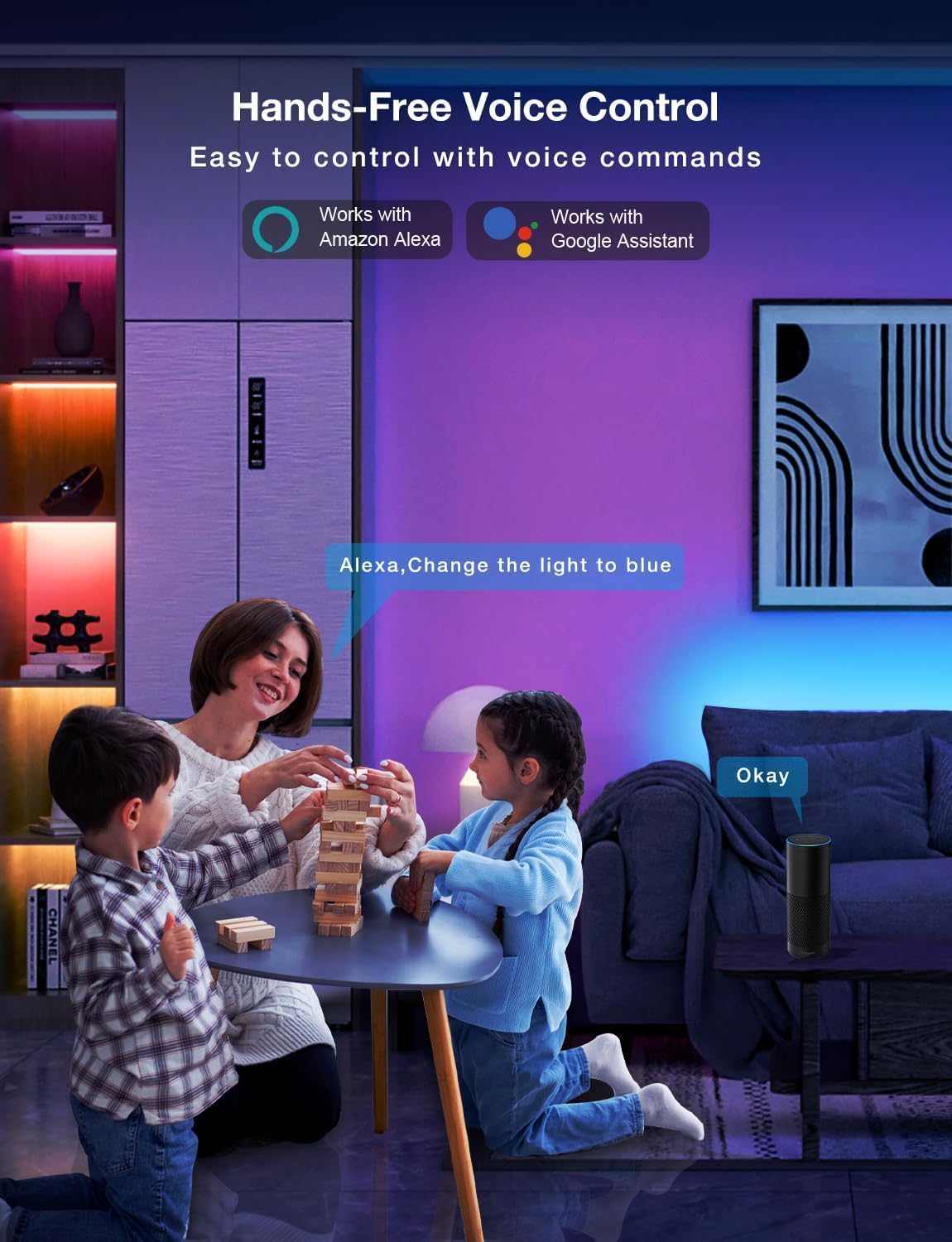
Image: Demonstrating the flexible LED strip and its adhesive backing for easy installation.

Slika: Konecview of the three easy setup methods: Voice Control, Daybetter App Control, and IR Remote Control.
Video: A user demonstrating the installation process and various color changes of the LED strip lights in a home setting.
3. Navodila za uporabo
Your DAYBETTER LED Strip Lights offer multiple control options:
3.1. Daybetter App Control (WiFi & Bluetooth)
- Prenesite aplikacijo: Iskanje "Daybetter" in your smartphone's app store (iOS or Android) and install the application.
- Registracija/Prijava: Ustvarite račun ali se prijavite, če ga že imate.
- Dodaj napravo: Follow the in-app instructions to add your LED strip lights. This typically involves ensuring the lights are powered on and your phone's Bluetooth is enabled for initial pairing.
- Nadzorne funkcije:
- Izbira barve: Z barvnim kolesom izberite med 16 milijoni barv.
- Prilagoditev svetlosti: Prilagodite intenzivnost svetlobe od 0 do 100 %.
- Scenski načini: Select from pre-set dynamic lighting effects (e.g., Party, Valentine Day, Halloween, Christmas).
- Sinhronizacija glasbe: Activate music mode to synchronize light changes with audio.
- Časovnik in urnik: Set specific times for lights to turn on/off or create countdown timers.

Image: The Daybetter app interface showing color selection and brightness control.
3.2. Glasovno upravljanje (Alexa in Google Assistant)
- Connect to Smart Assistant: Ensure your Daybetter app is linked to your Amazon Alexa or Google Assistant account. Follow the instructions provided by your smart assistant app to enable the Daybetter skill/service.
- Glasovni ukazi: Uporabite ukaze, kot so:
- "Alexa/Hej Google, vklopi [ime luči]."
- "Alexa/Hej Google, izklopi [ime luči]."
- "Alexa/Hej Google, nastavi [Ime luči] na modro."
- "Alexa/Hej Google, zatemni [Ime luči] na 50 %."

Image: Voice control in action, showing a user interacting with a smart assistant to control the LED lights.
3.3. Daljinski upravljalnik
The included IR remote control allows for basic functions:
- Vklop/izklop: Dedicated buttons for turning the lights on and off.
- Izbira barve: Buttons for common colors (Red, Green, Blue, White, etc.).
- Prilagoditev svetlosti: Povečajte ali zmanjšajte svetlost.
- Dinamični načini: Select from various pre-programmed modes like Jump, Fade, etc.
- Glasbeni načini: Activate music-reactive modes.

Image: The included IR remote control for direct light adjustments.
4. Vzdrževanje
To ensure the longevity and optimal performance of your LED strip lights:
- Čiščenje: Gently wipe the LED strips with a soft, dry cloth to remove dust. Avoid using harsh chemicals or abrasive cleaners.
- Nega lepila: If the adhesive begins to lose its stickiness, ensure the surface is clean and dry. For re-application, consider using additional adhesive clips or double-sided tape designed for light strips.
- Napajanje: Ensure the power adapter is not covered or placed in an area with poor ventilation to prevent overheating.
- Vodoodpornost: These lights are rated IP20 and are ni vodoodporen. Avoid exposure to water or high humidity environments.
5. Odpravljanje težav
If you encounter issues with your LED strip lights, refer to the following common solutions:
| Težava | Možen vzrok | rešitev |
|---|---|---|
| Luči se ne prižgejo. | Ohlapna povezava, izpad napajanjatage, faulty adapter. | Check all connections (strip to adapter, adapter to outlet). Ensure the power outlet is functional. Try a different outlet. |
| Daljinski upravljalnik ne deluje. | Battery depleted, remote not pointed at receiver, obstruction. | Replace remote battery. Ensure direct line of sight to the IR receiver on the controller. Remove any obstructions. |
| Nadzor aplikacije ne deluje. | WiFi/Bluetooth issue, incorrect pairing, app glitch. | Ensure your phone's WiFi/Bluetooth is on and connected. Restart the app. Re-pair the device in the Daybetter app. Check your home WiFi network. |
| Luči so zatemnjene ali utripajo. | Insufficient power, damaged strip, incorrect brightness setting. | Check power connections. Adjust brightness via app or remote. If only a section is affected, that section may be damaged. |
| Lepilo se ne prime. | Surface not clean/dry, surface texture, old adhesive. | Clean and dry the surface thoroughly. For textured surfaces, use mounting clips or stronger double-sided tape. |
6. Specifikacije izdelka
| Funkcija | Podrobnost |
|---|---|
| Znamka | DAN BOLJŠI |
| Številka modela | DC50722020W-WAUS0 |
| Dolžina predmeta | 100 Feet (2 Rolls of 50ft) |
| Svetla barva | Večbarvno (RGB) |
| Vrsta svetlobnega vira | LED |
| Notranja/zunanja uporaba | Samo v zaprtih prostorih |
| Stopnja vodoodpornosti | Not Water Resistant (IP20) |
| Vir napajanja | Električni na kabel |
| voltage | 12 volta |
| Wattage | 4.5 vatov |
| Nadzorna metoda | Aplikacija, Glas, Daljinsko upravljanje |
| Tehnologija povezljivosti | Bluetooth, WiFi |
| Združljivost s pametnim domom | Alexa, Googlov pomočnik |
| Vrsta materiala | Plastika |
| Vključene komponente | LED Lights, Power Adapter, Remote Control |
7. Garancija in podpora
Garancija proizvajalca: Ta izdelek ima 2-letno garancijo proizvajalca.
Politika vračila: Eligible for refund/replacement within 30 days of purchase.
For further assistance or technical support, please refer to the contact information provided in your product packaging or visit the official DAYBETTER webmesto.

