
Kisnt KN34-B-Red
Uporabniški priročnik za mehansko številsko tipkovnico Kisnt
Model: KN34-B-Red
Brand: Kisnt
Uvod
The Kisnt Mechanical Number Pad (Model KN34-B-Red) is a high-performance, wired numeric keypad designed to enhance efficiency for data entry and calculations. Featuring 34 keys, hot-swappable Gateron Red Switches, and durable PBT keycaps, this keypad offers a comfortable and responsive typing experience. It is compatible with both Windows and Mac operating systems, making it a versatile addition to various computing setups.

Image: The Kisnt Mechanical Number Pad, showcasing its compact design, key layout, included Gateron Red Switch, and USB-C to USB-A cable.
Kaj je v škatli
- 1 x Mechanical number pad
- 1 x kabel USB-C na USB-A
- Uporabniški priročnik
Nastavitev
To set up your Kisnt Mechanical Number Pad, follow these steps:
- Priključite kabel: Insert the USB-C end of the provided cable into the port on the back of the number pad.
- Povežite se z računalnikom: Plug the USB-A end of the cable into an available USB port on your computer (laptop or PC).
- Prepoznavanje sistema: The number pad is plug-and-play. Your operating system (Windows or Mac OS) will automatically detect and install the necessary drivers. No additional software installation is required.
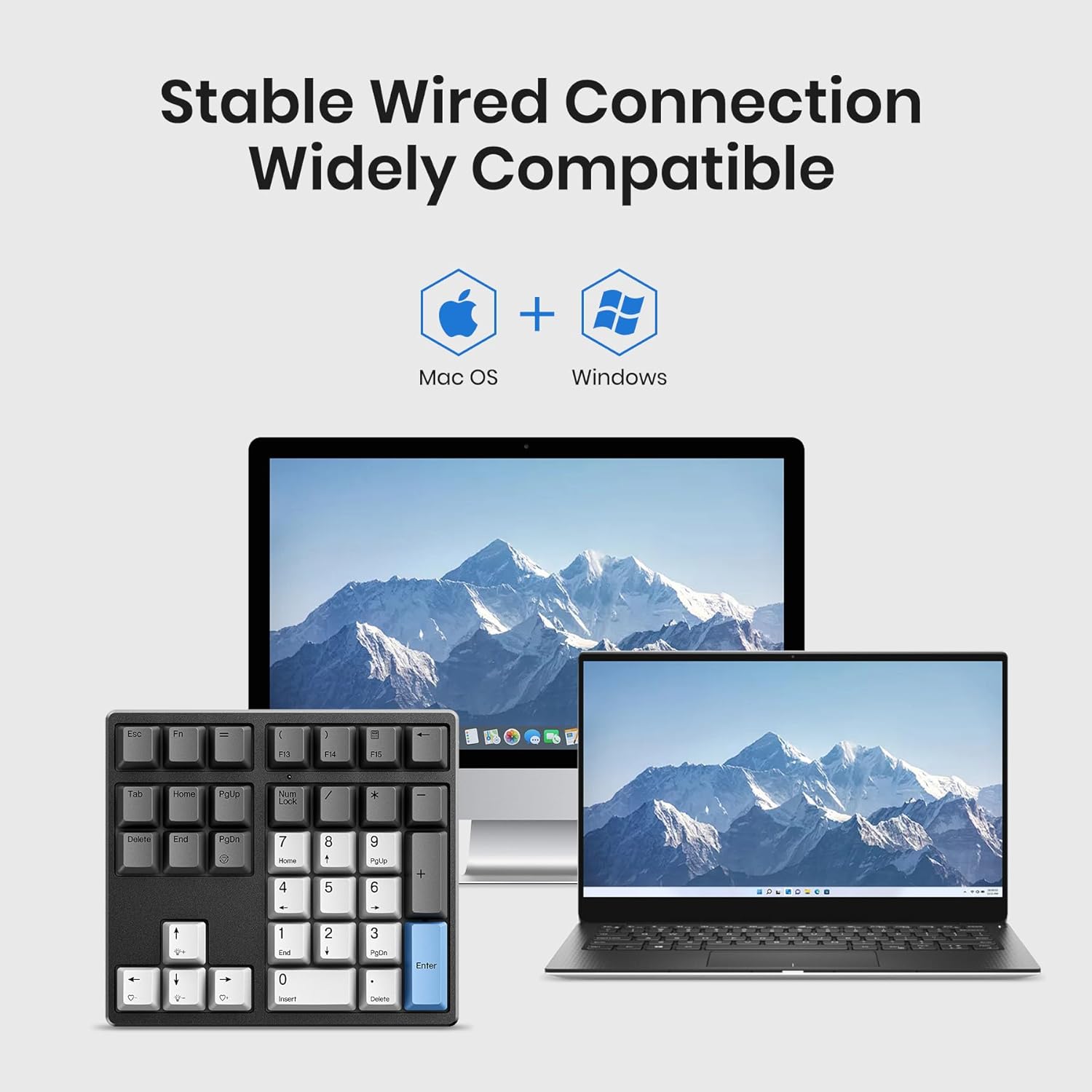
Image: The Kisnt Mechanical Number Pad shown connected via its USB cable to a laptop, with a desktop monitor in the background, illustrating its wide compatibility.
Navodila za uporabo
Razporeditev in funkcije tipk
The KN34 number pad features a 34-key layout, extending beyond a standard 17-key numeric keypad to include essential function keys for enhanced productivity.
- Številske tipke: Standard 0-9, +, -, *, /, and Enter for calculations.
- Extended Function Keys: Includes Esc, Tab, Back Space, Delete, Home, Page Up, Page Down, and four arrow keys (Up, Down, Left, Right).
- Num Lock: Toggles the numeric keypad function. An indicator light will show its status.
- Tipka FN: Used in combination with other keys to control backlight settings.

Slika: Podrobna view of the Kisnt Mechanical Number Pad highlighting the combination of numerical and function keys such as Esc, Tab, Back Space, Delete, and arrow keys.
Nastavitve osvetlitve ozadja
The keypad features white LED backlighting. Use the FN key in combination with other keys to adjust the lighting:
- FN + PgDn: Cycle through backlight preset modes.
- FN + puščica gor/dol: Prilagodite svetlost osvetlitve ozadja.
- FN + puščica levo/desno: Prilagodite hitrost učinka osvetlitve ozadja.

Image: A visual guide demonstrating how to control the white LED backlight settings using the FN key combined with PgDn, arrow keys for brightness, and arrow keys for speed.
Lastnosti in dizajn
- Stikala z možnostjo vroče menjave: The KN34 supports hot-swapping of almost all 3-pin and 5-pin MX style mechanical switches without soldering, allowing for personalization of your typing experience. The keypad comes pre-installed with Gateron Red Switches.
- Gateron Red Switches: These linear switches provide a quiet and smooth typing experience with an operating force of 45g, 4.0mm max actuation travel, and a lifespan of 100 million clicks.
- PBT Dye-Sub Keycaps: The keypad features PBT dye-sublimation keycaps, known for their enhanced texture, durability, and resistance to shine over time.
- Multi-layer Silencing Structure: Designed for comfort and acoustics, the keypad incorporates a Poron bottom layer, sandwich foam, and IXPE switch pad to ensure consistent keystrokes and a pleasant sound profile.
- Nastavljive nagibne noge: The keypad includes two-stage adjustable tilt legs on the underside, allowing users to customize the typing angle for ergonomic comfort.
- Snemljiv kabel USB tipa C: The keypad uses a detachable USB-C to USB-A cable for convenient connection and portability.

Image: The Kisnt Mechanical Number Pad with several keycaps and switches removed, demonstrating its hot-swappable capability and support for 3-pin and 5-pin switches.

Slika: Povečana view of Gateron Red linear switches, detailing their characteristics such as operating force, actuation travel, and click lifespan.

Image: An exploded diagram illustrating the internal components of the keypad, including the PBT keycaps, upper cover, mechanical switch, locating plate, sandwiched Poron foam, IXPE switch cushion, PCB, switch sockets, bottom silicone, and bottom case, all contributing to noise reduction.

Slika: Stranski profesionalecfile view of the keypad demonstrating the two available angles provided by the adjustable tilt legs.

Slika: Bližnji posnetek view of the back of the keypad, showing the USB-C port and the detachable cable connected.
Specifikacije
| Funkcija | Podrobnost |
|---|---|
| Dimenzije izdelka | 5.87 x 5.28 x 1.54 palcev |
| Teža predmeta | 1.12 funtov |
| Proizvajalec | Kisnt |
| Številka modela | KN34-B-Red |
| Združljive naprave | Prenosni računalnik, PC |
| Tehnologija povezljivosti | USB-C to USB-A (Wired) |
| Opis tipkovnice | Wired Mechanical Number Keypad |
| Število ključev | 34 |
| Tip stikala | Gateron Red (Hot-Swappable) |
| Material ključavnice | PBT Dye-Sub |
| Osvetlitev ozadja | White LED (Single Color) |

Image: A multi-panel display showing the dimensions of the keypad (5.87in x 5.28in x 1.54in) and various detailed views, including the top-down layout, side profile, and the USB-C port.
Odpravljanje težav
- Tipkovnica se ne odziva:
- Ensure the USB cable is securely connected to both the keypad and the computer.
- Poskusite priključiti tipkovnico v drug USB vhod na računalniku.
- Znova zaženite računalnik.
- Če uporabljate zvezdišče USB, poskusite priključiti napravo neposredno na računalnik.
- Num Lock Not Working / Syncing:
- The Num Lock on the keypad should sync with your main keyboard's Num Lock. Press the Num Lock key on either device to toggle its state.
- If the light is on but keys don't function as numbers, ensure Num Lock is active.
- Keys Duplicating Input (e.g., '/' key):
- This can sometimes occur due to software conflicts or driver issues. Try unplugging and replugging the keypad.
- Prepričajte se, da je vaš operacijski sistem posodobljen.
- Če težave ne odpravite, se za nadaljnjo pomoč obrnite na podporo strankam.
- Osvetlitev ozadja ne deluje:
- Ensure the keypad is properly connected and receiving power.
- Try adjusting the brightness using FN + Up Arrow.
- Cycle through backlight modes using FN + PgDn.
Vzdrževanje
- Čiščenje: Use a soft, dry cloth to wipe down the keypad. For deeper cleaning, you can use a can of compressed air to remove dust and debris from between the keycaps. Avoid using harsh chemicals or abrasive materials.
- Odstranitev tipkovnice: If you need to clean under the keycaps or replace switches, use a keycap puller (not included) to gently remove the keycaps. For switch removal, use a switch puller.
- Shranjevanje: When not in use for extended periods, store the keypad in a clean, dry environment away from extreme temperatures and direct sunlight.
Garancija in podpora
Kisnt offers a 2-letna poprodajna storitev for this product. If you encounter any quality issues within this period, please contact Kisnt customer support for assistance. They are committed to providing a new replacement if necessary.
For support, you may contact Kisnt via email or visit their official webspletno mesto:
- E-pošta: kisnt_vip@163.com
- Uradno Webspletno mesto: http://www.kisnt.cn/
Ask a question about this manual
Ask about setup, troubleshooting, compatibility, parts, safety, or missing instructions. Manuals+ will review the question and use this page’s manual context to help answer it.